
How to Calculate the Time Range of Sub-items in Notion
Use Notion Rollup and the dateRange function to automatically calculate the time range of sub-tasks, enabling automatic date calculation for parent items.

Notion Q&A: Can You Use Notion to Build a Shared Physics Knowledge Base?
Can Notion build a shared physics knowledge base? Its KaTeX formula support, free page sharing, and databases make creating and sharing one easy.

How to Automatically Match Text Fields with Relation Pages in Notion
Use a relay database and Rollup fields to automatically match text input with related pages in Notion.

How to Create Recurring Automatic Reminders in Notion
Use Notion Automation to set up recurring automatic reminders, solving the problem of templates being unable to send repeating notifications.

How to Build a Global Navigation Bar with Synced Blocks in Notion
A step-by-step guide to building a global navigation bar using Notion Synced Blocks, enabling one-click cross-page navigation menus.
How to Auto-Advance Dates Based on Multiple Checkbox States in Notion
Use Notion Formula lets and empty functions to automatically calculate and advance dates based on multiple Checkbox column states.
How to Record and Manage Daily Work Reports with Notion
Three ways to record and manage daily work reports in Notion with automatic project summaries. Turn your daily logs into reusable experience assets.
Notion Database Automation Tips: Auto-Inherit Parent Page Relation Properties in Sub-Items
Two Notion database methods that let sub-items automatically inherit parent-page Relation properties, boosting efficiency and cutting repetitive work.
Notion AI to the Rescue: Effortlessly Classify Thousands of Data Rows
Use Notion AI's auto-fill feature to classify thousands of food entries in one click — no coding required, simple to use, and highly accurate.
Free Collection of 1000+ Notion Database Covers
Free download of over 1000 Notion database cover images featuring 10+ Chinese font styles, perfect for life, study, work, and entertainment categories.
How to Calculate Select Field Option Percentages in Notion
Learn how to use Formula functions in Notion to calculate the percentage of each Select field option, bypassing the limitations of Rollup count per group.
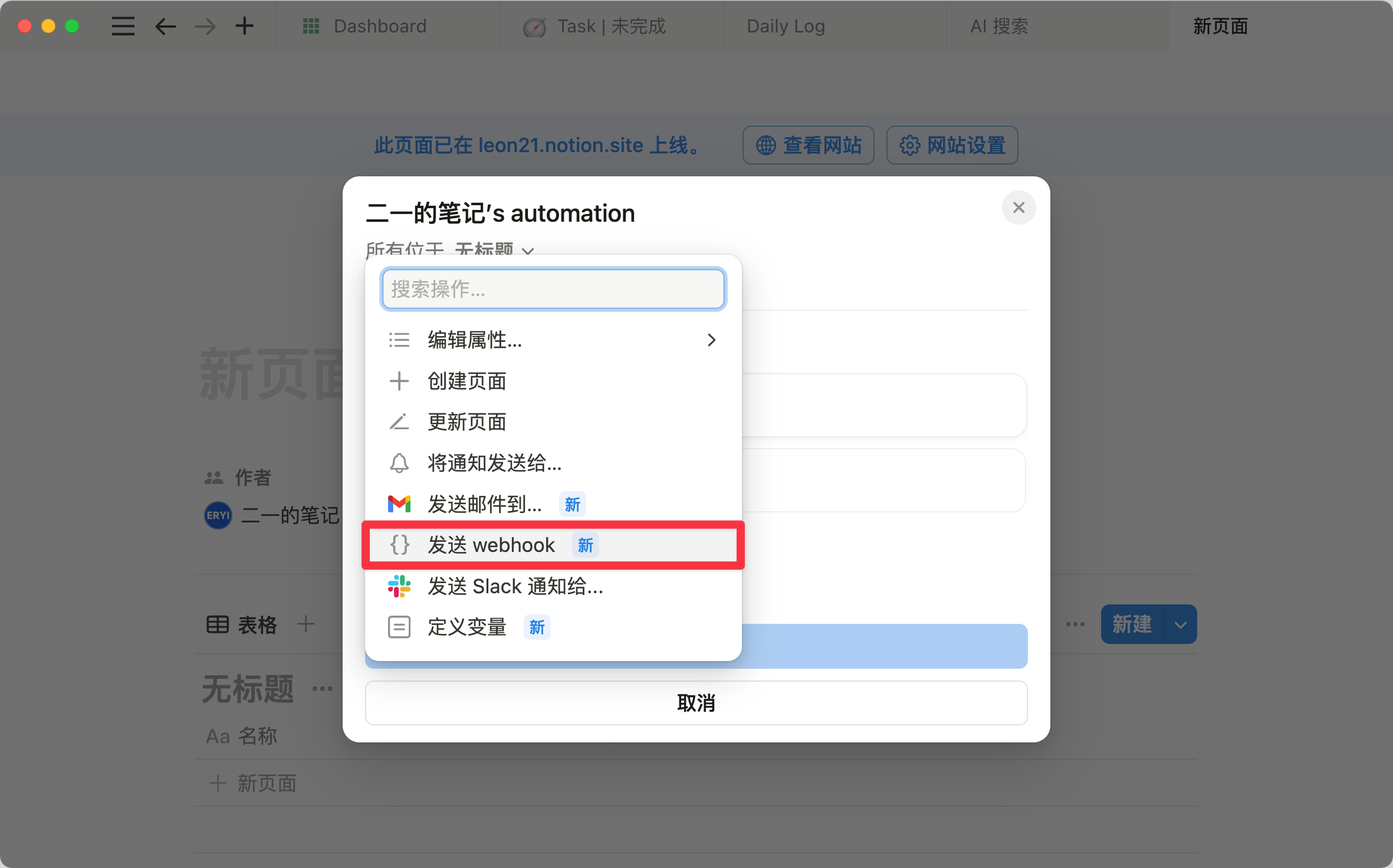
Notion Automation Now Supports Webhooks and Other Handy Updates
Notion Automation now supports webhooks and Button can send notifications, plus faster image loading, column commands, and window dragging updates.
How to Resize and Left-Align Images in Notion?
A detailed guide on resizing and left-aligning images in Notion, including how to drag to adjust size and use the alignment buttons.
Notion Automation Tips: Build Auto Spaced Repetition Tasks with Function Variables
Use Notion Automation and Button variables to build automatic spaced-repetition check-ins with customizable interval days and no repeated page creation.
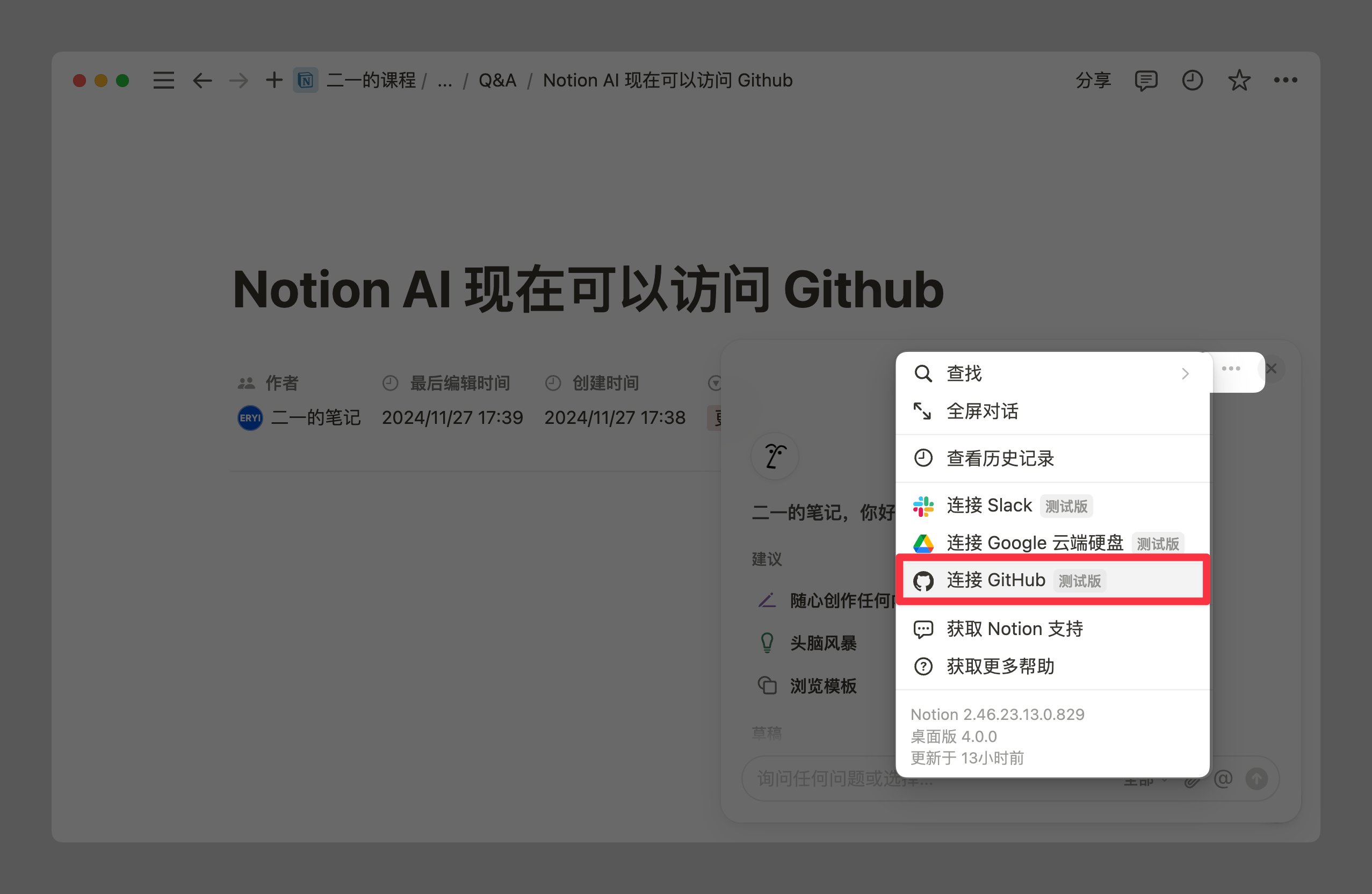
Notion AI Integrates with GitHub, Notion Mail Preview, and Permission Management Upgrades
A Notion updates roundup: AI now indexes GitHub repositories, UI refinements, databases drop the default Tags property, new iPhone shortcuts, and Notion Mail.
How to Use Sum Values in Notion Database Calculations?
Learn how to use Sum aggregate values indirectly in Notion database formulas through Relation, Rollup, and the map function to calculate proportions.
What to Do When Notion Database Nesting Is Too Deep
Struggling with deeply nested Notion databases? Learn to control nesting depth with the PARA method and build a Desk shortcut page to reach content fast.
How to Filter Last Month's Records in a Notion Database
Filter last month's records in a Notion database using grouping or Formula functions — with complete formulas and step-by-step instructions.
Automatically Set Notion Database Page Titles Based on Field Content
Use Notion database automation to generate and update page titles from Select field content, replacing plain date-only titles. A template link is included.

Notion Offline Mode Is Finally Here! Complete 2024 Product Launch Analysis
A complete analysis of Notion's 2024 launch event: Offline Mode, Forms, the Layouts builder, Automation formula variables, AI PDF reading, and Notion Mail.