This accessibility update adds a high contrast mode that makes text, icons, and borders easier to read.
Turn it on from Settings → Preferences → Appearance. It is available on desktop and web.

Tracked by the FLO.W team
This accessibility update adds a high contrast mode that makes text, icons, and borders easier to read.
Turn it on from Settings → Preferences → Appearance. It is available on desktop and web.

Checking Version History in Notion used to mean comparing two versions by eye. Once a page had enough content, it was hard to spot which paragraph changed, which image disappeared, or whether a database property had been edited.
Notion now adds snapshot diffs to Version History. Open a page's version history from the top-right menu, and you can see what moved, changed, or disappeared. Text, images, tables, and database properties are all included in the comparison.
This is especially useful for collaborative pages like documents, brand guides, and project plans. You spend less time hunting for changes across the whole page, and it becomes easier to decide whether a previous version should be restored.
If you have used Notion Agent change diffs, this update brings a more fundamental page-level review flow. It is not limited to AI Agent actions.

Previously, cells in Notion Simple Tables had to stay inside a fixed row and column structure. If you wanted a header row, a group label, or a wider area across columns, you usually had to fake it with empty cells.
Notion now supports merged cells. Select multiple adjacent table cells, open the cell menu, and choose "Merge cells" to turn them into one larger area.
This is useful for comparison tables, schedules, course tables, and explanatory tables. Together with the earlier bullet list support in table cells, Notion Simple Tables are finally becoming more practical for real layout work.

Notion mobile now has a new Home tab.
After opening the mobile app, you can switch between Home, Chat, Meetings, and Inbox from the top of the screen. Common pages, AI chats, meeting notes, and notifications are easier to reach without digging through the sidebar.
This update follows the earlier Notion mobile AI upgrade. Notion is turning the phone experience into a fuller workspace entry point. For people who often check notes, follow up on messages, or review meeting content on mobile, the main routes are now shorter.

Notion AI can now run or write code inside a conversation and generate files directly.
You can ask it to turn content into a PPT, PDF, Word document, or HTML file. You can also upload files and let AI use command-line tools, Python, Node, and other scripts in a sandboxed environment to process them. Tasks that used to require switching between multiple tools can now happen inside the Notion AI chat.

This follows the same direction as AI image generation: generated output stays inside Notion. Image generation handles visual assets, while this update covers more general file and data tasks, including reports, spreadsheet analysis, document conversion, and batch cleanup.
Combined with Custom Agents, Notion is moving closer to a full work execution environment. For structured templates like FLO.W, project notes, tasks, reviews, and knowledge bases could eventually be read, processed, and exported into usable files by AI.
When you used Rollups to summarize budgets, revenue, or progress percentages, the result often appeared as a plain number. To show dollars, euros, percentages, or a specific number of decimal places, you often had to add an extra formula.
Notion rollups can now set number formats and decimal places directly. Open a Rollup property in a database, go to "Number format" and "Decimal places" in the property settings, then choose formats like US Dollar, Euro, or Percent and control how many decimal places to keep.
This is useful for budget tables, sales summaries, and project progress databases. Together with the earlier Dashboard view, rollup results can go straight into an overview page without extra formulas just for display formatting.

Notion AI now has a Plan mode similar to the one in Claude Code.
When it is turned on, AI first breaks down the request and gives you a few possible ways to proceed. For example, after finding notes that may need cleanup, it can ask whether you want to review them yourself, archive them in bulk, or mark them for later review. After you choose a direction, it continues by preparing a more specific plan.

This matters a lot for Notion Agent. AI can move quickly when organizing pages, editing databases, or handling content in bulk, and a wrong step can be annoying to undo. Plan mode puts the thinking step before the action, so you can adjust the direction before AI starts making changes.

After the Claude AI Agents integration, Notion has added another important safety layer to its Agent workflow. It also fits structured templates like FLO.W well. Projects, tasks, notes, and archives all have clear boundaries, and asking first helps reduce mistaken operations.
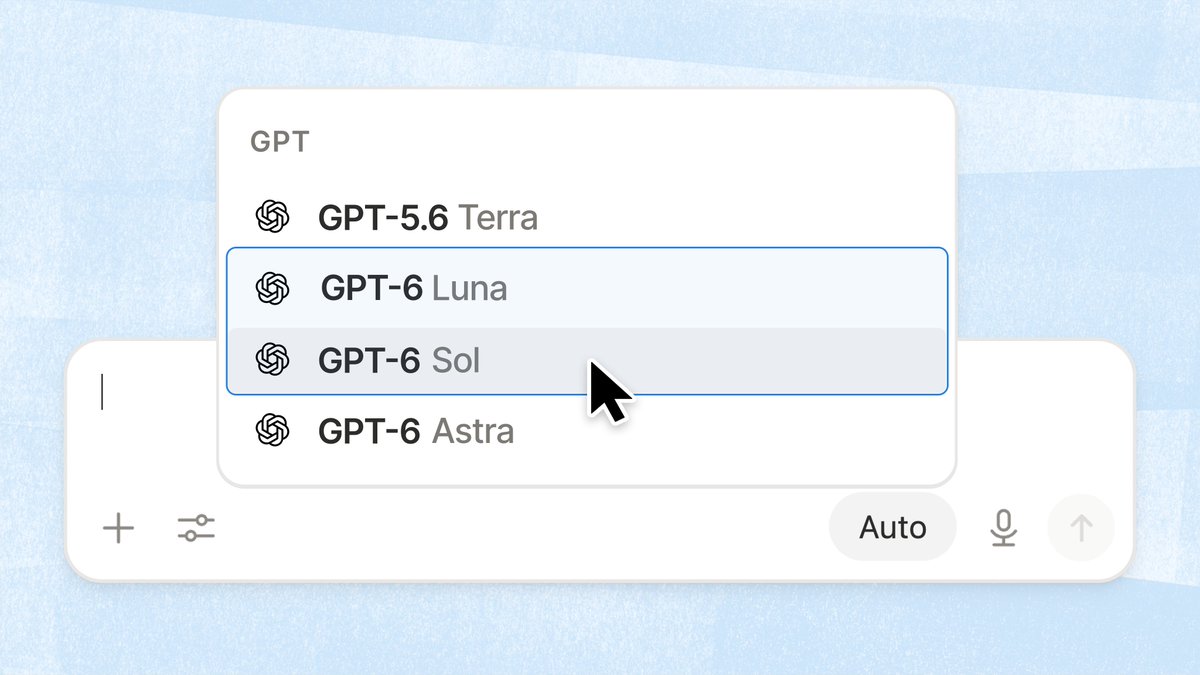
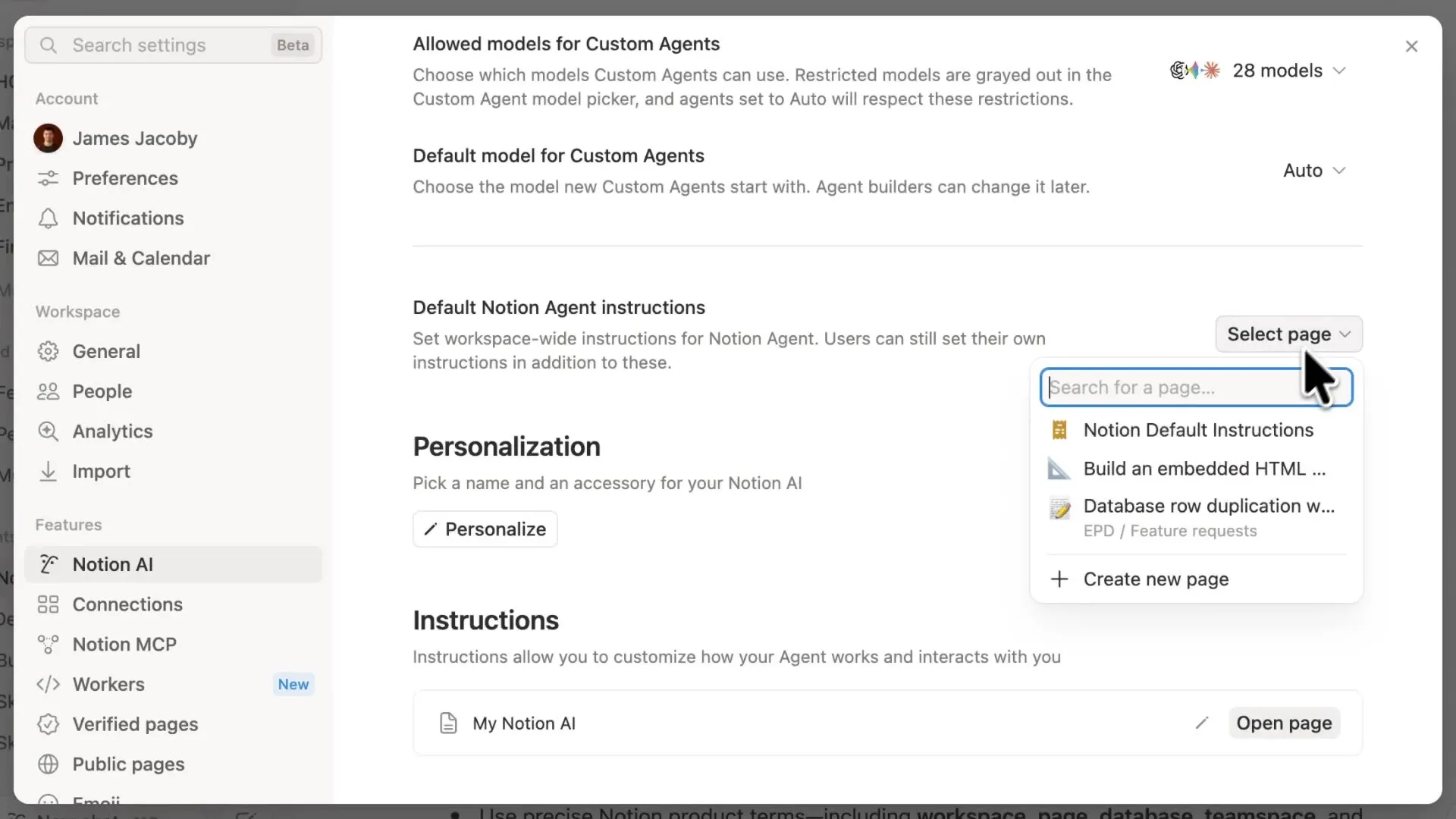
Kimi K2.6 now appears in Notion's model selector inside Agent chat. Once you open an Agent conversation, you can switch to it directly.
From the interface, Kimi K2.6 now sits in the same list as Sonnet, Opus, Gemini, and GPT models. That is another sign that Notion is still expanding the model options available in Agent chat.
After Notion Adds GPT-5.4 Series and Model Comparison and Notion Adds Google Gemini 3.1 Pro, this is one more addition to the lineup. At least from what is visible in the UI, model choice inside Notion is getting broader.

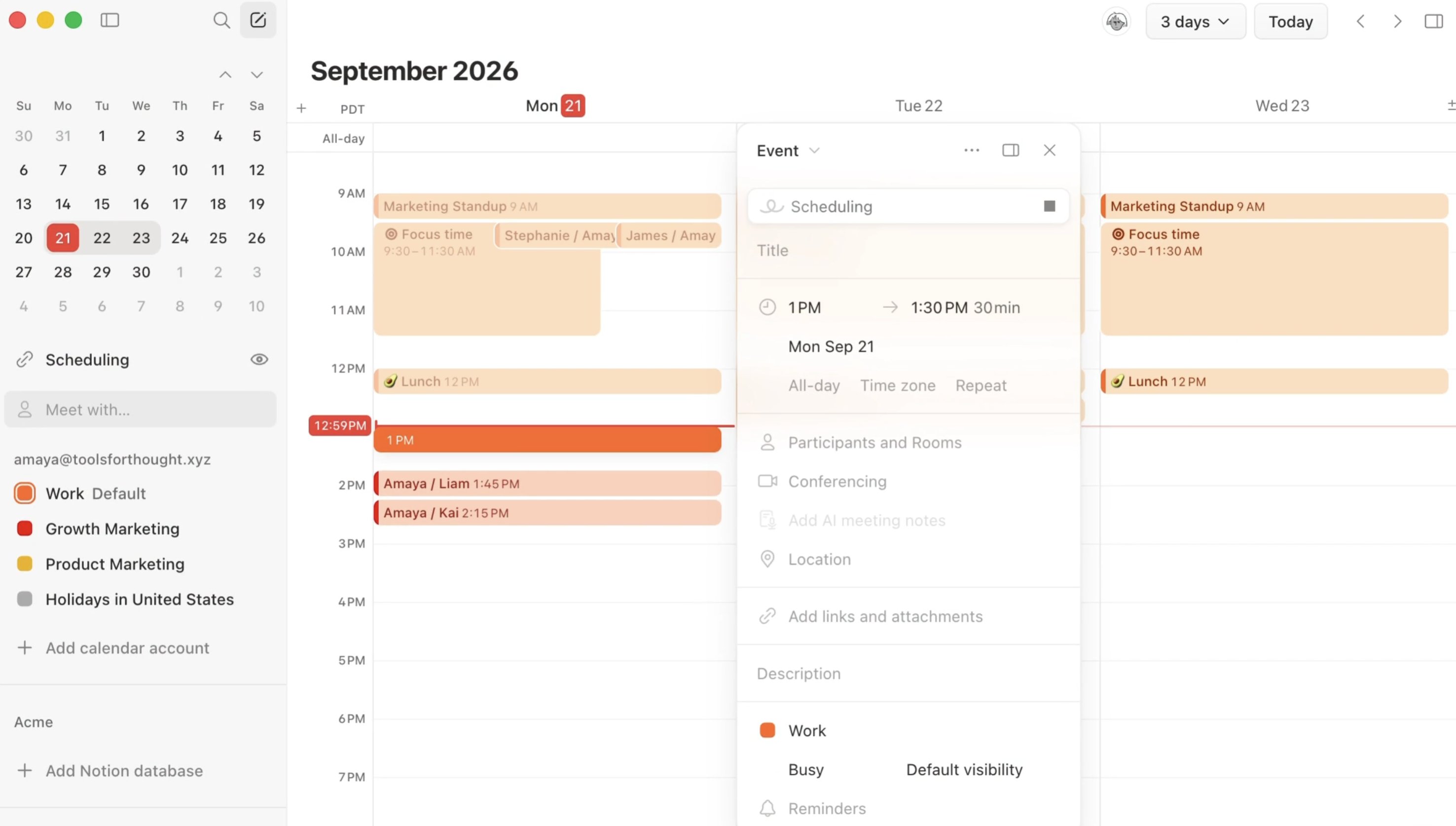
Notion now puts Mail and Calendar account connections into a dedicated Mail & Calendar page in Settings. If you wanted AI to draft emails, check availability, or schedule meetings before, the setup path could feel scattered. Now you can handle those permissions in one place.
From Settings, you can add email addresses and calendar accounts in one flow. Once linked, Notion AI can draft emails, organize your inbox, and schedule meetings more smoothly. Following Mail and Calendar integrations for Custom Agents, the focus here is a clearer and easier setup flow.

If you already run Agent workflows inside FLO.W, this is a practical improvement. It should be easier to reconnect everything on a new device or hand the setup over to a teammate. I covered email triage and scheduling examples in my deep dive on Notion Custom Agent.
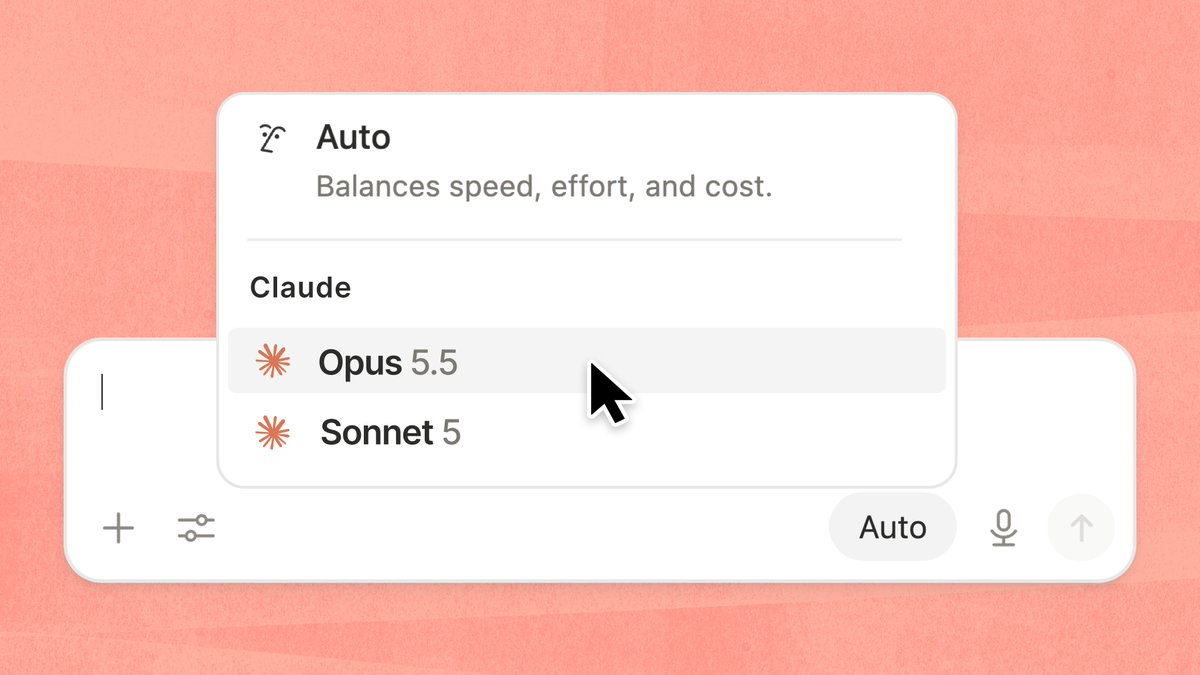
Two months after Claude Opus 4.6 and Sonnet 4.6 arrived, Anthropic's flagship model has been upgraded again. Opus 4.7 is now available in Notion AI's model selector.
This version focuses on multi-step workflow stability. Compared to 4.6, Opus 4.7 uses fewer tokens and produces roughly 3x fewer errors when calling tools. If your Agent needs to perform multiple operations in sequence, like searching pages, organizing content, and then sending notifications, the failure rate drops significantly.

Notion has added four new page cover art collections sourced from museums and public archives: natural textures (Texturelabs), Hudson River School paintings (The Metropolitan Museum of Art), Chinese silk paintings (National Museum of Asian Art), and watercolor fruits (USDA Pomological Watercolors).

When setting a page cover, you'll find these four new collections in the cover picker. Each collection includes multiple high-quality images spanning nature, art, and humanities, offering a significant upgrade over the previous default options.
Cover art choices in Notion have always been somewhat limited. These museum-sourced collections bring genuinely high-quality imagery, perfect for notes and documents where visual presentation matters. If you're looking for even more cover options, check out our 1,000 free Notion database covers featuring a wide range of Chinese font styles.
When you have many database views, the tabs at the top can get crowded and cluttered. Notion now supports customizing how tabs are displayed. Right-click on a tab and select "Display as" to switch between three modes: text and icon, text only, or icon only.
This setting only applies to you and won't affect your collaborators' views. If you prefer using icons to distinguish views, switch to "Icon only" mode for a cleaner, more space-efficient look. Along with the earlier Dashboard view, database visualization and personalization keeps getting better.

Following Custom Agents and MCP integration, Notion's integration with Claude enters its third phase.
This update brings Claude Managed Agents. Anthropic runs the model and agent harness, while Notion serves as the orchestration layer providing context, UI, and team collaboration space. You can keep working in Notion while Claude executes tasks behind the scenes.
Your task board becomes Claude's to-do list. Team members can view AI execution progress, review results, and trigger follow-up workflows—all within Notion.

Custom Agents capabilities expand again—this time with Slack integration.
Once connected, Agents can monitor channels for requests, extract action items from conversation threads, and automatically route messages to the right workflows. Tasks from team discussions no longer slip through the cracks—Slack conversations seamlessly sync to Notion for follow-up.
Following email and calendar integrations, Slack becomes another key connector for Custom Agents, making cross-tool collaboration smoother.

Debugging Custom Agents used to be a black box. Now you get a clear runtime view.
This update lets you directly see execution status, call logs, and output results. No more guessing whether your Agent is working as expected—now you have data to refine prompts and configurations.
Take advantage while Custom Agents remain free until May 3.

Copying pages finally won't freeze anymore.
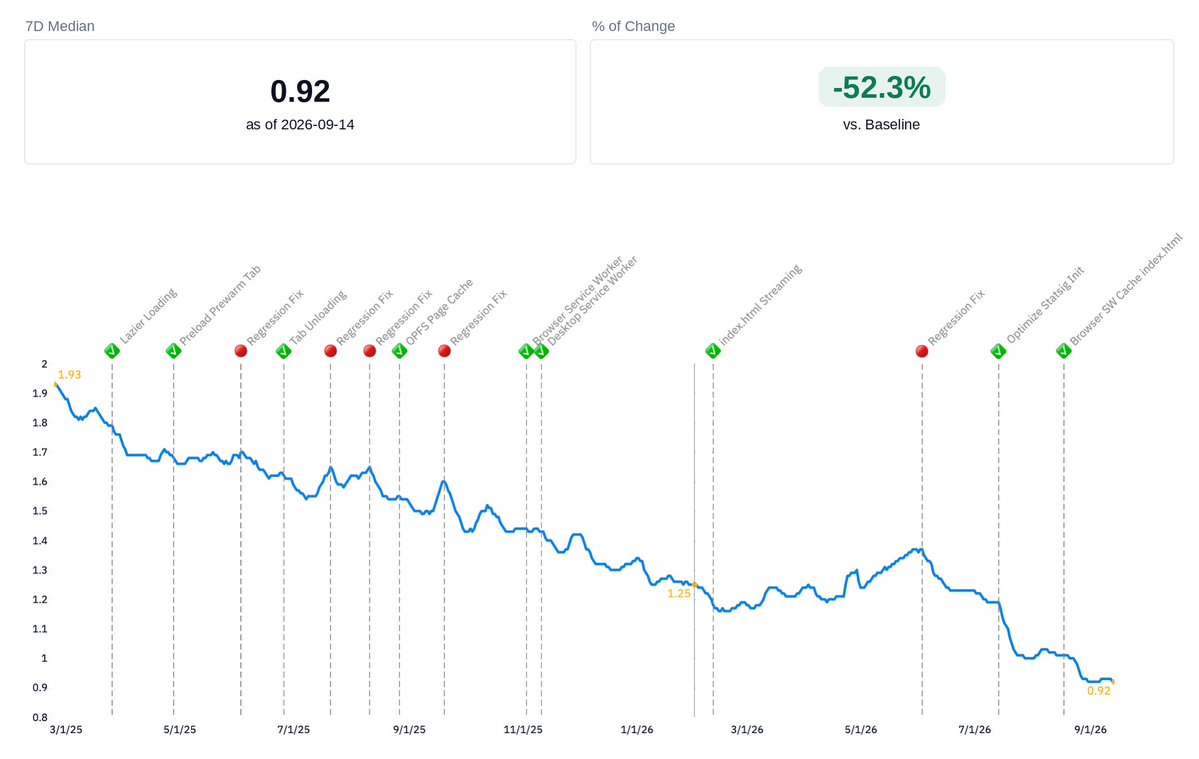
Notion unified the underlying framework for all duplication flows—page copying, template creation, marketplace installs, moves, and recurrence automations. The success rate now reaches 99.9%, with P99 speed improved by 71% for large content.
The UX improvement is even more noticeable: you now navigate to the new page earlier with a progress bar instead of staring at a blank screen.
Previously, chatting with Notion AI required typing. Now the desktop app supports voice input too.
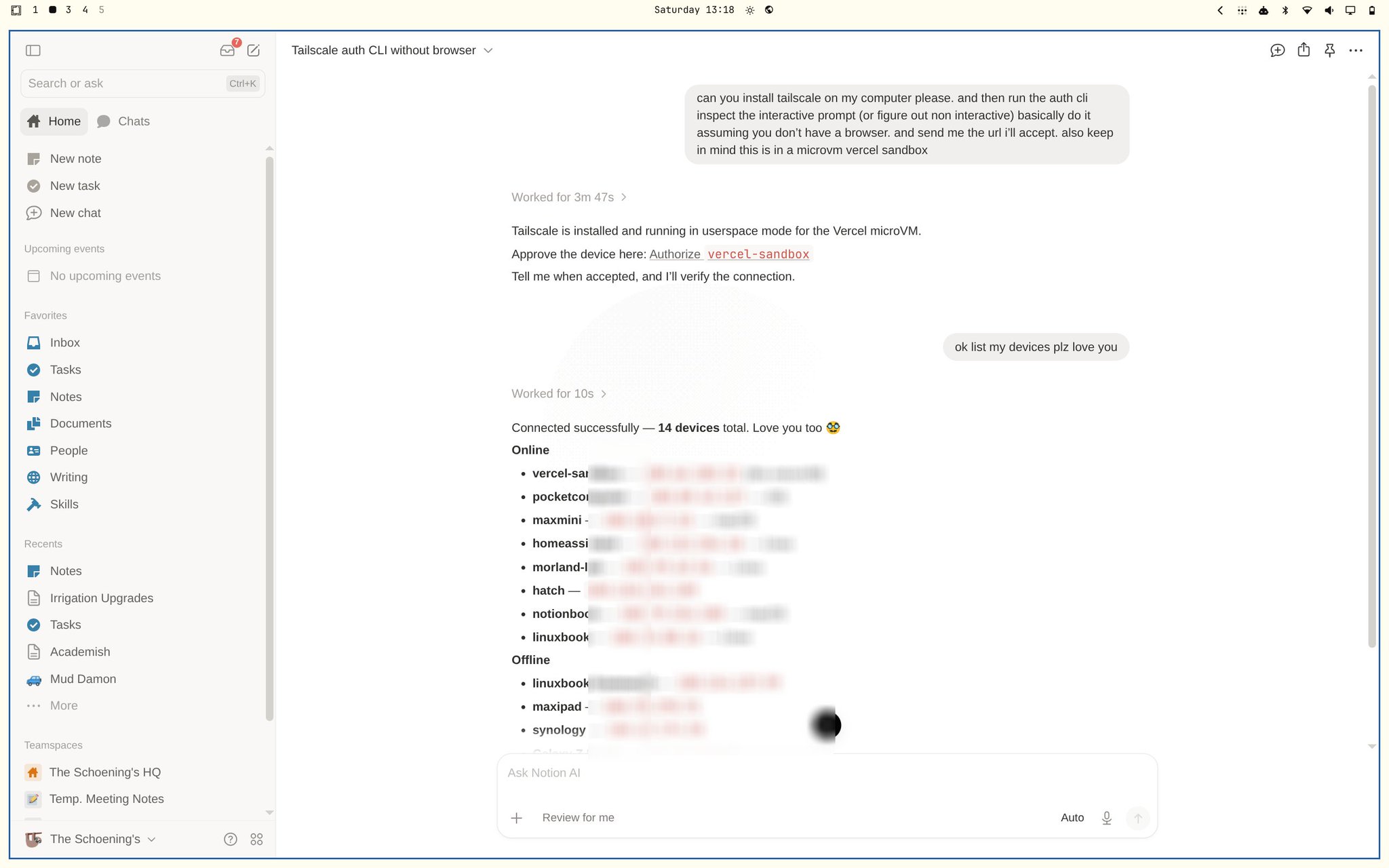
Click the microphone icon on the right side of the input box, and AI will automatically recognize and process your request after you finish speaking. For longer prompts or ideas that are hard to put into words, just saying them out loud is much easier.

Following mobile voice input, the desktop AI chat now has voice capabilities too — Notion keeps pushing forward on voice interaction.
The fastest way to type is to not type at all. Voice input is now available on desktop.
Previously limited to mobile, the speech-to-text feature now works on Mac and Windows clients. Click the microphone icon in the toolbar and speak to convert your words directly into notes.
Perfect for quickly capturing ideas, meeting notes, or whenever you just don't feel like typing.
[Screenshot needed: Desktop voice input button and interface]
Notion has quietly updated guest limits on paid plans: Plus, Business, and Enterprise now all support unlimited guests, while the Free plan stays at 10.

This change is huge for knowledge base sellers and template creators. Previously, sharing content with a large number of external users required an Enterprise account, which was a high barrier (I wrote a detailed breakdown of guest limits by plan before). Now, Plus ($10/user/month) lets you invite unlimited guests — you can start running a knowledge base business with just one email.
If you're using Notion for paid content, course libraries, or team-shared docs, this update means you no longer need to worry about running out of guest slots.
Your Notion entry point on the home screen just got more powerful.
The new iOS widget lets you jump directly to three core features: AI chat, camera scan, and voice input. No need to open the app first and then find the function—launch your most-used actions right from the home screen.
Perfect for quickly capturing ideas, scanning documents, or chatting with AI.

Getting bombarded by irrelevant discussion replies? Now you can mute them.
For discussions you no longer need to follow, you can mute subsequent replies to keep your inbox clean. But don't worry about missing important updates—you'll still get notified if someone @mentions you.
A small feature for better focus, especially useful when working with heavily collaborative pages.

The community has been asking for H4 for years — and it's finally here. Type #### on any page or select "Heading 4" from the menu.

Heading 4 appears in the sidebar Table of Contents, making long-document navigation more precise. Many users previously resorted to toggles or bold text to simulate a fourth heading level — that workaround is no longer needed.
Sharing AI conversation results used to mean taking screenshots or copy-pasting, with formatting often breaking in the process. Now you can generate a read-only link for any AI chat and send it directly.
Recipients can view the full conversation and results but cannot edit. Had AI help summarize meeting notes or compare proposals? Just share the link — no more stitching screenshots together.

Enterprise users can now choose to store workspace data in data centers located in Tokyo or Seoul, keeping data within the region.
Data residency is a hard requirement for many Japanese and Korean enterprises. Previously, Notion only supported data centers in the US and Europe — this update finally covers the Asia-Pacific region. All collaboration features work normally with no difference in experience.

Previously, after writing content in Notion you'd still have to copy your key points into PowerPoint or Google Slides for presentations. Content and slides were always two separate things.
Now Notion has a built-in Presentation Mode. Hit "Present" on any page and your content automatically becomes slides. Your document is your presentation — no more copying between tools.

Previously, using Notion's AI meeting notes on mobile was frustrating — switching to another app or locking your screen would stop the recording. You had to keep the screen on and Notion in the foreground the whole time.
Now AI meeting notes support background recording. Start a recording, then go check your files, reply to messages, or even lock your screen — the recording keeps going. Works on both iOS and Android.

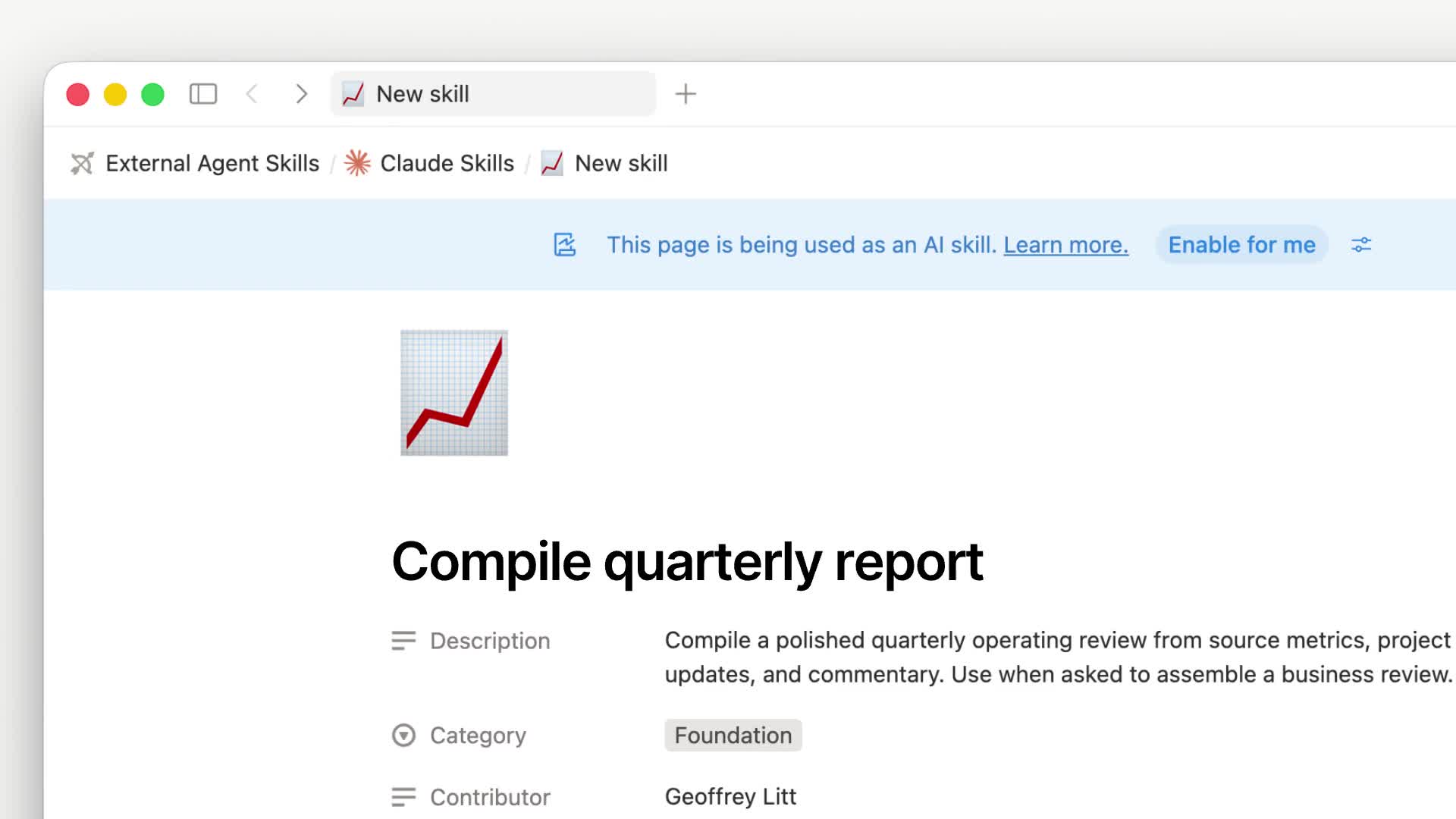
Typing the same AI prompt over and over gets tedious — especially for repetitive tasks like "format my notes into a weekly report" or "extract key points from this article." Notion Skills solves exactly this problem.

Save your go-to prompts as "skills," then invoke them by selecting text and picking from the menu.

Or @ mention them in AI chat.

A skill is essentially a Notion page, so it can be shared with your team — everyone follows the same standardized workflow.
Skills are part of the Agent ecosystem. See the Complete Notion Agent Tutorial for the full picture.
After using a workspace long enough, outdated pages pile up. Deleting them feels risky, but keeping them clutters your search results. The old workaround was stuffing them into an "Archive" folder and pretending they didn't exist.
Now Notion has an official Archive feature. Archived pages are hidden from search results by default, child pages get archived along with the parent, and database views automatically filter them out. You can always retrieve them when needed, but they stay out of your way day-to-day.
Available on Business and Enterprise plans.

Notion Academy is the official learning platform, but it was previously English-only. That created a real barrier for non-English speakers trying to follow along with video tutorials.
Now Notion Academy is available in six additional languages: Spanish, Portuguese, Japanese, Korean, French, and German. This isn't just a UI translation — videos, templates, and quizzes are all fully localized.

Previously, Notion's AI meeting notes could only output in a fixed default format. If you wanted a specific structure — say, organized by topic with conclusions and action items per section — you'd have to restructure it manually.
Now you can set custom output instructions for AI meeting notes (AI transcription). Use one of the built-in templates or write your own, then set it as default so it automatically applies to every meeting going forward. You can also add team background information to improve transcription accuracy.

When a page gets long, your options were either splitting content into a maze of sub-pages or scrolling endlessly through a wall of text.
Now Notion has a Tabs block. Type /tabs to create one. Drop different sections into separate tabs — viewers switch between them without leaving the page. Everything stays tidy and nothing gets buried in sub-pages.
For example, a project hub can have tabs for "Overview," "Docs," and "Progress" — all on one page instead of scattered across multiple sub-pages.

In some countries and industries, recording requires notifying all participants and obtaining consent. Notion has added a global audio consent policy that workspace admins can configure.
Once enabled, AI transcription automatically plays a consent statement before it starts recording. No more manual reminders each time, while still meeting compliance requirements. Primarily designed for enterprise scenarios with legal and regulatory obligations.

Teams using Salesforce for CRM used to have to switch over to Salesforce every time they needed customer details. With the new AI Connector, you can now search Salesforce accounts, leads, opportunities, and contacts right from Notion.
AI retrieves data across tools so you don't have to jump between systems. Available on Enterprise plans.

Dashboard is a brand-new database view type that combines boards, tables, charts, timelines, and more into one page. Previously, building an overview page meant stitching together linked views yourself — now Notion provides a native solution.

For a detailed guide on using charts in Dashboard, see the Complete Notion Database Charts Guide.
Need an image while writing a doc? Before, you'd have to open a separate AI image tool, generate it, download it, then upload it to Notion — way too many steps.
Now Notion can generate images natively. Type /ai and look for the AI image option, or describe what you need in a conversation with Notion Agent. It can produce cover images, photo-style images, charts, diagrams, and even slide visuals — generated and inserted directly into your page. No more switching back and forth.

Notion hasn't officially disclosed which image model they're using, but based on the output quality, it's almost certainly powered by Nano Banana's model.
Notion made several AI model updates this month — three in one go:
GPT-5.4 is here, OpenAI's latest flagship model. It excels at long-chain reasoning — planning, breaking down complex problems, and executing multi-step operations across your workspace.
GPT-5.4 mini and Nano have also been added to the Custom Agent model picker. They're faster and cheaper, ideal for simple tasks like formatting text or quick classification.

If your team stores files in Box, you can now connect it to Notion via the AI Connector. Once connected, you can search Box files directly in Notion, have AI summarize document contents, and compare file changes.
Setup path: Settings → Notion AI → AI Connectors → Box. Available on Enterprise plans.

Custom Agent now supports MiniMax M2.5 — the first open-weight model available in Notion.
Compared to proprietary models, basic tasks can cost up to 10x less. It's a great fit for agents that don't need top-tier reasoning, such as simple classification, format conversion, and information extraction. Notion continues to expand its model lineup without locking users into a single vendor.

Notion has been refining its sidebar experience, and now it's rolling out a completely redesigned version that brings together content browsing, message threads, and notifications — with much clearer navigation logic.

Custom Agents just got more powerful with new Mail and Calendar integrations. Agents can now automatically organize your inbox, schedule meetings, and prepare pre-meeting materials.

For example, you could set up an Agent to categorize unread emails every morning, or automatically compile relevant documents 30 minutes before each meeting. These tasks used to require manual effort or third-party automation tools — now you can handle it all within Notion.
I covered how to build an email Agent in detail in my Custom Agent practical use cases post, if you're interested.
Notion Custom Agents now support the MCP (Model Context Protocol), allowing direct connections to external tools like Slack, Linear, Figma, GitHub, Ramp, HubSpot, and Wiz.
Previously, information across your tools was siloed — you had to jump between tabs to stay on top of everything. Now Agents can monitor activity across these tools and automatically categorize, route, and follow up, essentially adding an intelligent dispatch layer to your entire tool stack.

Want to learn how to use Custom Agents? Check out the Complete Notion Agent Tutorial.
This is the flagship feature of Notion 3.3 and one of the biggest releases of the year.
Custom Agents are essentially virtual team members that run 24/7 in your Notion workspace. Set up their rules and triggers, and they keep working autonomously — no babysitting, no prompting. Routing bugs, answering team questions, updating docs, generating weekly reports — Agents handle the repetitive work.
The best part: no coding required. Non-technical users can build them too. Multi-user collaboration and multi-model switching are both supported.
For real-world use cases, check out Custom Agent practical examples — 7 automation scenarios from beginner to advanced.
Google's Gemini 3.1 Pro model is now available in Notion. Just open the model picker to switch to it.
With this addition, Notion now supports models from OpenAI (GPT series), Anthropic (Claude series), and Google (Gemini series). You can pick different models for different tasks — no vendor lock-in.

Mobile AI in Notion used to be fairly limited — most configuration options were desktop-only.
Now Notion brings two key features to mobile: you can customize Agents directly on your phone, and the model selector is back, letting you switch between different AI models on the go.

Typing notes on a phone is slow, especially while walking or commuting.
Notion mobile now supports voice input. Just speak and your words are written directly into the page. If you think faster than you type, this means no more pausing to thumb out your ideas — just talk and it's captured.

Want to take voice notes even further? Check out Voice Notes with DeepSeek + Shortcuts.
Latest update: The desktop AI chat now supports voice input too.
As workspaces grow, the sidebar gets overloaded fast. For many people it's either crammed with pages or given up on entirely.
Library is a full-page content management view that brings together teamspaces, recently visited pages, and favorites in one place. You can slim down the sidebar to just a few key entry points and access everything else from Library. Think of it as a file manager for your workspace.

In database Board and Gallery views, pages with embedded videos used to show only a cover image or blank space — no indication of what was inside.
Now you can preview and play videos right on the card. A handy improvement for content management, asset libraries, and video project boards.

For more advanced database tips, see Notion Database Advanced Tips.
Notion AI Agent can now show exactly what it changed on a page — which text was removed, what was added — so you can review the AI's work at a glance.

The quick search bar you open with CMD+K (Ctrl+K on Windows) just got a major refresh.
The biggest change is the new page preview. Search results now show a content summary alongside each result, so you can tell if it's the right page without clicking into it. Default filters are smarter too, adjusting the sort order based on your recent usage patterns.

Notion has expanded its nonprofit program. Eligible organizations can now get 50% off the Plus plan.
Previously this discount was only available in a few countries — now it covers over 25 countries and regions. If you know a nonprofit that uses or is considering Notion, it's worth checking eligibility.

Anthropic's two flagship models are now available in Notion:
Claude Opus 4.6 is the most capable Claude model to date, excelling at complex instructions, long document comprehension, and multi-step reasoning. Ideal for deep analysis and creative work. Claude Sonnet 4.6 is lighter and faster, suited for everyday conversations and quick Q&A.

A small but practical improvement. Previously, all Agent conversations used auto-generated titles, making it nearly impossible to find a specific chat among dozens.
Now you can manually rename any conversation — for example, "Q1 Budget Discussion" or "Competitor Analysis v2" — so it's easy to locate later. Available on both desktop and mobile.

For more Agent tips, check out the Complete Notion Agent Tutorial.
If your team uses both Notion and Asana, checking task statuses used to mean switching back and forth between the two tools.
Now with the AI Connector, you can query Asana projects and task statuses directly within Notion, letting AI retrieve information across tools for you.

This one's been a long time coming. Previously, Simple Table cells in Notion only supported plain text — listing items meant awkward comma separation or just giving up.
Now you can use bullet lists inside table cells. Comparison tables, spec sheets, and feature checklists finally work the way they should.

Notion now supports 21 languages, with Arabic and Hebrew joining the lineup. This marks Notion's first-ever support for right-to-left (RTL) languages.
When you type in Arabic, text automatically aligns to the right; switch to English, and it aligns to the left. Notion detects the writing direction based on the first character you type. For mixed-language content, you can manually toggle the direction.
After selecting Arabic or Hebrew in settings, the entire interface mirrors — the sidebar moves to the right side. Both desktop and mobile are supported.

When processing emails in Notion Mail, saving important content used to mean manually copying it into a page. Now you can save an entire email to any database with a single click.
Great for scenarios that need organized archiving — client communication logs, vendor quotes, interview correspondence. Each email becomes a database entry, making it easy to filter and track later.

The AI Agent chat interface got a nice UX improvement — thinking processes and intermediate steps are now collapsed by default.
Previously, the Agent would display every single step as it worked through a task, filling up the chat with process details and forcing you to scroll past all of it to find the final result. Now it shows only the conclusion by default — click to expand if you want to see the details. Much cleaner.