Notion has many drawbacks, but "inability to work offline" is undoubtedly the biggest one and the main reason people hesitate to fully commit to it. However, this is about to change.
At 1:30 AM on October 25, 2024, Notion held an online launch event that left me thoroughly impressed. Nearly all the major pain points are set to be resolved, along with even more new features and capabilities that once again put other products to shame, including but not limited to:
- Offline Mode
- Database Forms
- Layouts (a more flexible page layout builder)
- Automation with formula variables
- Notion AI PDF reading support
- Major Notion Template Marketplace update
- Notion Mail coming soon
- Custom share link support
- And many more features...
Let me walk you through each of these updates in detail.
A Decade in the Making
The launch event opened with Notion founder Ivan Zhao reflecting on Notion's remarkable journey over the past 10 years. Yes, this seemingly "young" product has actually been around for a full decade.
- In 2020, the global user count first reached 1 million
- In 2024, the global user count surpassed 100 million
But this application, which has essentially reshaped the landscape of productivity tools worldwide, did not have a smooth start. Notion once teetered on the brink of bankruptcy.
Notion Forms
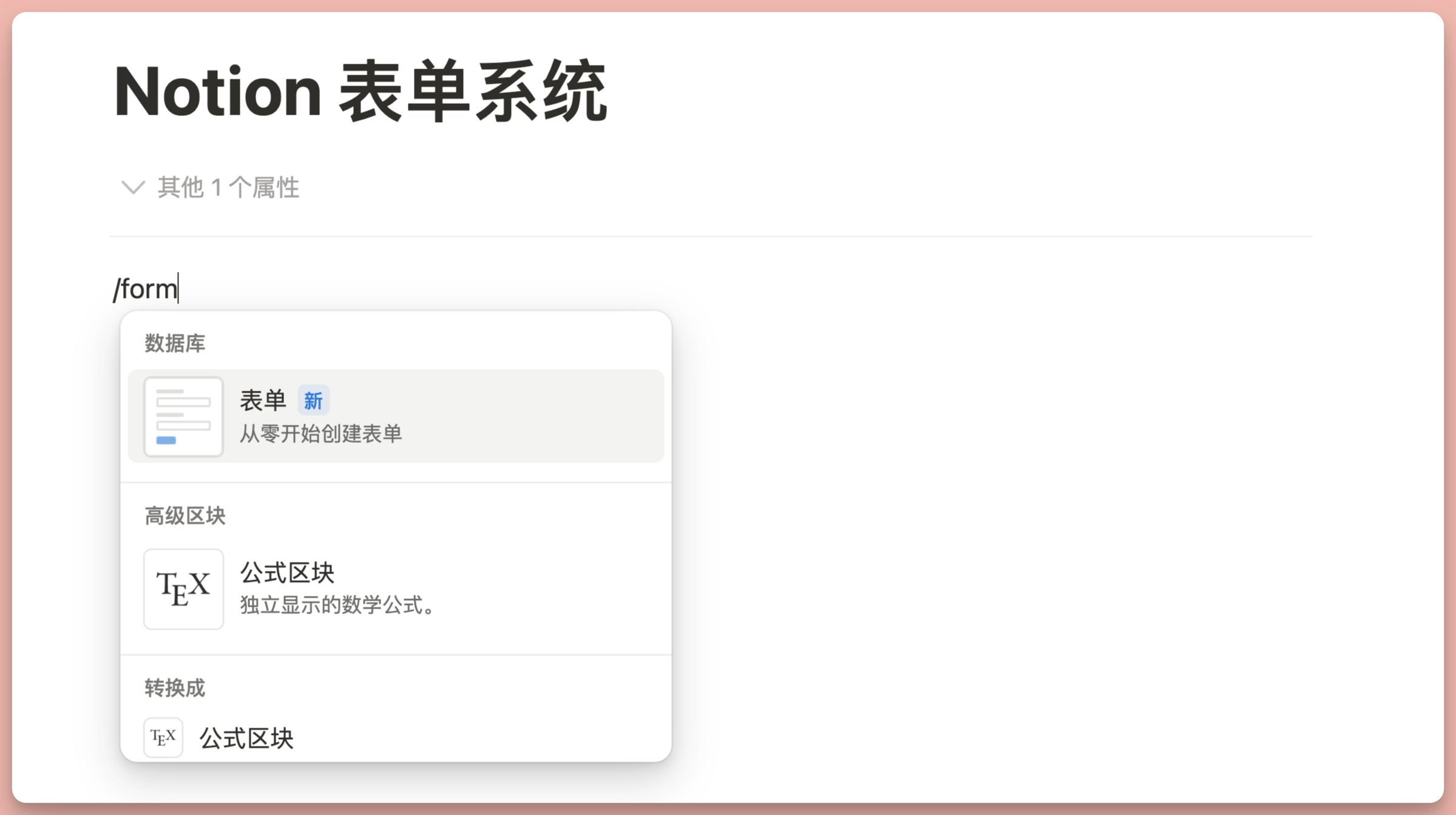
Notion's form system has actually been in beta testing for a while. Previously, only paid users could fully access it, but now the Forms feature is completely free for all users with no limits!
The form system fills a crucial gap in Notion's workflow: collecting external information (the Forms feature has since officially launched). Now you can build a form directly from a database, share it with anyone to fill out, and have all the collected data automatically aggregated into your database.
For example, I built a course survey directly in Notion:
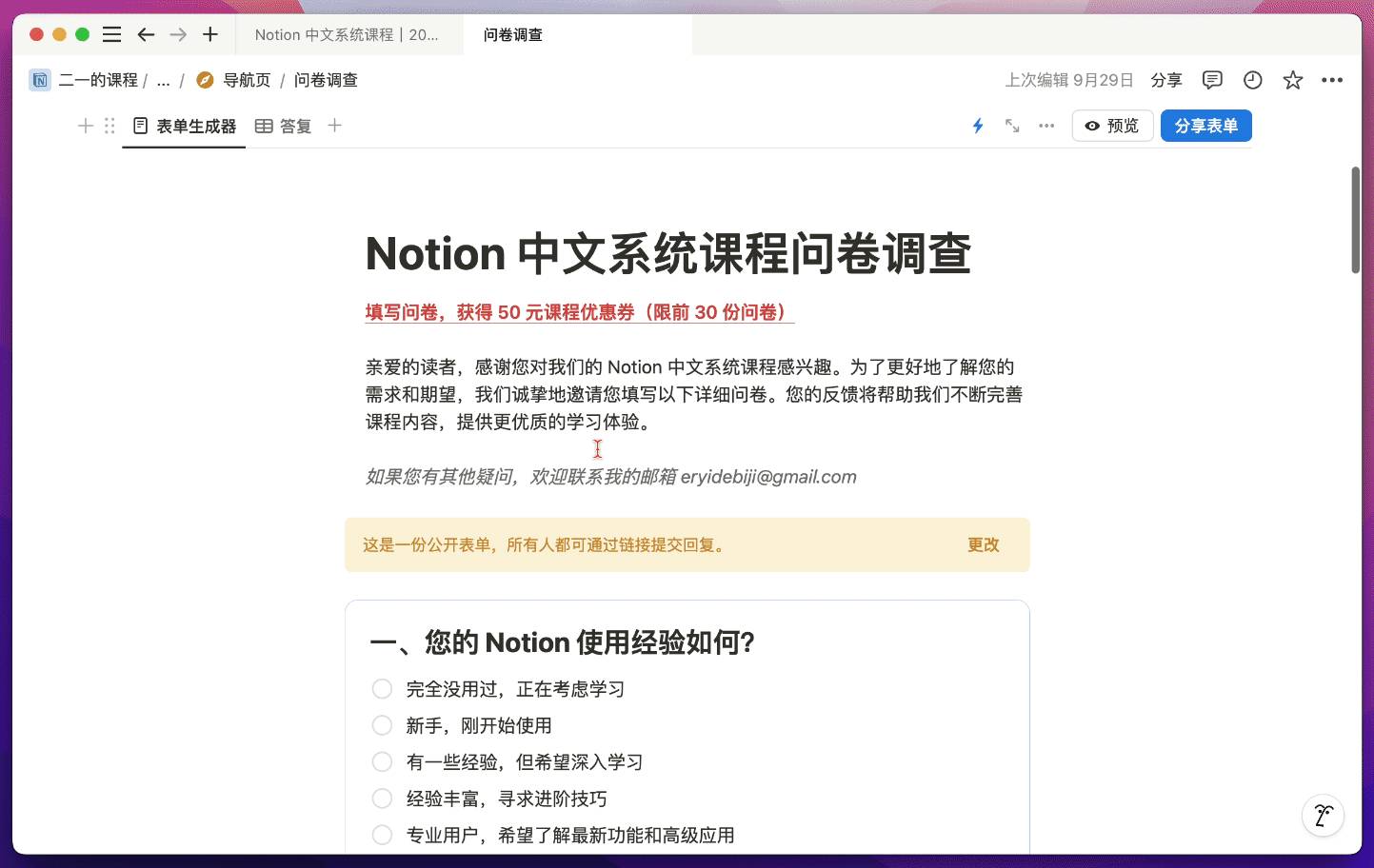
Anyone can fill it out without logging in, and all survey results are automatically collected in the database:
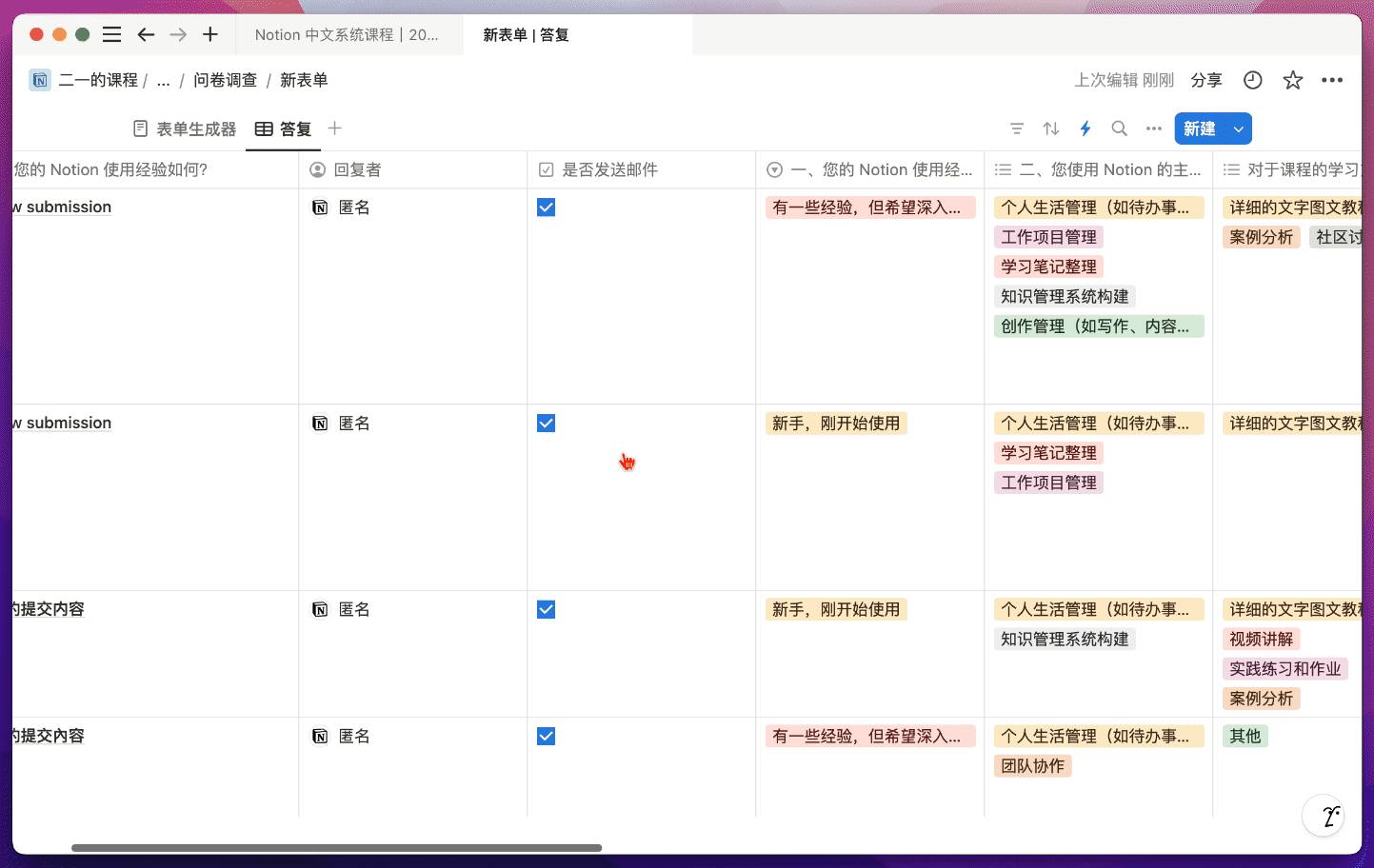
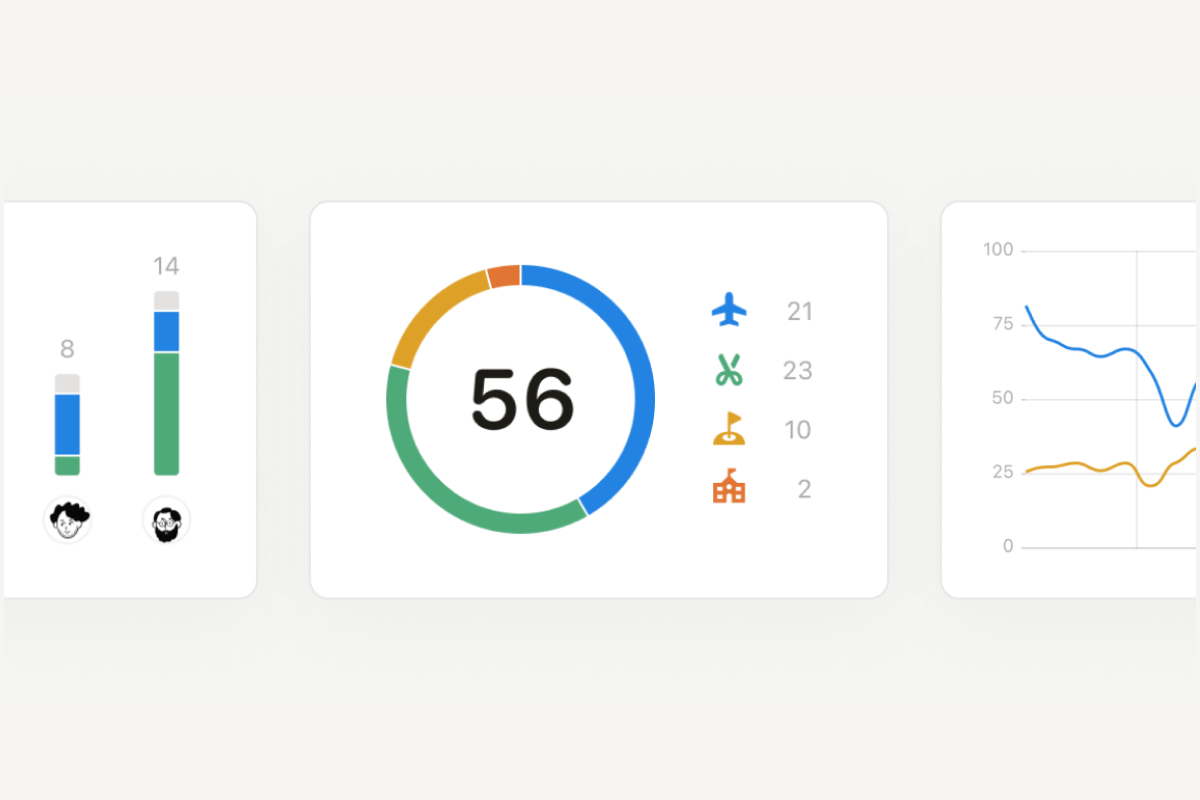
Then, using the built-in chart feature, you can visualize the survey results:
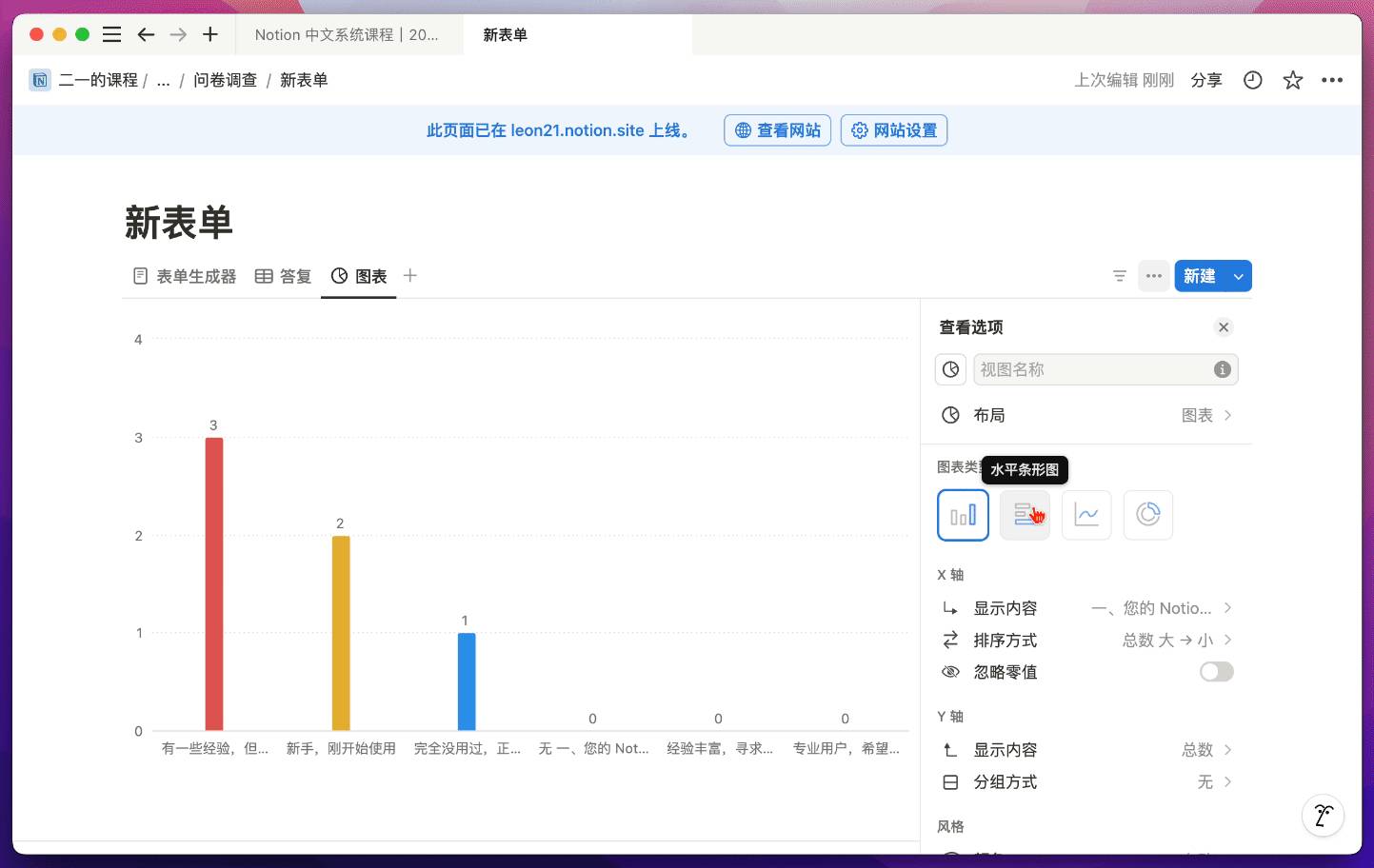
Currently, forms only support displaying all questions in sequential order. However, Notion will soon support dynamic forms, where additional related questions only appear when certain options are selected, changing in real time based on user selections.
Layouts: A More Flexible Page Layout Builder
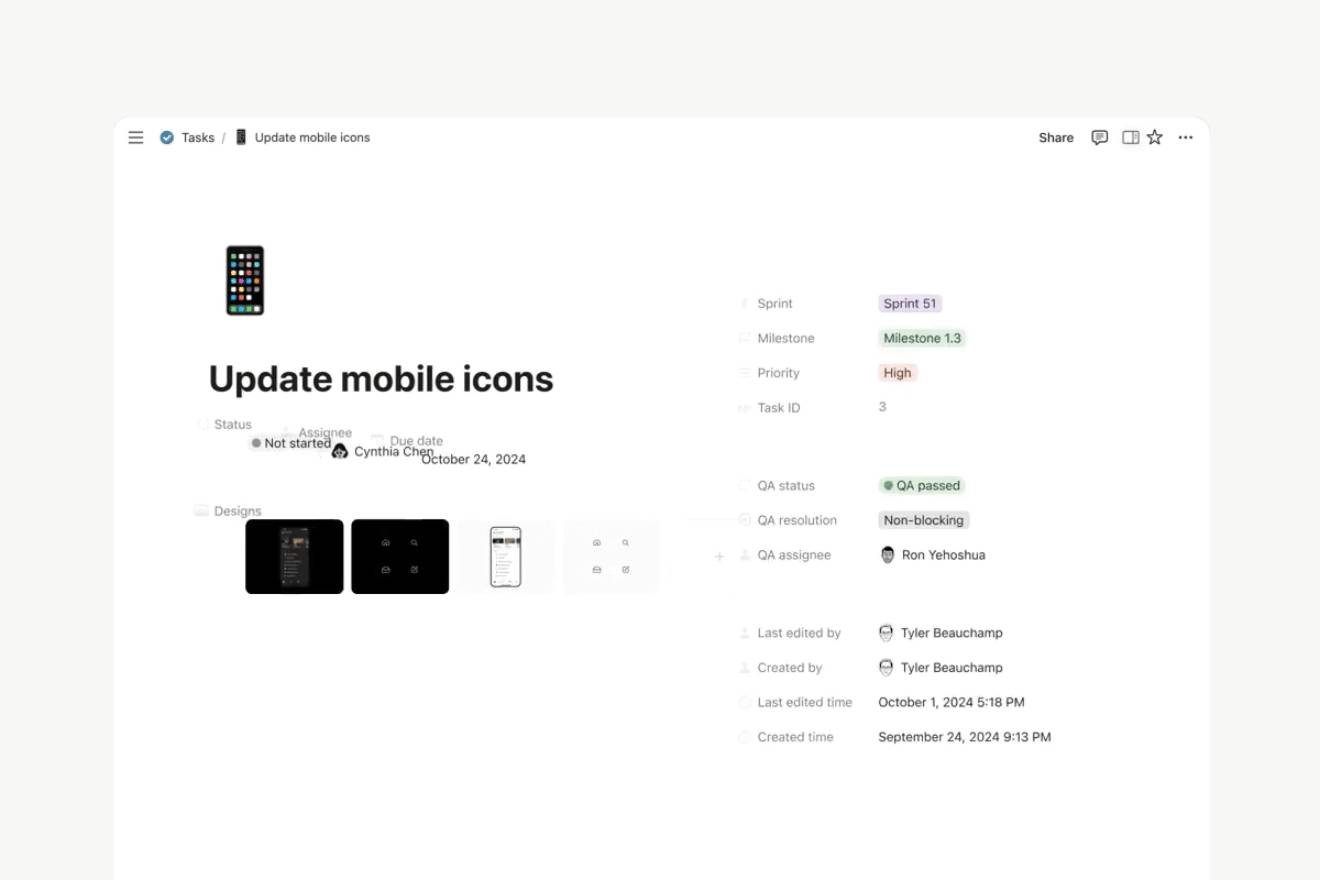
In the past, all database properties had to be displayed at the top of the page. When there were too many properties, they took up a large amount of page space, requiring frequent scrolling to reach the actual page content:
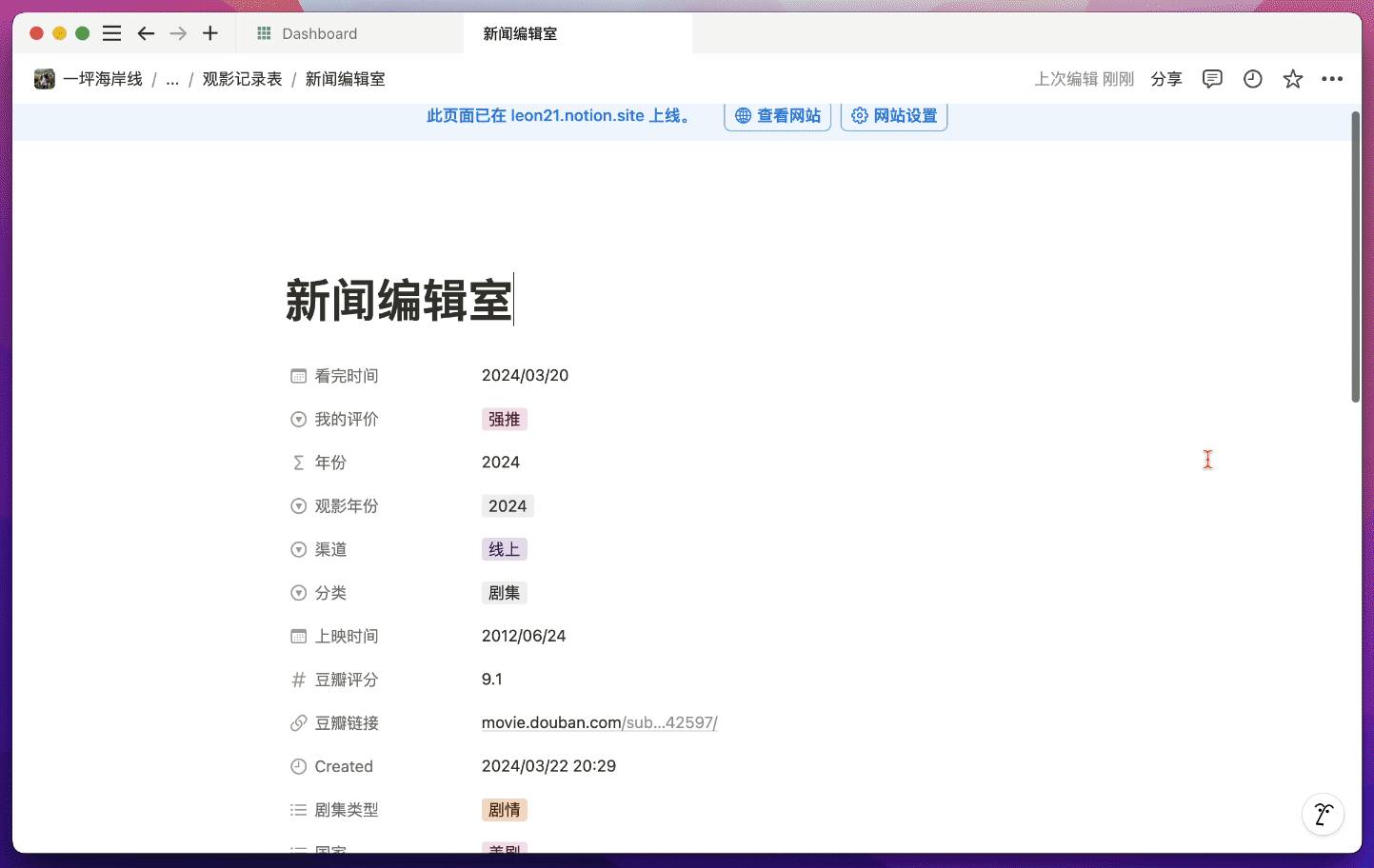
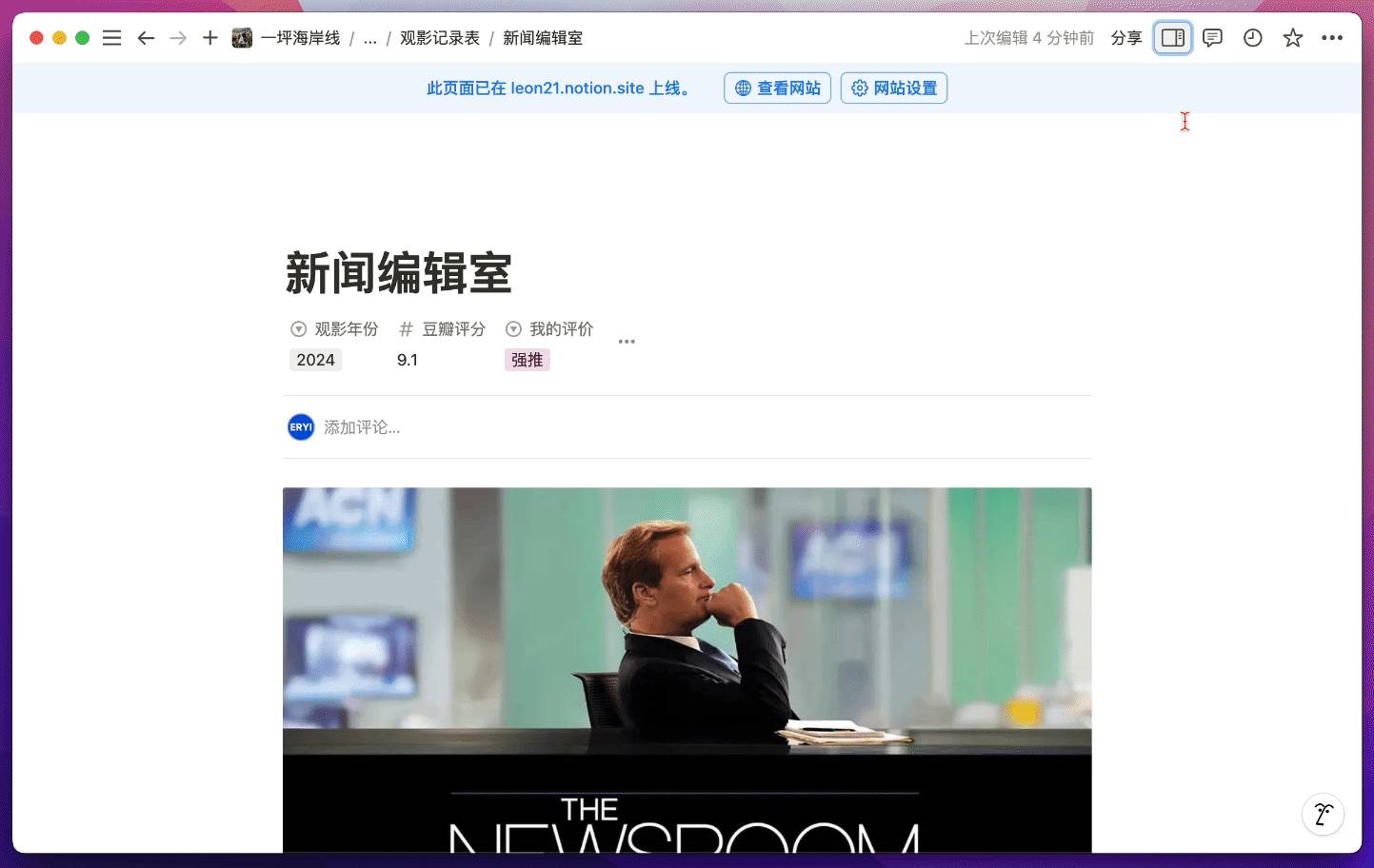
But now I can click the "Customize Layout" button at the top of the page banner:
And transform the page into something like this:
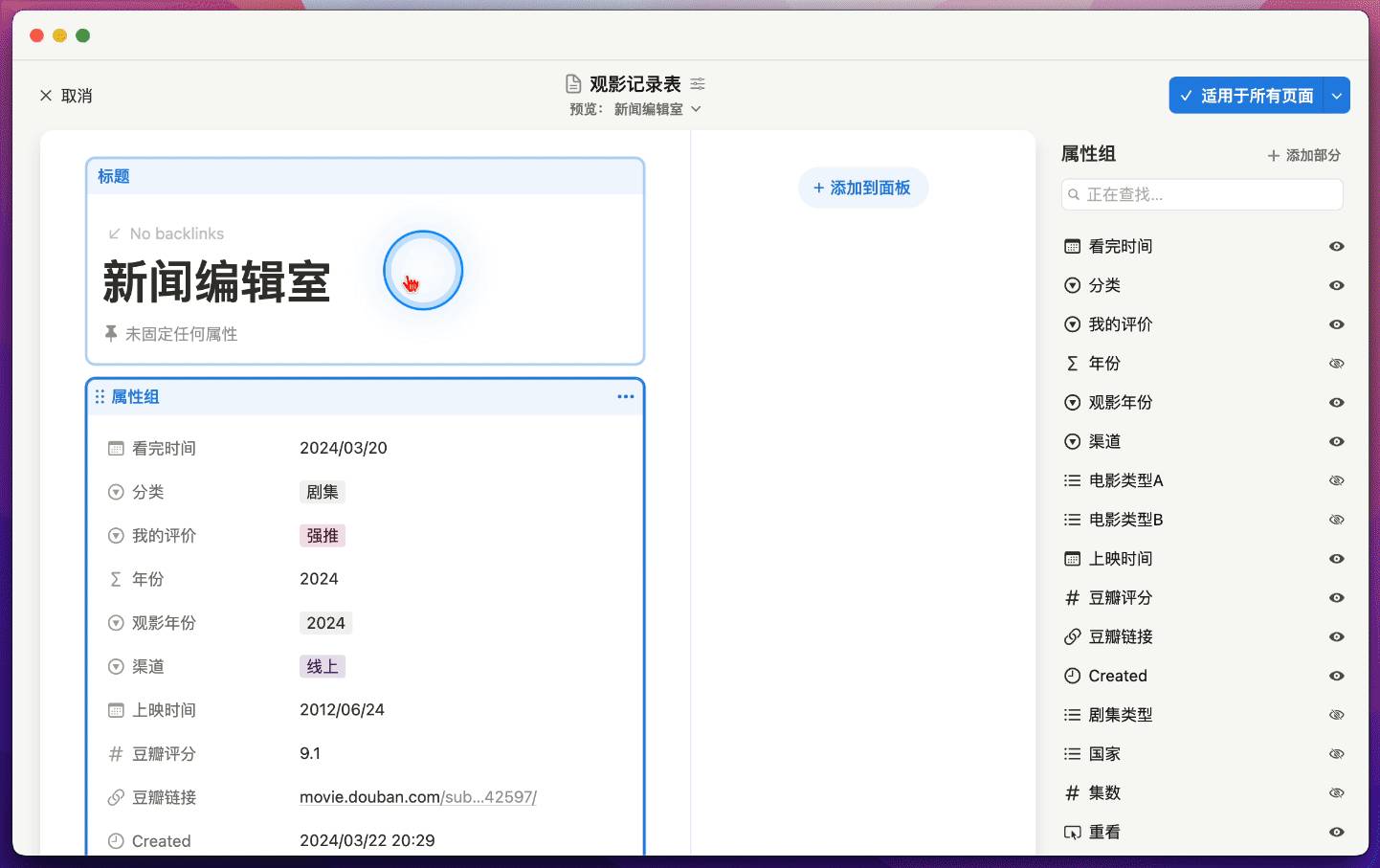
First, we can choose to hide all properties in a sidebar by simply dragging the entire "property group" to the "panel" position:
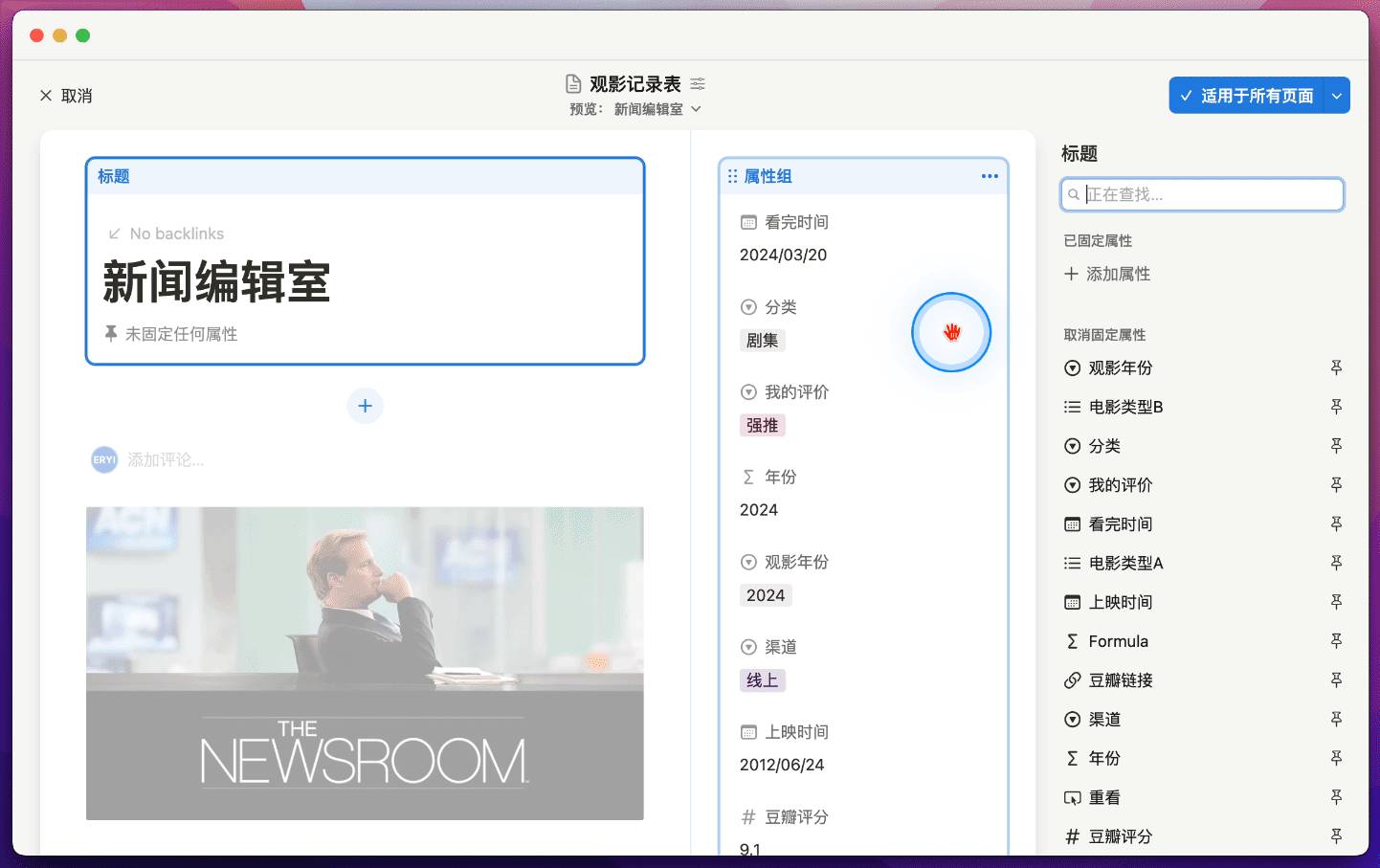
You can also click the pin button on the far right of a property, then pin it directly below the page title, similar to the old Wiki database style:
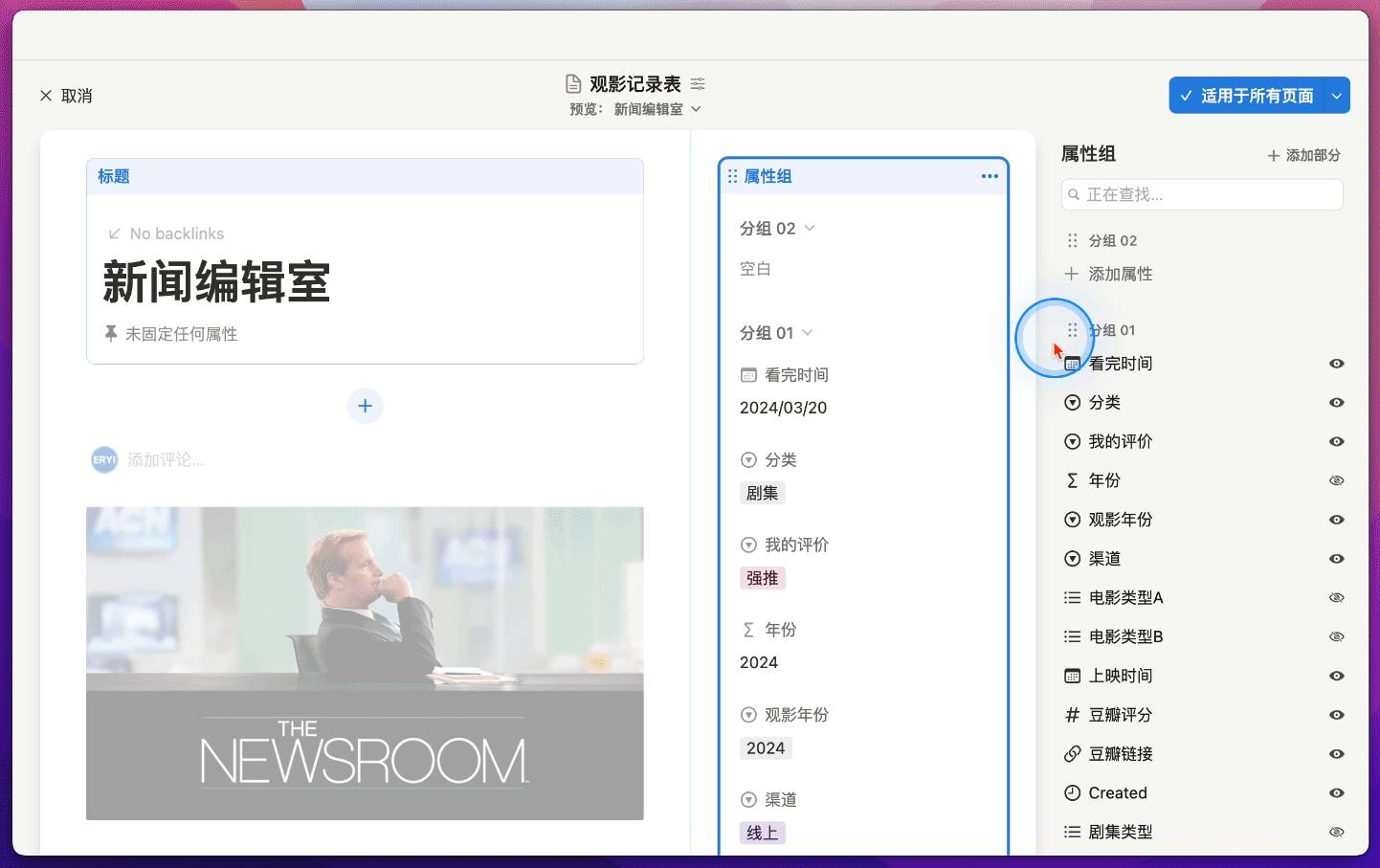
Additionally, the sidebar allows you to group properties into sections. Click on the "Property Group" panel, then click the "Add Section" button on the right to create custom group names:
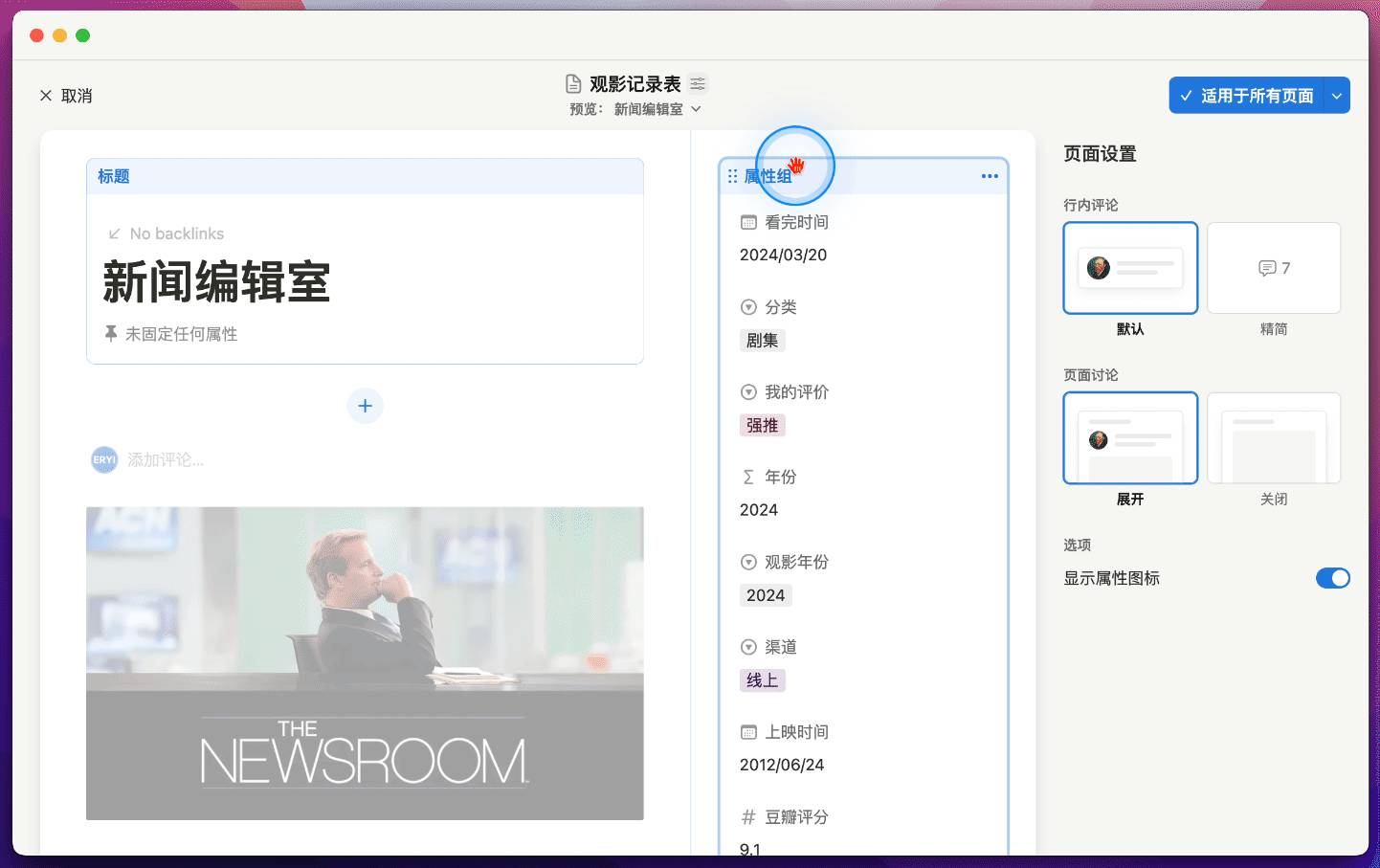
Then you can drag properties into their corresponding groups:
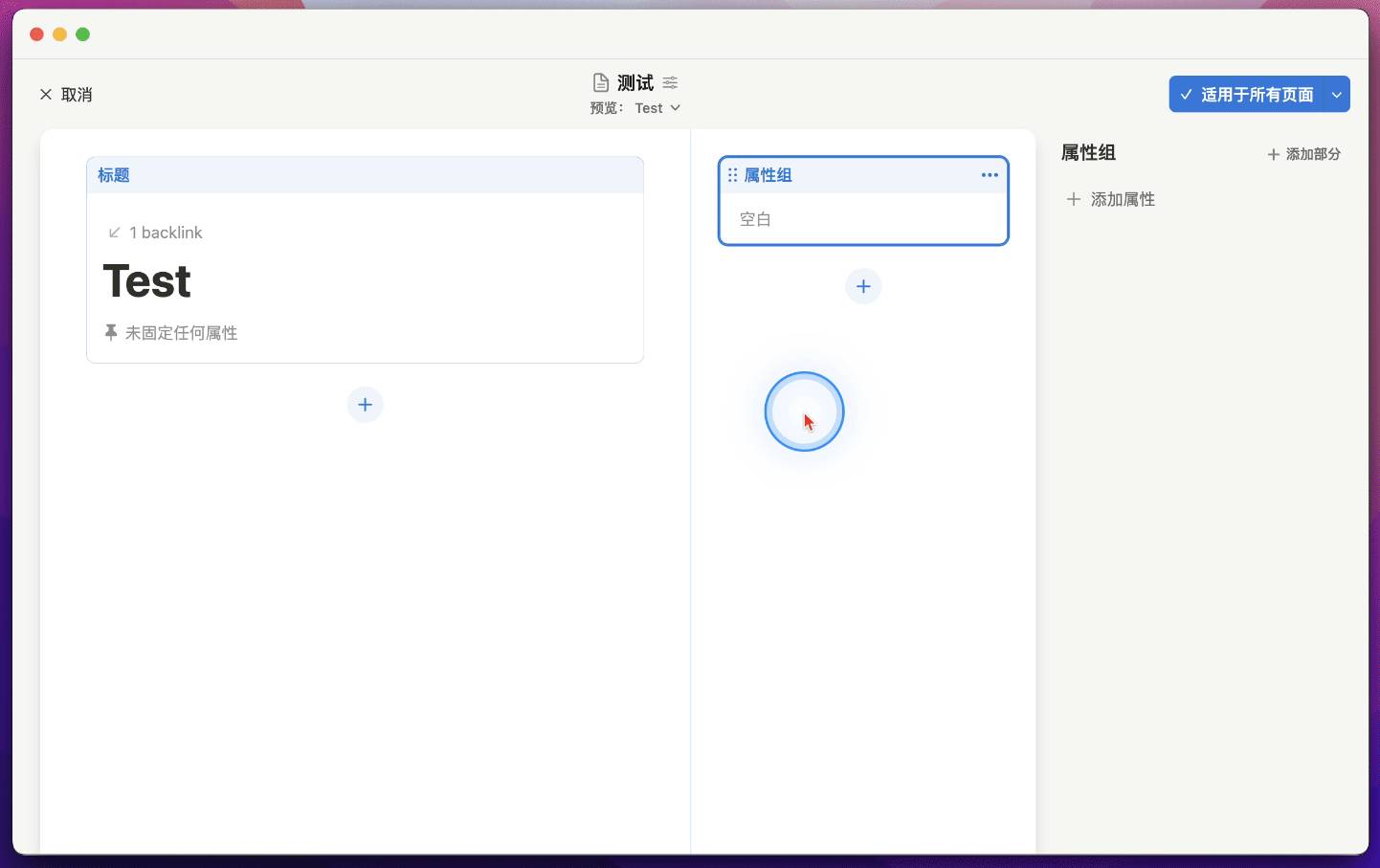
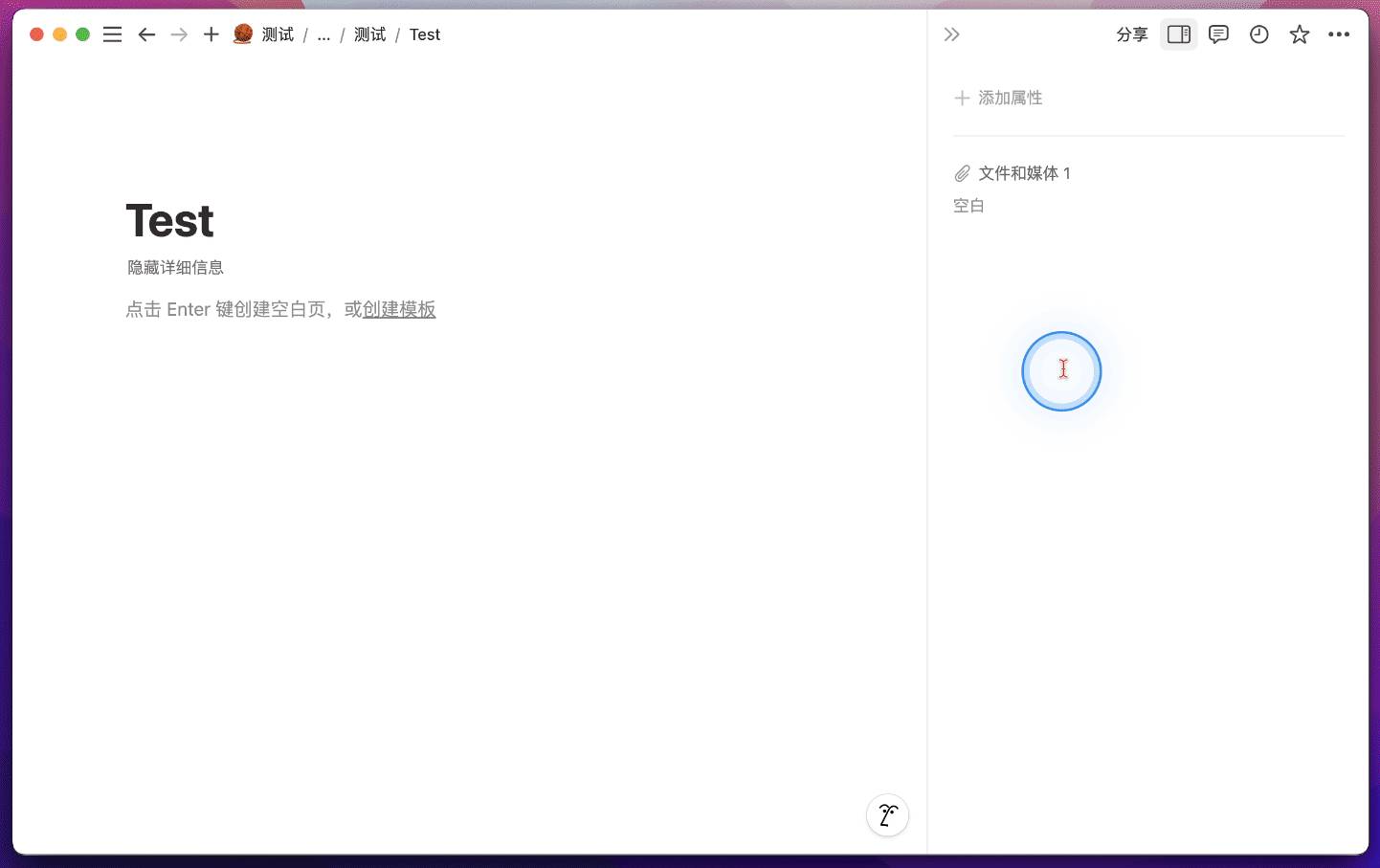
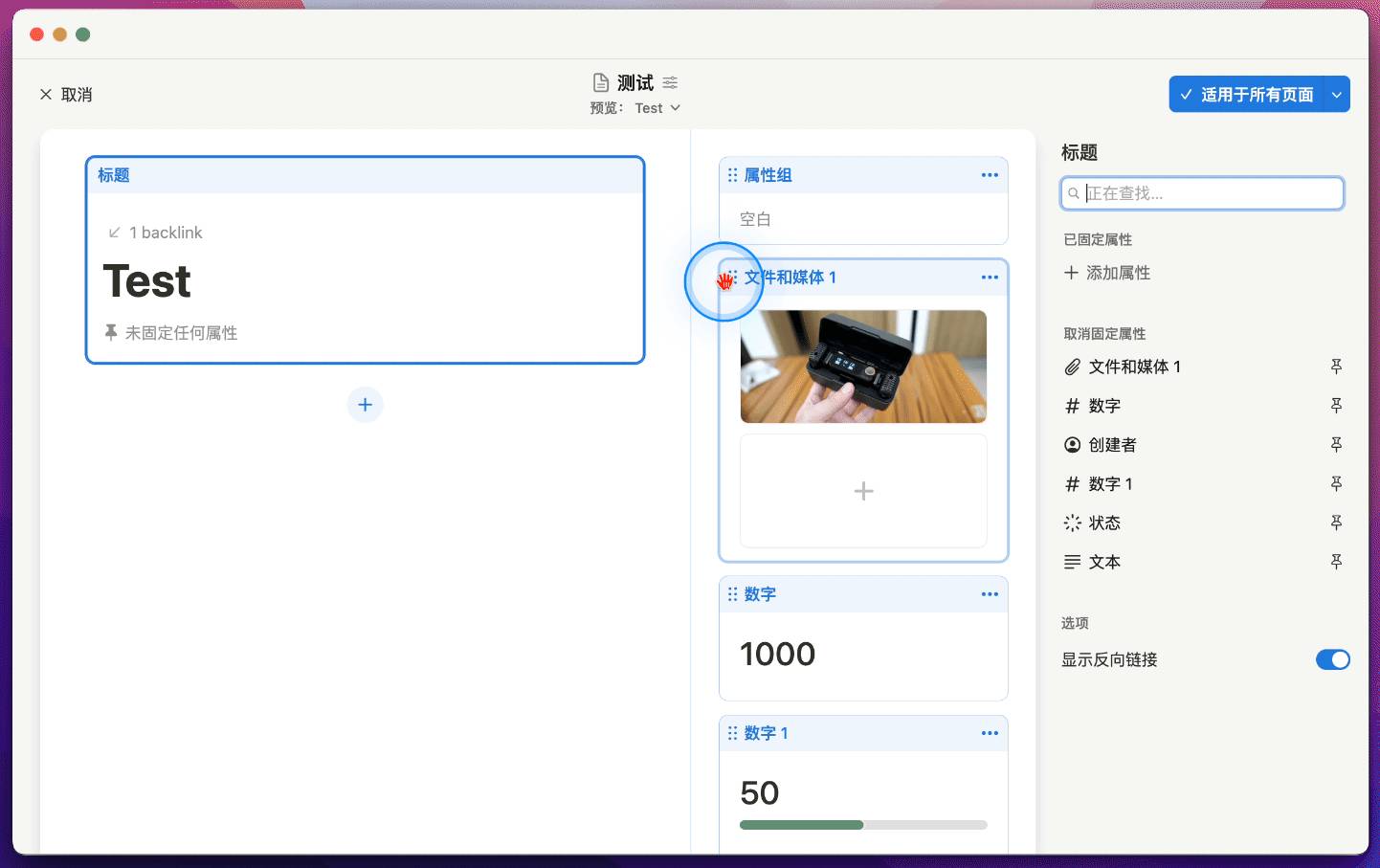
We can also add properties as blocks to the sidebar, which allows images to display at a larger size. First, click the plus icon shown below, then add a "Files & Media" property individually:
Images uploaded through this property will be much larger than before, appearing like an independent gallery view:
Not only that, number properties and person properties can also have larger, more visually appealing displays:
Furthermore, these properties can be placed individually within the page body by simply clicking and dragging with your mouse:
Notion's site-building capabilities were already quite powerful. For example, I've already built a course promotional site using Notion:
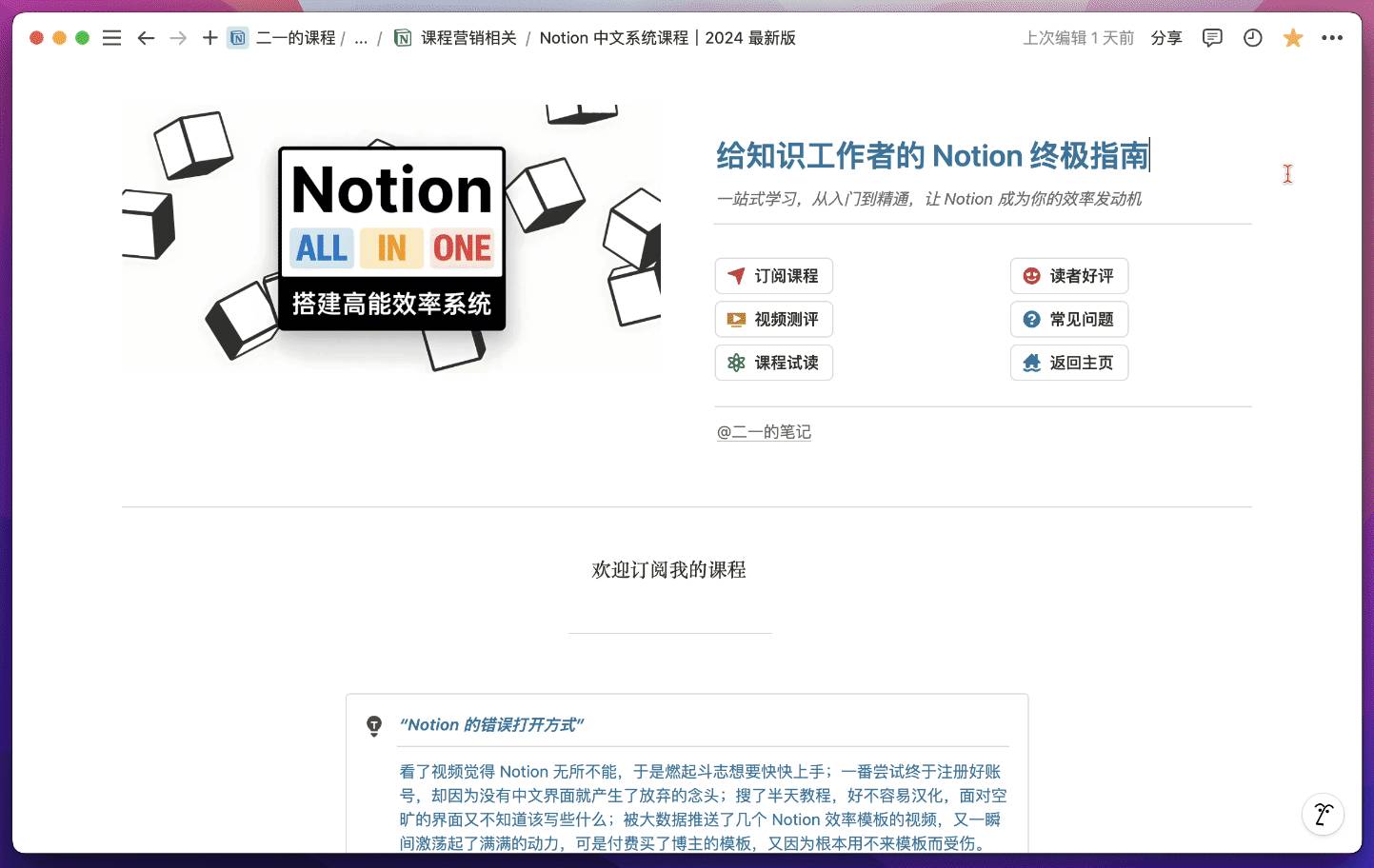
But now with the custom layout feature, more and more users will inevitably start building their personal websites with Notion, or creating more flexible personal portfolios.
Finally, the custom layout feature will also be free for all users, with no page limits.
Custom Emoji Support
In the past, Notion supported setting custom icons for pages but only allowed choosing from the system's built-in emoji set. If you wanted to use your own icons, you had to manually upload them every single time.
For example, I have a collection of note-taking app icons stored in my local asset library:
Previously, when building my "Complete Note-Taking App Collection" database, I had to manually upload each icon every time, which was extremely tedious.
But now Notion supports uploading custom icons and storing them in the system.
After uploading, all custom icons appear in the location shown below:
You can also view all custom icons in the system settings at the following location:
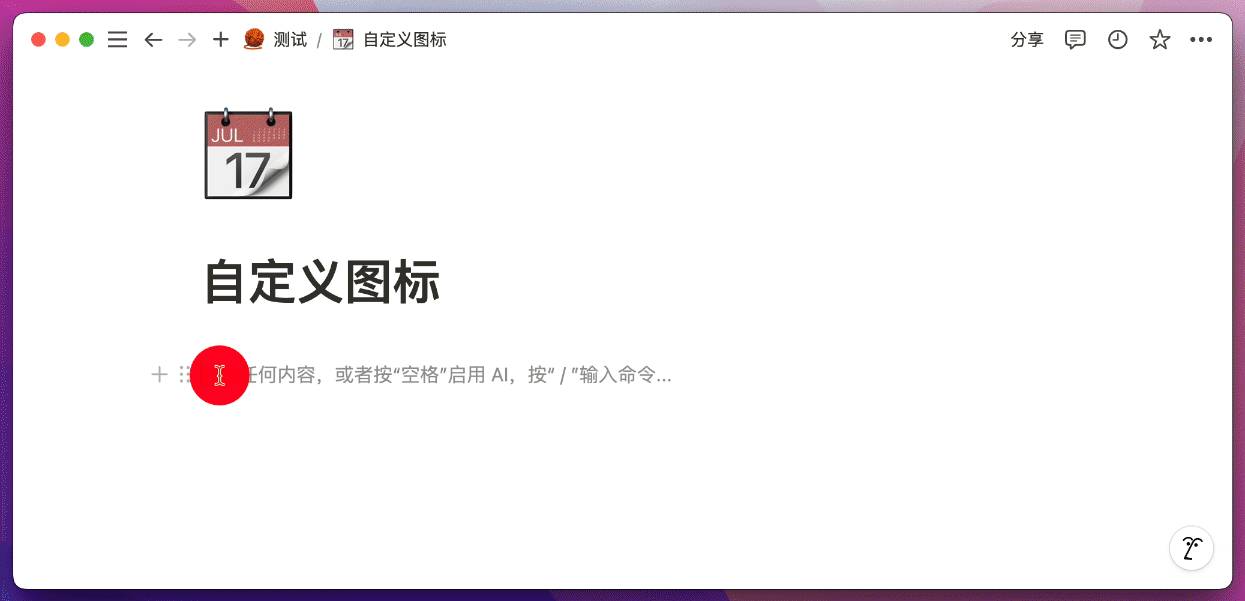
And uploaded icons can be inserted using quick commands, for example:
If you're interested in my "Complete Note-Taking App Collection," you can visit this site.
Automation Now Supports Formula Variables & Email Sending
In the past, Notion's Automation feature only supported the following three trigger conditions:
- When a new page is added
- When any property is edited
- When a select property is set to a specific value
Then it could execute four types of actions:
- Edit a property
- Add a page to a database
- Edit a page in a database
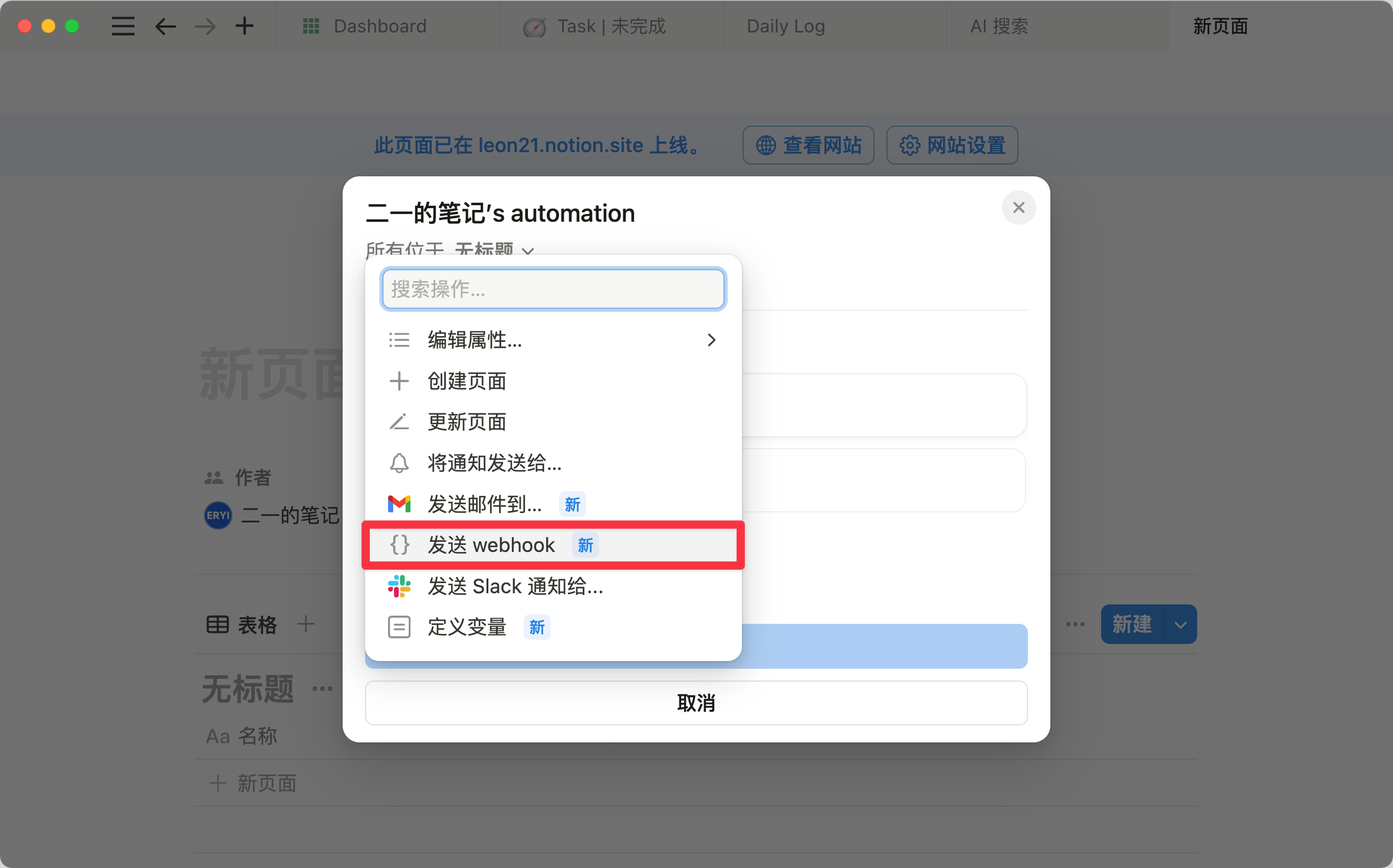
- Send an in-app notification to a member, or send to a Slack channel
Although the combinations yielded 12 possibilities, they lacked the powerful formula capabilities. But from now on, Notion's Automation finally supports formula variables.
Finally!
First, Automation now supports using number properties as monitoring targets, with the ability to set triggers for when a number is greater than, less than, or equal to a specific value.
Then, in addition to sending Notion in-app notifications via automation, we can now also send notifications as Gmail emails:
With the custom formula variable feature, we can finally accomplish the following use cases:
- Automatically update the "next payment date" in an App Subscription Manager
- Create more flexible recurring task management
- Automatically calculate the "total actual expenses of sub-projects" and update them in the parent project
- When a main task is completed, sync all sub-task statuses to completed
Case 1: Automatically Update Sub-task Status
Previously, when we set a main project's status to "Completed," we still had to manually update each sub-task's status to "Completed" one by one, which was very tedious.
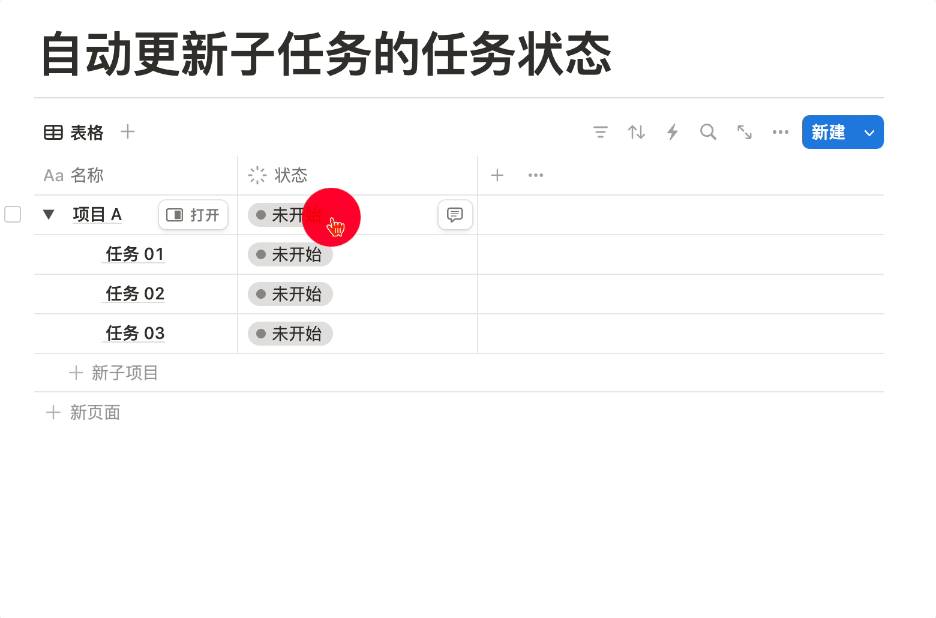
But now, we can set a variable as "the main project's sub-projects":
Then we can set the automation action target to the sub-projects:
The automation effect is shown below:

Case 2: Automatically Sum Sub-project Expenses
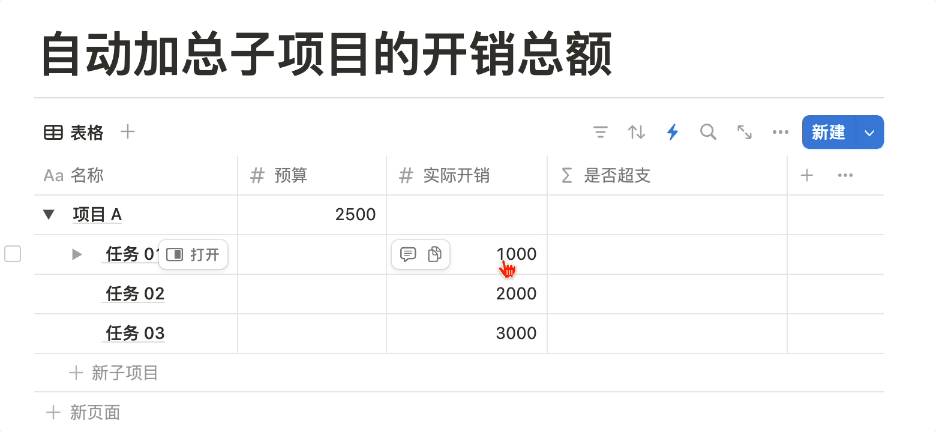
In the following example, I set "Project A" with a budget of 2,500. During execution, tasks 1, 2, and 3 cost 1,000, 2,000, and 3,000 respectively.
Previously, we had to manually calculate the total actual expenses of sub-tasks, then manually enter it in "Project A's" actual expenses field:
But now, we can set up an automation action:
- When "Project A's" task status is set to "Completed"
- Automatically update all sub-task statuses to "Completed"
- Automatically calculate the total expenses and fill them in the project's corresponding field
The actual effect is shown below:
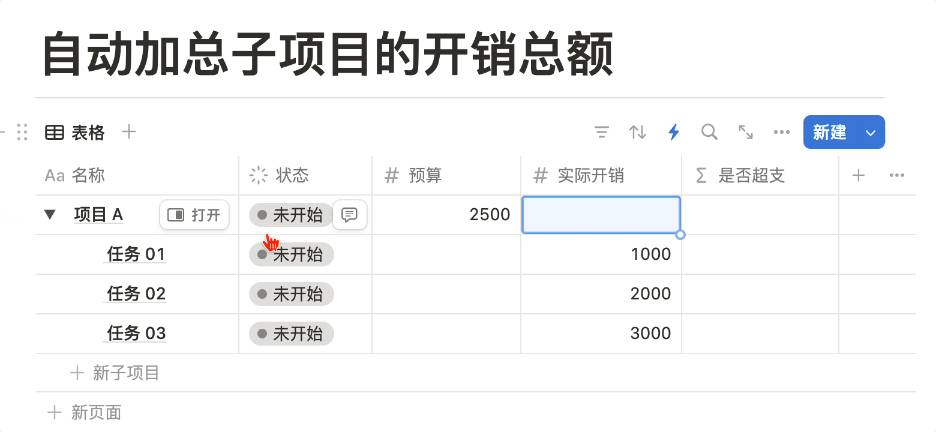
You can also create a Formula property to calculate and display whether the budget has been exceeded:
Case 3: Automatically Set Recurring Task Intervals
In the following database example, suppose you plan to go to the gym every three days and want to manage it through a database calendar:
First, you can use the database's automatic template generation feature to create a page every 3 days, then view it on the calendar:
But pages generated this way are rather rigid. Whether or not you actually went to the gym, a page would always be generated at the "scheduled" time, and the calendar view would be cluttered with these recurring pages.
So is there a way to achieve this: when you go to the gym "today," automatically update the "next gym date" to "three days later"? With this launch update, we can finally make this happen.
First, we can create a formula variable that "adds three days to the last completion date":
Then set the automation flow to "when the last completion date is edited," assign the variable to the "next gym date":
The actual effect is shown below. You can also wrap this action inside a "Button" for even more convenience.

Case 4: Click a Button to Increment a Number
Previously, if we wanted to achieve a "click once, increment by one" effect with a button, we had to use two databases. The brief workflow was:
- Create two databases A and B
- Create a Relation between databases A and B
- When the button is clicked, add a new page to database B
- Use a Relation property and Map function in database A to count the new pages in B
As you can see, this approach was not only cumbersome but also required placing an extra database somewhere just to hold the new pages. But now that Notion's Automation has formula variables, we can set up a variable as shown below.
This variable means: add one to the "Number" property.
Then the action is set as follows, meaning: edit the "Number" property value to "the value after adding 1":
Then we can achieve the effect shown below:

Now that Notion Formula has been integrated into Automation (which later added Webhook support), and with Notion's upcoming support for HTTP Requests, just like professional automation tools such as Zapier, we can anticipate an explosive growth in Notion workflow templates.
Notion AI Now Supports Reading PDF Files
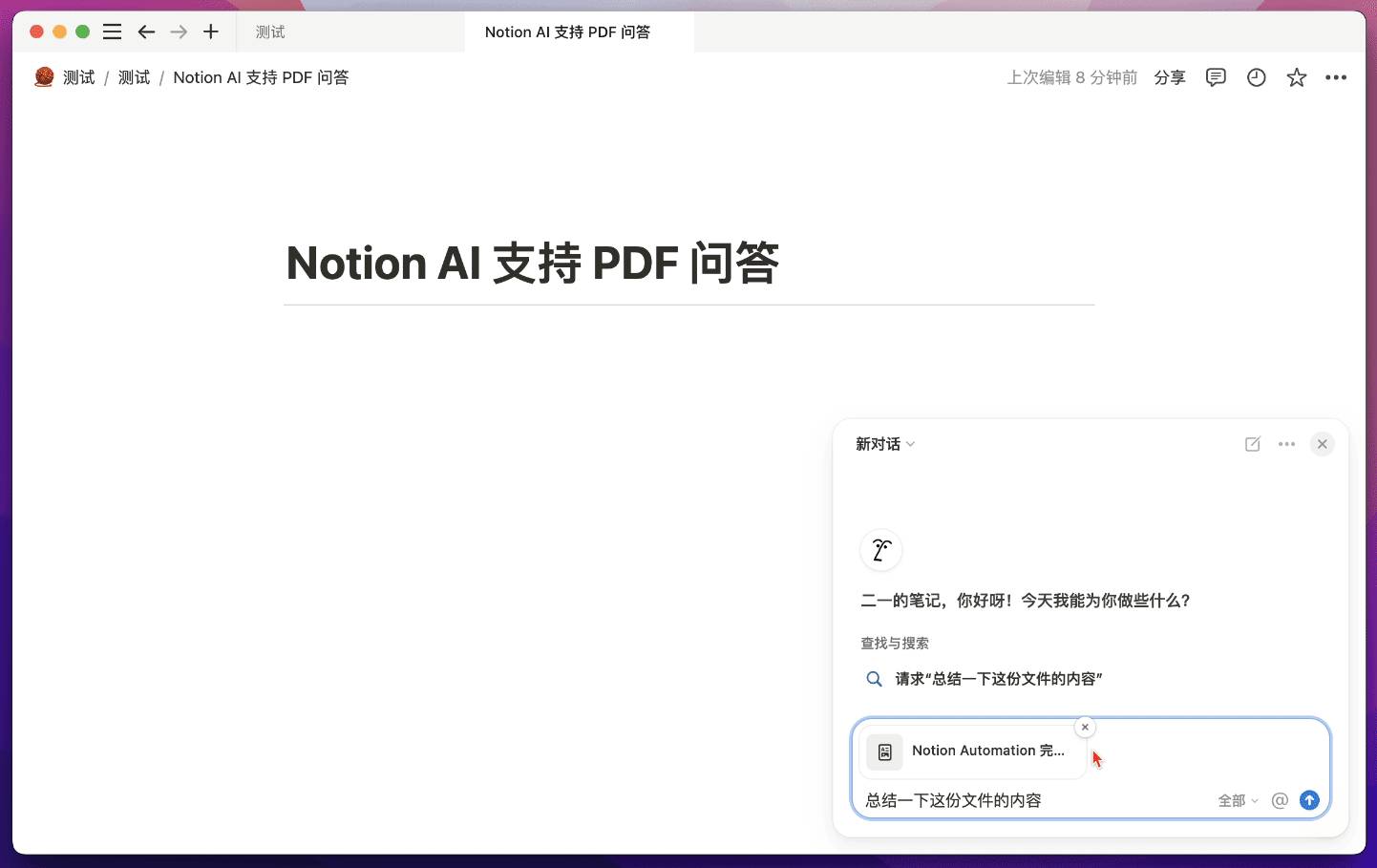
You can now upload PDF files directly to the Notion AI chat window and have AI answer questions based on the file content:
You can also click on a PDF file already uploaded to your workspace, and an "Ask AI" button will appear on the right side:
Notion AI is now powered by GPT-4 and Claude models, so the accuracy and speed are quite impressive.
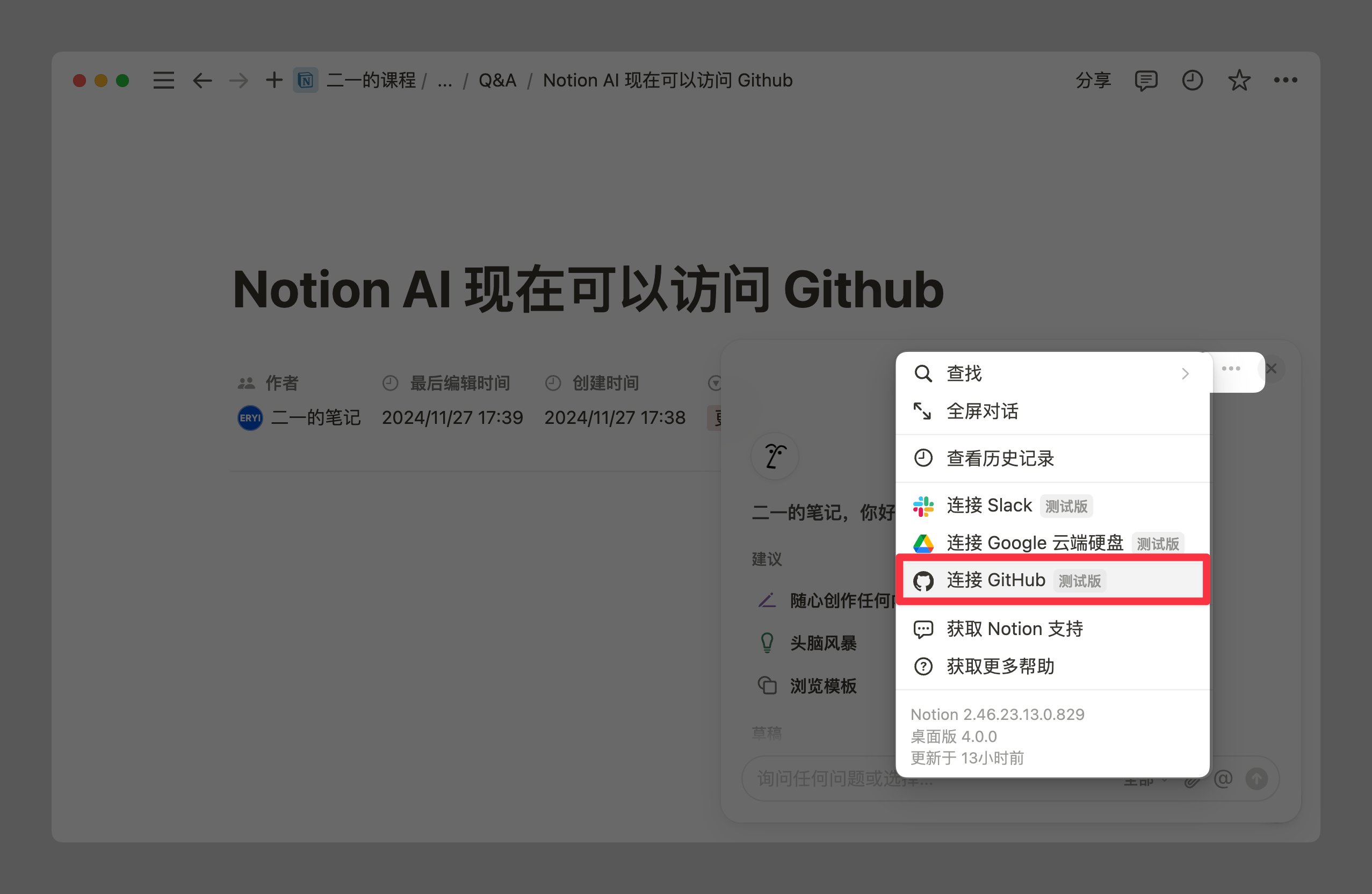
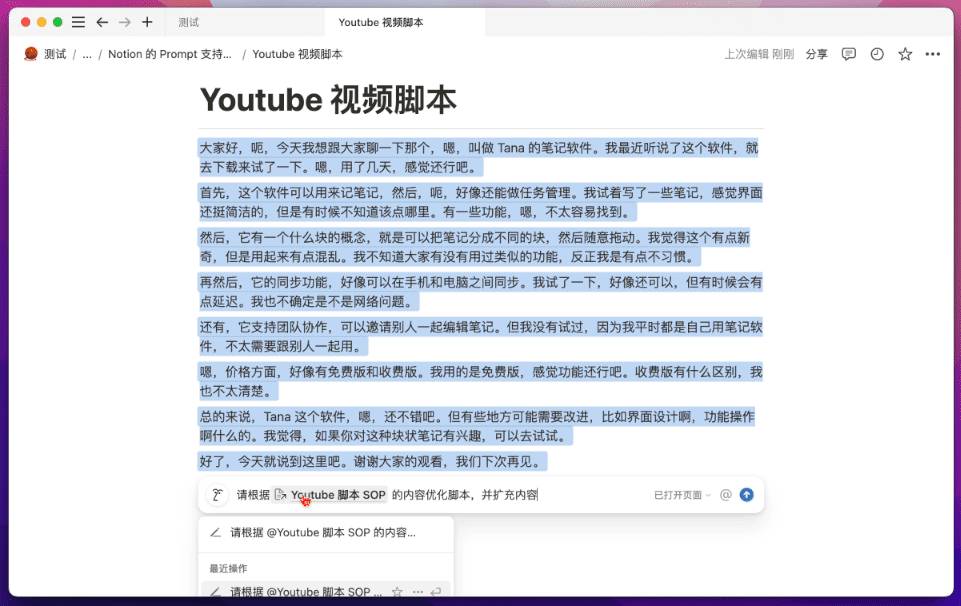
Additionally, Notion AI prompts now support referencing specific pages to answer your questions.
For example, in the image below there are two note pages. "YouTube Script" is a draft with rough writing techniques and an unclear central theme, while "YouTube Script SOP" contains various writing tips, script structures, and essential optimization suggestions to reference when writing scripts.
Now, I can select the entire script text and reference the SOP page's content, having Notion AI revise the script based on the experience and techniques in the SOP:
Custom URLs for Notion Shared Pages
Although Notion has long supported publicly sharing pages, there was always one major issue: all shared links were extremely long. For example, my Notion course page link: https://leon21.notion.site/Notion-2024-d80e3b6d64ef416b90ccd84cf8198491?pvs=4. Feishu (Lark) has the same problem, by the way.
But now, we can finally customize the URL of shared pages:
Now my Notion course page has a much shorter link: https://leon21.notion.site/notion-course
And after testing, the original long link still works perfectly, so there's no need to worry about previously shared page links becoming invalid.
Major Notion Template Marketplace Update
Users can now pay for templates directly within Notion's built-in Template Marketplace, leave reviews, and request an unconditional refund within two weeks. Upon refund, the template is automatically removed from the workspace, functioning just like a real "app store."
Creators will be able to collect and track template users' email addresses, building a better user ecosystem.
Furthermore, if you're a Notion template creator and a user purchases your template then shares it with others, those other users will be redirected to your template's payment page when they click the link. This better protects the rights of Notion template creators.
For this built-in template marketplace, Notion will only take a 10% commission.
Notion Offline Mode Coming in 2025
This time they're not just "creating a new folder" — Notion founder Ivan Zhao announced that Notion's offline beta will launch in 2025. The offline mode has since arrived as promised; see my 2025 offline mode review.
Although we don't yet know exactly how much "offline" capability there will be, this is at least major good news. Users will be able to better use Notion in scenarios where connectivity is limited, such as on airplanes or in cafes. And if unexpected connectivity issues arise, Notion should have better mechanisms to protect your current document content from being lost.
Notion Mail Coming in 2025
Earlier, Notion launched its own Notion Calendar by acquiring the calendar app Cron. Now, through the acquisition of the email app Skiff, Notion Mail is finally coming!
The form of email hasn't fundamentally changed in nearly 20 years: endless email lists, complicated and hard-to-use search commands, an unchanging interface, and editors so frustrating they make you pull your hair out. While this is deeply frustrating in an era that values efficiency above all, no one has been able to truly make a change.
Notion Mail will feature the same operational logic as Notion itself, allowing you to categorize, group, filter, and sort using various properties. You can also create different email views to better manage and read the emails you receive.
In this process, we can also use Notion AI to automatically tag emails, achieving a fully automated categorization system.
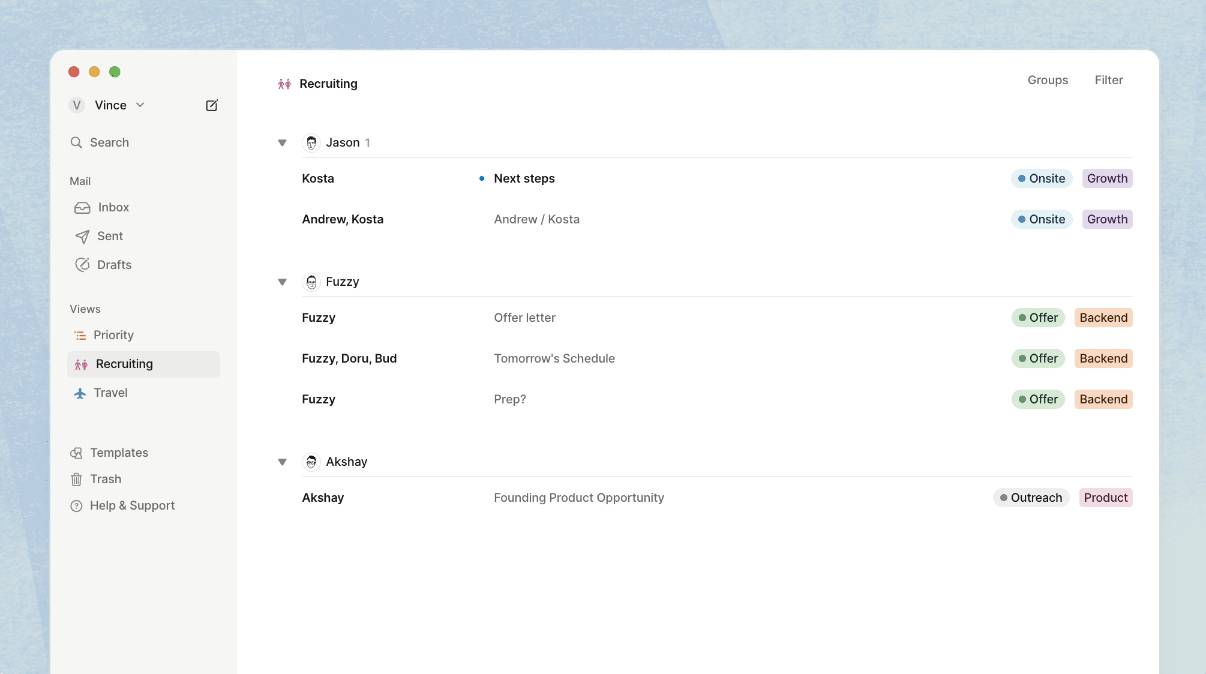
You can set up a rule to have Notion automatically organize all your emails:
Beyond having a better interface for managing emails, Notion's AI can also participate more conveniently in the email writing process, whether for drafting or polishing.
More importantly, we can use all the useful and beautiful text block effects from Notion's editor in our emails, making your email content more attractive and modern.
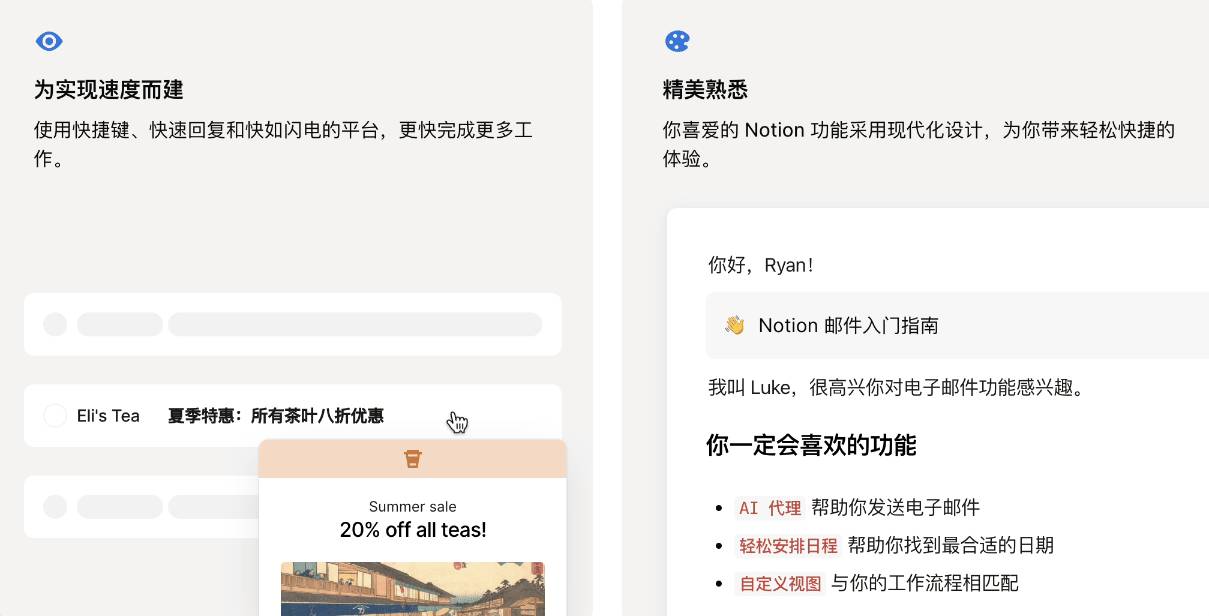
Or create smart snippets to quickly insert frequently used content. You can also seamlessly integrate with Notion Calendar, making it easier for others to schedule meetings with you via email:
You can now submit your email address to join the Notion Mail wishlist for early access. Link: https://www.notion.so/zh-cn/product/mail
That's everything from the Notion 2024 launch event. It was truly a feature-packed release. Which feature are you most excited about? Or if there's a feature you're hoping for that Notion didn't mention, feel free to leave a comment and join the discussion.
📘 FLO.W — Notion Personal Management System
FLO.W is a Notion-based personal management template that integrates tasks, notes, projects, habits, and more, complete with comprehensive tutorials.