LogoFLO.W
  • Pricing
  • Blog
  • Docs
  • Thinking
  • About
background
Introducing FLO.W

Notion一站式全能模板 / FLO.W 思流Reconstruct Information Order in 7 DaysOne System to Manage Tasks, Notes, Projects and Life

Designed for knowledge workers to efficiently organize work, flexibly manage notes, accumulate knowledge and experience, returning time to thinking and creating

Avatar 1Avatar 2Avatar 3Avatar 4Avatar 5Avatar 6Avatar 7Avatar 8Avatar 9Avatar 10938+

938 users purchased

Buy Now
Template Demo
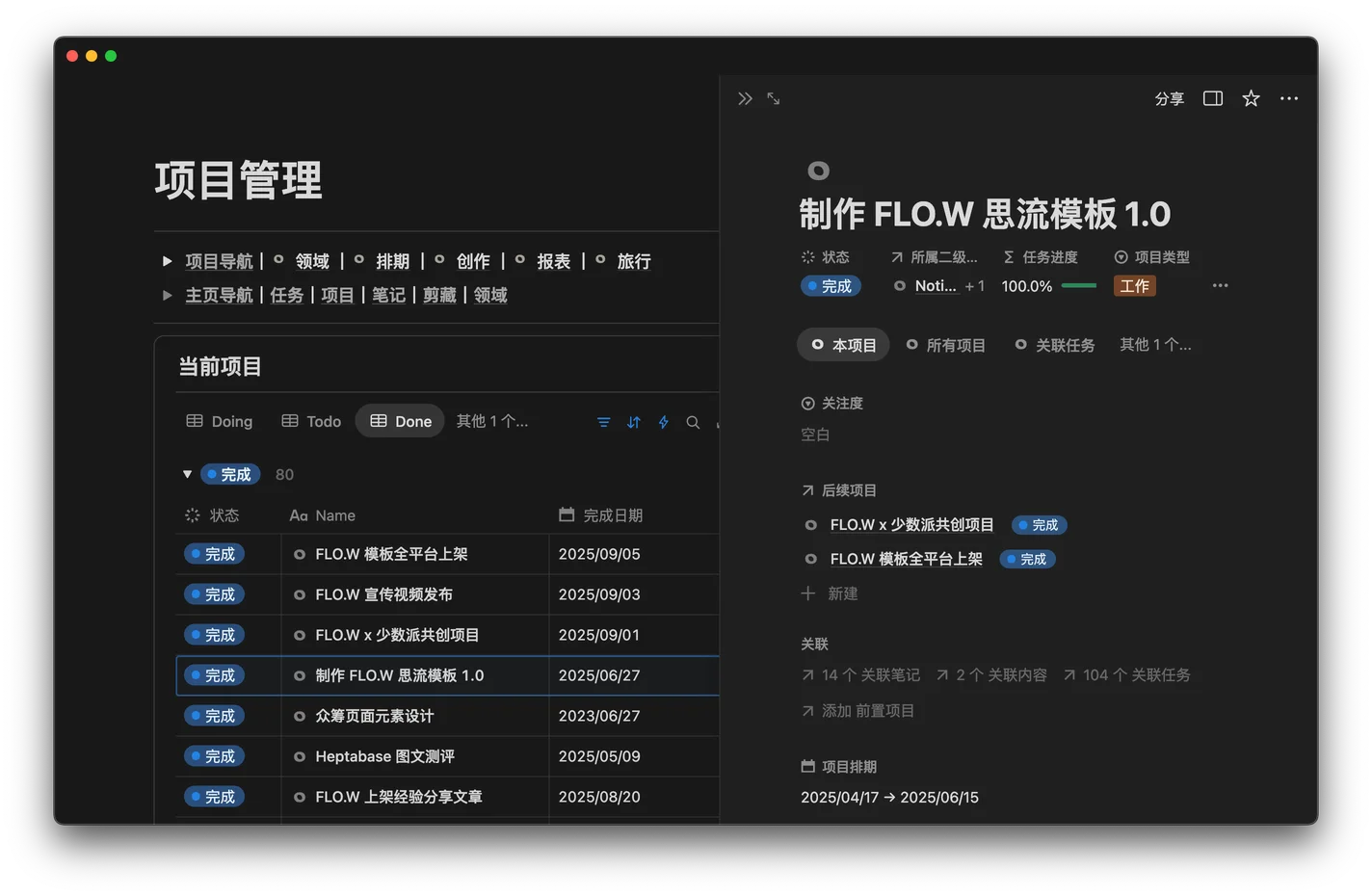
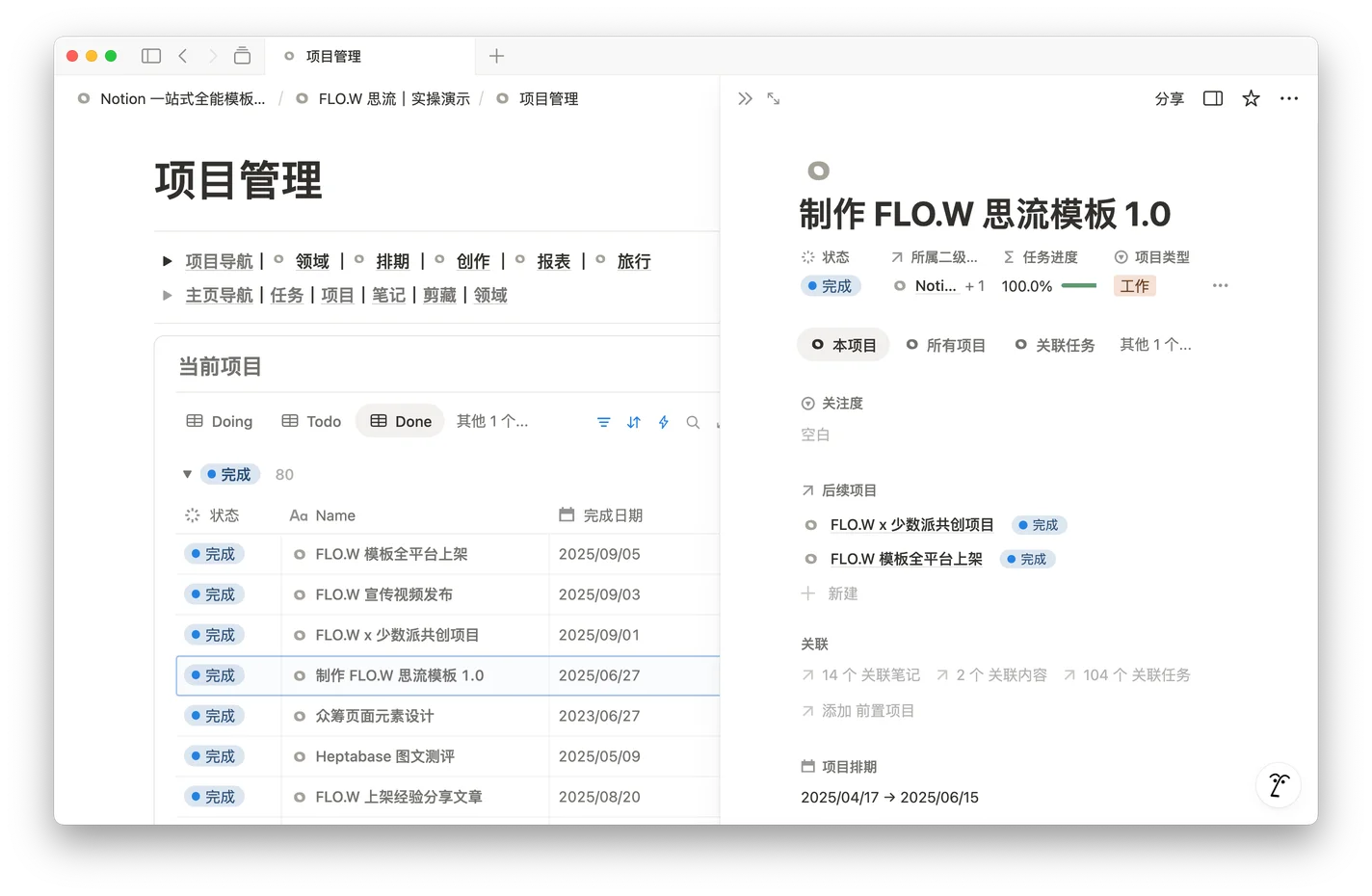
FLO.W 思流 - Dark ModeFLO.W 思流 - Light Mode
LogoFLO.W
TwitterX (Twitter)YouTubeYouTubeBilibiliEmail
Product
  • Features
  • Pricing
  • FAQ
Resources
  • Blog
  • Documentation
Company
  • About
  • Contact
Legal
  • Cookie Policy
  • Privacy Policy
  • Terms of Service

订阅获取更多 Notion 技巧与资讯

© 2026 FLO.W, All rights reserved

Three Key Pain Points for Knowledge Workers

流程低效无序

任务分散、无序,每天大部分时间在
找事做,而非做成事

笔记零散遗忘

收藏了一堆干货,真正要用时
大脑空白,完全想不起来放在哪

创作瓶颈内耗

想写东西却无从下笔,灵感碎片
无法串联,永远停在大纲阶段

十大模块重构信息秩序

从工作到生活,一套完整的人生管理系统
用三层过滤驱动行动,用智能记录构筑日常

p_notes feature illustration lightp_notes feature illustration dark
p_tasks feature illustration lightp_tasks feature illustration dark
p_projects feature illustration lightp_projects feature illustration dark
p_domains feature illustration lightp_domains feature illustration dark
p_clips feature illustration lightp_clips feature illustration dark
l_habits feature illustration lightl_habits feature illustration dark
l_movies feature illustration lightl_movies feature illustration dark
l_assets feature illustration lightl_assets feature illustration dark
l_games feature illustration lightl_games feature illustration dark
l_subscriptions feature illustration lightl_subscriptions feature illustration dark
p_notes feature illustration lightp_notes feature illustration dark

笔记体系

任务管理

项目运营

人生领域

剪藏中心

习惯打卡

观影评价

物品资产

游戏记录

订阅管理

Note Management Hub

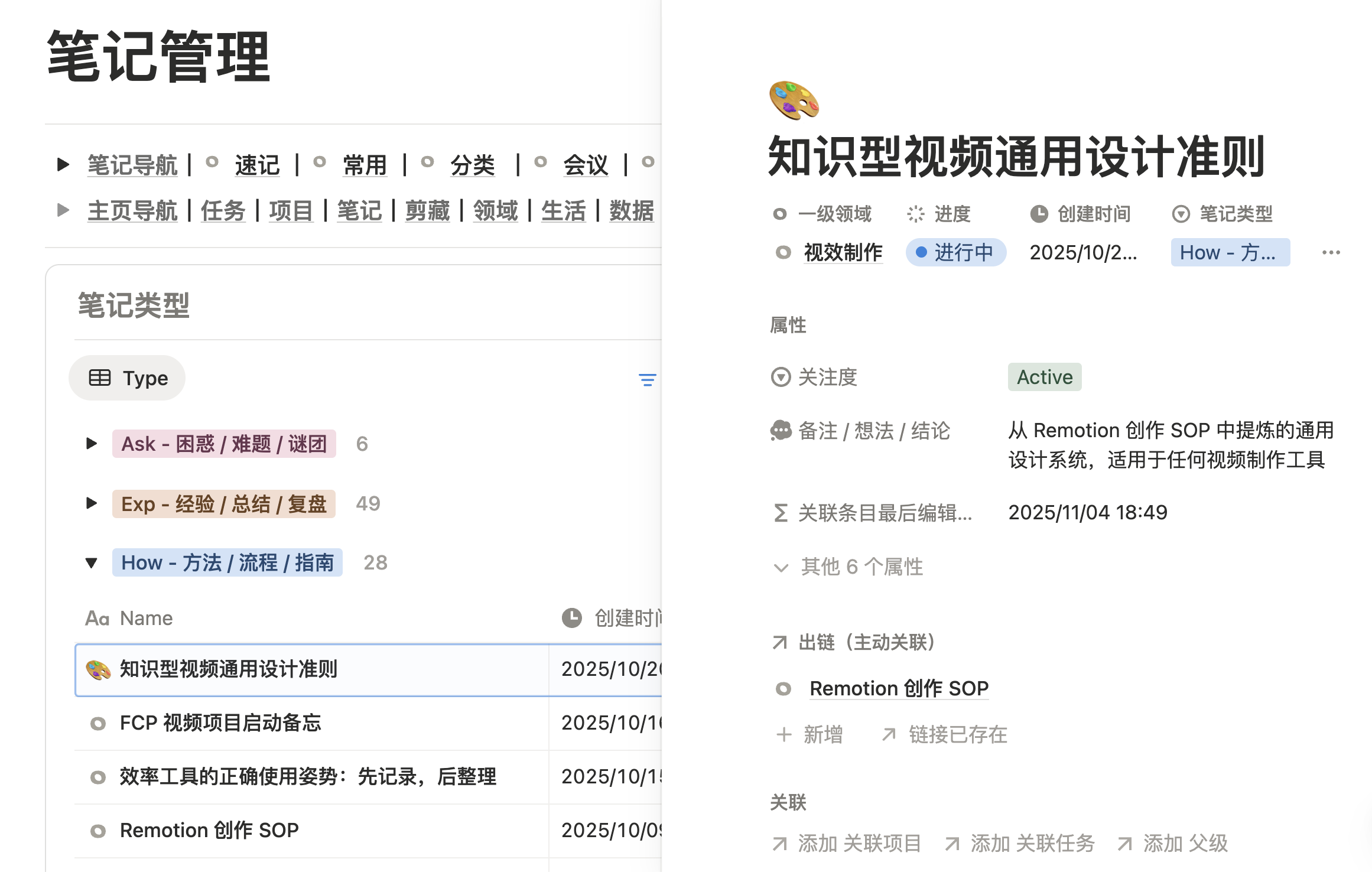
Say goodbye to forgotten information repositories. Connect scattered thoughts into coherent threads, transforming your note library from a passive 'bookmark collection' into an active 'advisory team' that works for you.

Note Center Illustration
📋 Multi-dimensional Classification

Support four classification methods: topic, project, area, and time. One note can belong to multiple categories simultaneously

🔗 Smart Linking

Notes can be linked to tasks and projects. Related notes automatically display when viewing projects, no manual searching needed

🎯 Quick Locate

Through filters and search, quickly find the one you need from hundreds of notes, saving browsing time

📦 Auto Archive

When projects complete, related notes automatically archive. Access anytime when needed, keeping workspace clean

FLO.W Task Module

Say goodbye to messy to-do lists. Deeply integrates GTD principles so every task is clear, actionable, and aligned with strategy.

Task Center Illustration
📥 Unified Collection

All tasks recorded in inbox, synced across devices. Decide priority and assignment during daily review

🎯 Auto Classification

Tasks auto-categorized by project, area, and priority. View 'Urgent Tasks' today, 'Weekly Plan' on weekend

✅ One-Click Archive

Complete tasks with a checkmark, auto-archived to corresponding project. View project progress and history anytime

🔄 Multi-View Switch

Kanban, list, calendar, timeline - same tasks presented differently, adapting to various work scenarios

Project Management Hub

Say goodbye to vague goals and uncontrolled progress. Transform any complex task requiring multiple steps into an information-aggregated, process-visualized 'command center' where everything is under control.

Project Center Illustration
🎯 Centralized Management

One project page aggregates all related tasks, notes, files. No searching in multiple places, all materials centrally presented

📈 Progress Tracking

Auto-count task completion rate and remaining tasks. Project progress at a glance, adjust plans timely

🔗 Area Association

Projects can link to long-term areas like 'Video Creation' or 'Product Design'. Experience accumulates automatically within same area

📦 Auto Archive

When project completes, status changes to completed and auto-archives. Keep workspace clean, historical projects accessible for reuse

Capture Inspiration Anytime, Anywhere

No more dusty bookmarks, organized reading. Articles, videos, books, courses, posts—clip from any platform, actively link, manage multi-dimensionally

Clipping Management Center Illustration
📱 Clip Anytime

Free extension to clip content from anywhere. Capture articles, videos, books, courses, and posts effortlessly

🔗 Active Linking

Clips automatically link to tasks, notes, projects. Related materials surface when working, no need to remember where you saved them

🎯 Methodical Reading

Tag, prioritize, and add notes after clipping. Transform passive hoarding into active digestion of your own knowledge

📊 Multi-View Display

View by type, status, or area. Find books in reading view, articles in to-read view—clear and efficient

Responsibility Areas Aligned with Life Goals

Where you invest your time determines who you become. Areas help you focus on truly important directions, regularly reviewing: Where did my time go? Which areas are accumulating continuously, which are just surface-level busyness?

It helps you align with long-term goals, ensuring each project serves a greater direction

Similar Experience Together

Related projects, tasks, and notes automatically display on the area page. Want to see how you did it before? Just open the area

Data-Driven Self-Awareness

Track time invested in each area and projects completed. Data reveals what you're really doing and who you want to become

Responsibility Area Ecosystem Illustration

Record with Care, Leave No Moment Unrecorded

Track shows, fitness logs, subscriptions, asset tracking, gaming achievements—every aspect of life worth reviewing

Lifestyle

Movies & TV

Habit Tracking

Subscriptions

Assets

Gaming

FLO.W Design Logic

Foundation - Digital Base

Built on Notion databases, all information, tasks, and projects have their dedicated place and standardized attributes. Say goodbye to chaotic piling up and establish a solid foundation for efficient information recording and linking.

Foundation - Digital Base illustration

Link - Convenient Interconnection

Using Notion's relation, rollup, and formula features as bridges, establish bidirectional, fully-contextualized connections between structured databases. Make information linking faster and information flow more directional.

Link - Convenient Interconnection illustration

Operate - Unity of Knowledge and Action

Efficiently transform all planning, thinking, and insights into concrete, trackable action paths. Let practice become the ultimate standard for testing your productivity system.

Operate - Unity of Knowledge and Action illustration

Watch - Global Insights

Build a watchtower for your personal productivity system with highly customizable visual charts and database views. Achieve comprehensive oversight from 'Areas' to 'Projects' to 'Tasks', enabling precise alignment between strategic planning and daily execution with data-driven decision-making.

Watch - Global Insights illustration

Complete Tutorial, From Zero to One

From the first step of importing the template to understanding the design philosophy behind each module, every detail comes with clear graphic and video guidance.

Complete Tutorial, From Zero to One

Quick Start

We've prepared detailed template import guides and basic operation tutorials, allowing you to have a beautiful, powerful personal knowledge base in five minutes.

Feature Details

From basic note and task management to advanced automation and data linking, each feature comes with independent documentation to help you unleash the full potential of NotionFlow.

Use Cases

Whether you're a student, developer, or project manager, you can find best practices that suit you in rich scenario examples, making NotionFlow truly integrate into your work and life.

FAQ

We've compiled the most common questions users encounter and provide clear solutions. If you still have questions, our community and support team are always here to help.

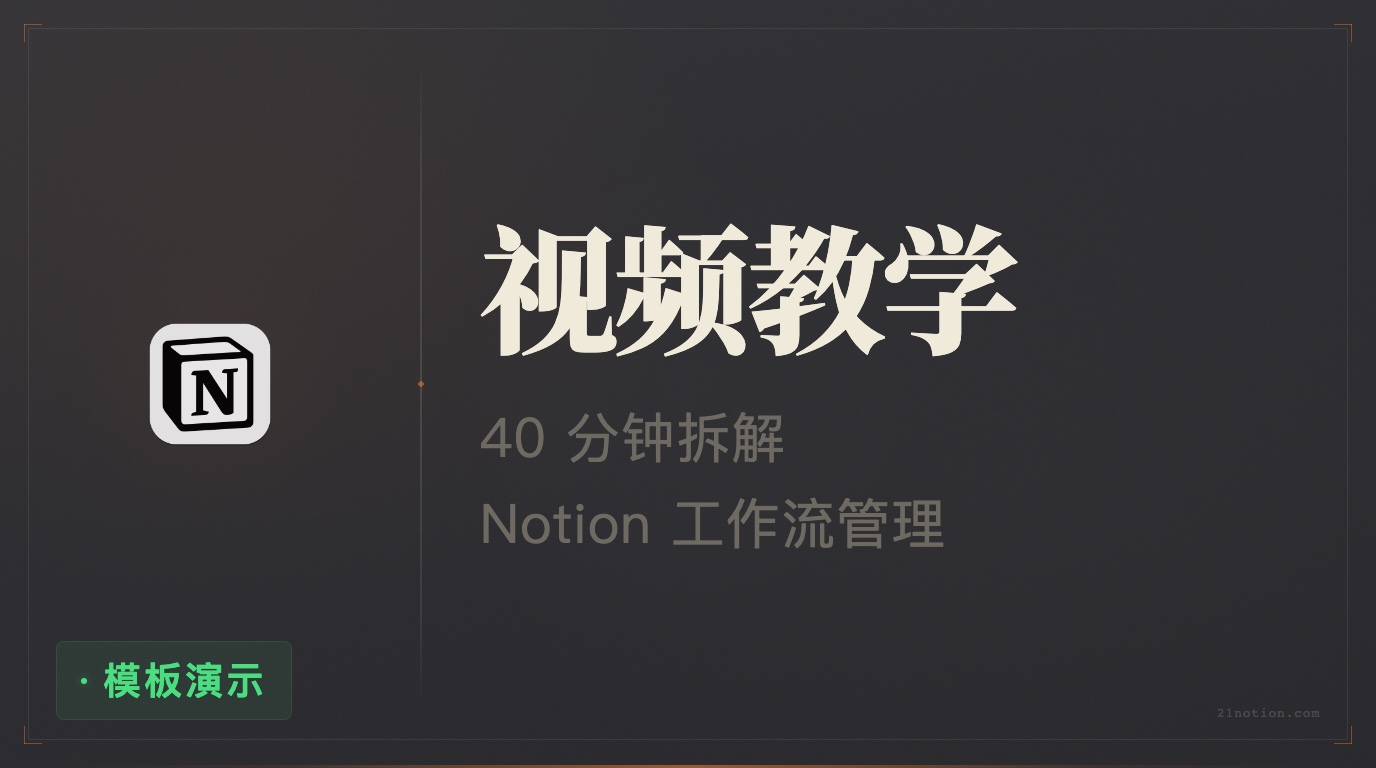
Video thumbnail

Complete Video Tutorial from Scratch

40-minute immersive breakdown: Personal knowledge system setup and Notion workflow management

Watch Video

Pricing

Basic
Basic
Ready-to-use action framework with immediate results
¥199
Full v1.0 template
Step-by-step docs and videos
Exclusive Q&A community
Free major version upgrades
Pro
Pro
Deeply master workflows and grow with the community
¥299
Everything in Basic
Private Q&A community
Practical case studies
iOS Shortcuts continuously updated
Max · Most Popular
Max
All benefits with long‑term support for unlimited growth
¥349
Everything in Pro
Lifetime major-version upgrades
Lifetime value guarantee
Continuous feature updates

ℹ️ The English template is currently only available in the Max plan. Other plans include Simplified Chinese version only.

Secure Payment

Alipay
WeChat Pay
Visa
Mastercard
UnionPay
Apple Pay

Testimonials

Alex Chen

Alex Chen

I studied many GTD and PARA methods, but they always felt awkward to implement in Notion. FLO.W shines because it doesn’t copy theory rigidly; it distills the essence and optimizes it the Notion way. The only system I’ve used that looks great and is logically coherent.

小林

小林

Before FLO.W my Notion had become a giant junkyard. After using this template, everything feels clean—noise is filtered out. Thank you!

阿森

阿森

As a content creator, I value the flow from ideas to final drafts. FLO.W’s “note roles” and “project management” are a perfect combo. An Idea turns into a Project, then Tasks—like a smooth assembly line.

一只特立独行的猪

一只特立独行的猪

I’ve bought many Notion templates; most are flashy but shallow. FLO.W is the first I want to use long-term. The exhaustive manual shows the creator truly wants you to succeed.

不熬夜的冠军

不熬夜的冠军

The most comfortable template I’ve ever used—period.

river

river

It finally feels like information flows instead of staying stagnant.

Sonder

Sonder

No more daily anxiety about “what should I do now”. Thank you!

卷心菜

卷心菜

That auto-updating project progress bar gives me a sense of accomplishment every time!

设计师阿奇

设计师阿奇

The interface is ultra-clean with zero unnecessary decoration so I can truly focus.

芝士就是力量

芝士就是力量

Three days in and I’m totally dependent on it.

野生PM

野生PM

I manage the entire product lifecycle here—from idea pool (notes) to release planning (projects) and development (tasks). The chain is complete.

考研上岸的阿白

考研上岸的阿白

Perfect for grad interview prep. Books, materials, professors—everything became projects and tasks. Organized and calm.

自由插画师-Cici

自由插画师-Cici

As a freelancer, this is magic for managing multiple commissions. Each project is a command room—no more mixing up client requirements.

一位平平无奇的博士生

一位平平无奇的博士生

Wish I had it earlier for my dissertation. Literature notes, experiments, and writing plan in one project—super clear.

省钱君

省钱君

Used to pay for Todoist + Evernote + Trello. Now FLO.W replaces all—saving hundreds a year. Worth it!

时间的朋友

时间的朋友

For the price of a few coffees I got years of distilled thinking and saved months of trial-and-error. Priceless.

Jason 不加班

Jason 不加班

Far better than just watching courses. A framework you can use immediately—learning by doing is much faster.

番茄

番茄

I bought a famous foreign template (~$50) but the logic didn’t fit local habits. FLO.W is cheaper and designed for Chinese users. Perfect fit.

一颗小太阳

一颗小太阳

Hesitated for three days and finally bought it. Best investment I’ve made this year.

不熬夜的冠军

不熬夜的冠军

What I love most is the seamless flow from notes to projects to tasks—ideas actually move forward into results.

夏白衫

夏白衫

Bought several Notion templates before but stopped using them after a few days. FLO.W is the first I want to stick with long-term, and the tutorials show the author truly wants you to use it well. Been using for a month—leaving this review.

大电视小破站

大电视小破站

I bought 21’s course long ago, but still didn’t get into Notion after learning the basics 😂 With the new FLOW template and my note-taking needs, I finally started using Notion from a template.

一土言帝

一土言帝

Sharing as a purchaser! After trying it this evening—super powerful and really easy to use. As a beginner, this systematized template saves me from piecing things together and wasting time searching resources!

zhlegz

zhlegz

I subscribed to the creator’s “Notion All in One” before—rich content, even overwhelming like a thick reference book. The new template gave me another chance to learn Notion hands-on with detailed tutorials. I bought the advanced version and look forward to continuous iterations. Let’s encourage each other!

小红薯 639EA8F0

小红薯 639EA8F0

Watched his course and tried using Notion to manage work and life. This template is simple, efficient, and flows automatically. With tutorials it’s easy to get started and build your own system—great value.

小江考研英语

小江考研英语

Tried the creator’s hard work—clearly crafted with care, smooth details. Especially the planning and review modules solved my big problems.

酷毛球

酷毛球

Used it for several days—pretty good. Simple but not simplistic, all needed features, and faster loading than other templates I used. The author also responds quickly in the chat group.

秋的深沉

秋的深沉

After entering my project domain into FLO.W, research and management work finally “connected”. Projects, tasks, notes and reviews link together; progress becomes clear and great for reporting. It saved a lot of setup and trial-and-error time—highly recommended for complex projects.

王媛媛

王媛媛

Thanks to 21, I avoided the 0-to-1 setup. Still exploring, and as he said, the template won’t be fully filled at once—I’ll learn and grow with it 💪

Avatar
Introduction→

Eryi Note

badge-1badge-2badge-3

Hi, I'm Eryi.
From a seasoned Notion user to a certified advanced expert, I've spent 7 years and worked with 6,000+ students to explore the boundaries of efficiency. FLO.W is my redefinition of a system after countless sleepless nights, designed to help you build a stable, coherent personal management system with zero friction.

YouTube Subscribe on YouTube Chat on Discord

Frequently Asked Questions

Below are common answers. If you still have questions, please contact us

User 1
User 2
User 3
User 4
User 5
User 6

Join our Discord Community

If you have any questions before purchasing, feel free to join Discord and chat with me.

Contact for Purchase