Notion Updates

Tracked by the FLO.W team

Notion’s model picker now includes Claude Opus 5.5, GPT-6 Luna, and GPT-6 Sol.

Claude Opus 5.5 and GPT-6 Sol work like Fable: they are not in the default list. You opt in separately, and they use separate credits. GPT-6 Luna can be selected directly in the picker.

How to use it: as a workspace admin, open Settings → Notion AI, scroll to Restricted Access Models at the bottom of the page, and enable Claude Opus 5.5 and GPT-6 Sol. Then choose them in the Agent / Custom Agent model list. Business / Enterprise requires a workspace admin.

These two models use separate credits, not the workspace default AI allowance. Check usage under Settings → Notion AI → Usage.

If you are in China and neither the model list nor Settings shows the entry: open Settings → Billing, change the billing address to the United States, save, and refresh. Restricted Access Models usually appears; then enable the models with an admin account.
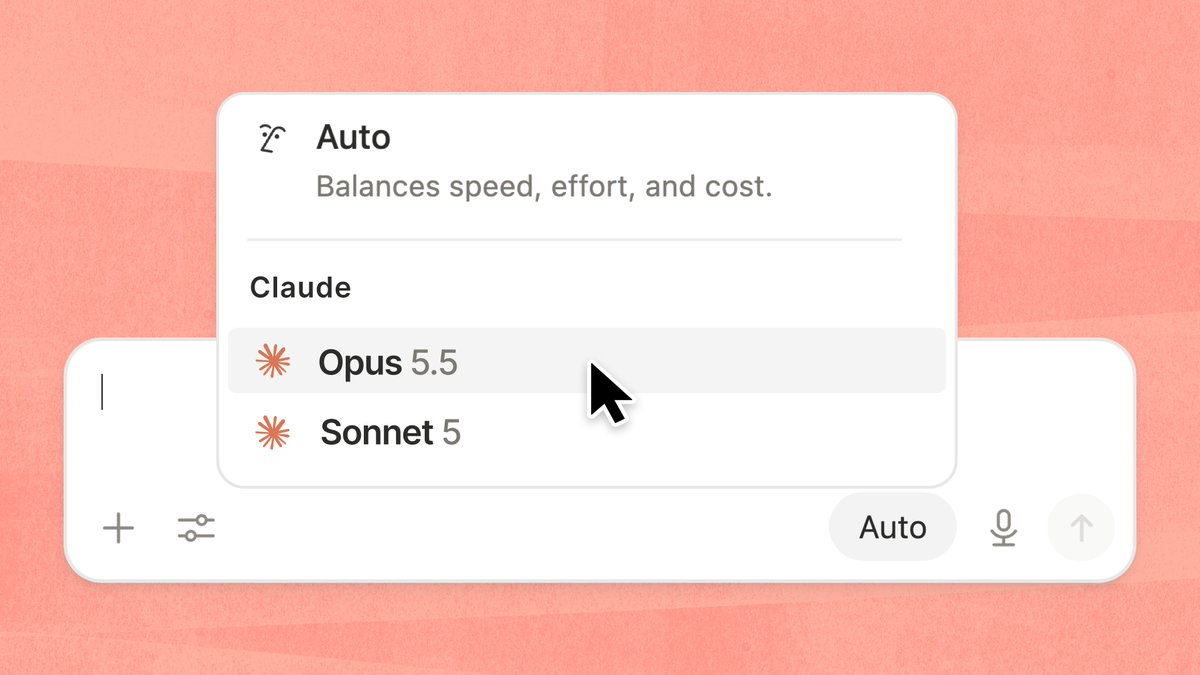
Claude Opus 5.5 in the Notion model picker

After Opus 5.5 is selected, you can switch to GPT-6 Luna or Sol in the same picker.
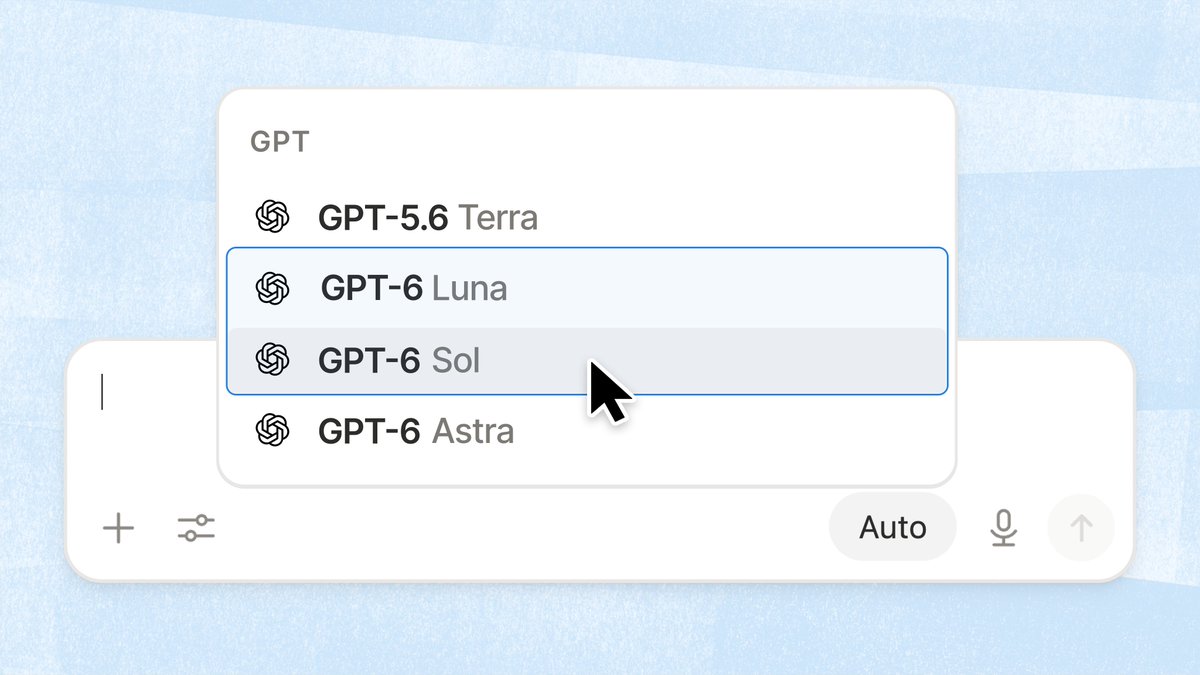
GPT-6 Luna and GPT-6 Sol in the Notion model picker

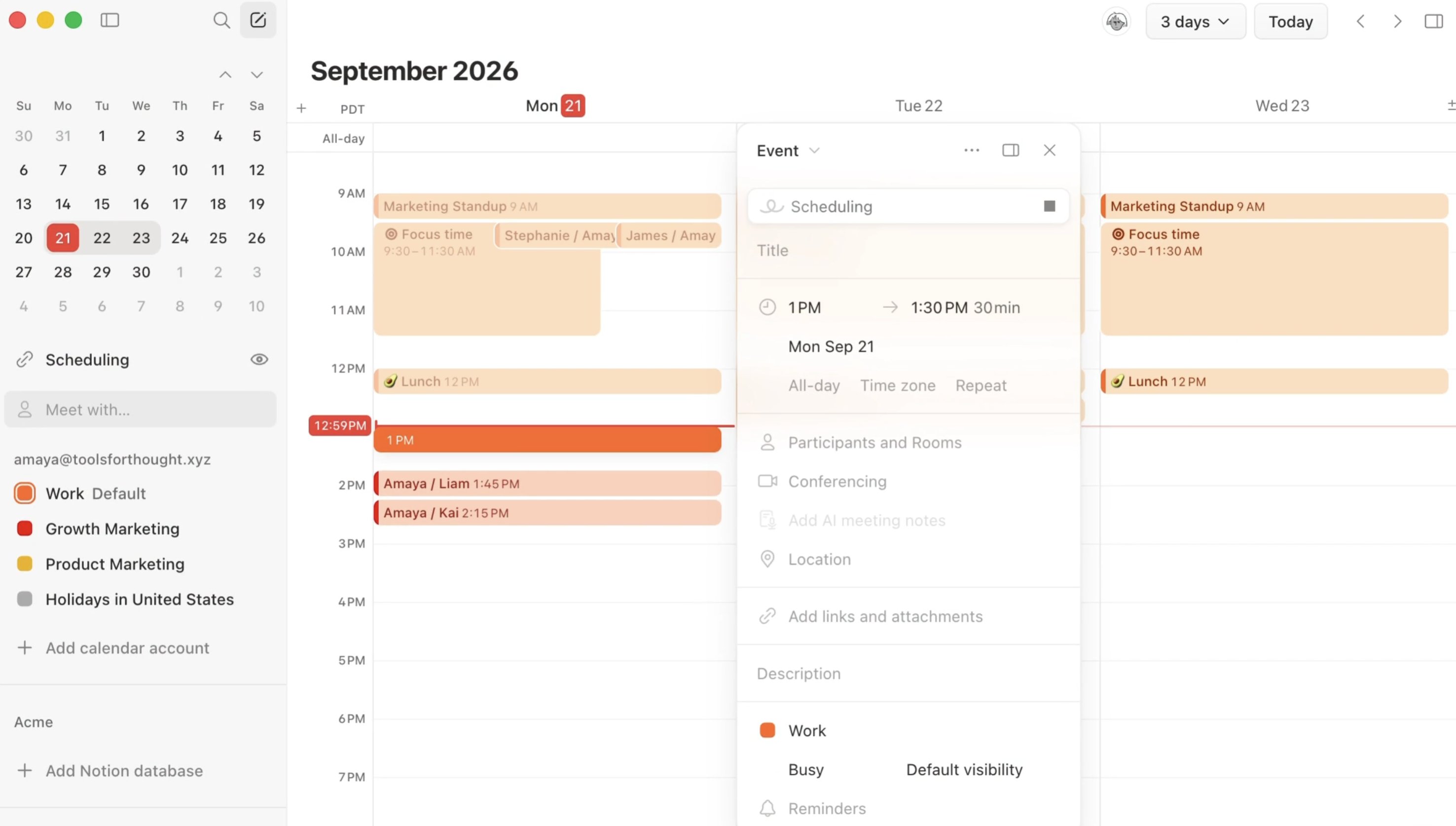
Notion Calendar now supports creating events with natural language. When you create an event, press Space and describe the plan in one sentence — the calendar fills in the rest.

How to use it:

  1. Open Notion Calendar and create a new event.
  2. Press Space and describe the plan in natural language.
  3. Confirm the time, title, and other fields the calendar filled in, then save.
Creating an event in Notion Calendar with a natural-language description

Notion has added two open-weight models to the toolbox: GLM 5.3 and GLM 5.3 Flash. You can choose them in Personal Agent and Custom Agents.

How to use it: open Personal Agent or a Custom Agent, open the model picker, choose GLM 5.3 or GLM 5.3 Flash.

The open-weight model DeepSeek V4.1 Flash is now available in Notion Personal Agent and Custom Agents.

How to use it: open Agent or Custom Agent → open the model picker → choose DeepSeek V4.1 Flash.

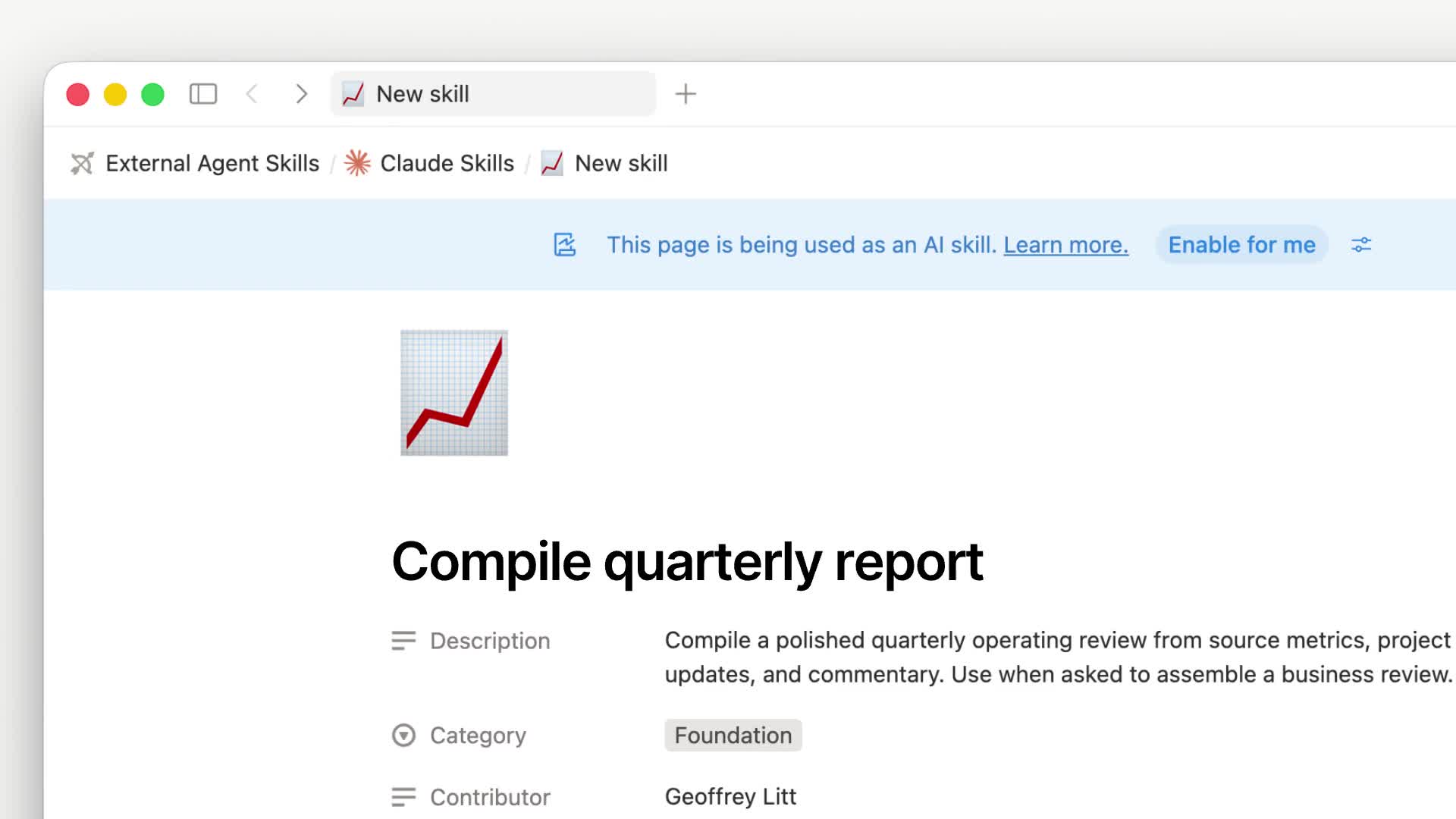
Notion ships a Skills API. Skills still live on Notion pages (the main file is SKILL.md, attachments go in the Files property), then export through the API as skill packages that follow the Agent Skills / Agent Plugins spec, for ChatGPT, Claude, Grok Bot, and local agents.

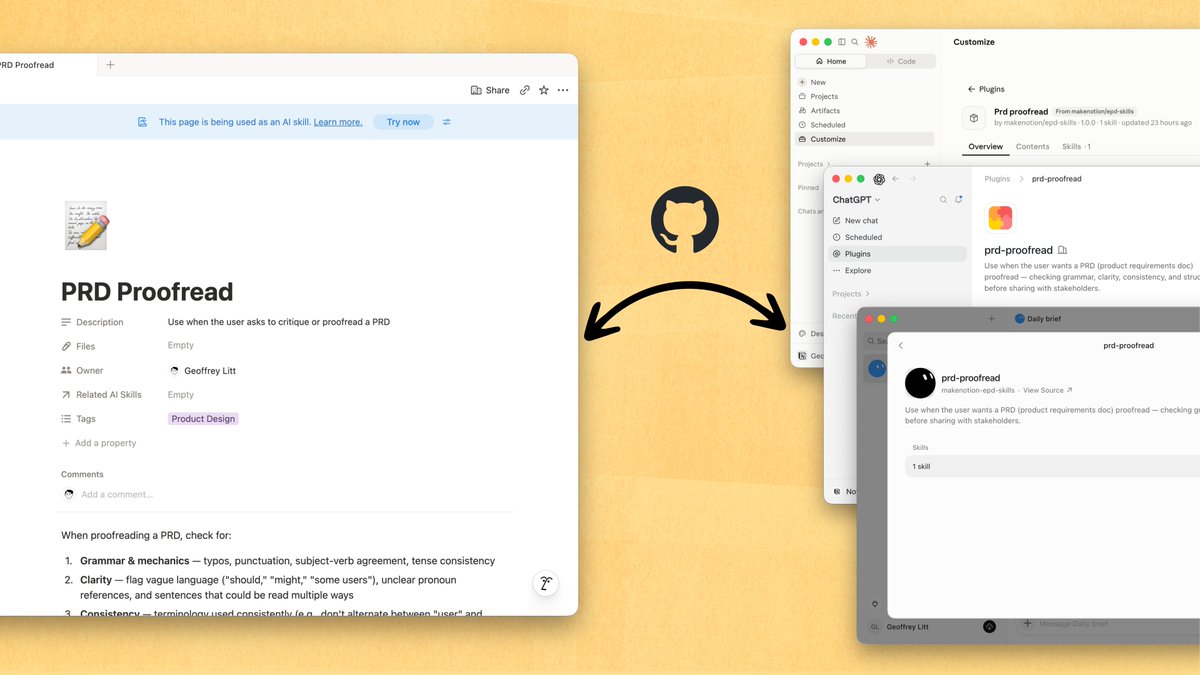
In the official demo, a skill page can sync to GitHub, then enter each agent's plugin marketplace. Slash commands and admin install controls are supported.

A Notion skill page syncs to GitHub and enters an Agent plugin marketplace

After you sync a Notion skill page to GitHub, agents such as ChatGPT can install it from the plugin marketplace.

After a Notion skill syncs to GitHub, install it in the ChatGPT plugin marketplace

How to use it:

  1. In Notion, write the team's working method as a skill page. Put needed code, tables, images, and other files in the Files property.
  2. Team sync: use the open-source repo makenotion/notion-skills-github-sync (https://github.com/makenotion/notion-skills-github-sync) to push skills to GitHub, then connect them to Claude, ChatGPT, and Grok Bot.
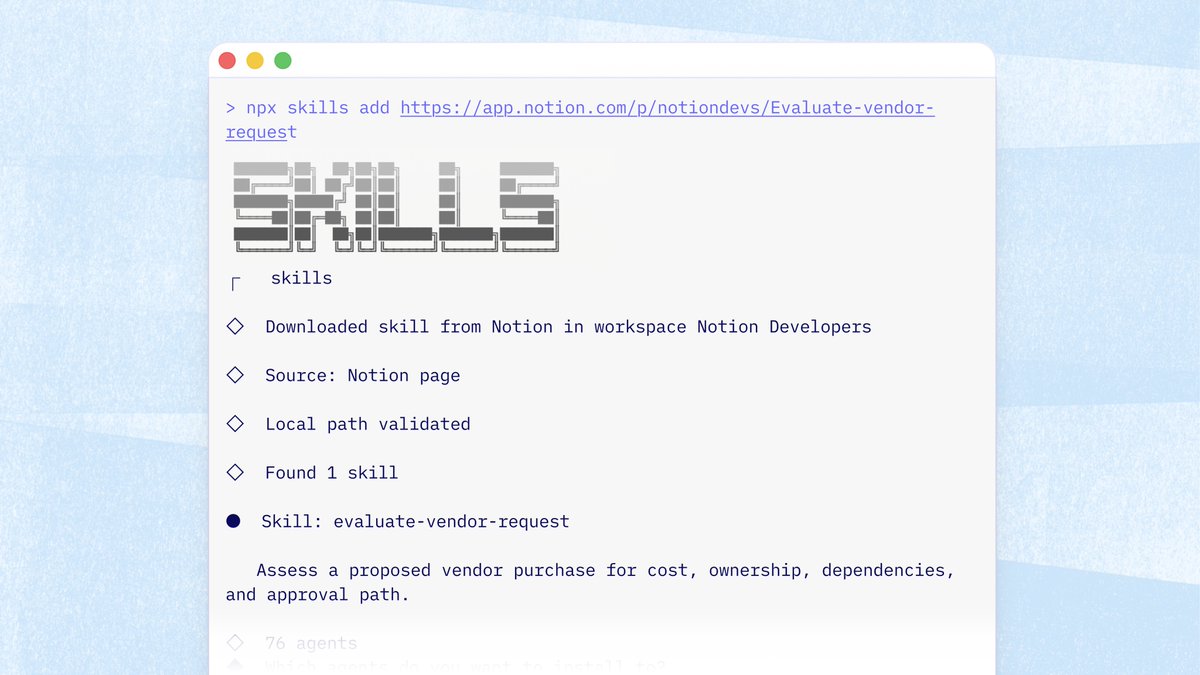
  3. Local agents: run npx skills add <notion-url> to install a single skill, or npx skills add notion to browse and install a workspace collection.
  4. Developers can also call GET https://api.notion.com/v1/ai/plugins (Notion-Version 2026-03-11, needs Read content) and download the plugin .tar.gz by version_id.

The Vercel skills CLI can also download a skill straight from a Notion page URL to a local agent, without creating a Git repo first.

Install a skill from a Notion page to a local agent with npx skills add

The personal path can still read skills through MCP. The Skills API is better for team-wide preinstall, so agents do not have to pull skills through MCP at runtime.

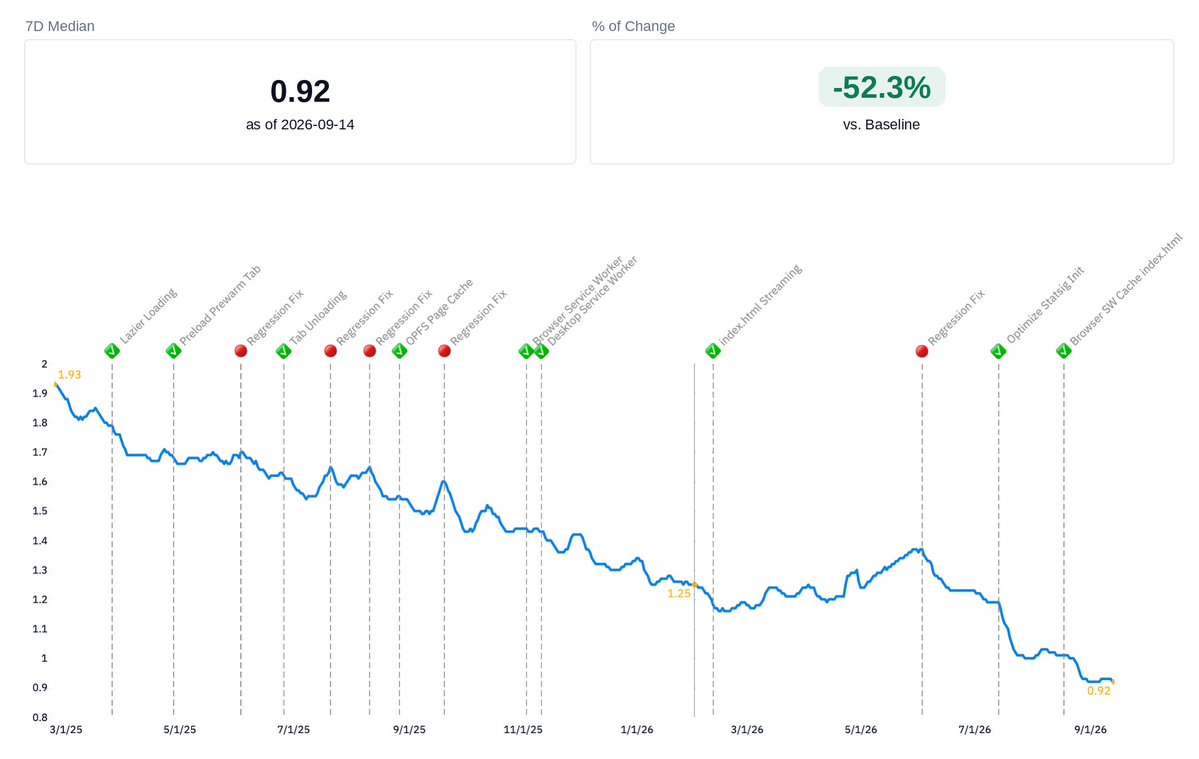
Notion desktop median cold start is now about 0.92 seconds (as of 2026-09-14), roughly 52% faster than baseline. Notion also says the desktop app can open in under a second.

That figure is the median for first launch (half of launches are faster, half are slower). It does not mean every open is under 1 second.

Notion desktop cold-start median chart: about 0.92s, roughly 52% below baseline

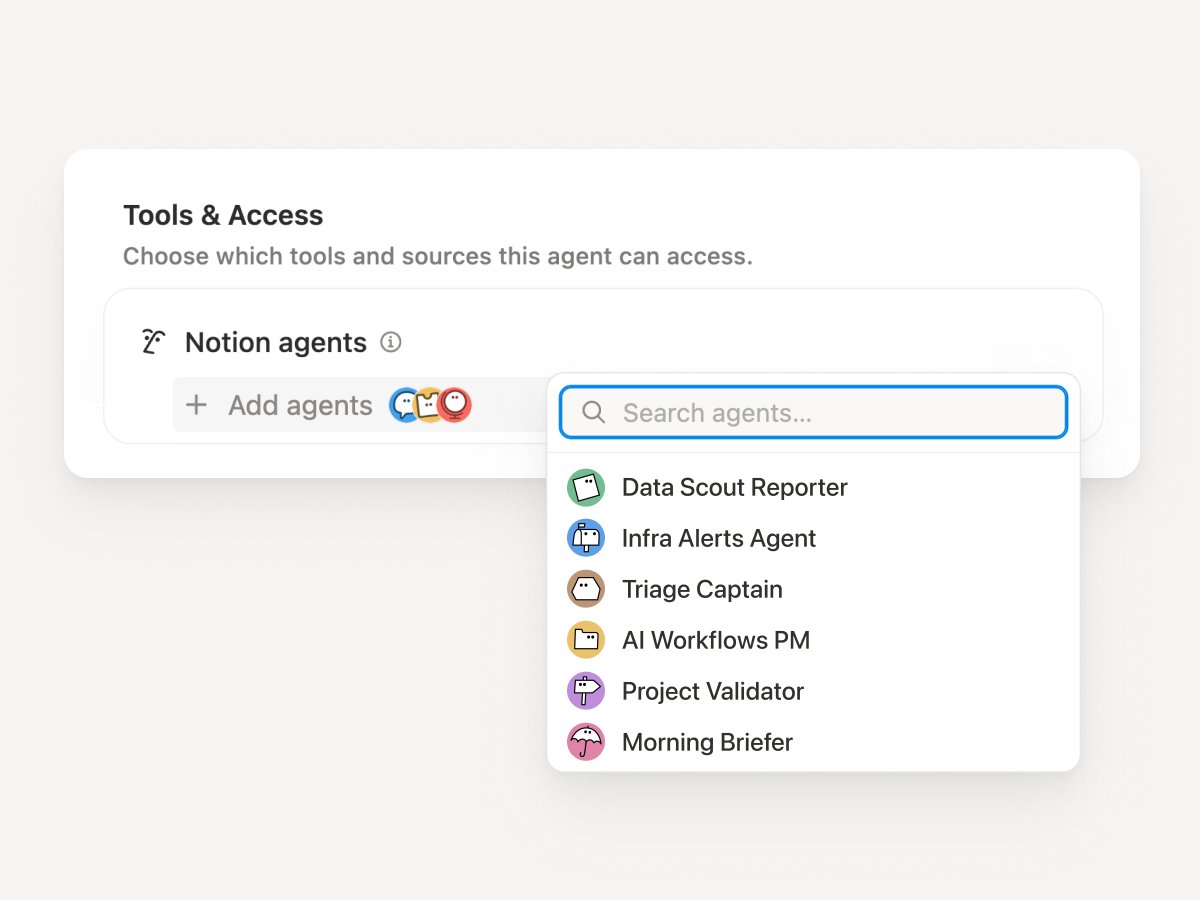
Notion Custom Agents can now call other Custom Agents as sub-agents.

Each sub-agent keeps its own instructions, context, access permissions, and model. The main agent hands off focused work, then brings the results back to finish.

How to use it:

  1. Open the main agent's Settings.
  2. In Tools and access, add the Agents it can call.
  3. In Instructions, spell out what to hand off and what each sub-agent should return.
  4. Give the coordinating main agent a stronger model, and give specialized sub-agents faster, lighter models.
  5. Start with 1–2 sub-agents, test each one on its own, then wire the full flow.
Tools and access in Custom Agent settings, where you can add callable sub-agents

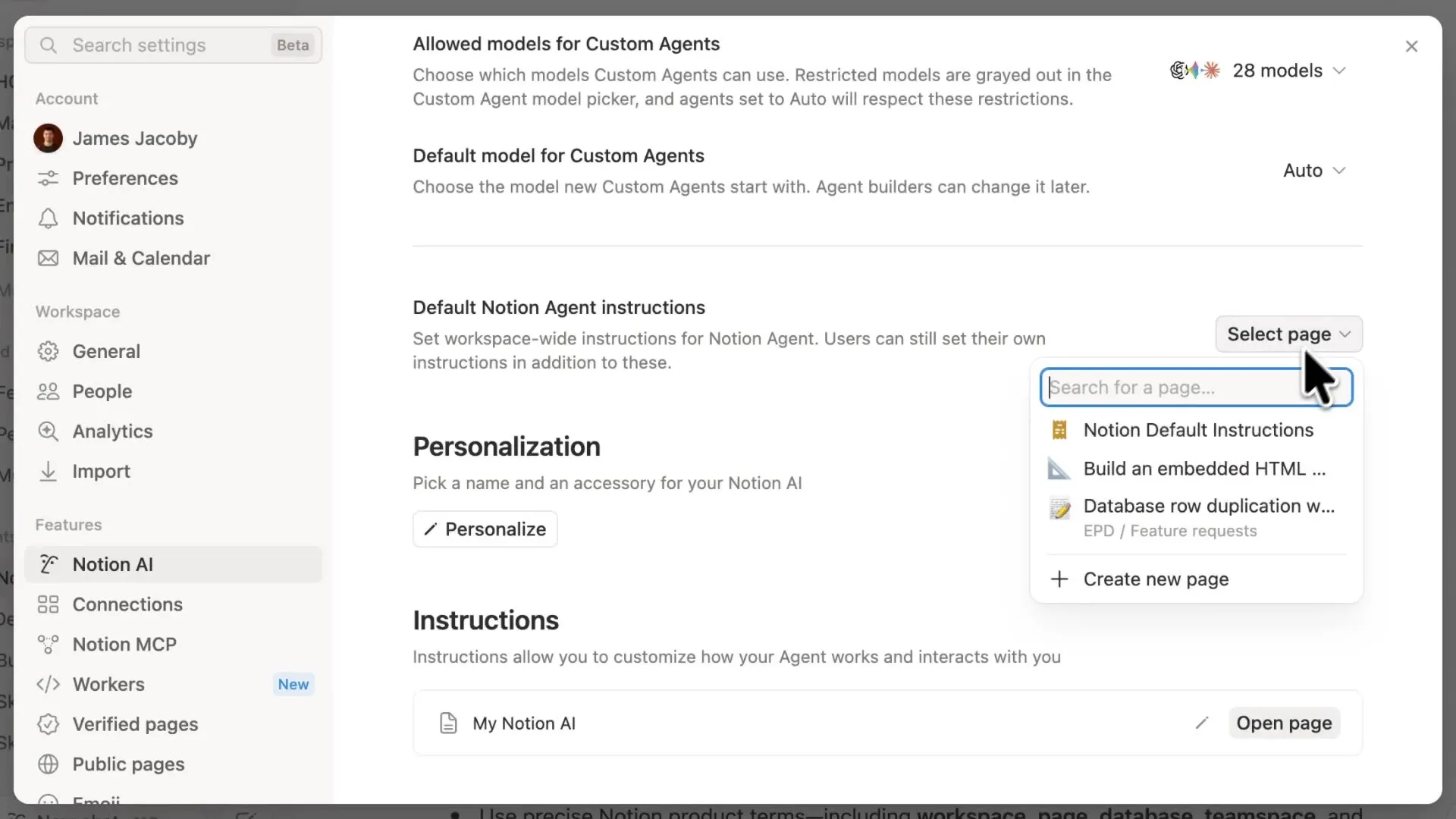
Notion added workspace-level default Agent instructions.

You can write one set of house rules for the whole workspace. Agents in that workspace search, cite, and answer under those rules. It fits team workspaces with many connectors that need a consistent answer style.

How to use it: open default Agent instructions in workspace settings, spell out search scope, citation style, and what to do when connectors have no answer, then verify with real queries.

Workspace default Agent instructions settings

Notion Desktop adjusted how it handles background updates.

Here, "refresh" means the current tab fully reloads. The page flashes and loads again. It is not a manual refresh, and it is not a regular data-sync notice. Background updates can wait until you finish the current action, then refresh the tab you are using. In the new version, these visible refreshes dropped from over 30% to under 3%.

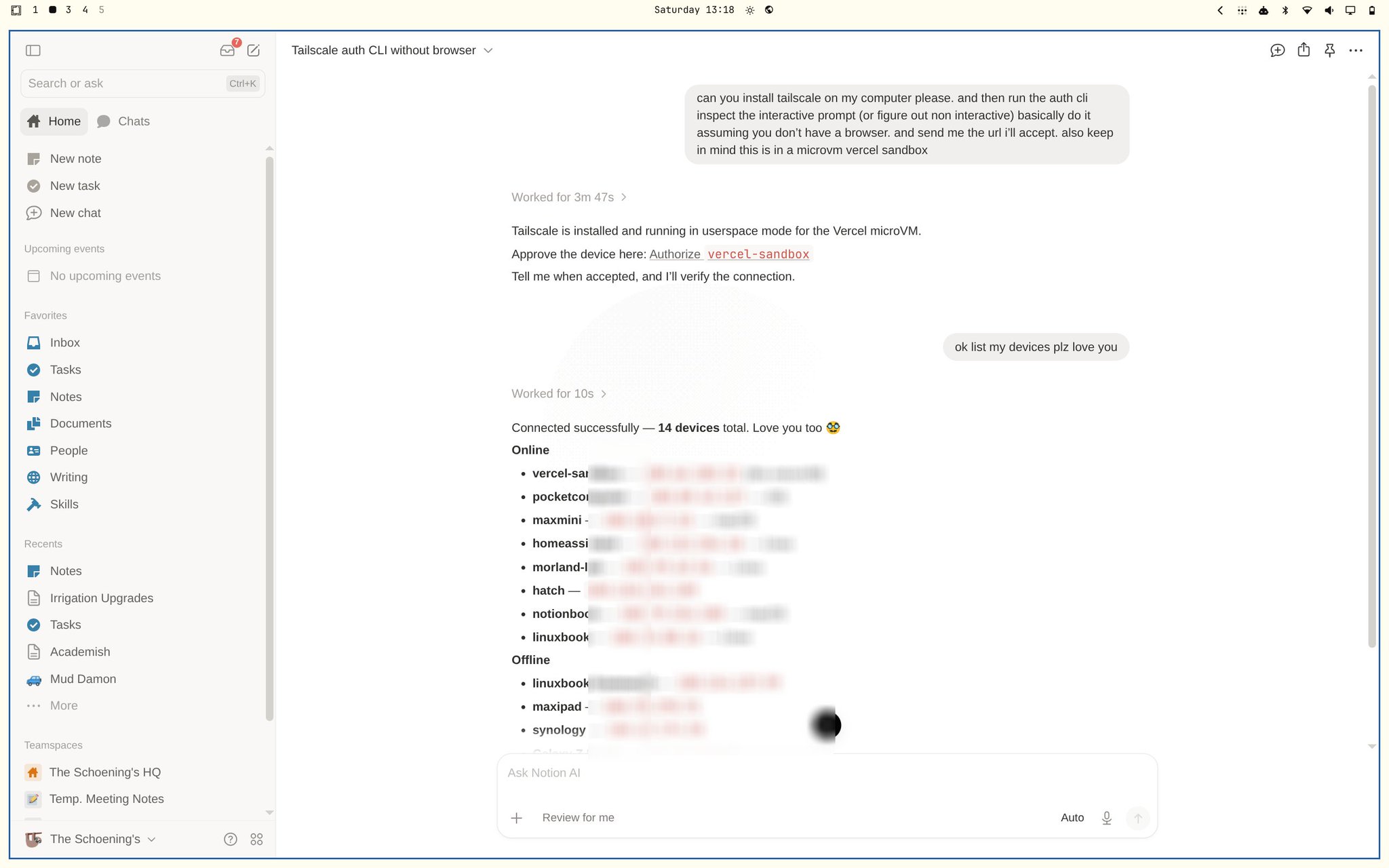
The next-generation Notion Agent will support Tailscale.

The Agent can install Tailscale in a session, complete CLI authorization without a browser, and list online and offline devices. This is not generally available yet.

Agent session installing Tailscale and listing devices

In the demo, the Agent finishes a userspace install inside a microVM sandbox and gives you an authorization link. After you confirm, it can keep going and list devices. The official rollout path and plan tiers will follow later announcements.