Notion Rebuilds Synced Databases with Real-Time Data from GitHub, Jira, and Salesforce
Notion has rebuilt synced databases from the ground up. Live data from GitHub, Jira, and Salesforce now syncs directly into Notion databases, so your team and your agents work from the same data. Once synced, you can add properties and views, relate items to project databases, trigger automations, or hand the work to an agent.
To use it, open Settings, go to Connections, choose the new Database sync type, connect GitHub, Jira, or Salesforce, and pick the repositories, spaces, or records to sync.
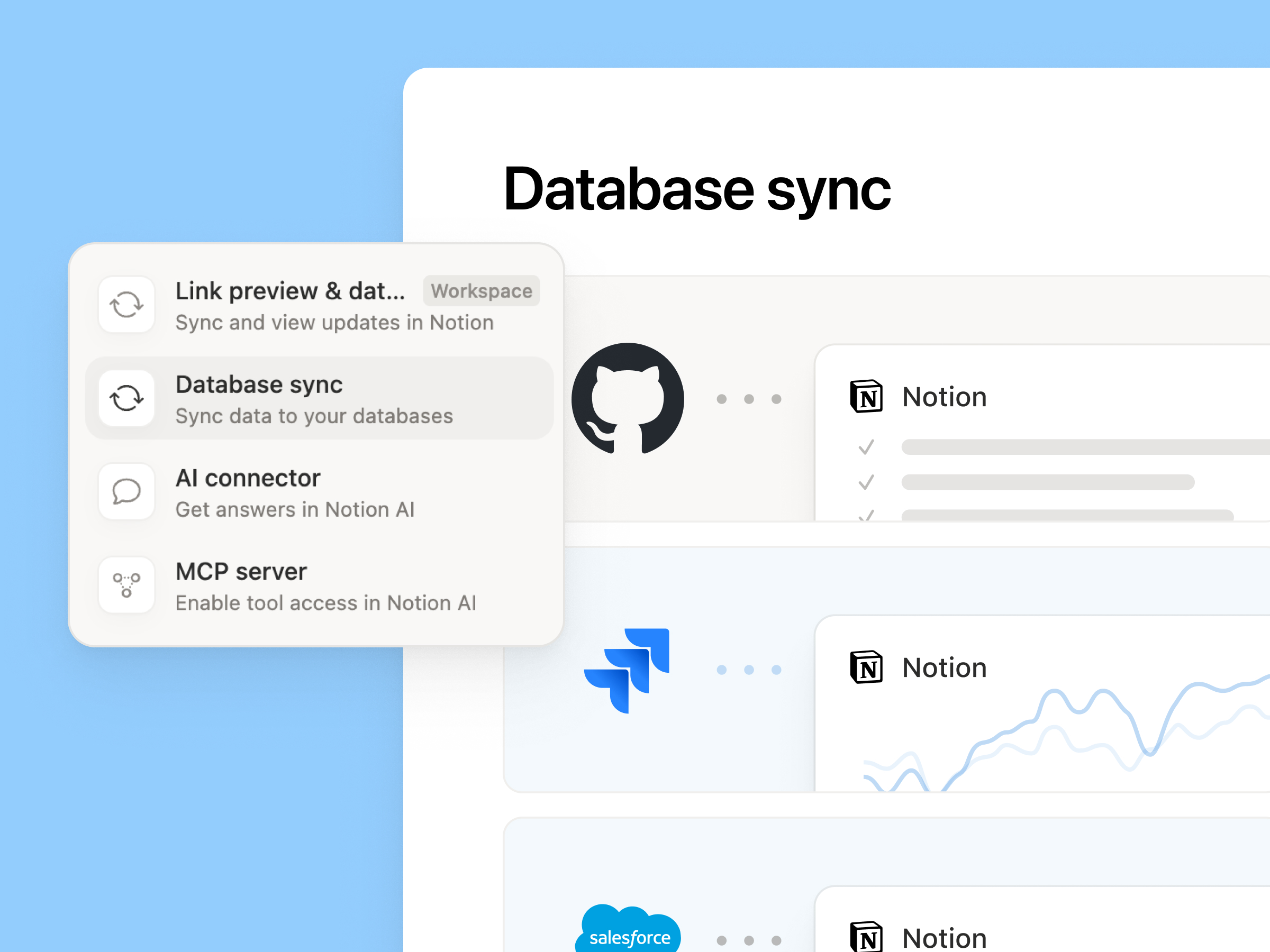
Database sync sits alongside link previews, AI connectors, and MCP servers in the connection types, and currently supports three sources: GitHub, Jira, and Salesforce.
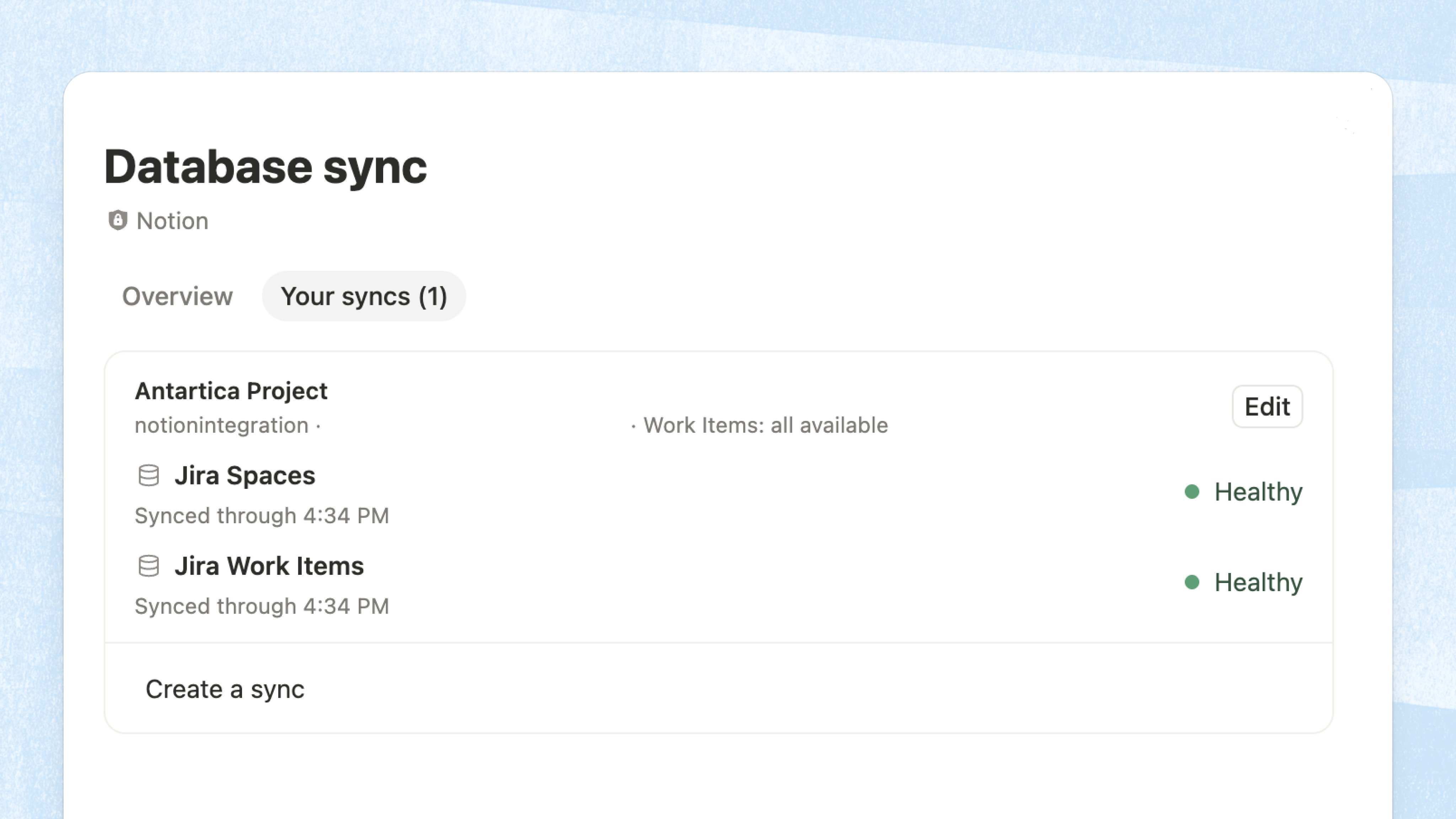
On the same page, the Your syncs tab lists every sync with its last sync time and health status. Click Edit to change what a sync covers.
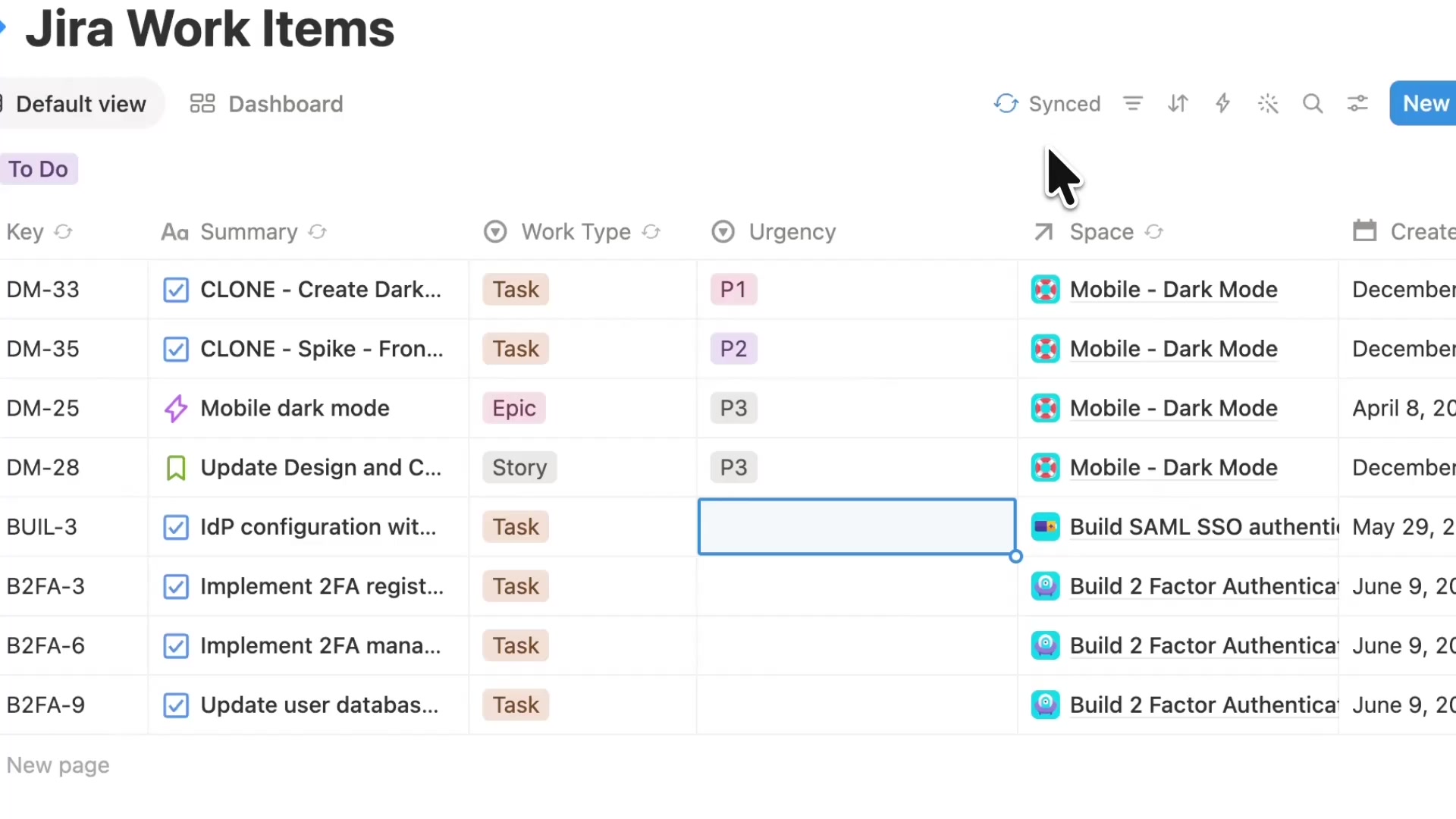
A synced table shows a Synced badge in the top right. The original Jira fields (Key, Summary, Work Type, Space, and more) stay in sync in real time, and you can add your own properties next to them, such as the Urgency column added in this example.
This is different from the earlier Notion AI Salesforce connector: the AI connector lets Notion AI search Salesforce data that stays in Salesforce, while database sync brings records into Notion databases in real time, where you can add properties, build views, and run automations.
A complete, ready-to-use Notion personal system
If you don't want to spend dozens of hours figuring out database relations and workspace layouts from scratch, FLO.W is a refined, all-in-one Notion template system designed for tasks, projects, and knowledge management.
Related Updates
- Notion Upgrades Version History with Real-Time Edit Highlights and Row-Level Database Changes
- Notion Adds Selectable Models: Claude Sonnet 5.5, Haiku 5.5, Fable 5 / 5.1 and GPT-6.1 Sol
- Notion Settings Now Lets You Discover and Manage MCP Clients
- Notion Agent Can Now Use Your ChatGPT Plus, Pro or Go Plan Allowance
- Notion Notifications Can Now Be Received and Replied To in Microsoft Teams