Notion Brings Virtual Tabs to Desktop, So Opening More Tabs Barely Adds Memory
Notion desktop now has virtual tabs. Previously, every tab in the desktop app took up its own process and its own chunk of memory. With virtual tabs, memory use stays roughly flat no matter how many tabs you open, and the sidebar is more stable too.
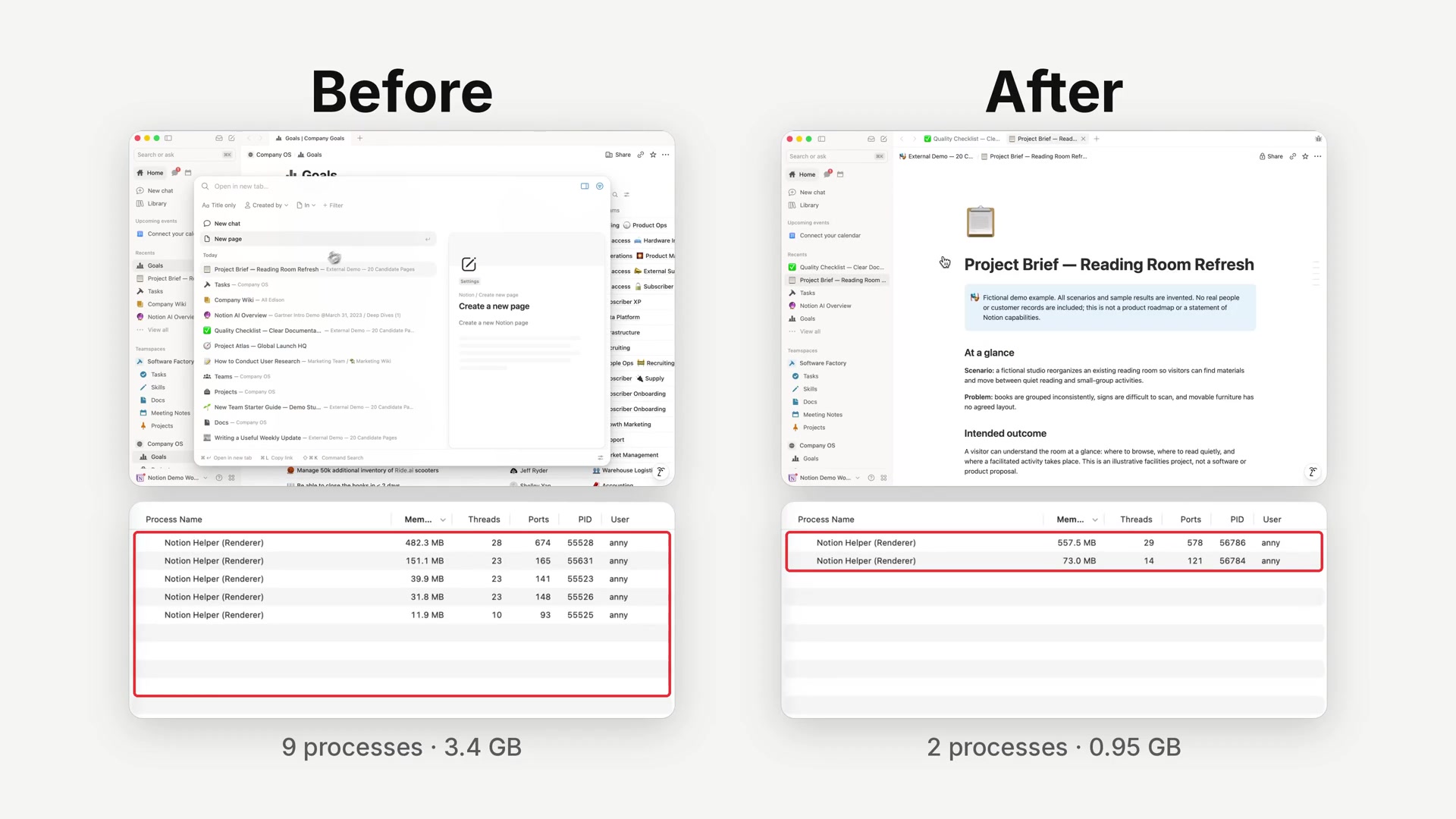
The official demo video compares the old and new versions side by side, with the system's list of Notion processes underneath. With only a few tabs open, the old version (left) already runs 5 renderer processes, while the new one (right) runs just 2.
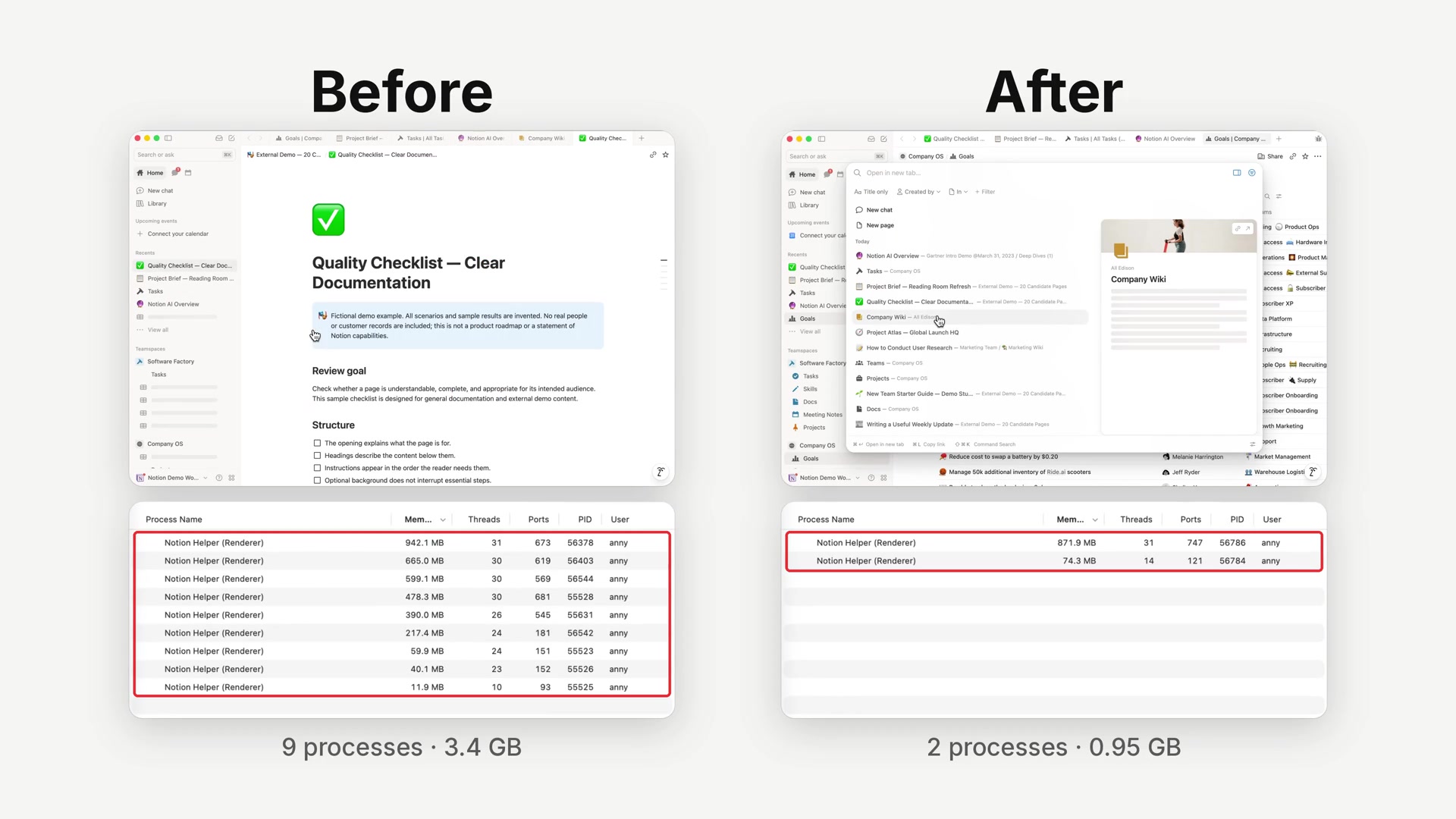
After opening more tabs, the old version climbs to 9 processes using about 3.4 GB of memory in total, while the new version stays at 2 processes and about 0.95 GB.
To use it: virtual tabs are currently a desktop beta feature. Update the Notion desktop app to the latest version, open Settings → Preferences, and turn on the Desktop beta toggle in the Desktop app section.
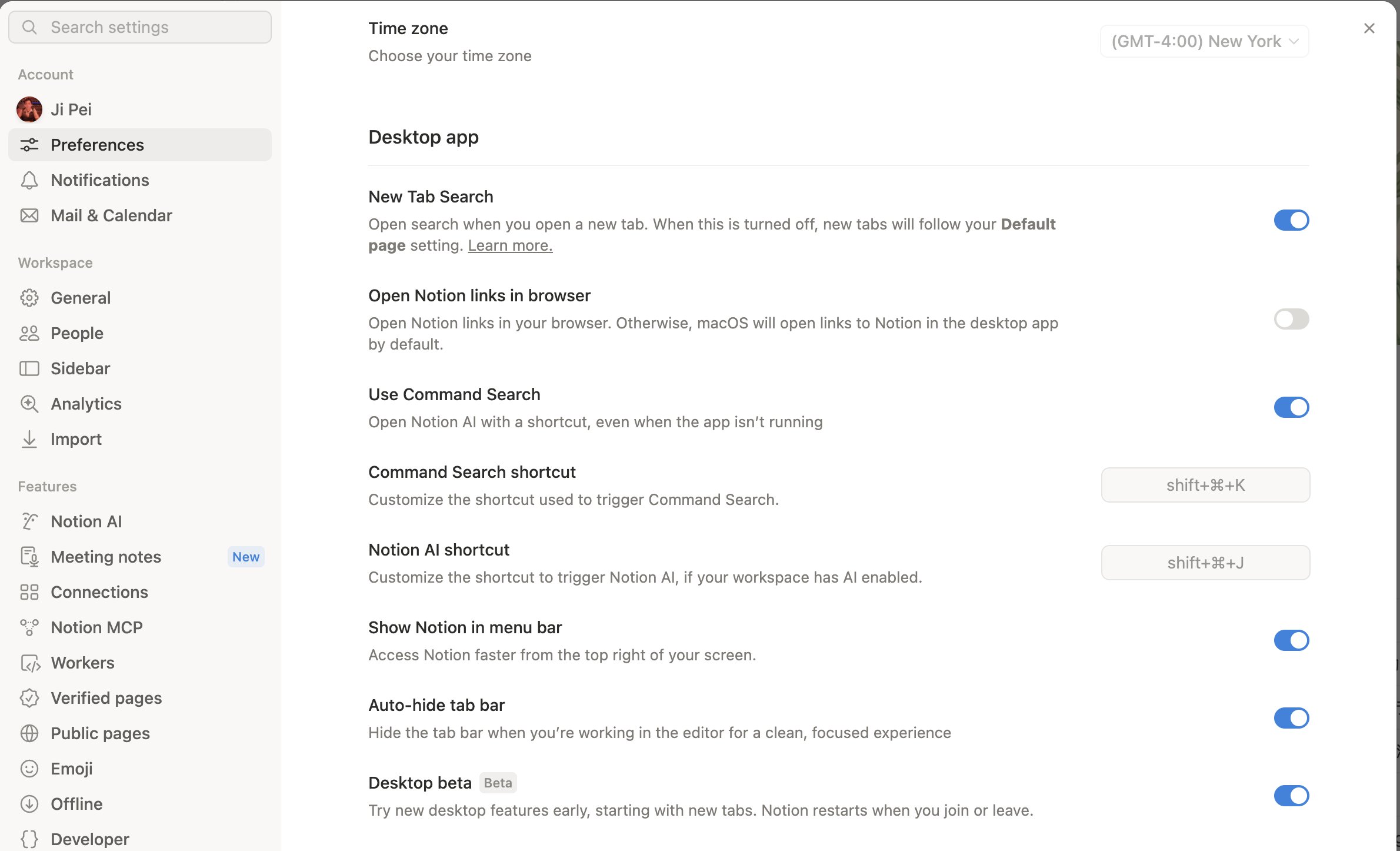
The toggle description says you will try new desktop features early, starting with new tabs, and that Notion restarts whenever you join or leave the beta. If the toggle has not appeared in your settings yet, a Notion engineer suggests refreshing with Cmd+Shift+R and checking again.
A complete, ready-to-use Notion personal system
If you don't want to spend dozens of hours figuring out database relations and workspace layouts from scratch, FLO.W is a refined, all-in-one Notion template system designed for tasks, projects, and knowledge management.