Notion Adds Snapshot Diffs to Version History
Checking Version History in Notion used to mean comparing two versions by eye. Once a page had enough content, it was hard to spot which paragraph changed, which image disappeared, or whether a database property had been edited.
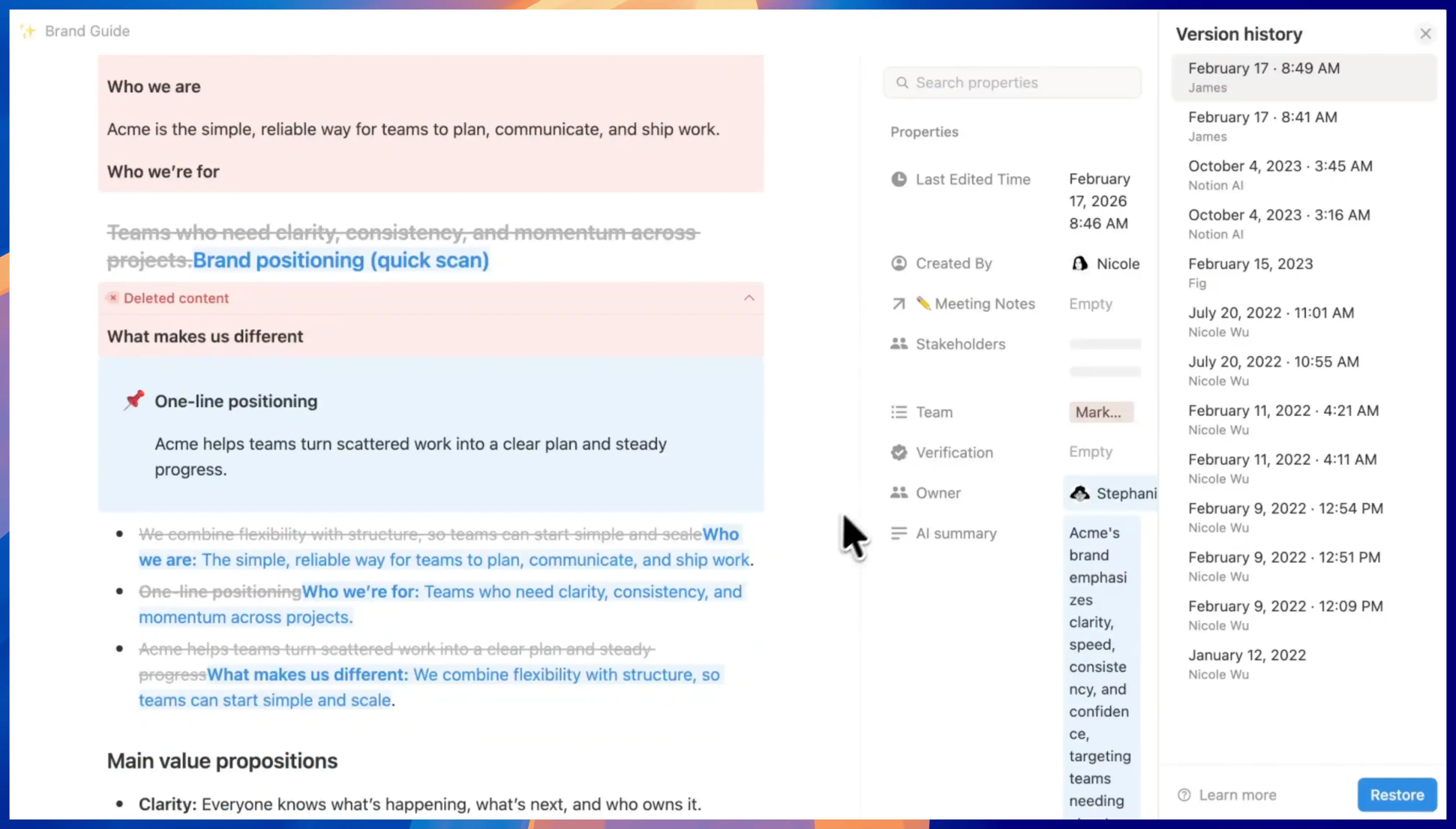
Notion now adds snapshot diffs to Version History. Open a page's version history from the top-right menu, and you can see what moved, changed, or disappeared. Text, images, tables, and database properties are all included in the comparison.
This is especially useful for collaborative pages like documents, brand guides, and project plans. You spend less time hunting for changes across the whole page, and it becomes easier to decide whether a previous version should be restored.
If you have used Notion Agent change diffs, this update brings a more fundamental page-level review flow. It is not limited to AI Agent actions.
A complete, ready-to-use Notion personal system
If you don't want to spend dozens of hours figuring out database relations and workspace layouts from scratch, FLO.W is a refined, all-in-one Notion template system designed for tasks, projects, and knowledge management.