Notion Upgrades Version History with Real-Time Edit Highlights and Row-Level Database Changes
Notion has upgraded Version History: every edit to pages and databases is now recorded in real time, with changes highlighted and labeled by the person or agent who made them. You can restore an earlier version in one click.
To use it, open Version History from the top right of a page and browse changes by time in the sidebar. Click an edit to see the highlighted diff, and restore it if needed.
The sidebar lists the author of each edit, including people and agents (for example, via Claude). In the page on the right, added text is highlighted in color and removed text is shown with a strikethrough.
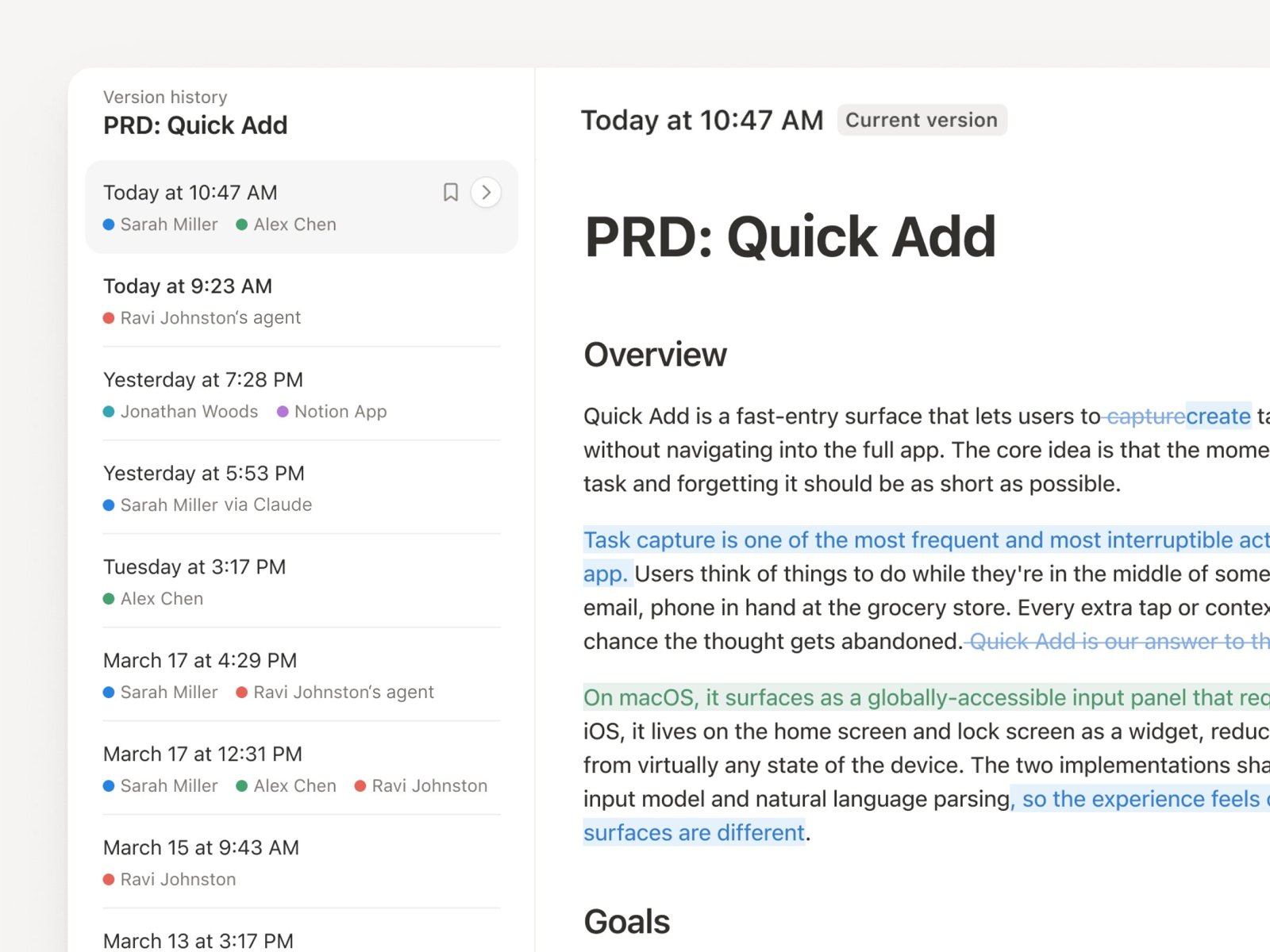
This is a complete, real-time log of every edit, covering pages and row-level database changes. It is different from the earlier snapshot diffs in Version History and Agent change diffs: those compare two snapshots or show what an agent changed in one run, while this records every edit by people and agents continuously.
A complete, ready-to-use Notion personal system
If you don't want to spend dozens of hours figuring out database relations and workspace layouts from scratch, FLO.W is a refined, all-in-one Notion template system designed for tasks, projects, and knowledge management.