Notion Buttons Can Now Send Prompts to Agents, Running Workflows in One Click
Notion button automations now include a Send message to agent action. Write a prompt into a button, and when anyone on your team clicks it, the prompt goes to the agent you chose and the reply appears right on the page.
To use it, open the automation settings for a button (or a button property in a database), add a new action under Do, and choose Send message to agent.
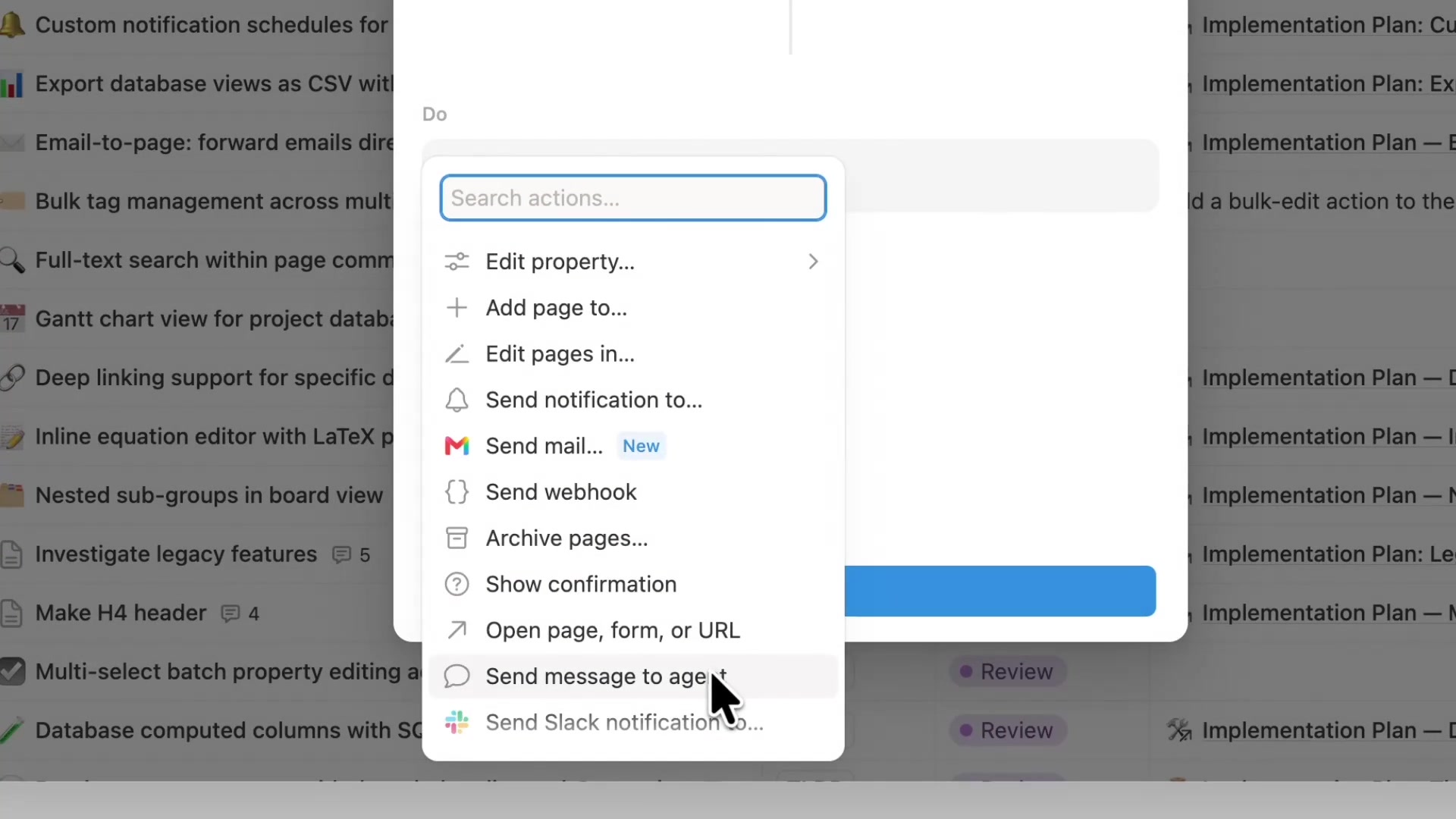
The action sits in the same list as sending notifications, sending webhooks, and opening pages.
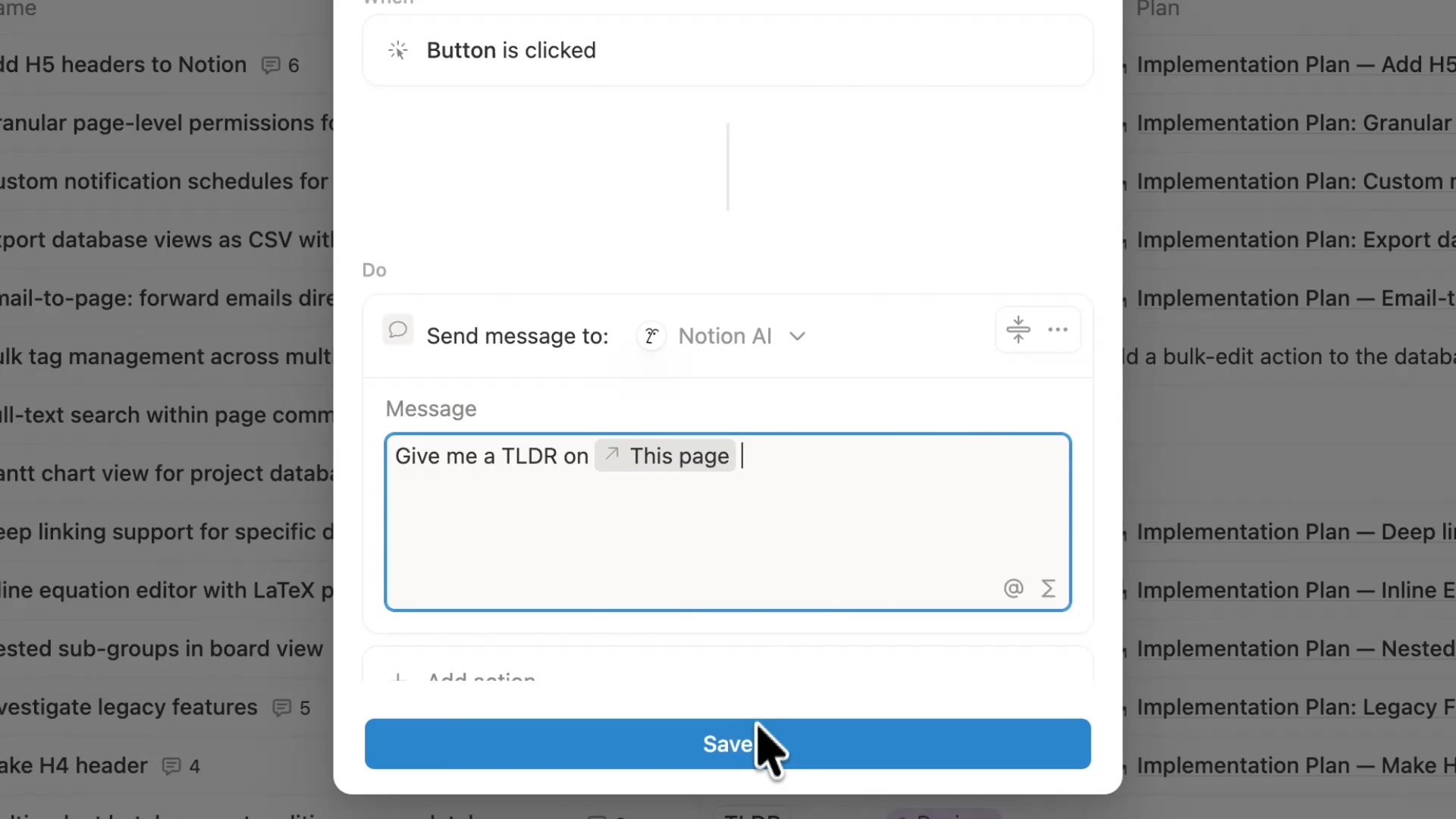
Next, pick the receiving agent under Send message to (Notion AI in the example), then write your prompt in the Message box. You can insert This page into the prompt, so the agent reads whichever row the button was clicked on.
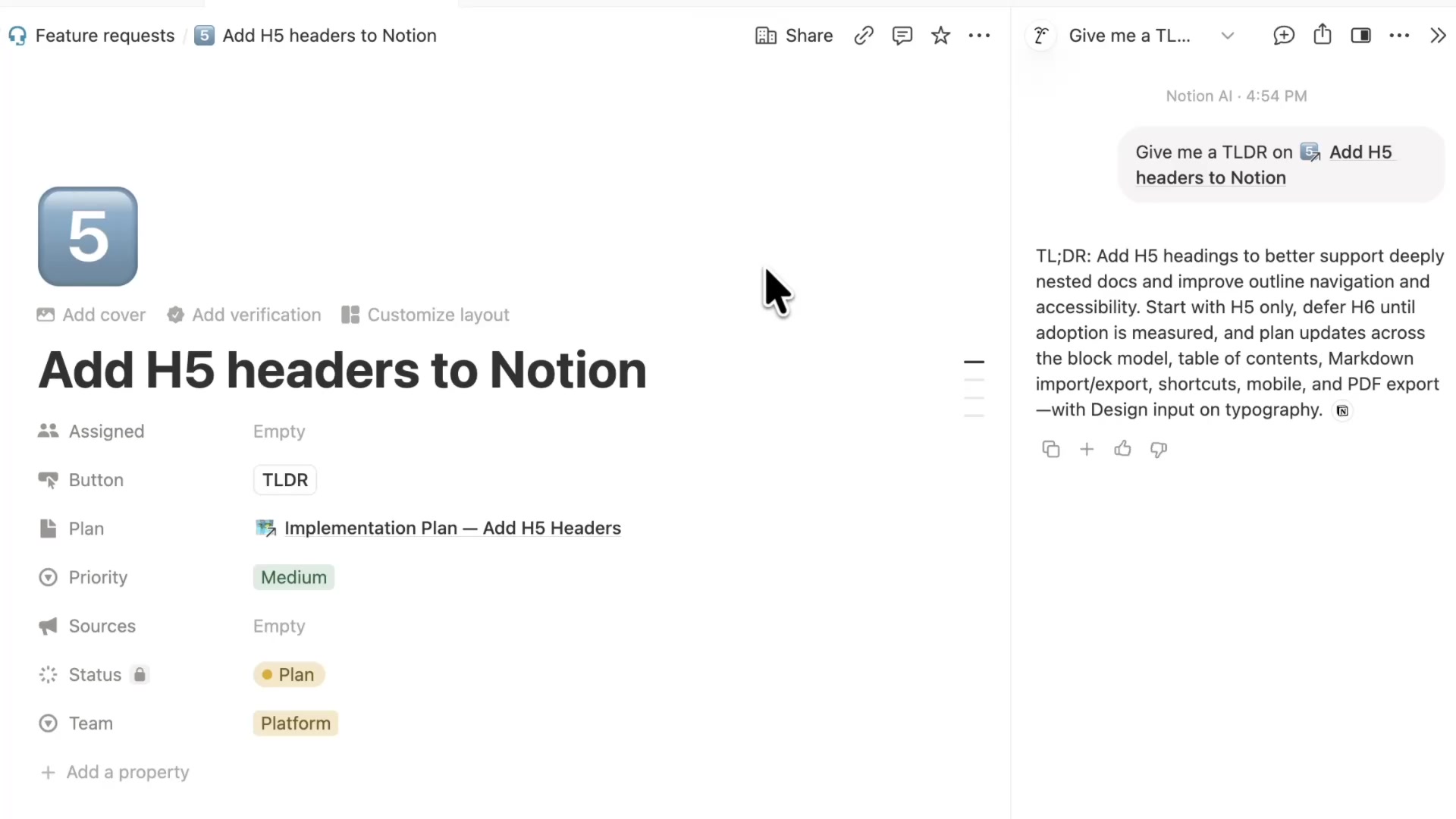
After saving, every row in the example feature request database gets a TLDR button. Open the request Add H5 headers to Notion and click it: a Notion AI chat opens on the right, sends Give me a TLDR on Add H5 headers to Notion automatically, and returns a summary of the request.
A complete, ready-to-use Notion personal system
If you don't want to spend dozens of hours figuring out database relations and workspace layouts from scratch, FLO.W is a refined, all-in-one Notion template system designed for tasks, projects, and knowledge management.
Related Updates
- Notion Rebuilds Synced Databases with Real-Time Data from GitHub, Jira, and Salesforce
- Notion Upgrades Version History with Real-Time Edit Highlights and Row-Level Database Changes
- Notion Adds Selectable Models: Claude Sonnet 5.5, Haiku 5.5, Fable 5 / 5.1 and GPT-6.1 Sol
- Notion Settings Now Lets You Discover and Manage MCP Clients
- Notion Agent Can Now Use Your ChatGPT Plus, Pro or Go Plan Allowance