Notion is about to roll out its 3.0 update. Although there are no major new features this month, the numerous detail improvements are truly refreshing. Database sorting and interface have been refined, and new support for PDF and Google Docs import, image cropping, and more has been added.
Database Detail Optimizations
Improved Sorting
In the image below, the left side shows the old sorting behavior, while the right side shows the improved version. You can see that the sorting results now match expectations much better.
- Numbers are now correctly sorted by their numerical value
- Sorting now ignores the "@" character in mentions (e.g., page mentions, dates, people)
- Dates are now sorted by actual date rather than alphabetically by their English name
- When characters are the same, uppercase letters are sorted first
- Letters with accent marks now receive more accurate sorting results
Database UI Improvements
You can now hide page icons in databases:
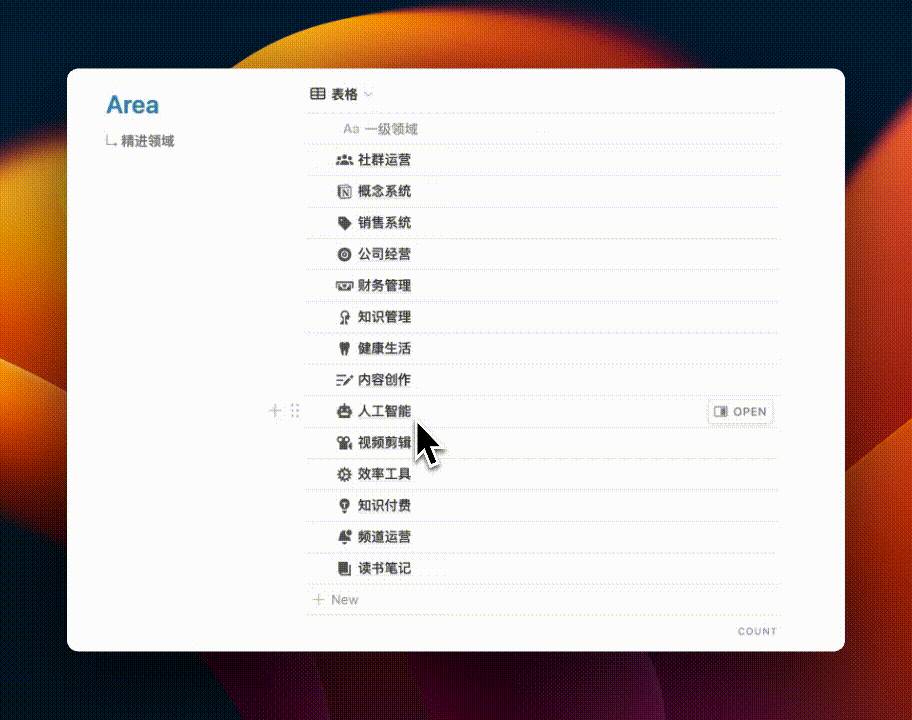
This improvement fixes a "once you notice it, you can't unsee it" pain point:
- Page 01 has content inside, so it displays the default icon
- Page 02 and 03 have no content inside, so no icon is displayed
- This causes the three page titles to be misaligned
List View Field Reordering
You can now freely drag and reorder fields in List view:
You need to go into the database settings and drag the field positions in the Properties section:
Checkbox Grouping Improvement
When grouping by Checkbox, the field name is now displayed instead of just showing the basic "Checked" and "Unchecked" states.
Calendar View Improvements
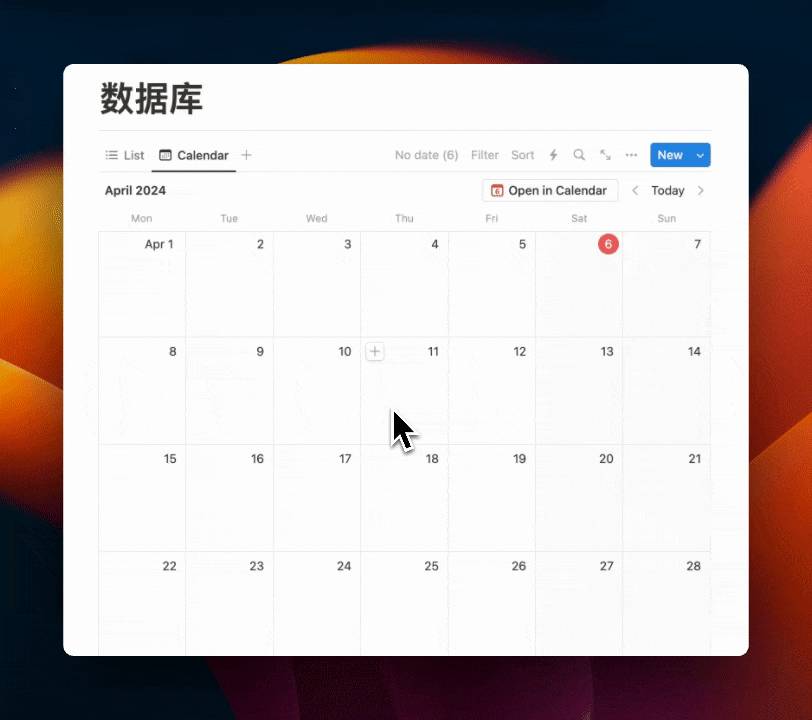
You can now manually drag pages without a date to any date on the calendar:
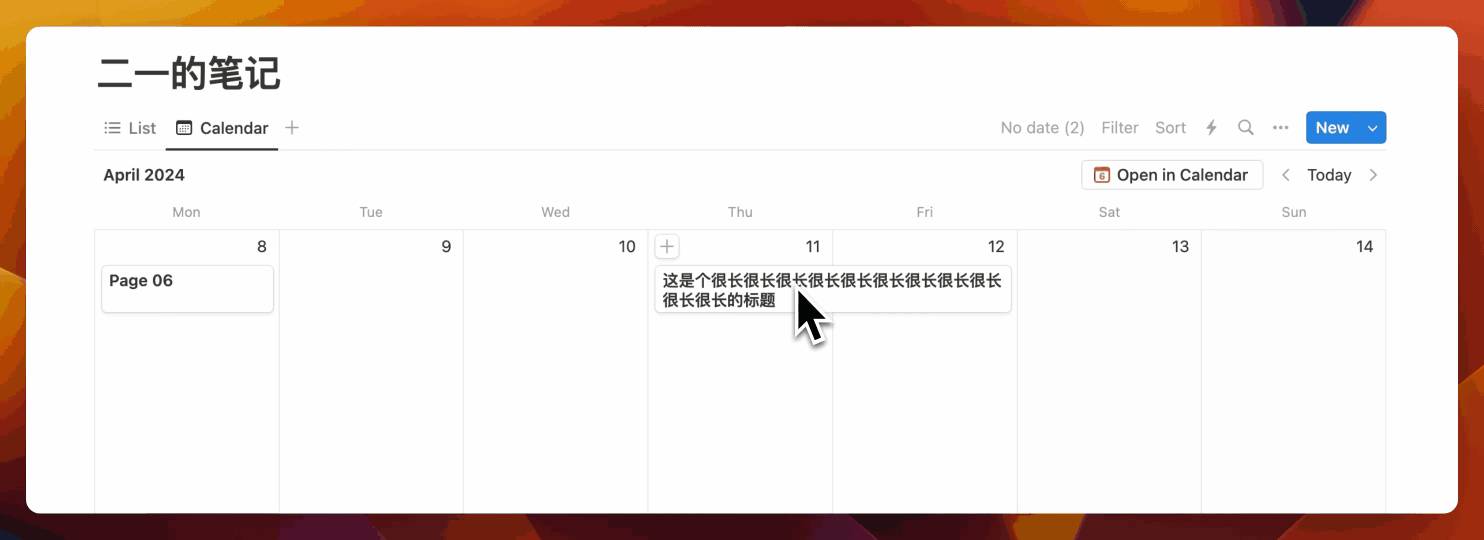
Additionally, when your title is too long, the old behavior only showed one line. Now titles can expand to two lines:
Other Detail Updates
Trash Policy Change
Starting June 18, 2024, pages in the trash will be automatically deleted after 30 days.
New iPhone Shortcuts
You can now use iPhone Shortcuts to quickly open the Notion AI chat window, and the experience is quite smooth. If you happen to have an iPhone 15 series, you can even use the Action Button to instantly launch the Notion AI window.
Comments Filter
You can now filter page comments, which is great for team collaboration scenarios.
Automation Update
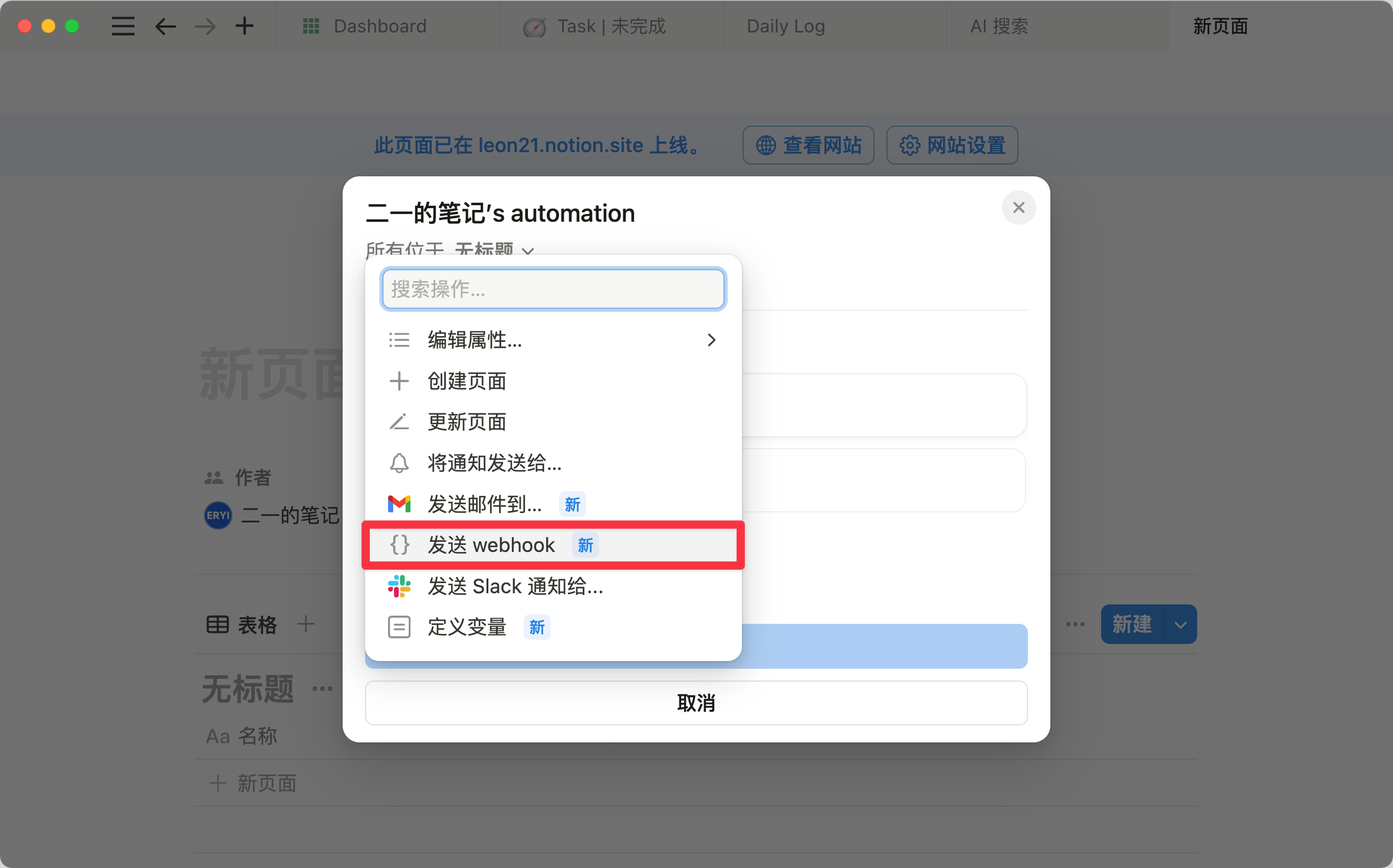
Database Automation now supports sending notifications to any member. You can specify up to 20 people at once and customize the notification content. Later, Automation also added Webhook support, making it increasingly powerful.
New Import Formats
You can now import PDF files and Google Docs. Imported PDFs are directly converted into page-format documents.
Once PDF import is complete, the content is immediately indexed by Notion AI, allowing you to build an even more powerful AI knowledge base.
New Image Cropping Feature
Simply click the crop icon in the top-right corner of the image to crop freely:
Formula Detail Improvements
The Formula property now has a "Show details" mode that displays the data type returned by the Formula. This can greatly reduce minor issues that may occur when writing Formulas. For a complete breakdown of Formula 2.0 functions, check out this in-depth article.
Notion 3.0 Coming by Year-End
Notion was recently named to the Forbes annual AI50 list, and its founder Ivan Zhao appeared on the Forbes cover — a milestone moment for a company that has been developing for 10 years. In the coverage, Notion confirmed that the major 3.0 version update is expected to arrive before the end of the year.
These are the confirmed Notion features that went live this month. In addition, a native voice input feature is very likely to be updated next month.
📘 FLO.W — Notion Personal Management System
FLO.W is a Notion-based personal management template that integrates tasks, notes, projects, habits, and more, complete with comprehensive tutorials.