This question comes from a reader of the Notion course. It has been organized and shared here. If you encounter similar issues while using Notion, feel free to leave a comment.
Problem Background
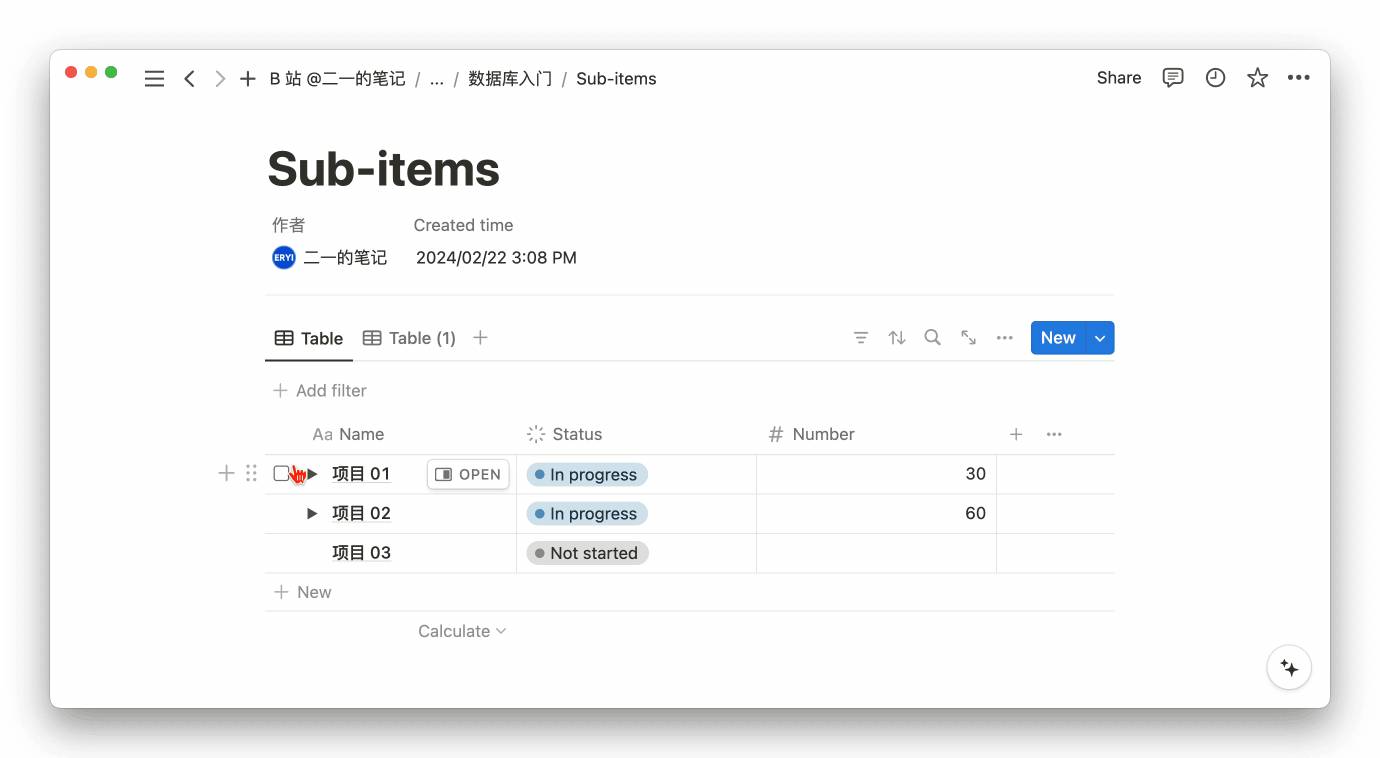
- A Notion database has Sub-items mode enabled
- Every time the page is refreshed, the sub-items collapse, requiring you to manually expand them each time you view the page
Solution
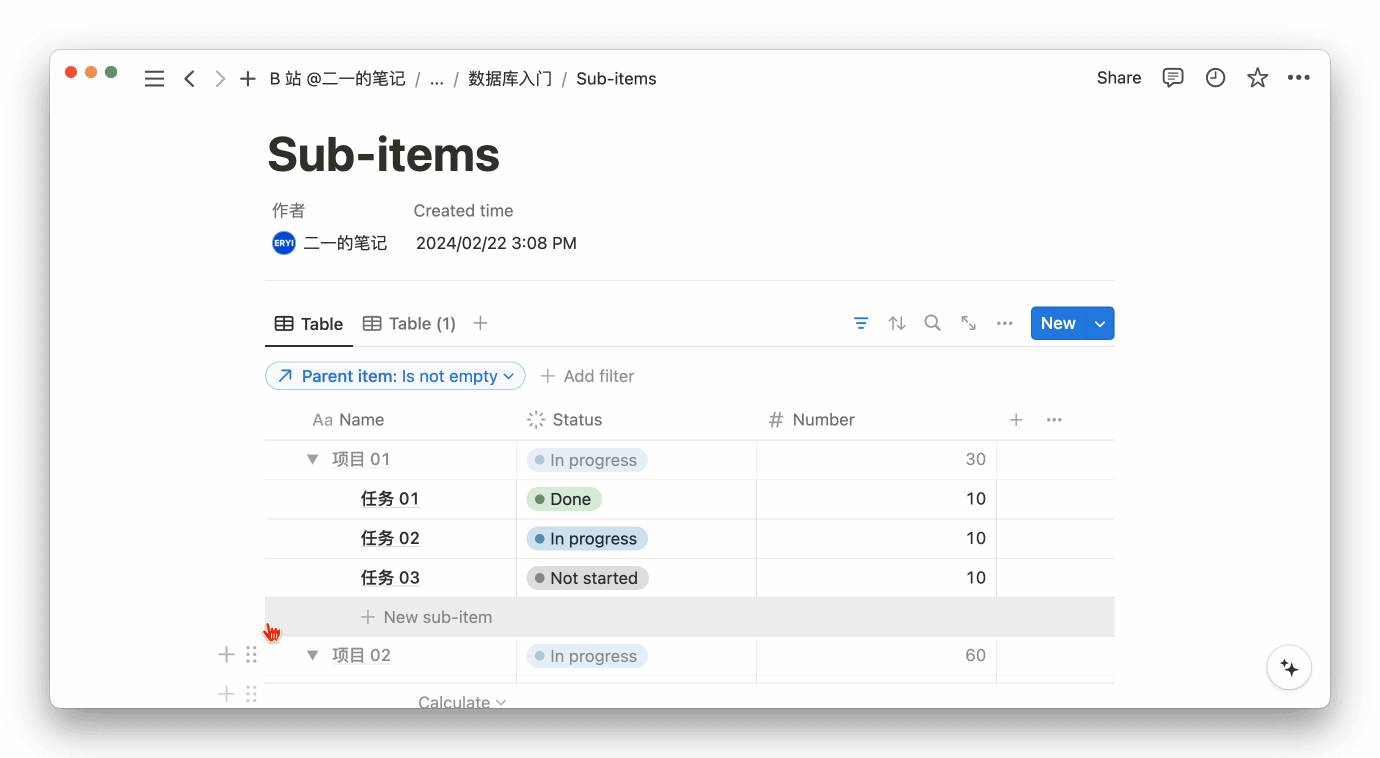
Add a filter condition with the criteria "Parent item: Is not empty"
This way, even after refreshing the page, all sub-items will remain expanded. If you also want to learn how to calculate the time range of sub-items, check out this tutorial on calculating sub-item time ranges:
📘 FLO.W — Notion Personal Management System
FLO.W is a Notion-based personal management template that integrates tasks, notes, projects, habits, and more, complete with comprehensive tutorials.
Ready-to-use Notion template system
Complete tutorials included, beginner-friendly
Continuously updated and maintained
Learn About FLO.W Template✨ 1633+ users chose FLO.W