 FLO.W Docs
Template Overview
Overview of the FLO.W Notion template: the sorting problem it solves, its three-layer structure, the core modules to learn first, and a reading path for beginners.
FLO.W is a Notion template built around a personal workflow. It keeps what you need to do today, your current goals, your long-term directions and your knowledge records in one workspace, so you spend less time sorting scattered information.
What the Template Solves
Many people start with Notion by creating a pile of pages: one for tasks, one for notes, one for a project plan, and later more pages for reading, courses, travel and habit tracking.
Once there are enough pages, the real trouble is sorting: you no longer know where a new record should go. Tasks, projects, reference material and reviews get mixed together, which makes it hard to find things, look back, or keep moving forward.
FLO.W first separates this information and then links it together. Tasks hold concrete actions, Projects hold goals for a stage of work, Notes hold what you learn, Areas hold long-term directions, and the Homepage is what you see first each time you open Notion.
After using it for a while, what stays in your Notion becomes a personal work record you can review, continue and reuse.
Structure
FLO.W is organized in three layers:
| Layer | Purpose | Typical pages |
|---|---|---|
| Homepage | See what matters most each day | Today's tasks, active projects, quick capture |
| Modules | Handle one kind of work | Notes, Tasks, Projects, Areas, Information Harbor |
| Deep views | Keep complete records for review | Full databases, archive views, history |
In daily use you spend most of your time on the Homepage and module pages. Full databases and archive views sit deeper, and you open them when you need to find older records or do a review.
Core Modules to Learn First
You do not need to read every page at the start. Understanding these modules covers most of how FLO.W is used:
- Homepage Navigation: where to look first each day
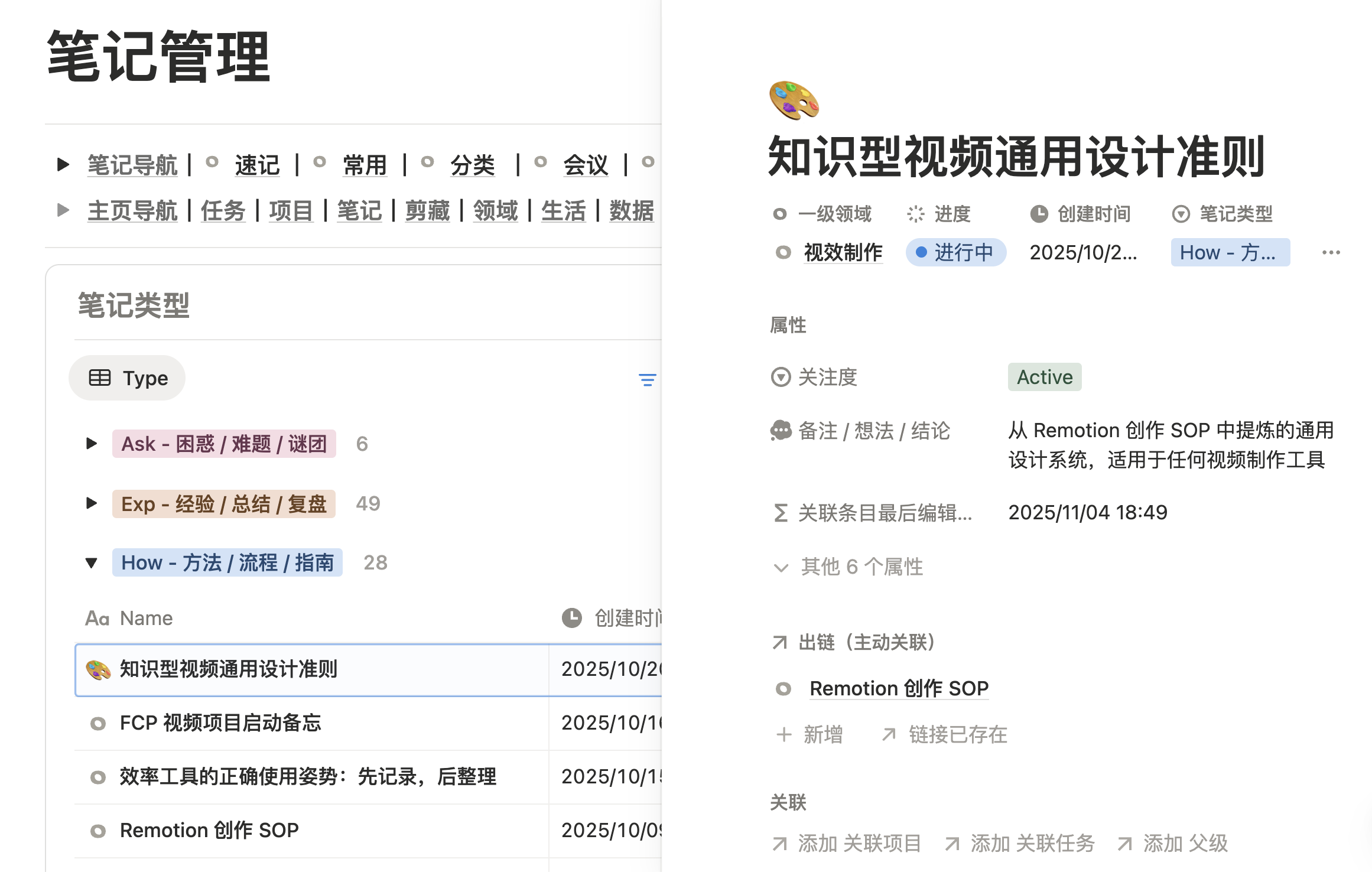
- Note System: how to keep ideas, references and reviews
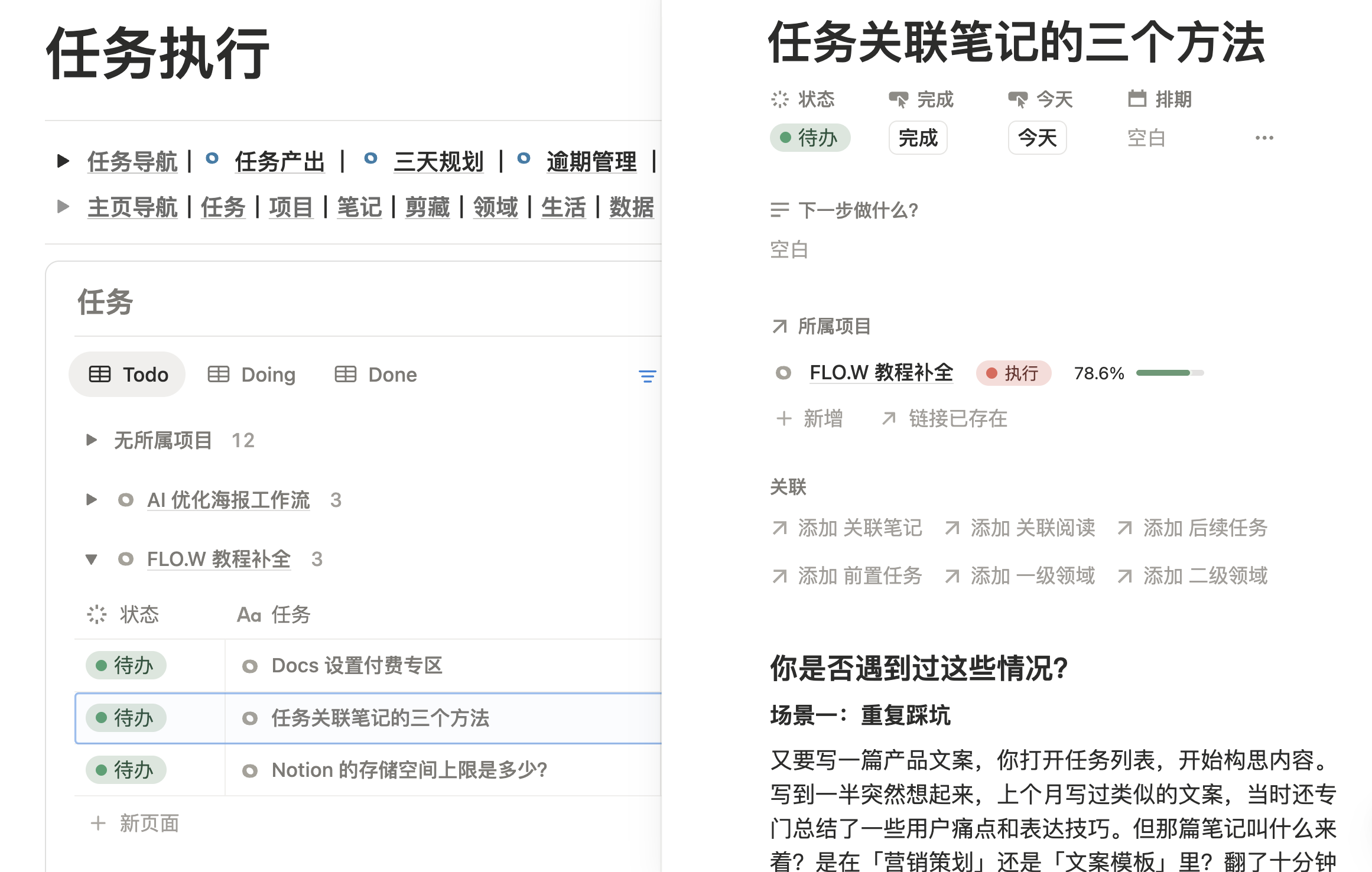
- Task Management: how to plan and schedule to-dos
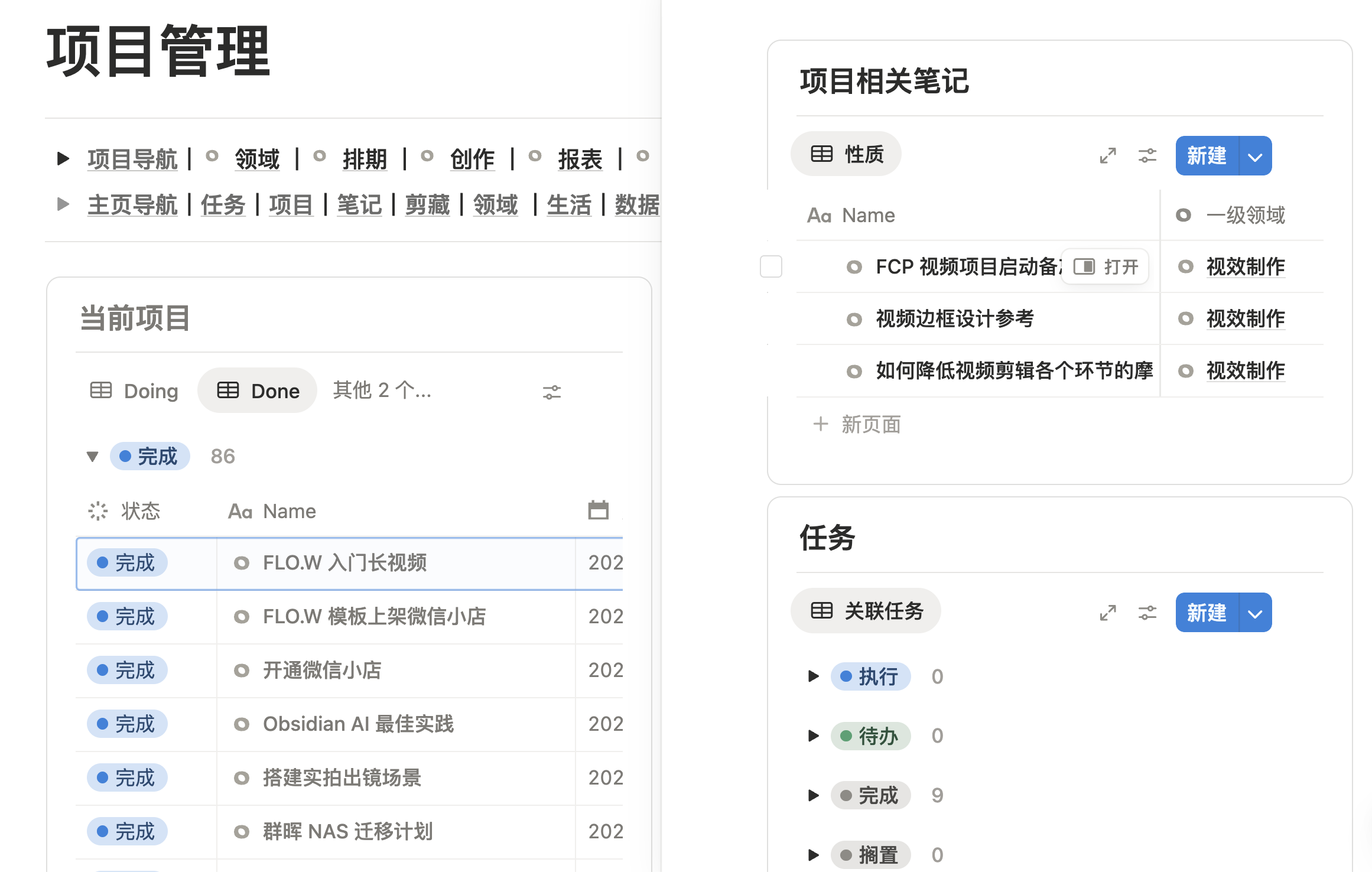
- Project Management: how to break down and track bigger goals
- Area Management: how to group long-term directions
Below are the real Tasks, Projects and Notes modules. Each module shares the same navigation row at the top, so you can jump between the Homepage and any module directly.
Where Beginners Should Start
If you are new to Notion, read in this order:
- Template Import Guide: duplicate the template into your own workspace
- Homepage Navigation: get familiar with the entry points you use every day
- Note System and Task Management: get recording and doing up and running
- Project Management and Area Management: then handle longer-term, more complex work
To understand why the template is designed this way, read Rethinking Notion, My Seven Years of Reflection.
If you are still getting used to Notion, start with 5 Tips to Get Through the Notion Beginner Phase Faster.
Last updated on
Docs Guide
Explore the FLO.W Notion template feature set: task management, note-taking, project tracking, lifestyle modules, and automation for a productive workflow.
Purchase Guide
FLO.W Notion template buying guide: who it fits, what to check before buying, what the Max plan includes, and where to find pricing and the pre-purchase FAQ.