 FLO.W Docs
Task Management
Manage daily tasks with FLO.W Notion template: quick task creation, auto-recurring setup, and Notion Calendar sync to keep everything on track.
This document will guide you on how to create, edit, and manage tasks in the FLO.W Template to improve your work efficiency.
Task Creation Methods
Quickly understand how to create and manage tasks through the following video:
Task Properties Description
Learn about the property configuration and usage of the Task Database:
Difference Between Schedule and Todo
Understand the difference between fixed-time schedules and deadline-based todos
Next Action
Set immediately executable next actions for tasks
Task Cleanup
Filter and clean up tasks without Schedule Date or value
Task Reminder
View reminder logic and common issue descriptions
Task Status Property Usage Guide
Understand how to use each status in the task lifecycle
Add Daily Recurring Tasks
What Are Recurring Tasks
Recurring tasks are fixed items that need to be executed periodically. Notion can automatically create these tasks according to the frequency you set.
Common Scenarios:
- Work: Daily standups, weekly reports, data entry, etc.
- Life: Exercise, reading, vocabulary review, cleaning, etc.
Create Recurring Tasks
Open the Task Template Menu
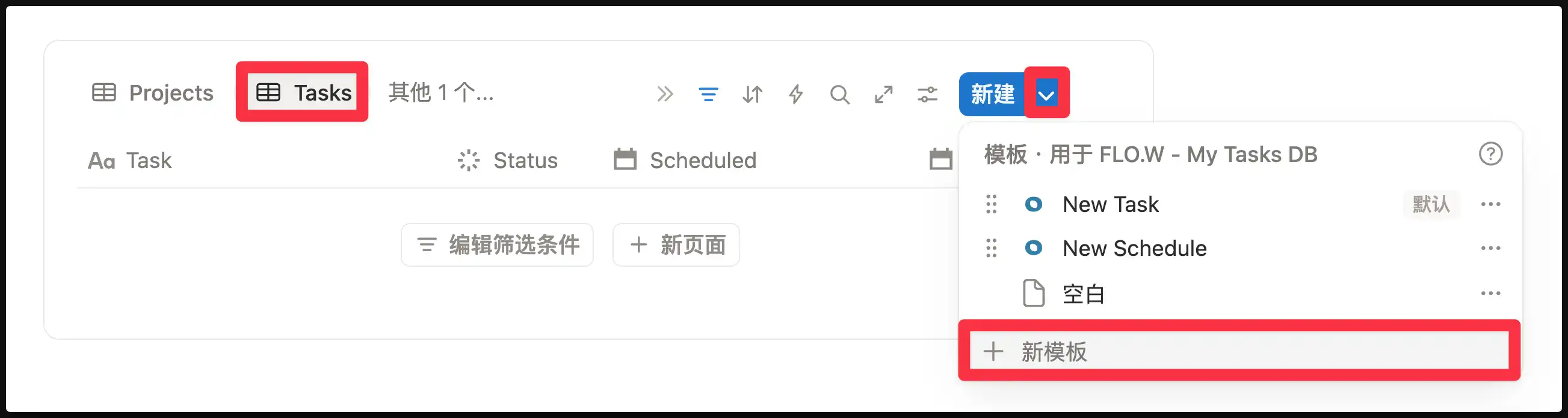
Find "My Tasks DB", click the small arrow ▾ next to the "New" button in the upper right corner.
Create a Task Template
Click "New template" to enter the template editing page. Set up the template content here:
- Set the task title (e.g., "Daily Exercise")
- Fill in the required properties
- Add body content (optional)
After editing, click anywhere blank to close the template editing page.
Set Up Recurring Generation
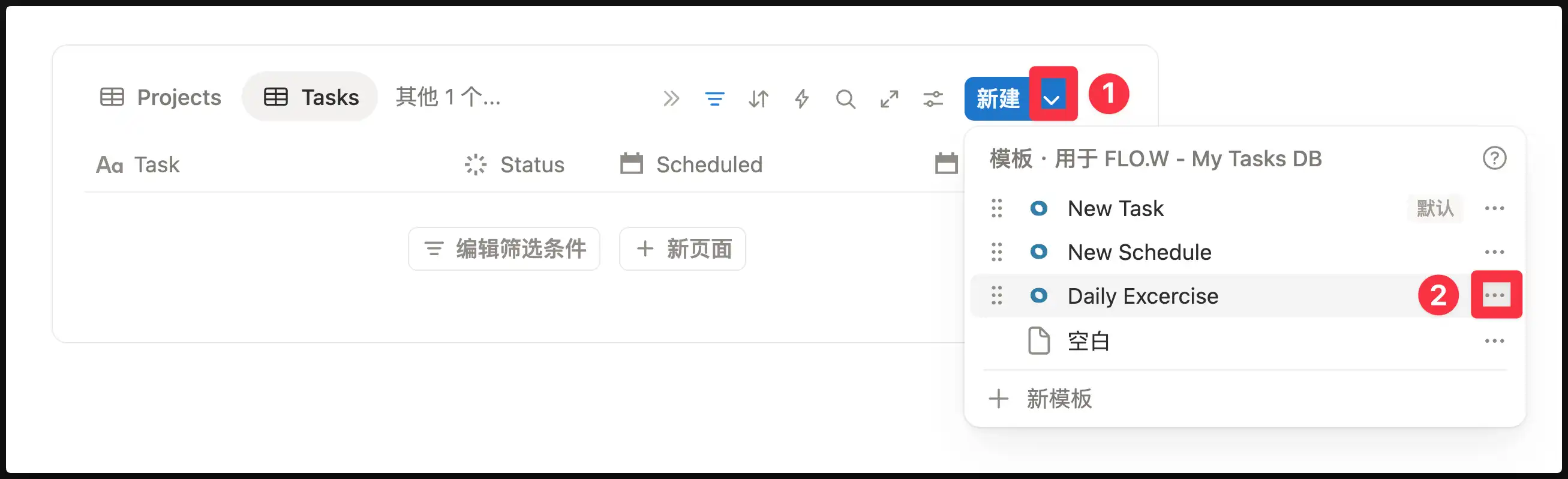
Click the small arrow ▾ next to "New" again, find the template you just created (e.g., "Daily Exercise"), and click the ⋯ button on its right.
Configure Generation Frequency
Set the repeat cycle in the popup interface, for example:
- Every day at 8:00 AM
- Every Monday
- 1st of every month
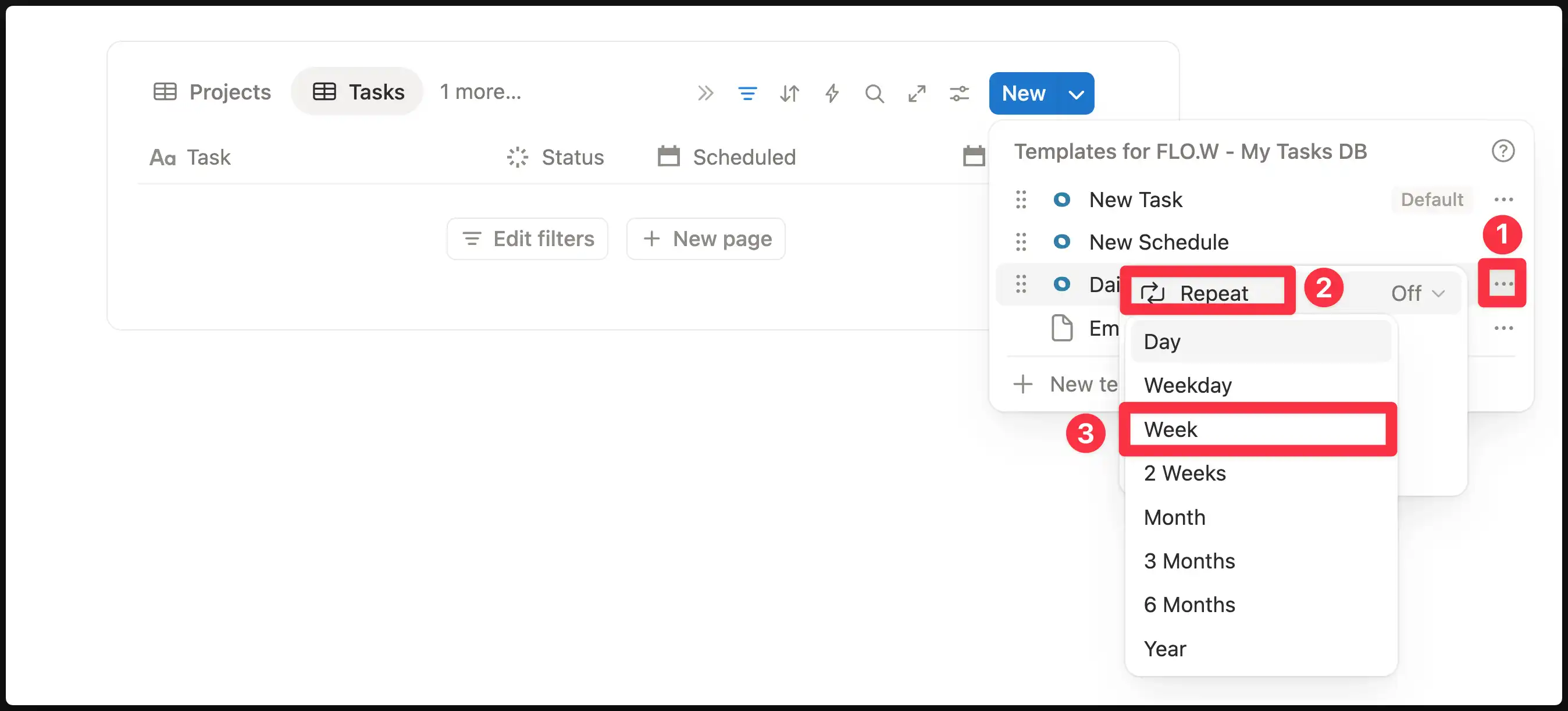
Once configured, Notion will automatically create tasks at the frequency you specified.
If your task doesn't need to be linked with other FLO.W modules, you're done at this step.
Link Recurring Tasks to Projects
If your recurring task belongs to a specific goal (e.g., "Daily Exercise 30min" belongs to the "Lose 5kg" project), you can preset the project relation in the template.
Method: Select the corresponding project in the "Related Project" property of the task template.
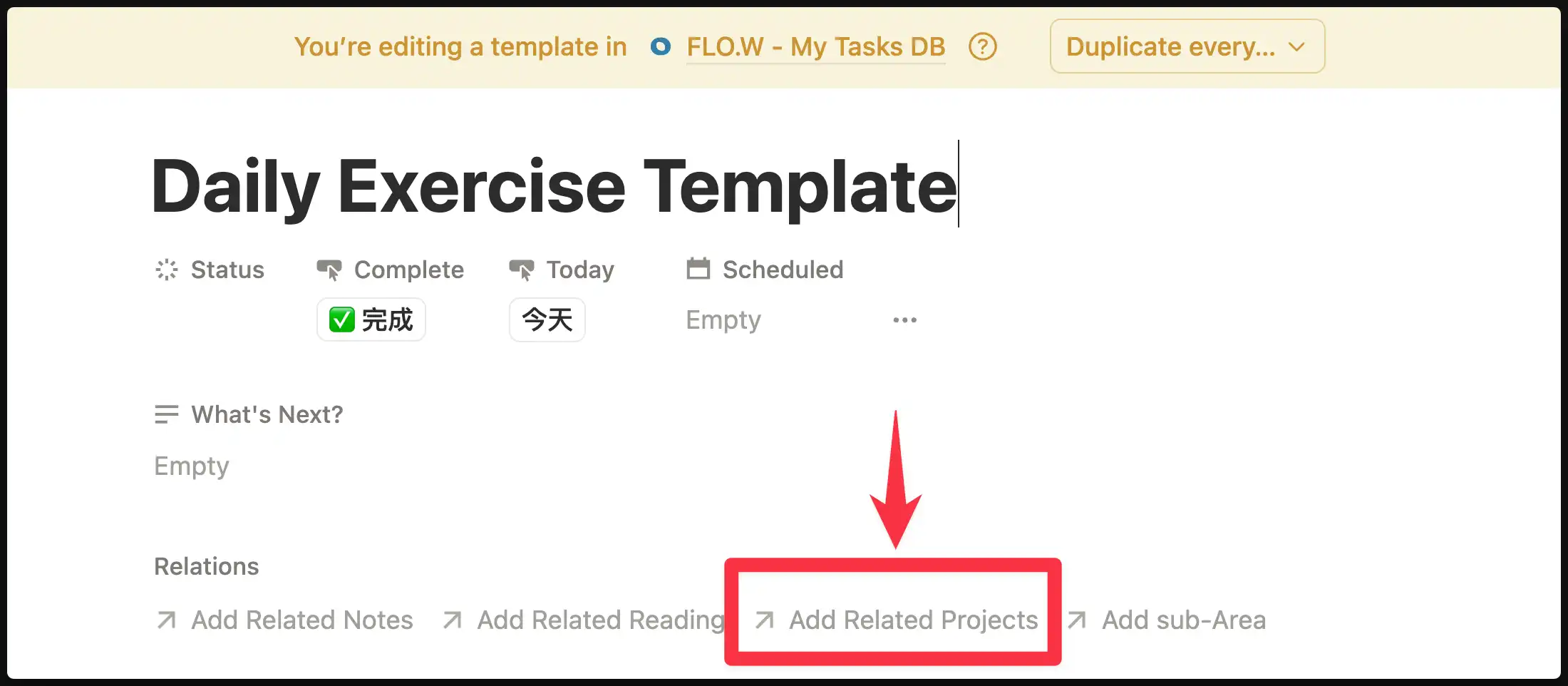
This way, each automatically created task will be linked to that project, and task completion will count toward project progress.
FAQ
Create Tasks in Notes
Notion Calendar Integration
Method
Follow the operations below, click "Manage in Calendar", and the "Task Calendar" will open in Notion Calendar.
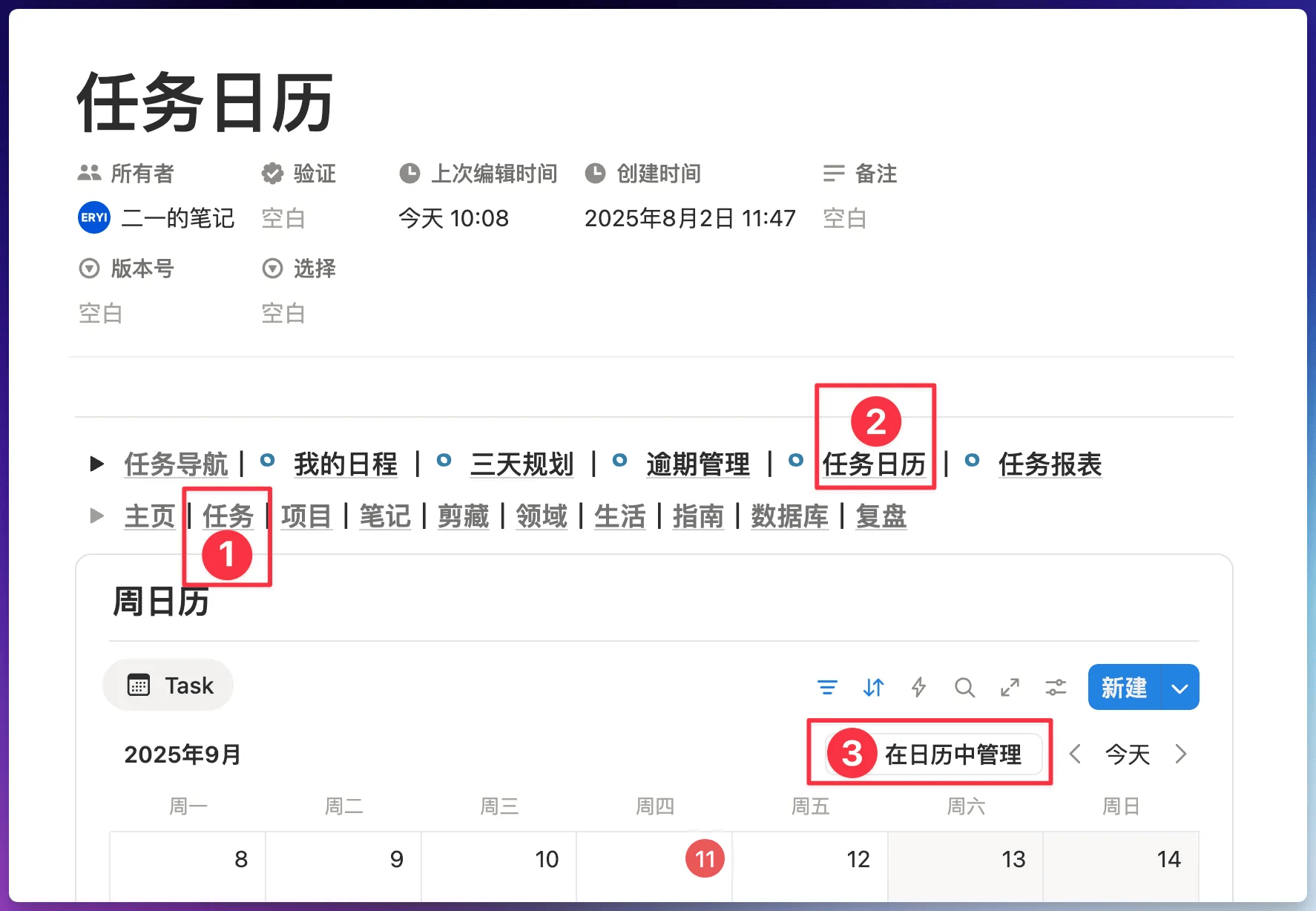
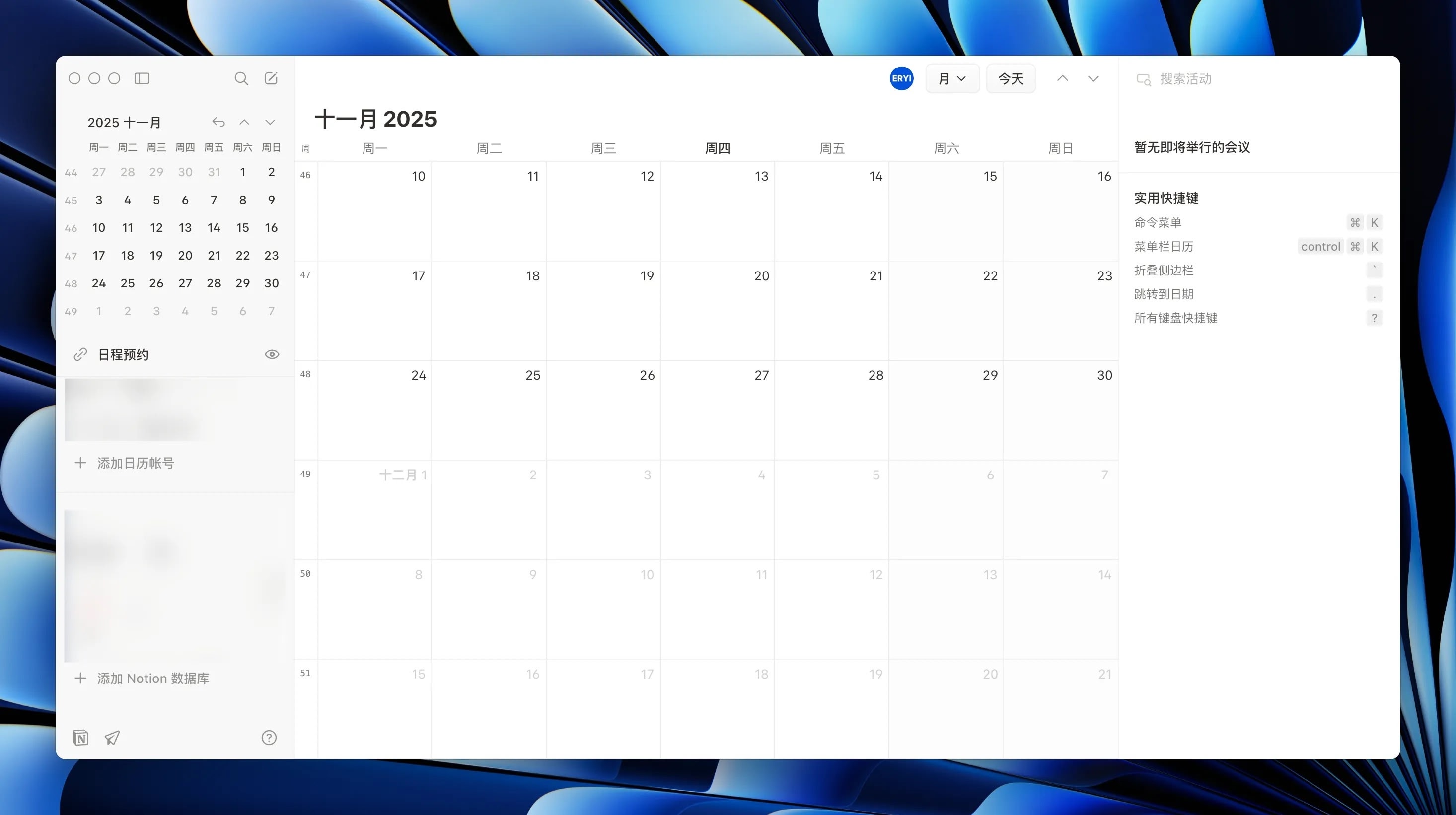
This way, task todos you create in the "Task Database" will sync to Notion Calendar
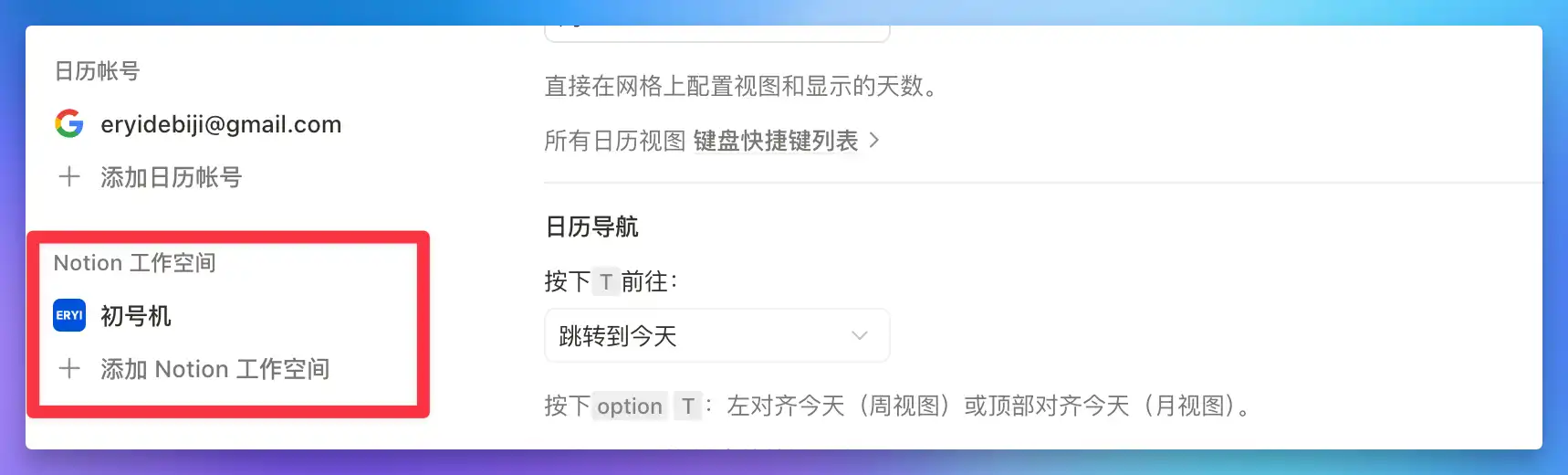
If you find that tasks added in Notion Calendar are not syncing back to the Notion app after following the steps above, open Notion Calendar settings and check whether the correct Notion workspace is bound on the left side. If not, click "Add Notion workspace" to complete the connection.
FAQ
Last updated on
Note Management
Build a knowledge base in the FLO.W Notion template: six note types, diary creation, periodic reviews, and quick capture for scattered thoughts.
Project Management
Distinguish tasks from projects in FLO.W Notion template: visualize progress, refine your methodology through reviews, and say goodbye to chaotic goal tracking.