I often feel regret for Notion - too many people give up before experiencing its beauty due to various reasons. Perhaps it's human nature to feel intimidated by seemingly complex things, or maybe it's just pure inconvenience. When I think about it, I also hate eating crabs that require shelling, so I suppose I can understand.
So I've been thinking about a question: what's the correct way to start with Notion? In the end, everyone's note-taking needs and habits are different, so there's probably no single correct answer. However, it's always easier to eliminate options that are more likely to be wrong. Therefore, before officially starting the Notion course, I want to first describe how a beginner typically gives up on using Notion.
Perhaps the Wrong Way to Start
You watched videos and felt Notion could do everything, so you were fired up to get started quickly. After some effort, you finally registered an account, but thought about giving up because there was no Chinese interface. You searched for tutorials for ages and finally got it localized, but facing the empty interface, you didn't know what to write. Then big data pushed some Notion efficiency template videos to you, instantly sparking full motivation again. But after paying for the blogger's template, you were hurt because you couldn't use it at all.
So three days, five days, a week of struggling passed, and you finally found that no matter how much you tweaked Notion, you couldn't fit it into your workflow. When you calmed down and summarized, you realized you had wasted a huge amount of time just tinkering with Notion, and you started to feel annoyed and frustrated, regretting all the time不知不觉 wasted.
Finally, you realized that over-tinkering was actually harming you, so you resolutely gave up on Notion.
From my observations, the above covers at least one-third of beginners' journeys. All this regret can be summed up in two sentences: 1. Really want to write something, but don't know what to write with Notion; 2. Always want to tinker with more advanced usage.
Templates are like a fast-acting but short-duration stimulant. In those first few hours, you'll always think about using the template to plan all your goals for the rest of your life. They seem to promise that after using the template, we'll instantly become highly productive, and a beautiful tomorrow will be in our hands. But others' initiative and self-discipline cannot be copied with one click, and others' workflows cannot be mechanically applied either. Before we've mastered the most basic usage of Notion, we'll quickly be discouraged by complex concepts and features.
My personal attitude toward templates has always been that you can reference their structure, imitate their workflow, and build by comparison, but beginners had better not use them directly because beginners definitely won't know how to use them. If you're curious how a seven-year veteran user approaches template design, read my seven years of deep Notion insights. So after ruling out the "start with templates" path, I want to offer 5 suggestions for all Notion beginners, or for all friends who have tried Notion but given up. Perhaps these will help you better get through the adjustment period with Notion.
1. Temporarily Give Up the Idea of Migrating Your Note Library
For the first month of the Notion beginner period, I solemnly suggest that you don't spend time on the heavy, inefficient, and easily interrupted work of "migrating your note library" (which could be interrupted if you give up on Notion). Although migrating old notes can quickly give you a seemingly substantial Notion note library, throughout the process we haven't created any new knowledge - we're just ruthless note porters. Before you're familiar with Notion, your old note-taking software is still your most efficient auxiliary tool.
Moreover, Notion's note organization method is quite different from your past habits. Before you know how to use databases to organize notes, your current batch migration will only create more difficulties for the future. When you're familiar with Notion, you'll find that all the work spent on migrating notes has become a negative asset. Instead of this, it's better to just use both note-taking software together for now.
At this stage, if you want Notion to realize its value as quickly as possible, my suggestion is to first select those contents that you need to record every day in your original note-taking software, and then try to implement them with Notion.
2. Start with Repeated Daily Content
After you're familiar with Notion's most basic operation interface and know how to create a new note page, my suggestion is: don't download complex templates yet, and don't make building a complete knowledge base your primary goal, because beginners can't yet distinguish which note materials are suitable for recording with Notion.
We just need to start with one note page. After all, no matter how complex Notion is, its underlying framework is still a simple and easy-to-use text editor. This is the way that can let you feel Notion's value fastest.
So what notes might we need to record every day?
If you're a student:
- Homework record: Assignment requirements and deadlines posted by teachers, etc.
- Schedule planning: Tasks, activities, etc. to complete daily, weekly, monthly
If you're a working professional: (Want to see a complete example? Check out building a work management system with Notion)
- Meeting notes: Main content of meeting discussions, agreements reached or decisions made
- Work log: Main progress of daily work, completed task information, etc.
If you want to record daily life:
- Life journal: What you saw and heard each day and your mood, summarized in brief paragraphs
- Shopping list: List of food, daily necessities, etc. to buy this week
The core recording principle at this step is to use Notion to perform sufficiently simple and relatively regular repeated recording.
You don't need to think about what to write today, there's no word limit, just write it out. Occasionally not writing is no problem at all, don't feel any guilt about it. These contents don't need any complex formatting, and don't need databases to organize and arrange. Repeated recording and regular review will allow them to demonstrate their maximum value.
So to record these daily items, you'll habitually open Notion for a little while every day. As recording frequency increases, you'll naturally develop more desire to explore Notion's slash command /.
You might want to insert a checkbox and happily check it off after completing a task

You might want to insert a table to record data in a more organized and structured way
You might try writing an entire month's notes in a single page
You might also want to insert images, videos, web pages, or even formulas or code, step by step "testing" the upper limit of what Notion can achieve:
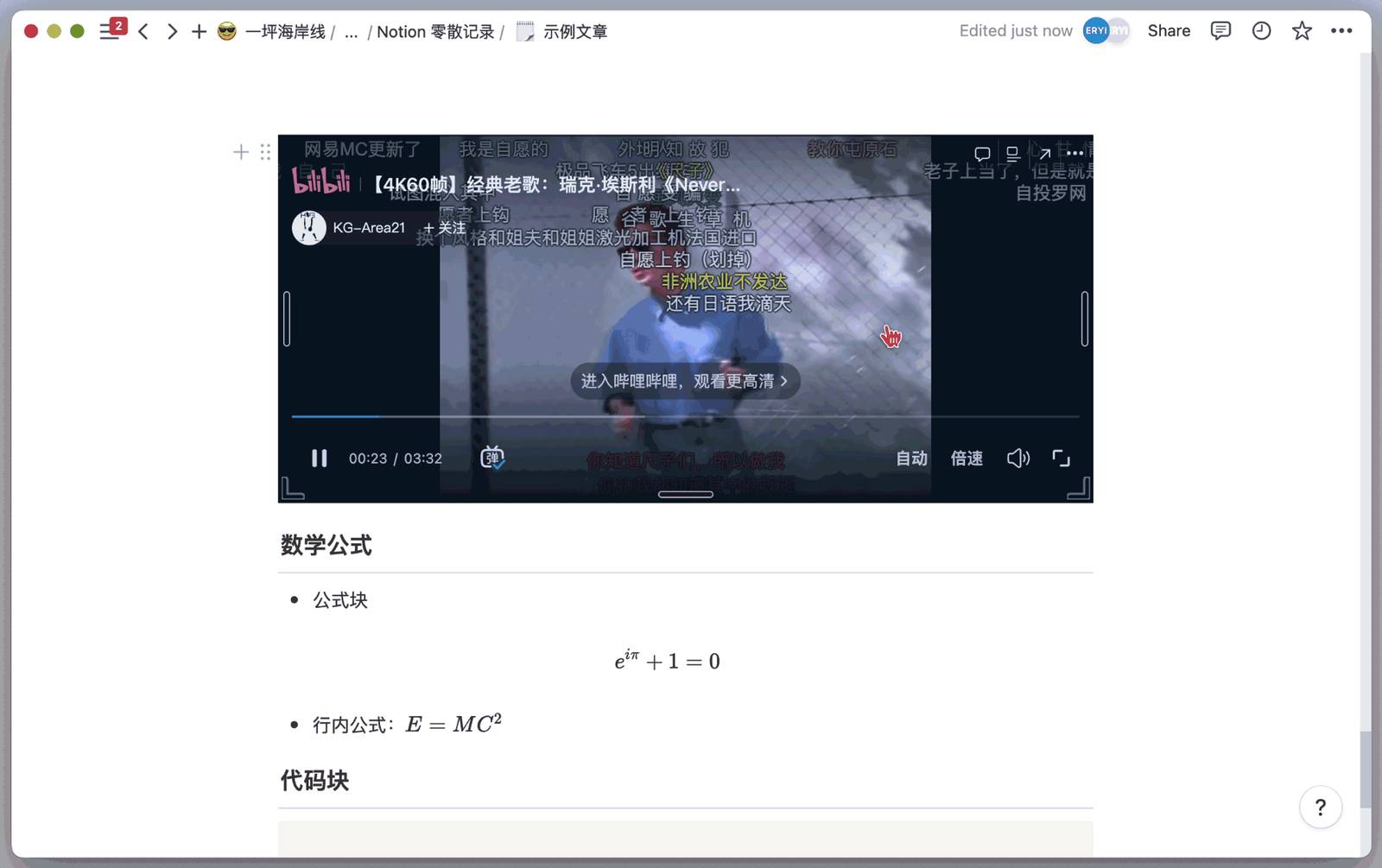
When you gradually discover that every function you need, every requirement can be more elegantly implemented with Notion, Notion can already give you strong enough feedback to keep you using it.
If you've played mobile games, you'll definitely notice that all mobile games have "daily tasks" and "weekly tasks." Although these tasks only give "small rewards," their appeal lies in the fact that as long as we do them, we'll definitely gain something, and doing these daily tasks really requires no thinking cost.
This principle also applies to note-taking software, except that the feedback it gives you won't be as strong as a bunch of gold coins exploding in a mobile game. But we should firmly become long-termists - notes can only demonstrate their true value after the precipitation of time.
Gradually, starting from one page, you'll unknowingly create more pages to hold documents with different themes and uses. At this point, to organize these documents, the simplest way is to use a large page to contain these sub-pages:
In Notion, any note page can embed unlimited levels of sub-pages, and these hierarchical structures appear in the sidebar like this:
We already know that Notion's page is a huge container that can store text, images, video, audio, and other data:
Within this page, we can also embed other pages or databases
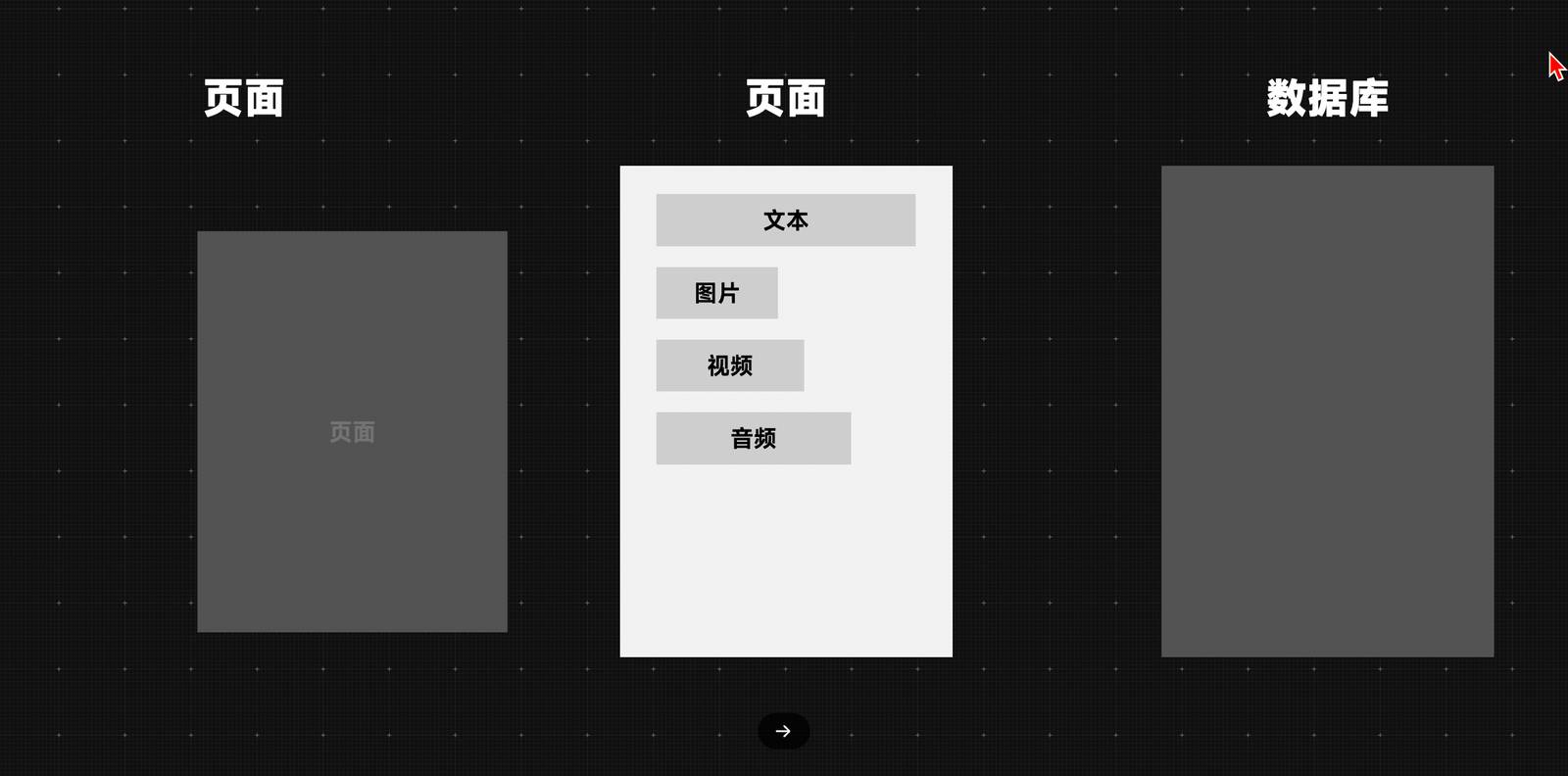
At the same time, we can also embed this page into other pages or databases:
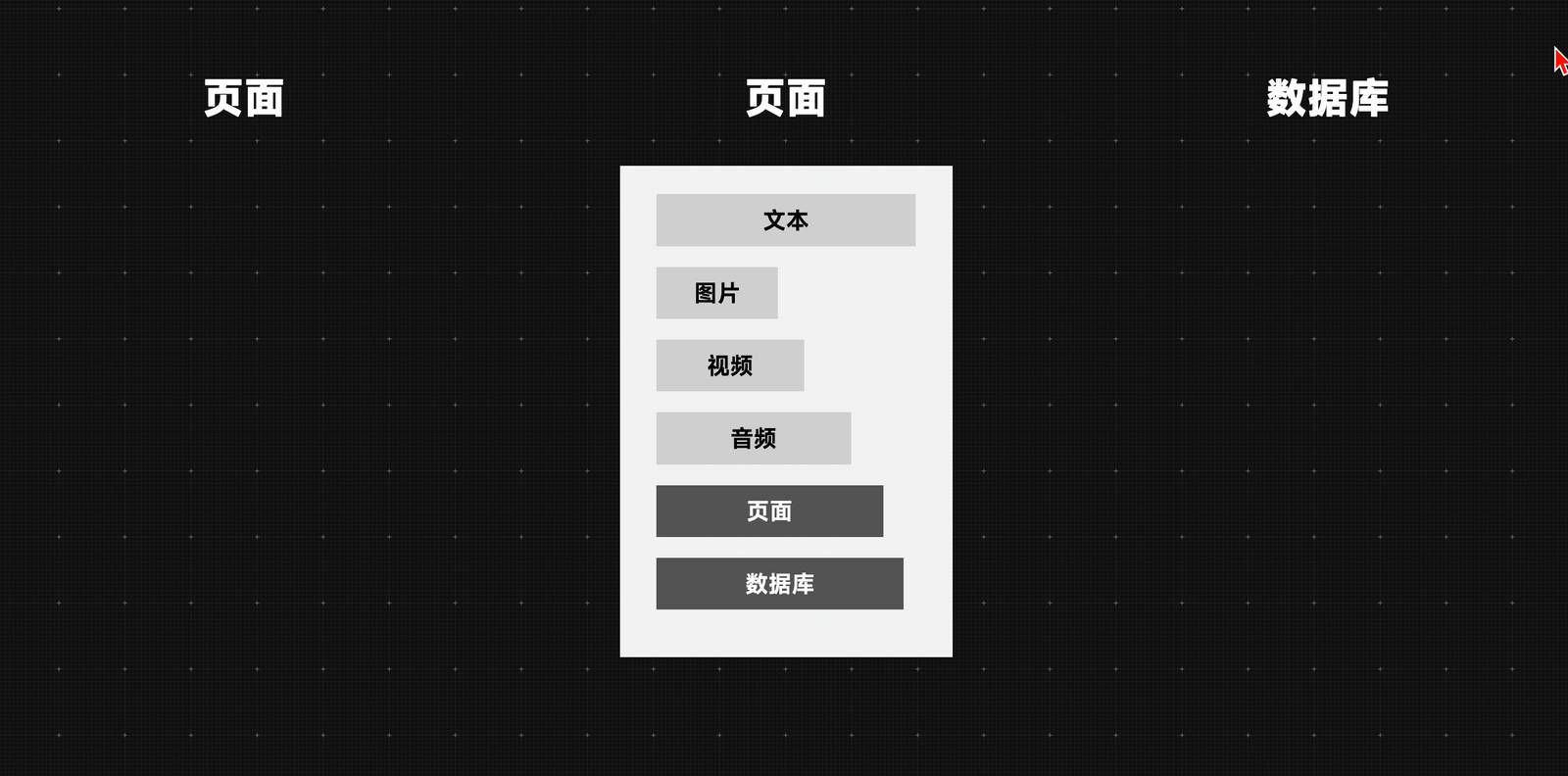
So to some extent, you can first continue your past note-taking habits and use this method to create a tree-structured note content framework:
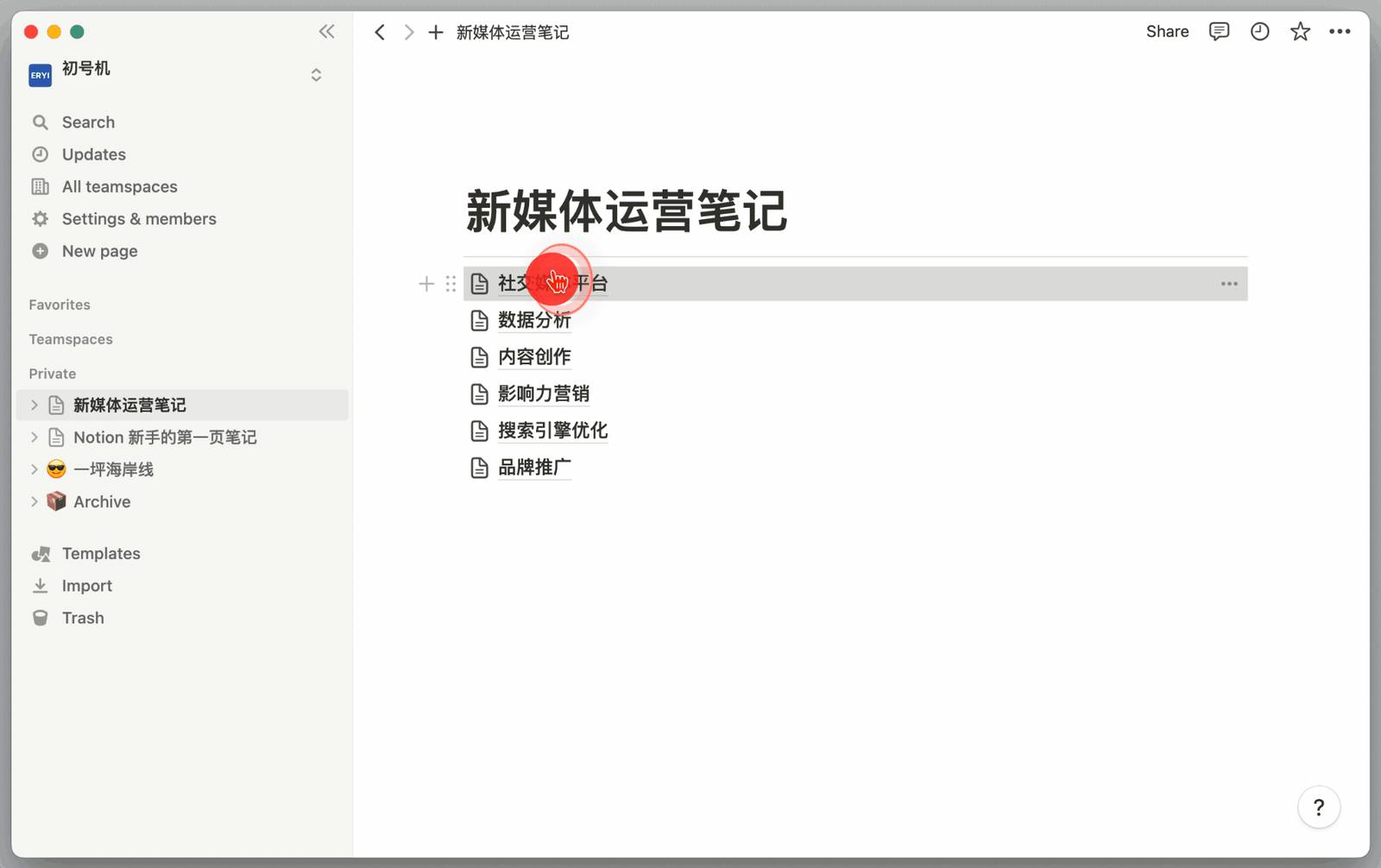
Thus it can be seen that Notion can accommodate your past note-taking habits, and indeed quite a few people use Notion this way: create a page for each major theme, embed sub-themes under the major theme, and then continue to subdivide the directory according to actual needs.
At the beginner stage, we don't need to delve into how to better organize these pages yet, because when you can use databases, all pages can be quickly organized.
The most important thing at this stage is to let Notion quickly demonstrate its most basic "text editor" value, assisting us in completing the most important task recording at hand, and finishing the most urgently needed documents.
3. Create an Inbox to Store Fragmented Documents
In the second suggestion, we determined the most frequently recorded document types and also organized them to some extent using the most traditional tree structure. But many sudden inspirations, impromptu decisions, or articles you occasionally clip don't seem to have a suitable place to store them.
So the question arises: do we need to create a separate top-level folder for these scattered notes? My suggestion is to definitely be cautious about creating top-level directories in the sidebar. Otherwise, you'll quickly accumulate a bunch of folders with different themes and no connection in the sidebar.
These scattered folders will continuously "stare" at you. Too much content to fill in, too many things to do, ideas to follow up on one after another, and before you know it, huge pressure will accumulate in your Notion note library:
So here we need to introduce the concept of the Inbox folder.
Inbox comes from the classic GTD work philosophy. It mainly serves to collect and temporarily store, helping us achieve psychological "emptiness." Because categorizing and archiving temporary notes is quite troublesome. If you need to think about where it should be stored each time, it's easy to lose inspiration. But without categorization, over time the note library will become like a garbage dump.
So we can create an Inbox folder in the top-level directory, and then like the image below, directly drag existing scattered documents in the sidebar into the Inbox page. If there are more scattered notes later, they can also be "temporarily" placed here first, to avoid too many scattered pages continuously consuming your attention.
After all, for knowledge workers, attention is one of the most important means of production.
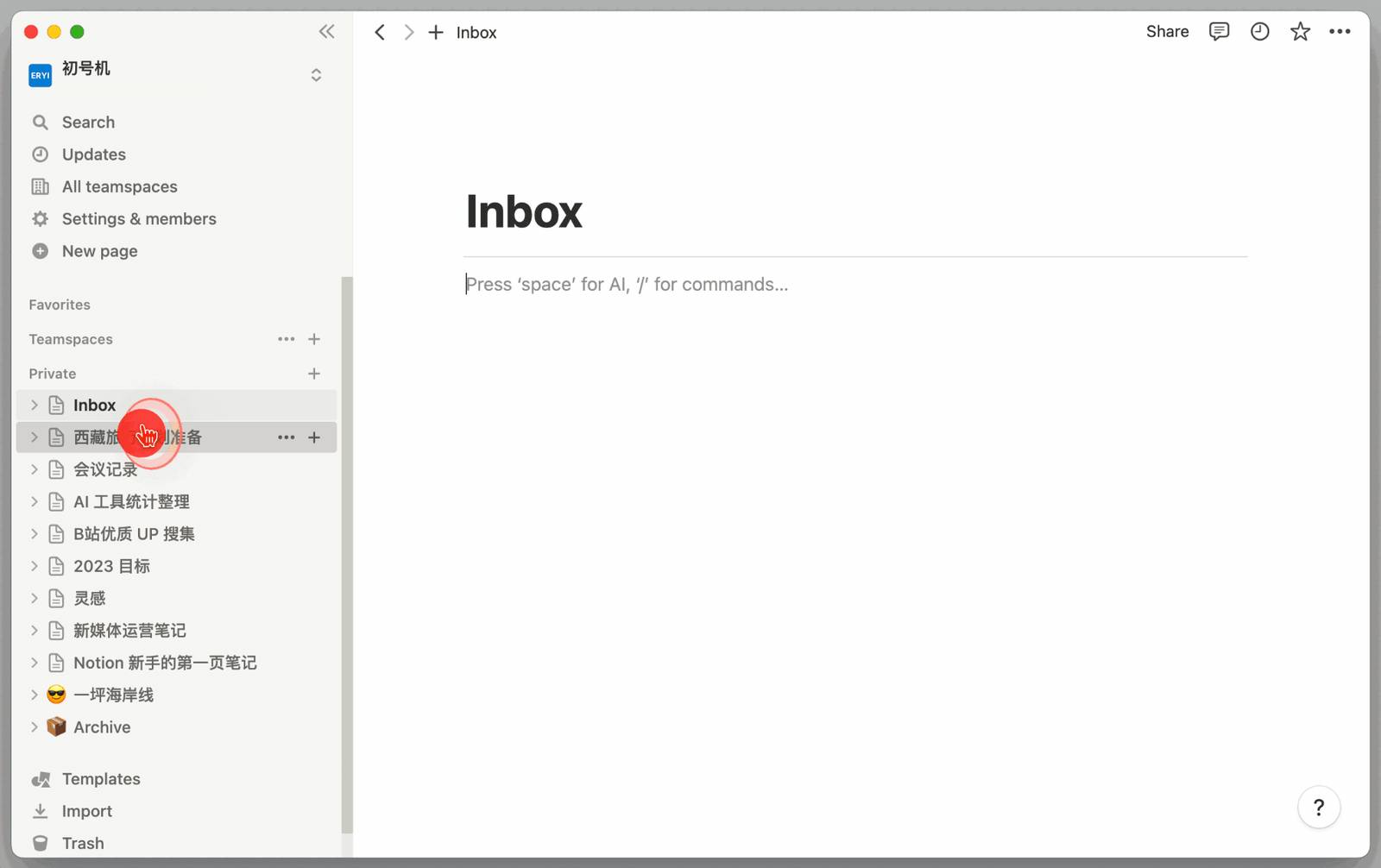
There's another possibility: maybe you've been struggling with Notion for a long time, but the more you organize, the more you want to give up, and you really don't know where to start. Documents created in the past have become a heavy burden.
At this point, we can also create an Inbox folder, or name it Archive or Temporary Storage. Our goal is to be able to stuff all these old documents into this folder, helping us temporarily break free from their bondage, giving ourselves a fresh start without actually deleting all past documents.
Next, regarding Inbox folder maintenance, I have these three general suggestions for beginner users:
- Set an upper limit on the number of items in the Inbox (e.g., 20 items), and establish a regular cleanup plan (e.g., once every two weeks)
- When reaching the upper limit or the scheduled time, categorize similar documents in the INBOX, and create first-level folders for distinct themes
- When the number of notes in a first-level folder reaches 20 again, continue using the above method to continue categorizing and create second-level folders, but it's best not to exceed three levels of folders
Setting an upper limit for INBOX storage means we're not organizing all the time, nor do we lose the motivation to organize because of hoarding too much. This keeps our note system in a dynamic balance, and also allows us to timely discover document themes that form a system, letting the note directory grow from practice, rather than planning ahead by imagining our future selves.
4. Try Building a Simple Personal Homepage
In the second suggestion, we determined the document types that need to be recorded frequently on a daily basis. Then in the third suggestion, through the temporary archiving and regular organization of INBOX, different themed top-level folders will naturally "grow" in our Notion note library, like this:
However, as recording deepens, you may find that due to Notion's overly free recording method, you always need to jump from one document to another. So is there a more convenient method?
1. Prototype of Personal Homepage
Here we need to emphasize again the two characteristics of Notion pages:
- Any page can embed unlimited levels of sub-pages
- Any page can use column mode for formatting
Next we can input the shortcut /3c to divide the page into a 3-column structure:
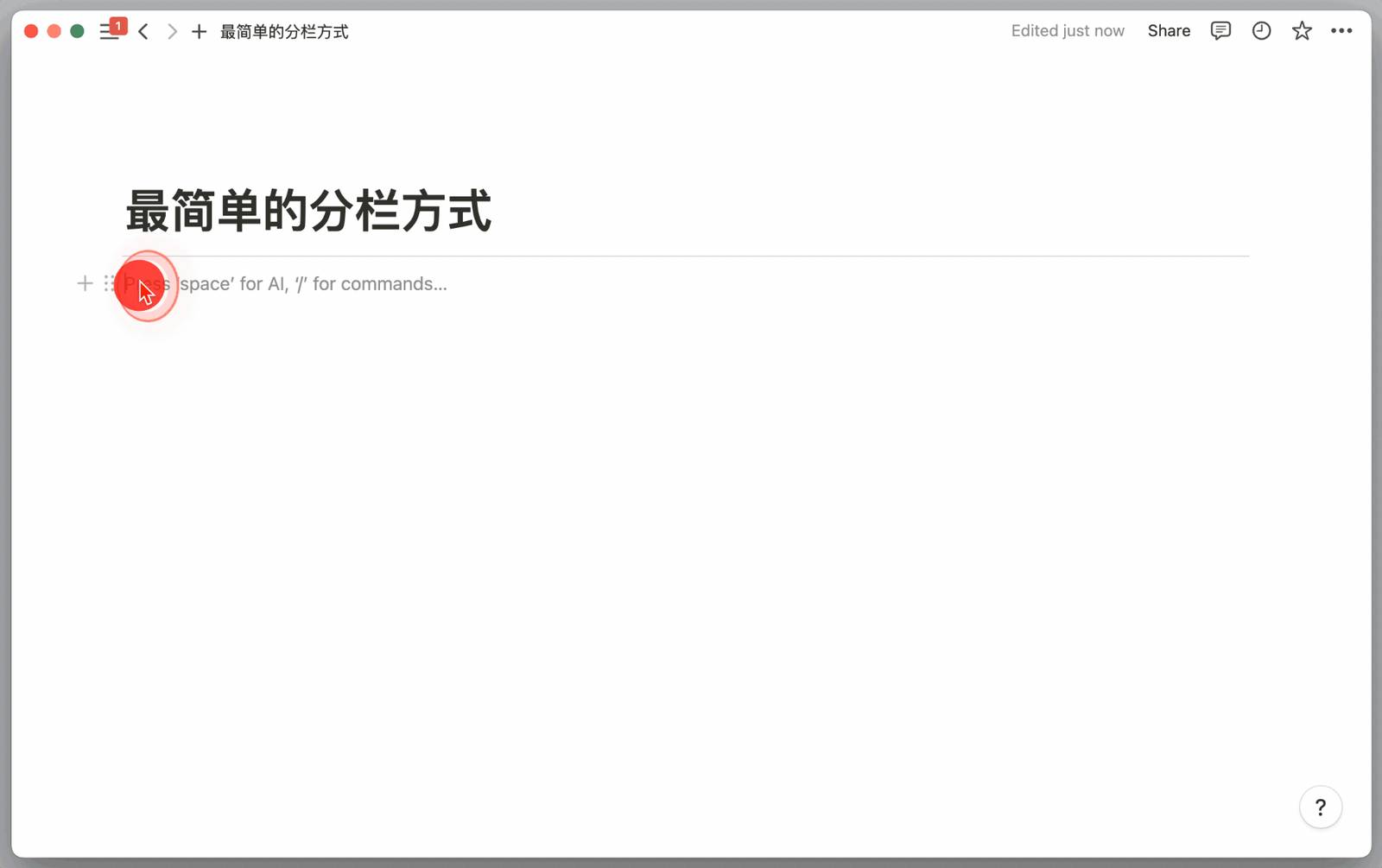
After dividing Notion's page into columns, we can use the simplest column formatting to build a simple personal homepage:
Use alt + left mouse button click (Mac users please replace alt with option), and you can open any page in this homepage as a sidebar (Side peek):

As long as you open a sidebar in this way, next you don't need to hold down alt or option, you can continue opening other pages with just the left mouse button:
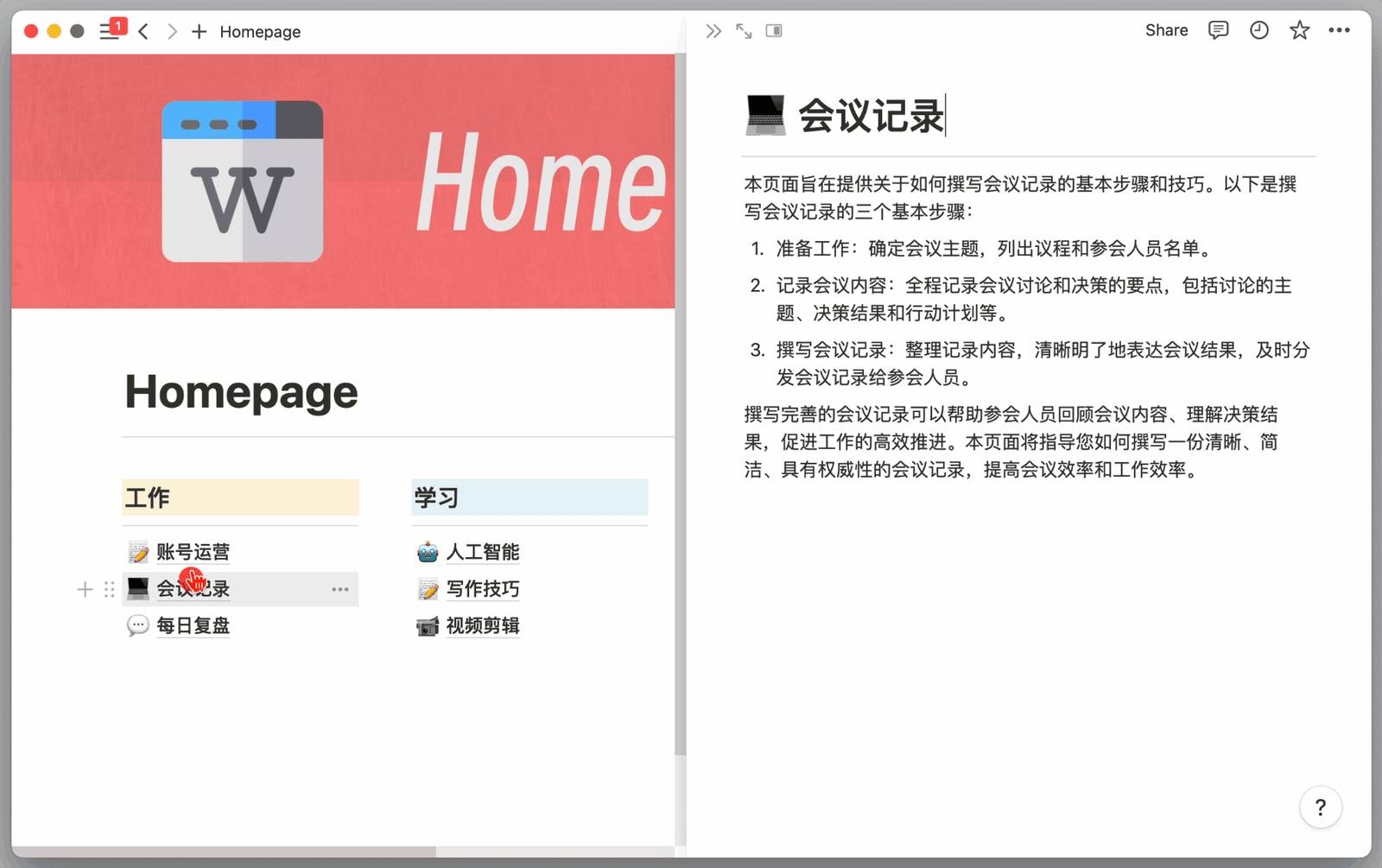
2. Iterate on Personal Homepage Formatting
However, placing all folders at the top of the page in this way seems to waste the large space below, and it's just another form of directory structure:
So we can adjust the page from a 3-column structure to a 2-column structure, and shorten the width of the directory column:
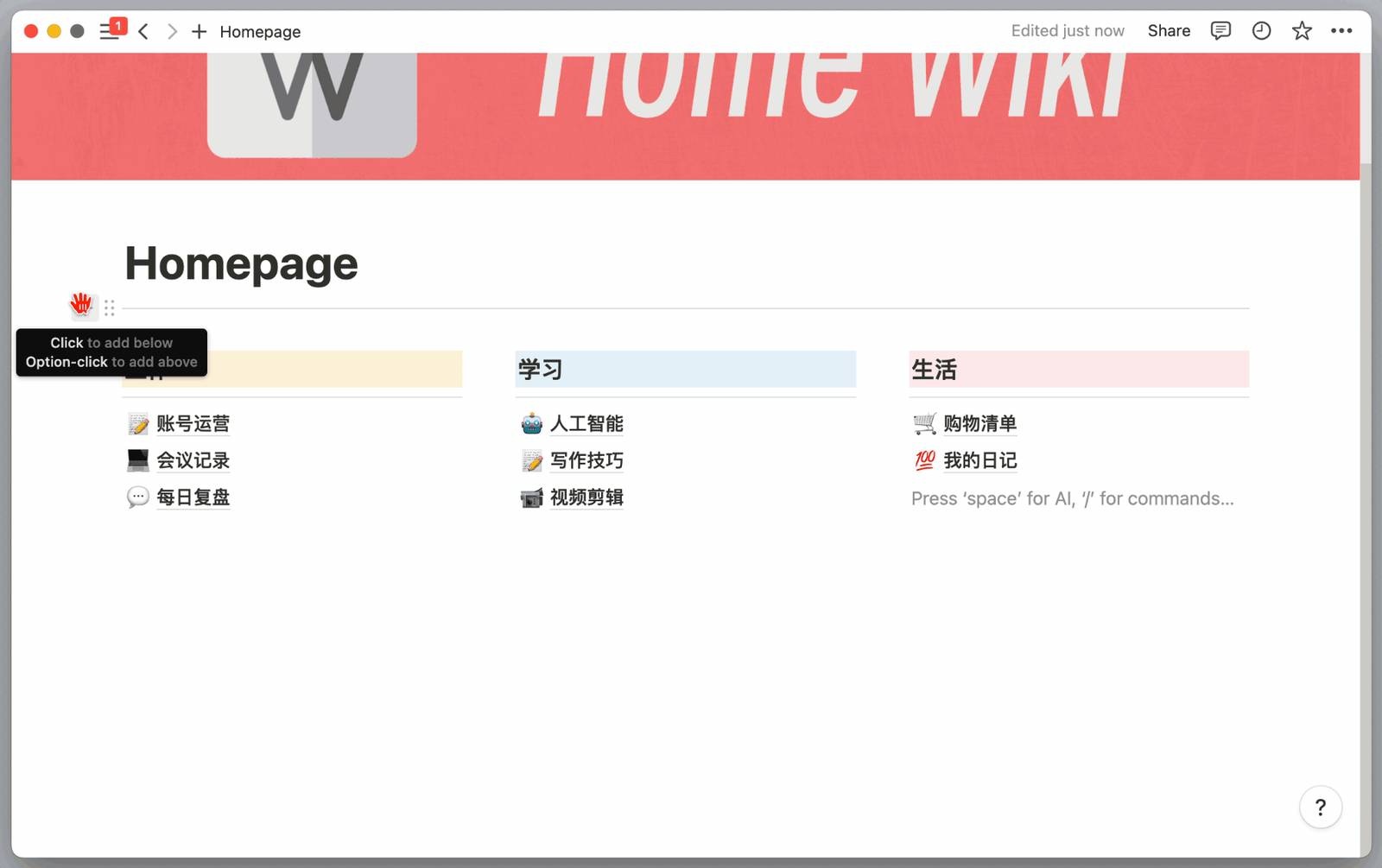
Next, we can freely place whatever pages or functional blocks you need in the blank space on the right according to your needs, such as today's tasks + read later list, or just insert images, posters, or other content you like. Put whatever you want - the main thing is to be happy.
Attached template reference page: Click Me
Through different column formatting and different functional modules, we can better experience the freedom of Notion that bloggers praise so highly. Through the sidebar (Side peek), we can avoid jumping back and forth between various pages. However, Notion's column formatting is still a huge topic. You can read the 1.4 article in this column to learn more column formatting tips.
Before you fully master various Notion skills, I suggest everyone, column structures should be as simple as possible, don't use too many note formats on the same page, and be sure to balance formatting complexity. Otherwise, it'll become colorful and flashy, only increasing page complexity, which doesn't help much with note organization and management.
5. View and Use Databases Correctly
From the first four suggestions, we can see that even without using any databases, Notion's functional richness and freedom of usage already far exceeds what other traditional note-taking software can achieve.
If you've wanted to give up because you couldn't master databases, or think databases are troubles created under the guise of creating demand, I would suggest you first use Notion as a pure text editor, without the thought that "not using databases means not using Notion." Such evaluation perhaps underestimates Notion's own text editing, image-text mixing, and page sharing capabilities.
If you already大致 understand the basic usage of databases, you also need to recognize one point: databases are not the ultimate solution to problems, and not all note-taking needs must be organized or presented using databases.
At the beginner stage, we easily have overly high expectations for databases, then treat every newly created database too cautiously. This leads us to easily become obsessed with studying the usage of each field (Property), spending several hours getting a seemingly powerful and perfect database framework, while the truly urgent work sits aside motionless.
At the beginner stage, I would suggest simply starting from the following 2 examples to simply use and experience the basic functions of databases.
1. Tag Documents
First, we can treat the database as another form of folder.
Suppose I've written 5 daily reports using 5 pages (Page). Then I can select these 5 daily reports and directly drag them into the database. This way, the database becomes a simple folder.
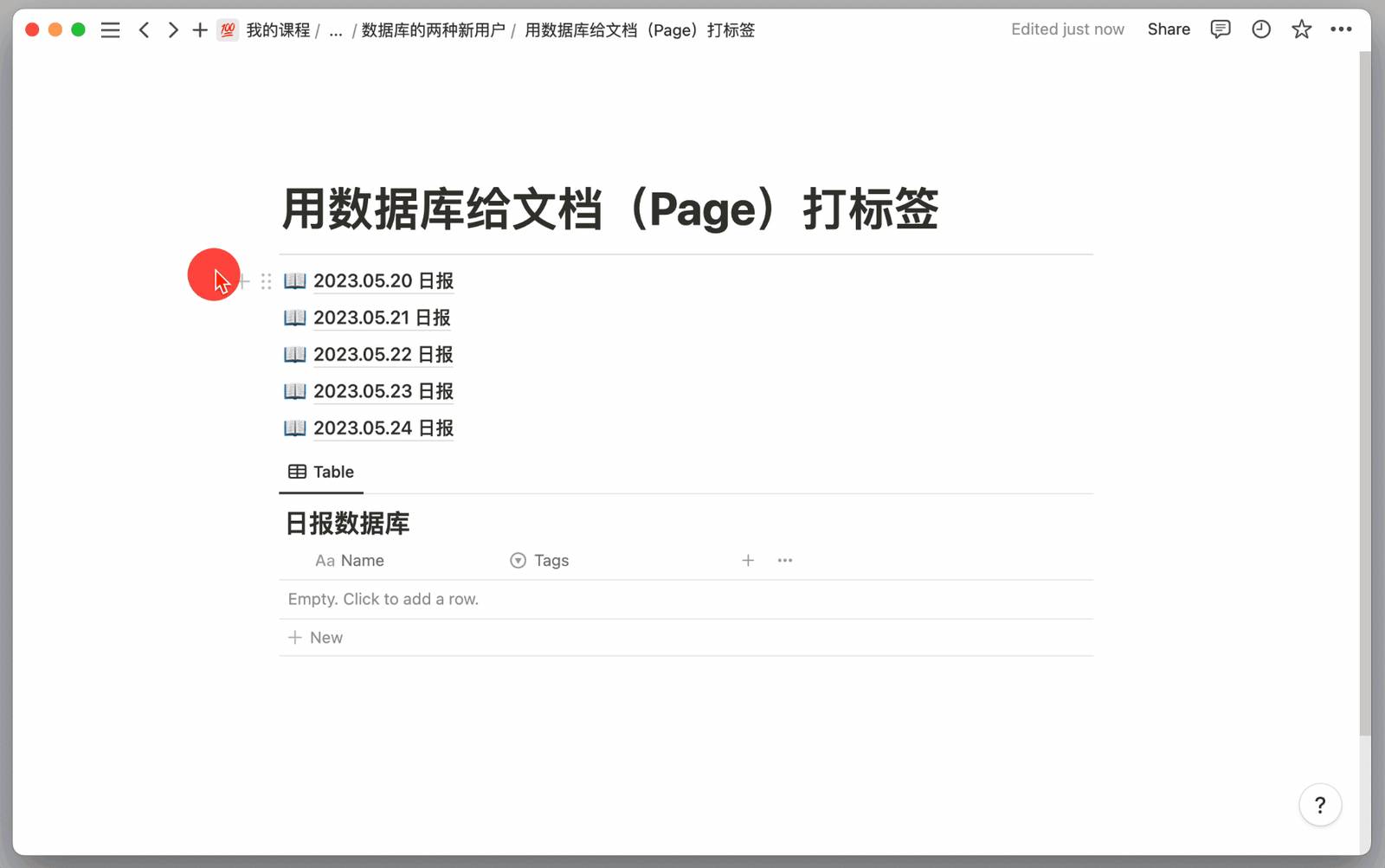
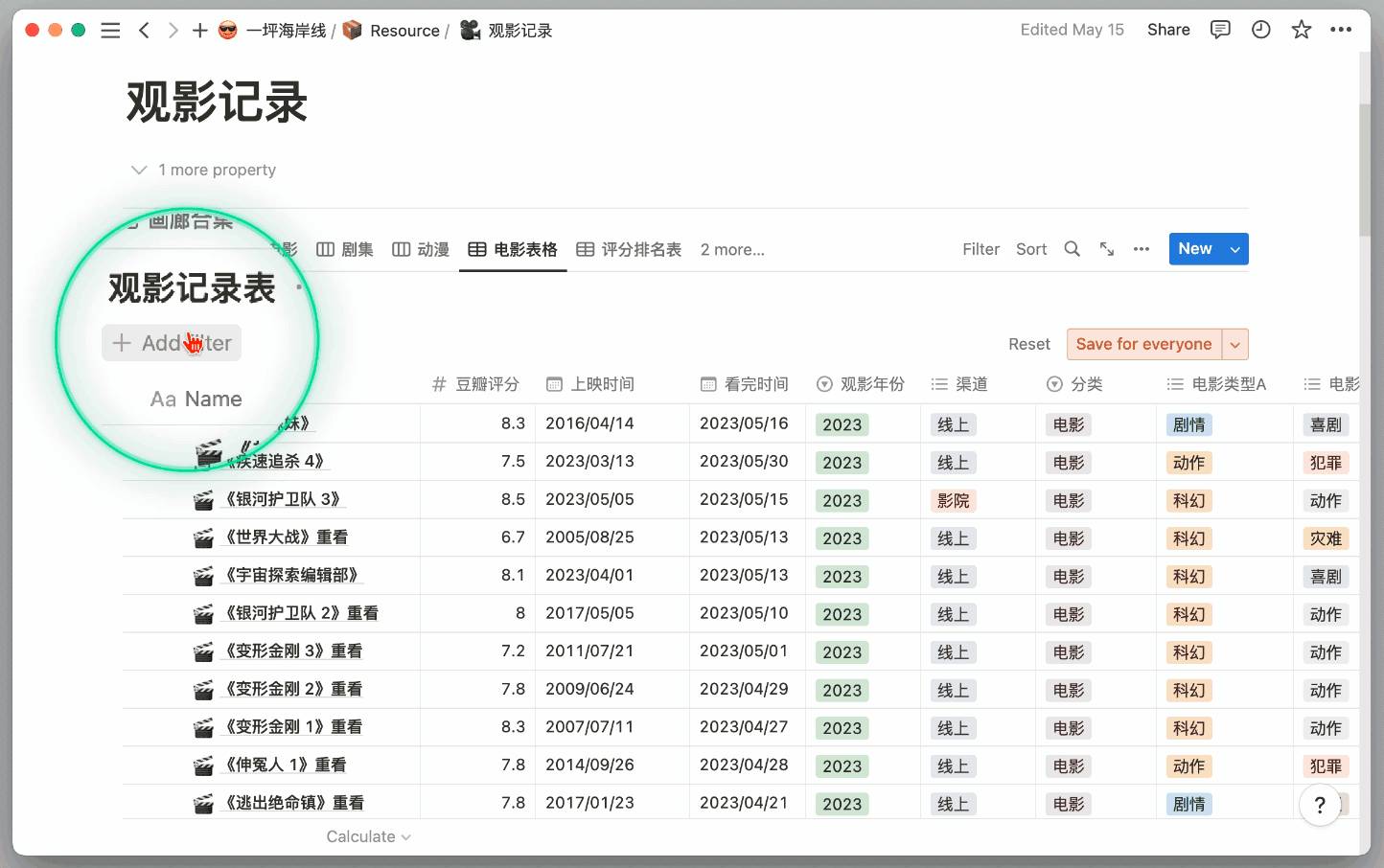
In the "movie viewing record folder" below, I've tagged each watched movie with various tags, including viewing渠道, movie type, Douban rating, etc.
With tags, we can filter the content of this table. Now my requirement is to filter out sci-fi movies watched in 2023 with ratings above 8. The filtering results are as follows:
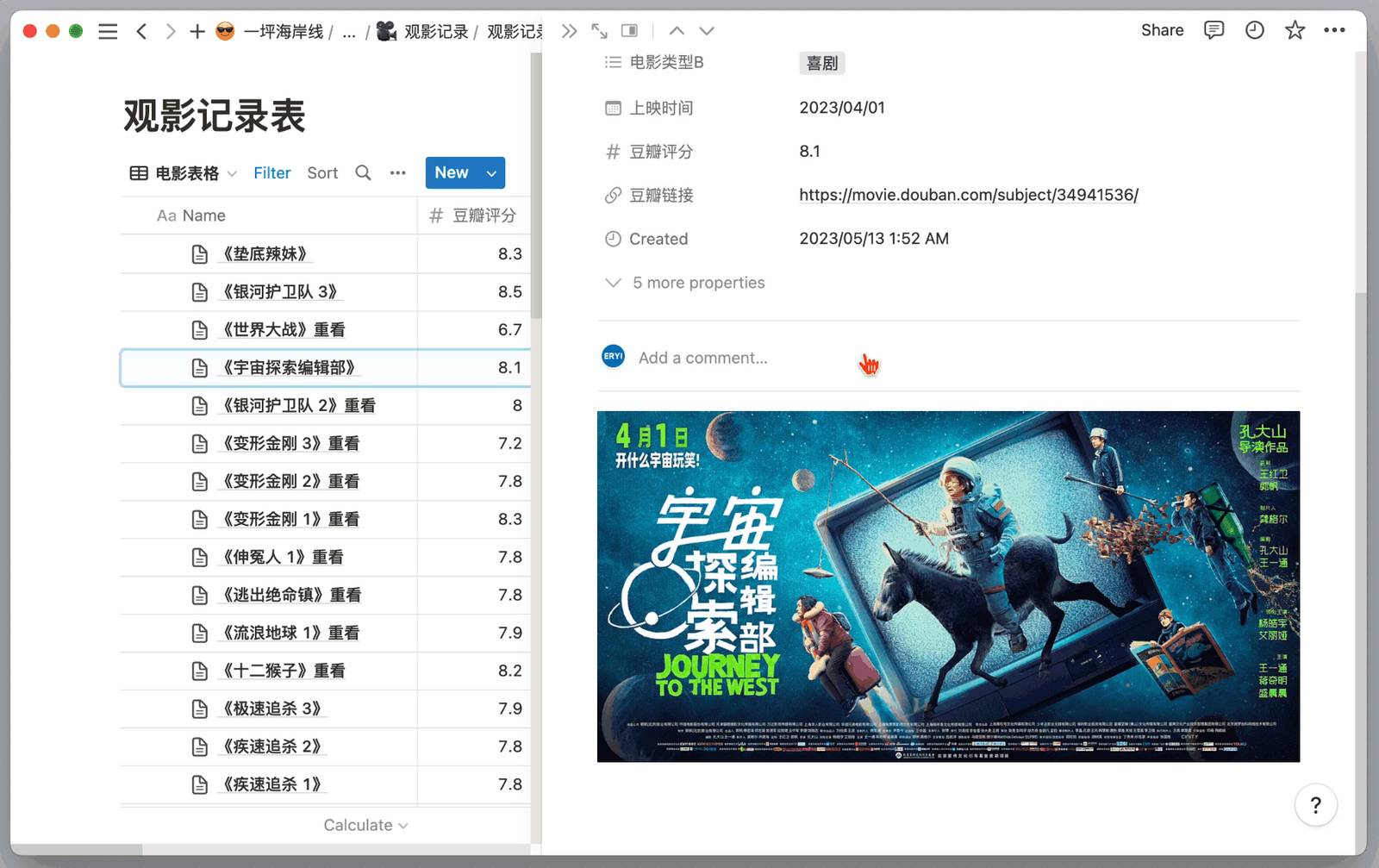
At the same time, the difference between Notion databases and traditional tables is that each piece of data in them can be independently expanded into a document:
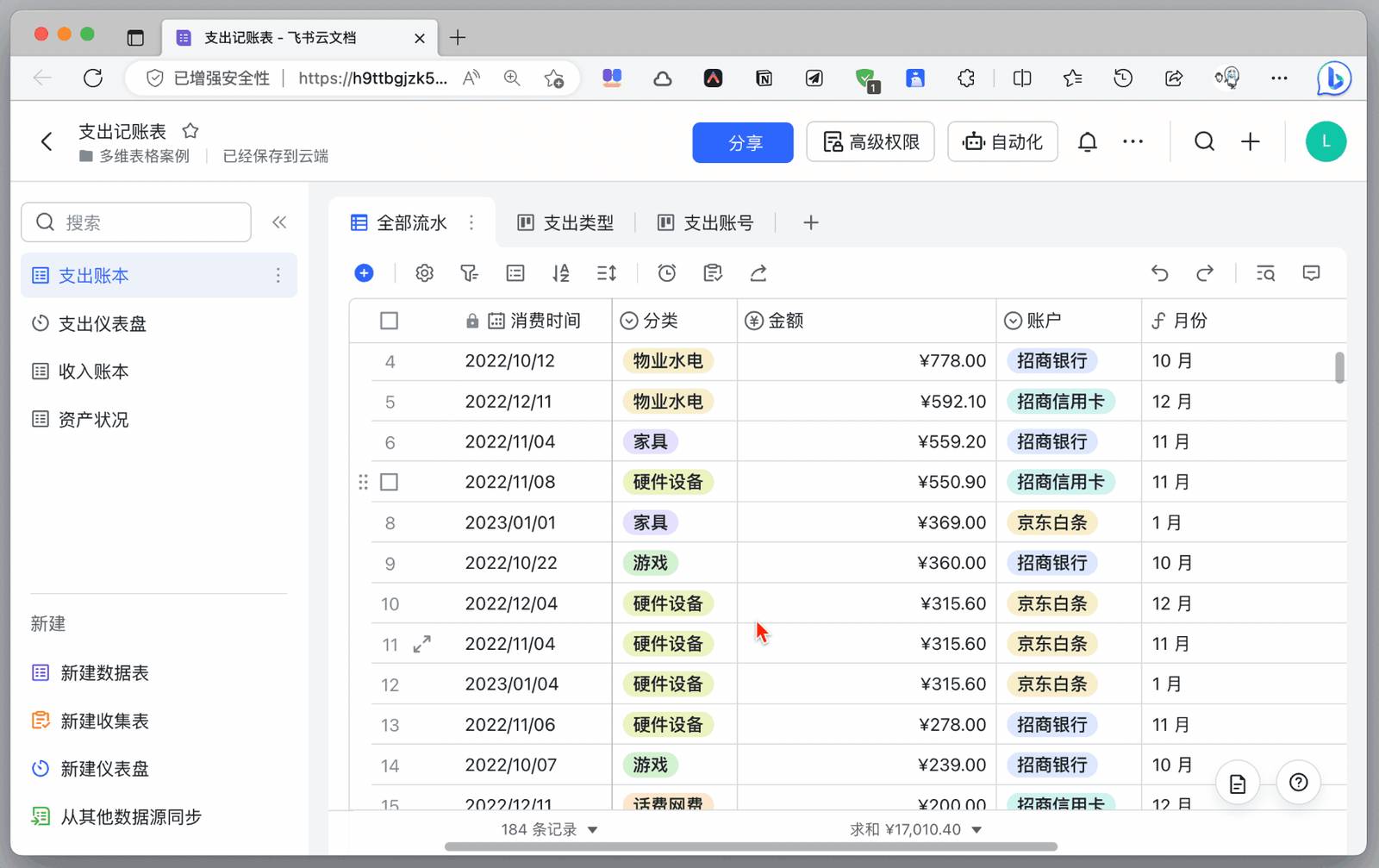
Other table-form products, such as Feishu multidimensional tables, cannot continue to create new image-text content below the data entry after expanding it. This means that multidimensional tables are still tables, and there's still an essential difference from Notion's databases.
2. Manage Lightweight Tasks or Projects
First, fill in the basic information of each task or project in table view:
Then open the document page to supplement more detailed information background or task requirements for the project:
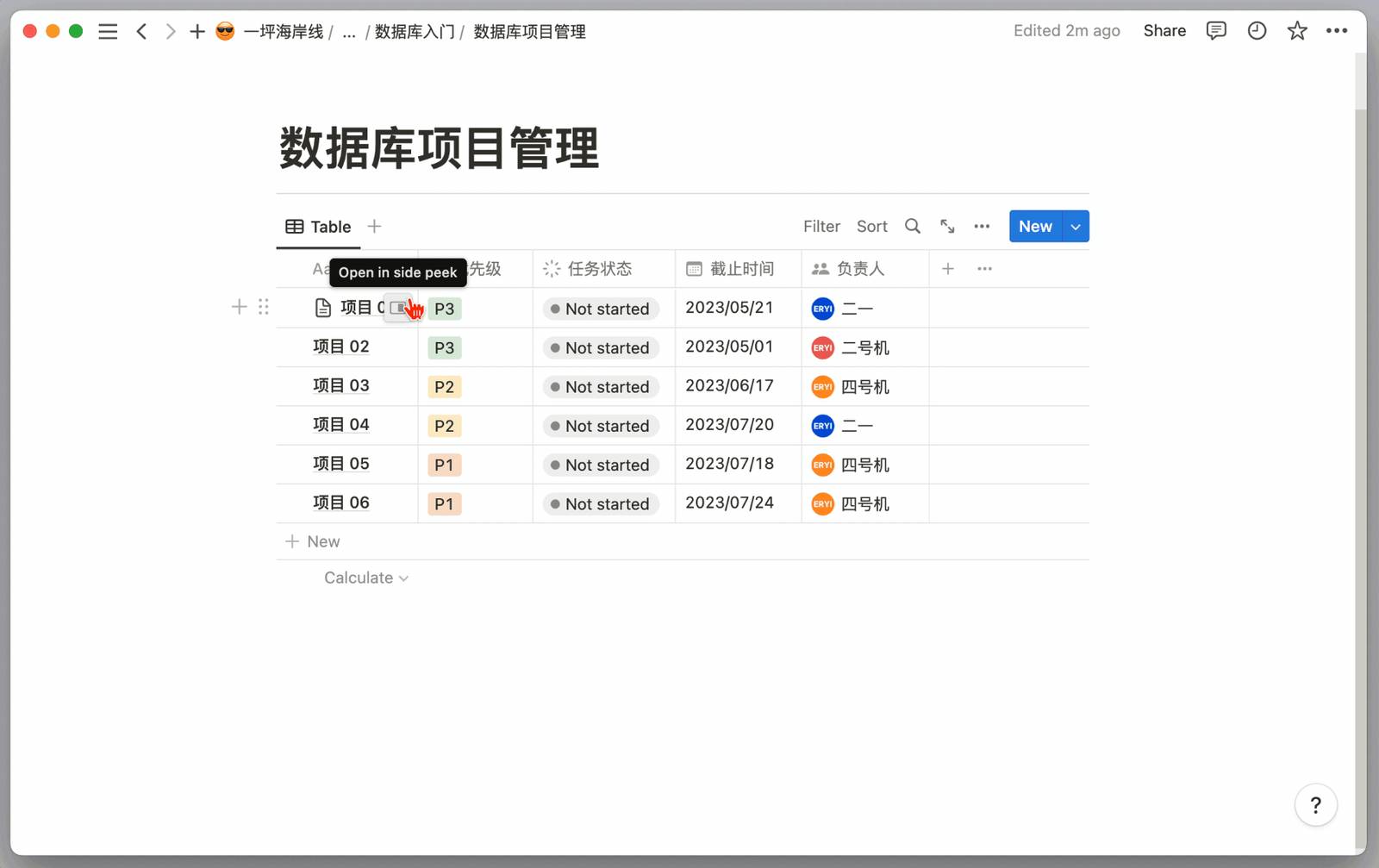
Finally, select different database views to allow the same data to flexibly display specific information we most want to focus on from different dimensions:
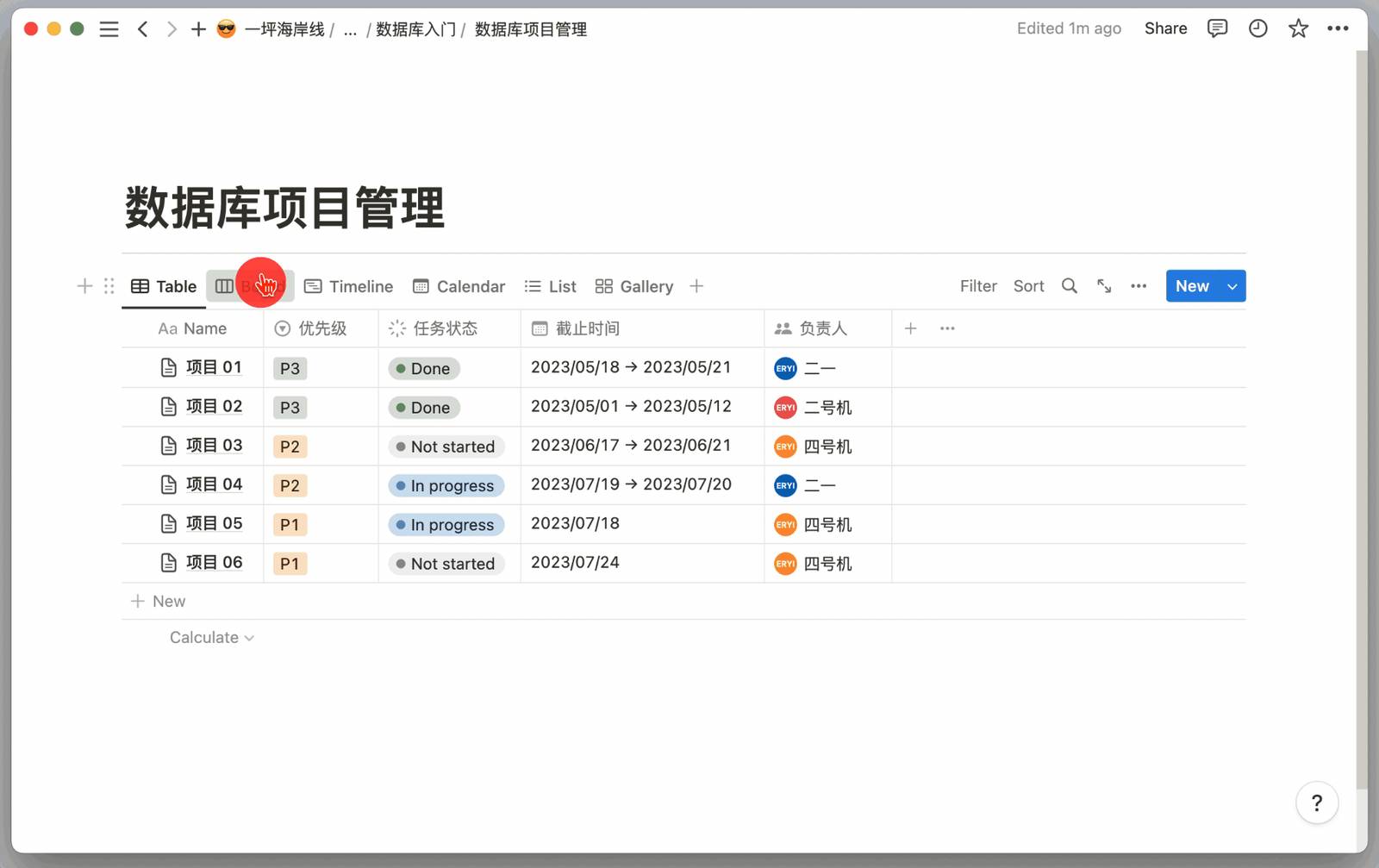
At this point, you might develop huge curiosity about databases, curious how others use them, curious what other advanced templates can be downloaded; or you might feel frustrated because you can't distinguish the specific usage of each view, because every usage detail of databases hides huge amounts of usage tips.
In this regard, my suggestion is that tinkering can indeed bring enjoyment, but please do it after completing the task at hand; frustration will often occur when learning databases. If this wastes a lot of time, then let's first focus on just one view: Table view (Table). Just using it as a slightly novel table can already provide a good usage experience.
We will soon introduce databases in great detail in Chapter 3, so stay tuned.
Before that, please create databases cautiously. Because a database represents a goal, a requirement, or a project. Creating too many databases will not only distract our attention but also greatly consume our energy and time. As days pass, there will inevitably be many databases that only record scattered bits of data, which will bring a huge sense of loss or even guilt, and negative feedback will be strong.
So we'd better first use a fixed database to manage those document themes that need to be recorded most frequently. After learning database filtering and categorization, and switching between different database views, then try using more databases to manage document collections for more themes.
In short, be sure to proceed step by step, and don't set too high expectations and goals for Notion all at once.
Summary
Actually, the core idea of the entire article is very simple: first break through one point, then seek progress.
Write documents first, then try databases; choose table view first, then tinker with others; first use the simplest method to complete current needs, then try learning more advanced methods; first lower expectations for Notion all-in-one, then gradually deepen Notion's penetration into your original workflow.
Notion is a product that can be simple or complex. I hope everyone can find the usage method that suits them best. Subsequent courses will officially begin to analyze and teach all of Notion's functions and usage methods.
Want to further understand how to build a complete Notion personal management system? Please read: Notion Personal Management System Building Tutorial - FLO.W Template Deep Dive
📚 Master Notion from Beginner to Expert
If you've decided to get serious with Notion but don't want to spend too much time tinkering and trial-and-error, the FLO.W Notion template Template is prepared for you. It comes with complete image, text, and video tutorials to help you quickly master Notion's core usage.