This question comes from a reader of the Notion course. It has been organized and shared here. If you encounter similar issues while using Notion, feel free to leave a comment.
Problem Background
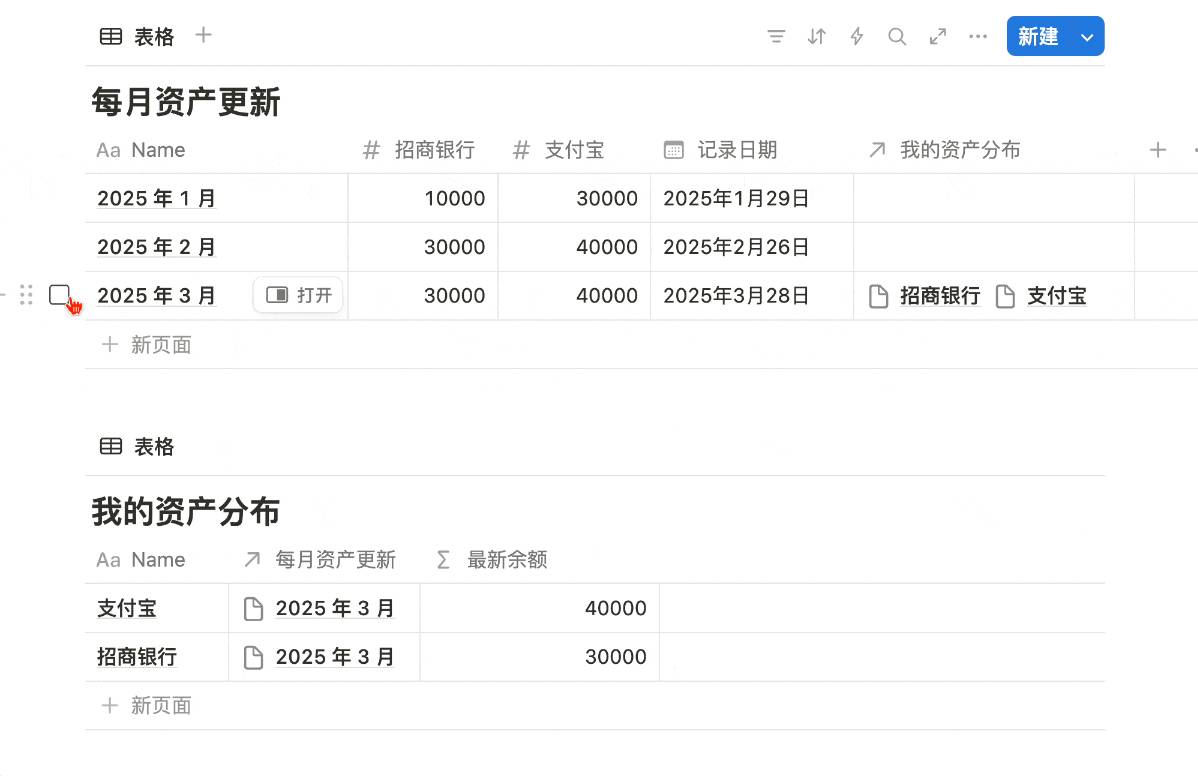
Below is a simple accounting module. We want the "My Asset Distribution" database to display the latest balance for each account in real time.
The core requirement is straightforward: After adding a new monthly record, the "Latest Balance" for each account should update automatically — no manual changes needed.
Solution Approach
The entire solution consists of three steps:
- Use a Relation to link monthly records to asset accounts
- Use a Formula function to automatically read the balance from the related record
- Leverage the Relation's "Limit to 1 page" feature to ensure only the latest record is displayed
Step 1: Create a Relation
First, link the latest month's page (e.g., "March") to all asset accounts via a Relation.
Step 2: Write a Formula
Next, add a Formula property to display the latest balance for each account.
Here's a breakdown of the formula logic:
Using lets() to define variables:
zfb: The Alipay balance from the currently related monthzsyh: The China Merchants Bank balance from the currently related month
Using ifs() for conditional logic:
- If the current row's name is "Alipay," return the value of
zfb - If the current row's name is "China Merchants Bank," return the value of
zsyh
Step 3: Limit the Relation to One Page
At this point, you might wonder: if you add an April record, won't the latest balance show two values?
The fix is simple — enable "Limit to 1 page" on the Relation property:
This way, when you add an April record and link it to the asset accounts, the March relation is automatically removed. The asset account always links to only the most recent record, so the balance is always up to date.
As shown below, simply press Ctrl+D to duplicate the "March" record, and the previous record's relation is automatically cleared:
Summary
The key technique in this solution is the Relation's "Limit to 1 page" feature — it ensures the database always links to only the latest record. Combined with a Formula function, this enables automatic balance updates.
This logic can be reused in any scenario where you need to display only the most recent related record — such as a project's latest status, a client's most recent contact record, and more. If you're interested, also check out how to show only the latest entry in a database — it uses a different approach to achieve a similar effect.
📘 FLO.W — Notion Personal Management System
FLO.W is a Notion-based personal management template that integrates tasks, notes, projects, habits, and more, complete with comprehensive tutorials.