LogoFLO.W
  • Pricing
  • Blog
  • Docs
  • Thinking
  • About
Get Started
  • Installation
Notion 技巧·
2024/05/08

Notion Extension Recommendation: Search Your Notion Notebook via Google

Recommending the AtMyNotion browser extension, which automatically searches your Notion database content when you use Google and displays results in the sidebar. Supports Chrome and Edge browsers.

avatar for 二一
二一
Notion Extension Recommendation: Search Your Notion Notebook via Google

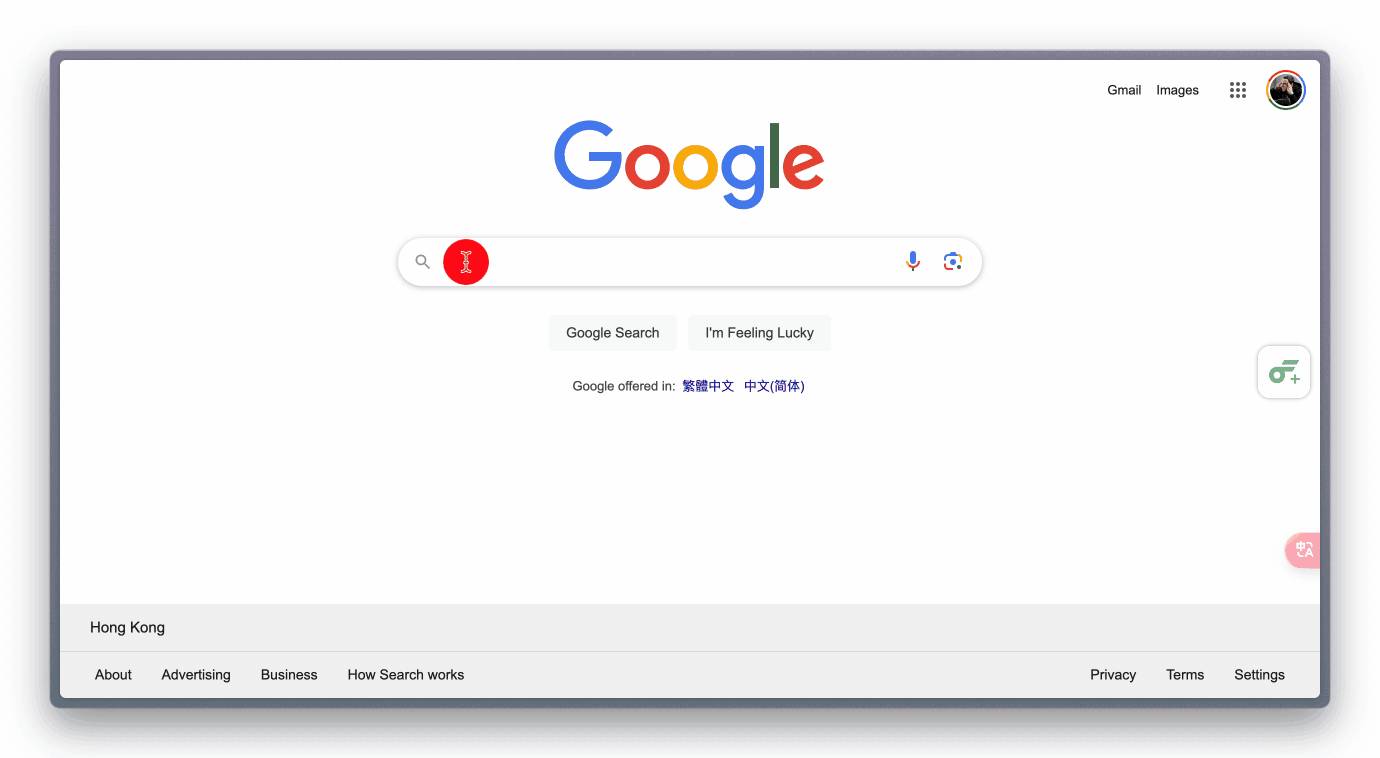
AtMyNotion-Extension is a browser extension for Edge or Chrome that automatically searches your Notion database whenever you search anything on a search engine, then displays relevant content in the sidebar. Click to jump directly to your Notion notes:

AtMyNotion extension demo

Installation

  1. Download the extension package: GitHub link | Notion link. After downloading, extract it into a folder.

  2. Enter the following in your browser's address bar:

    • Edge browser: edge://extensions
    • Chrome browser: chrome://extensions/
  3. Install the extension

    • In Edge, click the "Load unpacked" button, then select the extracted extension folder Installing extension in Edge browser
    • In Chrome, first click the "Developer mode" toggle in the top right corner, then click the "Load unpacked" button, and select the extracted extension folder Installing extension in Chrome browser
  4. Log in to Notion in your browser, then click the extension icon to confirm it is working Confirm the extension is working


📘 FLO.W — Notion Personal Management System

FLO.W is a Notion-based personal management template that integrates tasks, notes, projects, habits, and more, complete with comprehensive tutorials.

Ready-to-use Notion template system
Complete tutorials included, beginner-friendly
Continuously updated and maintained
Learn About FLO.W Template✨ 1237+ users chose FLO.W
2024/05/08
Share this post
All Posts

More Posts

Write WordPress Blog Posts with Notion
#Notion 技巧

Write WordPress Blog Posts with Notion

Use the WP Sync for Notion plugin to publish Notion content to your WordPress blog. A step-by-step guide with screenshots to help you configure the API and plugin.

2024/07/07
Notion AI to the Rescue: Effortlessly Classify Thousands of Data Rows
#Notion 技巧

Notion AI to the Rescue: Effortlessly Classify Thousands of Data Rows

Use Notion AI's auto-fill feature to classify thousands of food entries in one click — no coding required, simple to use, and highly accurate.

2025/01/09
Notion Chinese Version Preview: Full UI Localization and AI Upgrade
#Notion 技巧

Notion Chinese Version Preview: Full UI Localization and AI Upgrade

A sneak peek at the Notion Chinese version Android beta, covering block localization, Database field translations, Formula Chinese descriptions, Notion AI localization, and how to join the Android Beta.

2024/08/12

Newsletter

Join the community

Subscribe to our newsletter for the latest news and updates

LogoFLO.W
TwitterX (Twitter)YouTubeYouTubeBilibiliXiaoHongShuEmail
Product
  • Features
  • Pricing
  • FAQ
Resources
  • Blog
  • Documentation
  • Notion Custom Agent
Company
  • About
  • Contact
Legal
  • Cookie Policy
  • Privacy Policy
  • Terms of Service

Subscribe for more Notion tips and updates

© 2026 FLO.W, All rights reservedNotion is a trademark of Notion Labs, Inc. This is an independent third-party site, not affiliated with or endorsed by Notion.
Featured on Uneed