Notion Introduces the Dashboard Database View
Dashboard is a brand-new database view type that combines boards, tables, charts, timelines, and more into one page. Previously, building an overview page meant stitching together linked views yourself — now Notion provides a native solution.
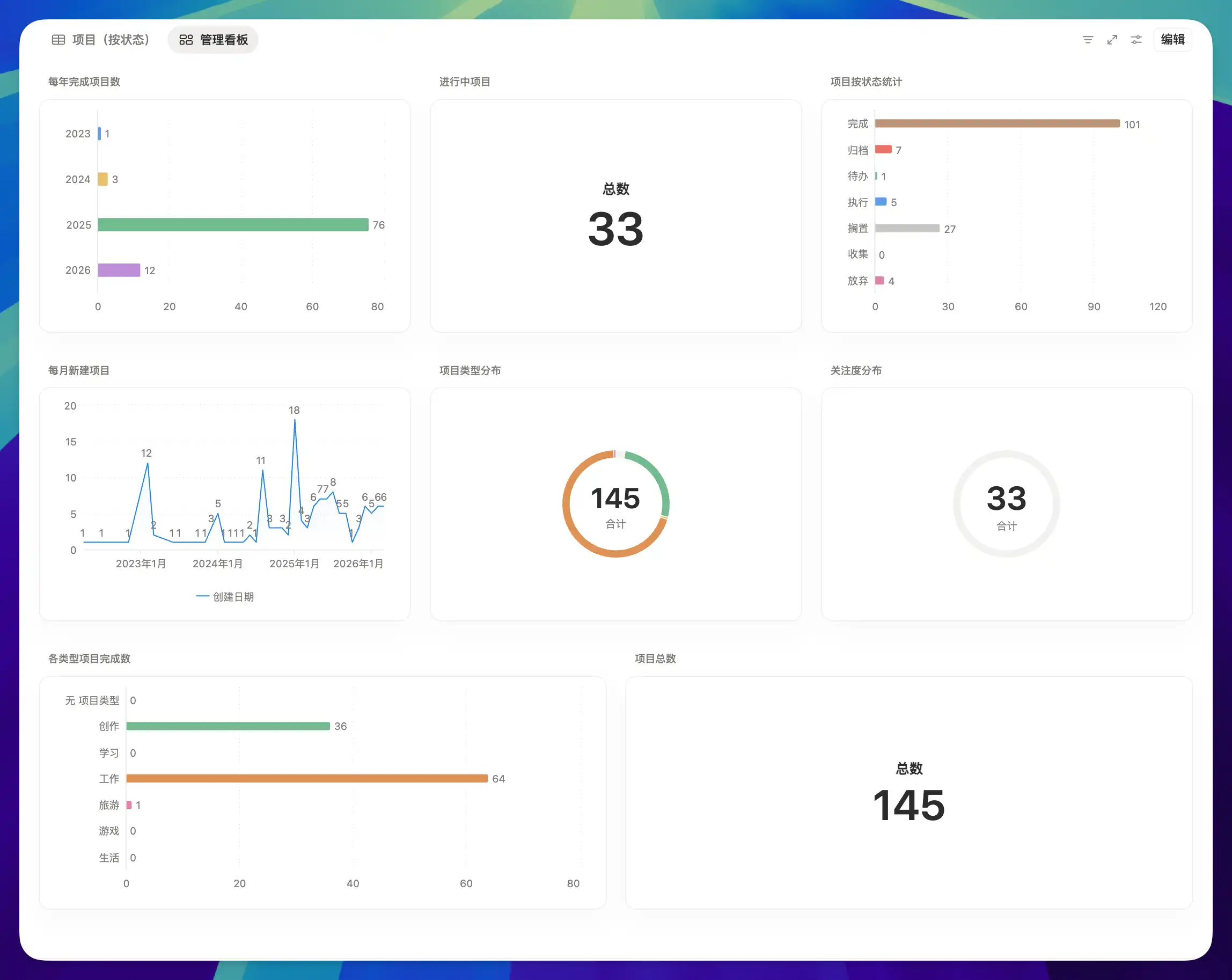
For a detailed guide on using charts in Dashboard, see the Complete Notion Database Charts Guide.
A complete, ready-to-use Notion personal system
If you don't want to spend dozens of hours figuring out database relations and workspace layouts from scratch, FLO.W is a refined, all-in-one Notion template system designed for tasks, projects, and knowledge management.
Connected databases link tasks, projects, and notes automatically
Includes detailed walkthrough guides and video tutorials
One-time purchase with all future major updates included
Explore FLO.W✨ 1640+ users chose FLO.W
Related Updates
- Notion Buttons Can Now Send Prompts to Agents, Running Workflows in One Click
- Notion Rebuilds Synced Databases with Real-Time Data from GitHub, Jira, and Salesforce
- Notion Upgrades Version History with Real-Time Edit Highlights and Row-Level Database Changes
- Notion Adds Property-Level Access Permissions for Database Columns
- Notion Adds Number Formatting for Rollups