Notion Adds Property-Level Access Permissions for Database Columns
Notion now supports property-level permissions for databases: each column can decide on its own who can view it and who can edit it. Sensitive data can be visible only to the people who need it, and a status or approval column can be editable by just a few.
How to use it:
- Open the source database in a table view on web or desktop (not a linked view).
- Open the column header menu and choose Property access.
- Set the default access for everyone, agents and connections first, then add exceptions by person, group, person property or agent.
- Use Preview to see what a given person would get, then save.
Your workspace must be on Business or Enterprise, and you need Full access to the database. People with Full access are never restricted by a column rule. Title, ID, Created time / Created by, Last edited time / Last edited by, certain synced properties, and subitem or parent relation columns cannot be restricted. A database can have permissions on up to 20 properties; wiki databases are not supported, and rules cannot be created or changed on mobile (existing rules still apply). The first rule on a column can take a few minutes to save on a large database.
Agents can get their own column permissions too. If a user cannot see a column, Notion AI or their agent usually cannot read it either, and may report that the column does not exist.
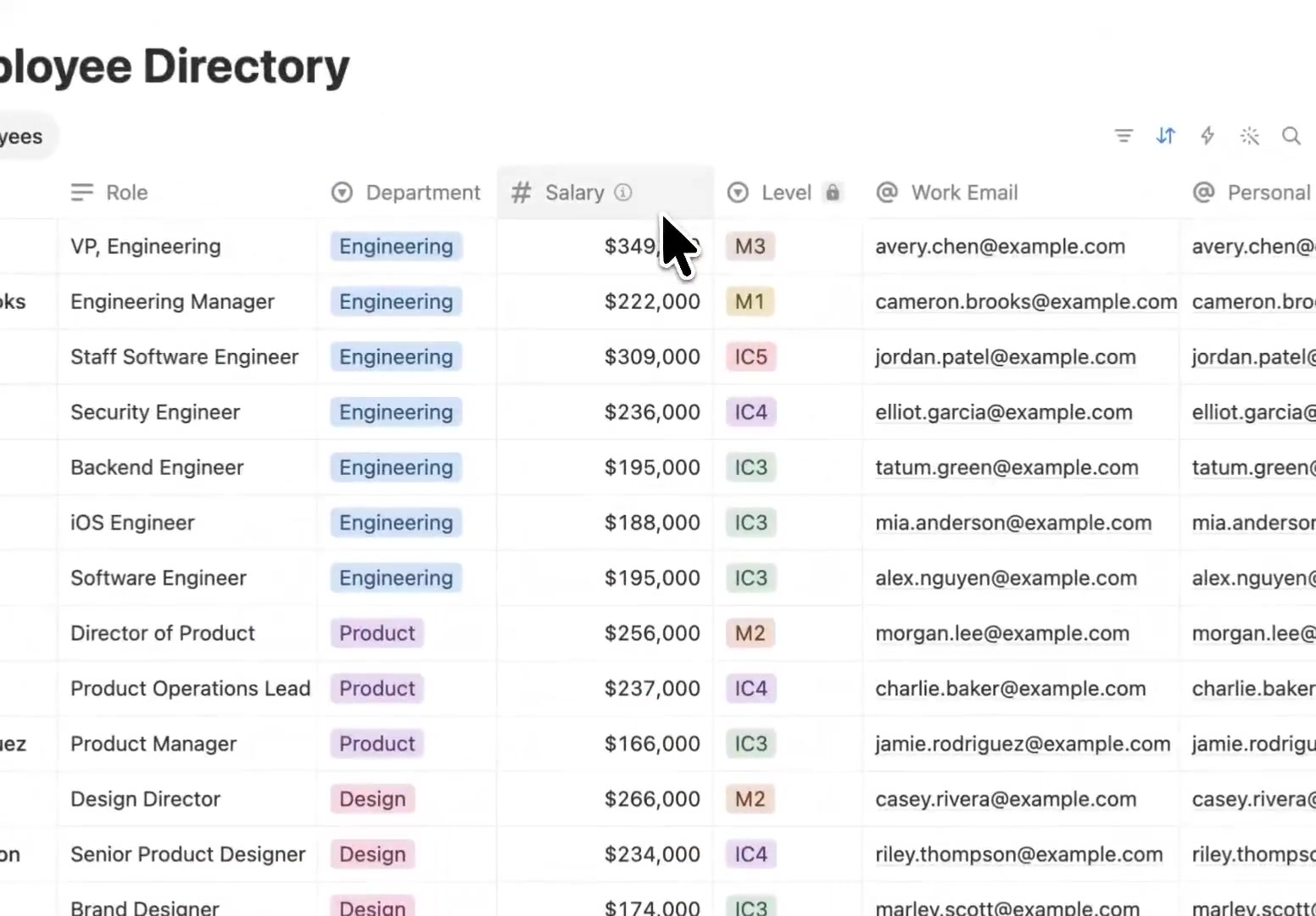
A restricted column shows a lock icon next to its header (the Level column in the image).
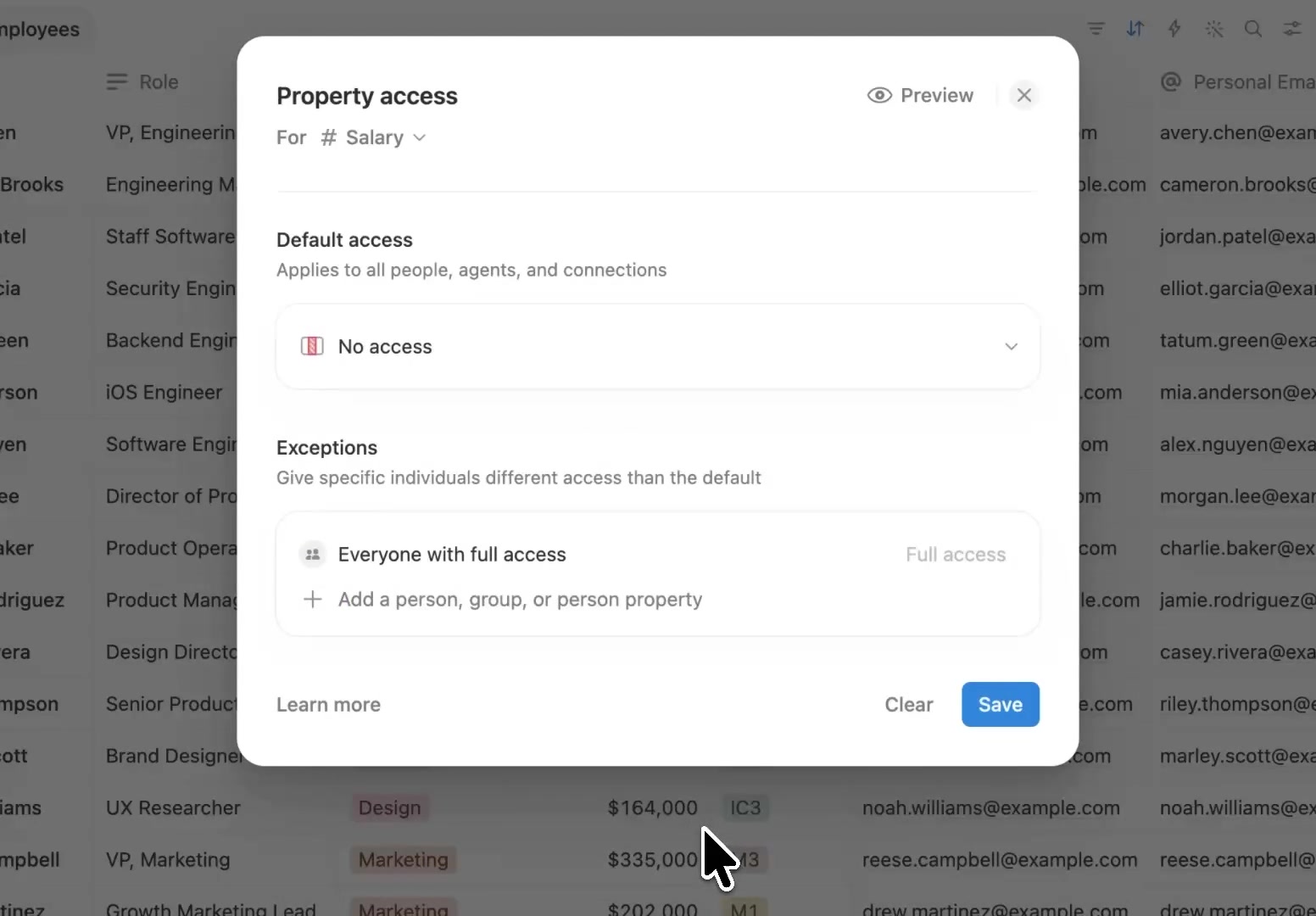
After setting the default to No access, add exceptions for the people, groups or person properties that need access, and check the result with Preview before saving.
Column permissions control who can see and edit each column of a table. For how to set up permissions at the page, member and teamspace level, see Notion Team Collaboration Guide: Feasibility and Practical Setup for Teams in China. Used together, they give you fairly complete permission control for team collaboration.
A complete, ready-to-use Notion personal system
If you don't want to spend dozens of hours figuring out database relations and workspace layouts from scratch, FLO.W is a refined, all-in-one Notion template system designed for tasks, projects, and knowledge management.
Related Updates
- Notion Admins Can Set Default Sidebar Presets for New Members
- Notion Agent Can Now Use Your ChatGPT Plus, Pro or Go Plan Allowance
- Notion Notifications Can Now Be Received and Replied To in Microsoft Teams
- Notion Custom Agents Can Call Sub-Agents
- Notion Can Set Default Agent Instructions for a Workspace