 FLO.W Docs
Project Properties Guide
Master advanced project properties in FLO.W Notion template—dependency chains, related item tracking, keeping large projects organized.
Prerequisites and Dependencies
Property Explanation
The current FLO.W system has a basic framework with "Area" as the top-level design. Specifically, you can see this article in the Template Manual: Understanding Areas.
- Area
- sub-Area
- Project A
- Project B
- Task 1
- Task 2
- sub-Area
Under this framework design, all projects are parallel to each other, unless they're all linked to the same sub-Area
For example:
- sub-Area - Python Data Analysis
- Project A
- Project B
But this way, some special situations may arise.
Possible Scenarios
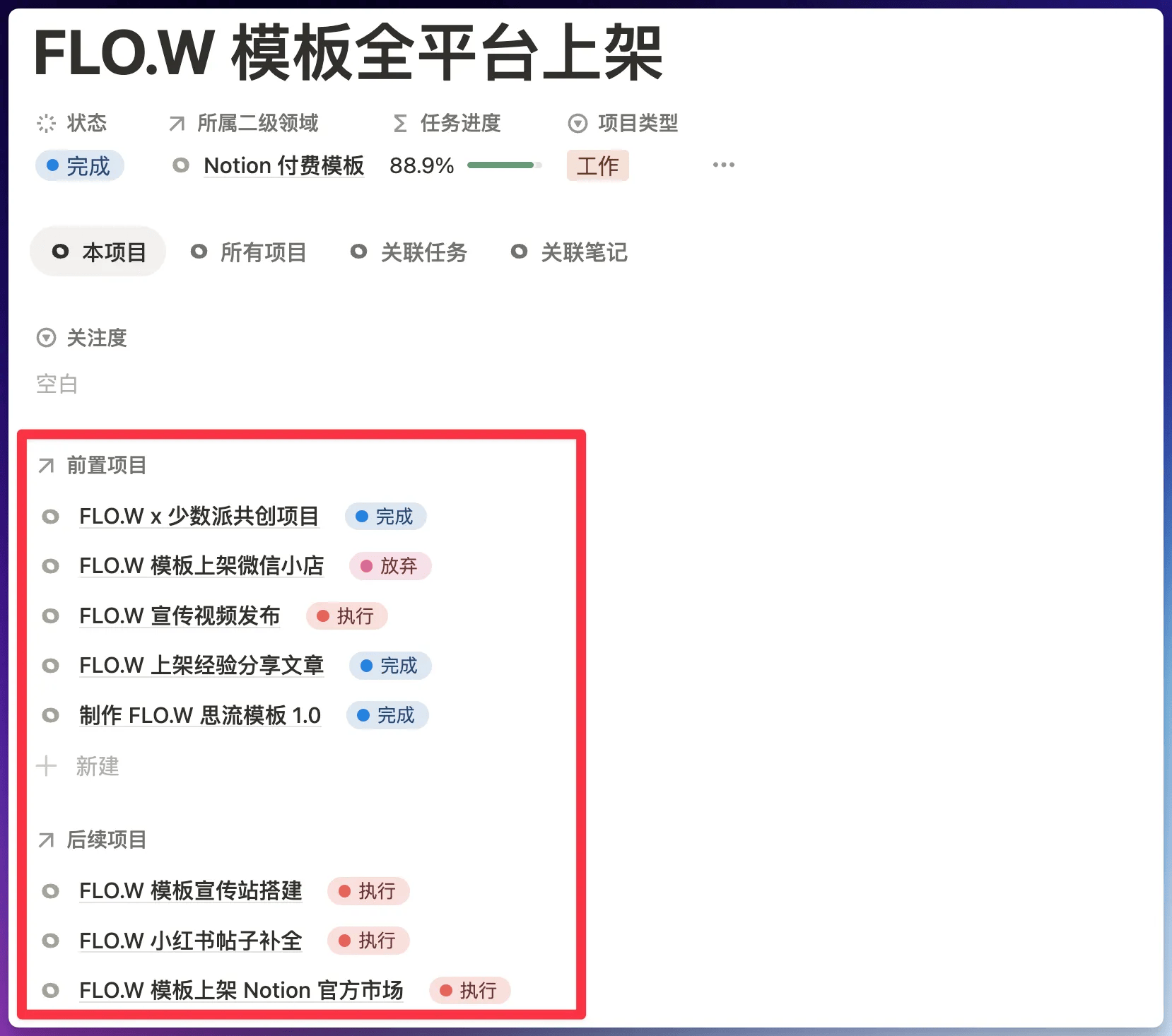
To address both needs above, you can use the project's Prerequisites and Dependencies feature
Upgrade Benefit Notice
- This feature is an upgrade benefit of [Max Edition · Major Version Free Upgrade]
- If you're an Max Edition user, please find the update method and detailed instructions in the group announcement
- Basic Edition / Pro Edition upgrade to Max Edition method → Version Upgrade
Related Items Last Edited Time
In the FLO.W system, you'll see a Property called "Related Items Last Edited Time" in many Databases, for example:
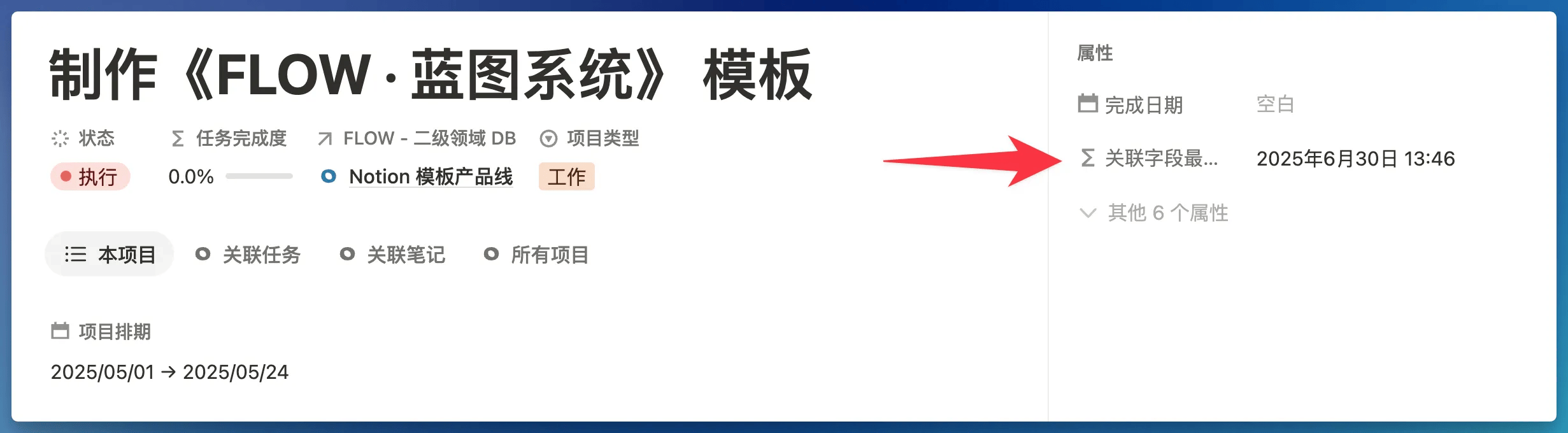
The basic purpose of this Property is to display the last edited time of all pages associated with the current page.
Notion's built-in "Last Edited Time" only tells you when this page itself was last modified. The "Related Items Last Edited Time" Property automatically checks all content linked to this page (such as related Tasks, Projects, child notes, parent notes, outgoing links, incoming links, etc.), then tells you which was the most recent edit time among all this content.
When you link an old note written months ago to a new project, this old note's Related Items Last Edited Time will immediately update to today. This means it has a chance to reappear in your view. This mechanism helps you connect past accumulated wisdom with current work, creating unexpected chemistry.
Last updated on
Task Properties Guide
Complete task property guide for FLO.W Notion template—status workflow, smart reminders, and scheduling for an efficient execution system.
Area Properties Guide
Explore area property design in FLO.W Notion template—goals, core directions, gap analysis, and periodic calibration for a clear long-term goal system.