Notion Shows Word Count for the Selected Block
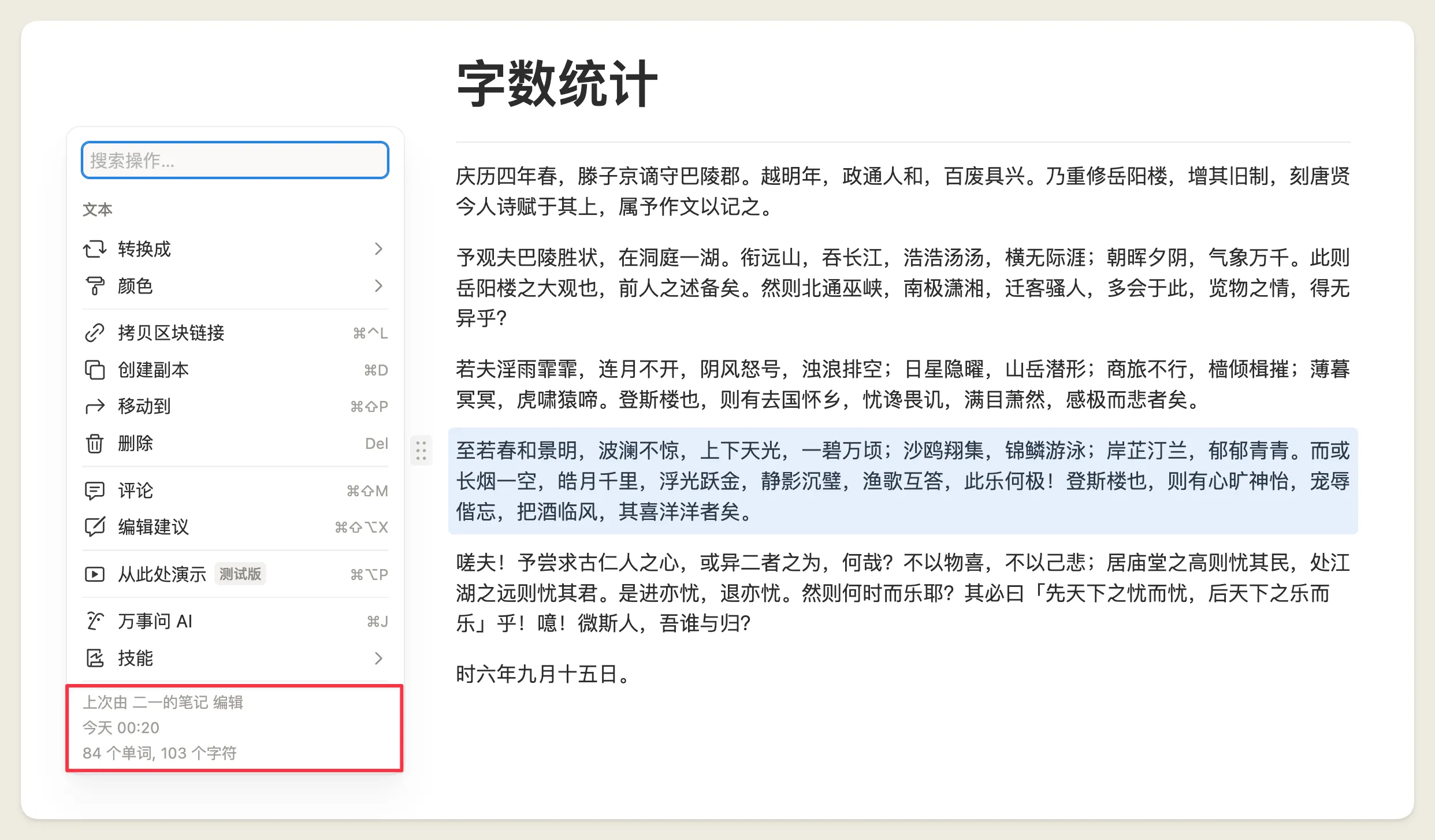
Notion used to show word count only in the page menu. To check one paragraph, you had to copy it out and count it somewhere else.
Click the six-dot handle on the left of a block, or right-click to open the block menu. At the bottom you will now see that block's word count and character count.
A complete, ready-to-use Notion personal system
If you don't want to spend dozens of hours figuring out database relations and workspace layouts from scratch, FLO.W is a refined, all-in-one Notion template system designed for tasks, projects, and knowledge management.
Connected databases link tasks, projects, and notes automatically
Includes detailed walkthrough guides and video tutorials
One-time purchase with all future major updates included
Explore FLO.W✨ 1633+ users chose FLO.W
Related Updates
- Notion Brings Virtual Tabs to Desktop, So Opening More Tabs Barely Adds Memory
- Notion Upgrades Version History with Real-Time Edit Highlights and Row-Level Database Changes
- Notion Settings Are Now Searchable
- Notion Launches a Native Editor Beta on iOS
- Notion Cuts Median Desktop Cold Start to Under 1 Second