 FLO.W Docs
Formulas and Reports
Master the formula logic behind FLO.W Notion template reports. Learn to fix report links manually and keep your dashboards accurate.
More content coming soon...
Frequently Asked Questions
Formula Statistics Report Error
In the FLO.W system, I have built in many automated statistical formulas
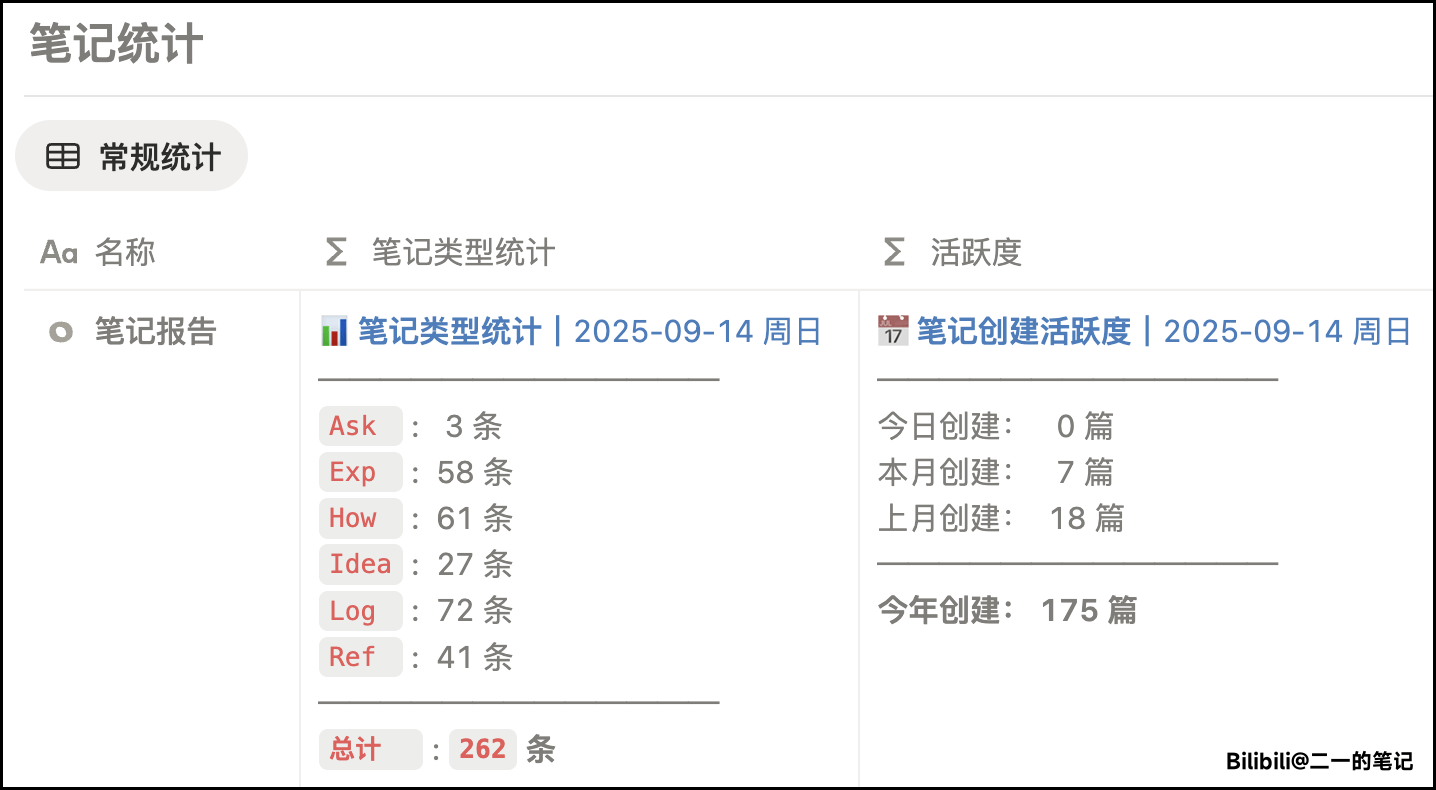
But sometimes you may find that after adding a new Task (or Note), the corresponding statistical data has not changed. If this happens, it could be due to the following reasons:
- When saving the FLO.W Template, Notion did not successfully create a relation between Tasks and the statistical formula
- Pages created through certain methods are not related to the corresponding formula statistics page
To solve this problem, we have three methods.
Method 1: Manually Relate Formula Statistics Page
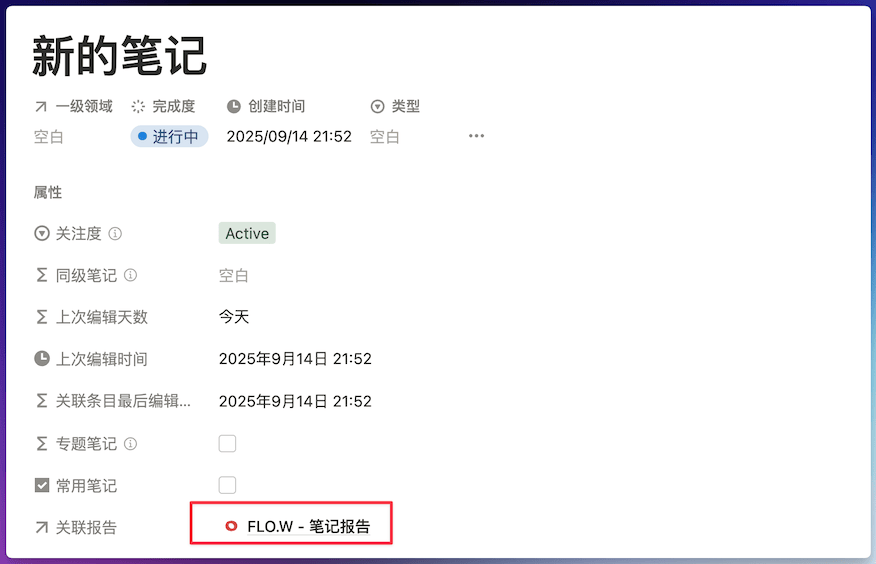
For example, below is a newly created [Note] page. You can check if its [Relation Report] property is blank. If so, please click this property and manually relate it to the [FLO.W - Note Report] page.
Method 2: Manually Click the Relation Button
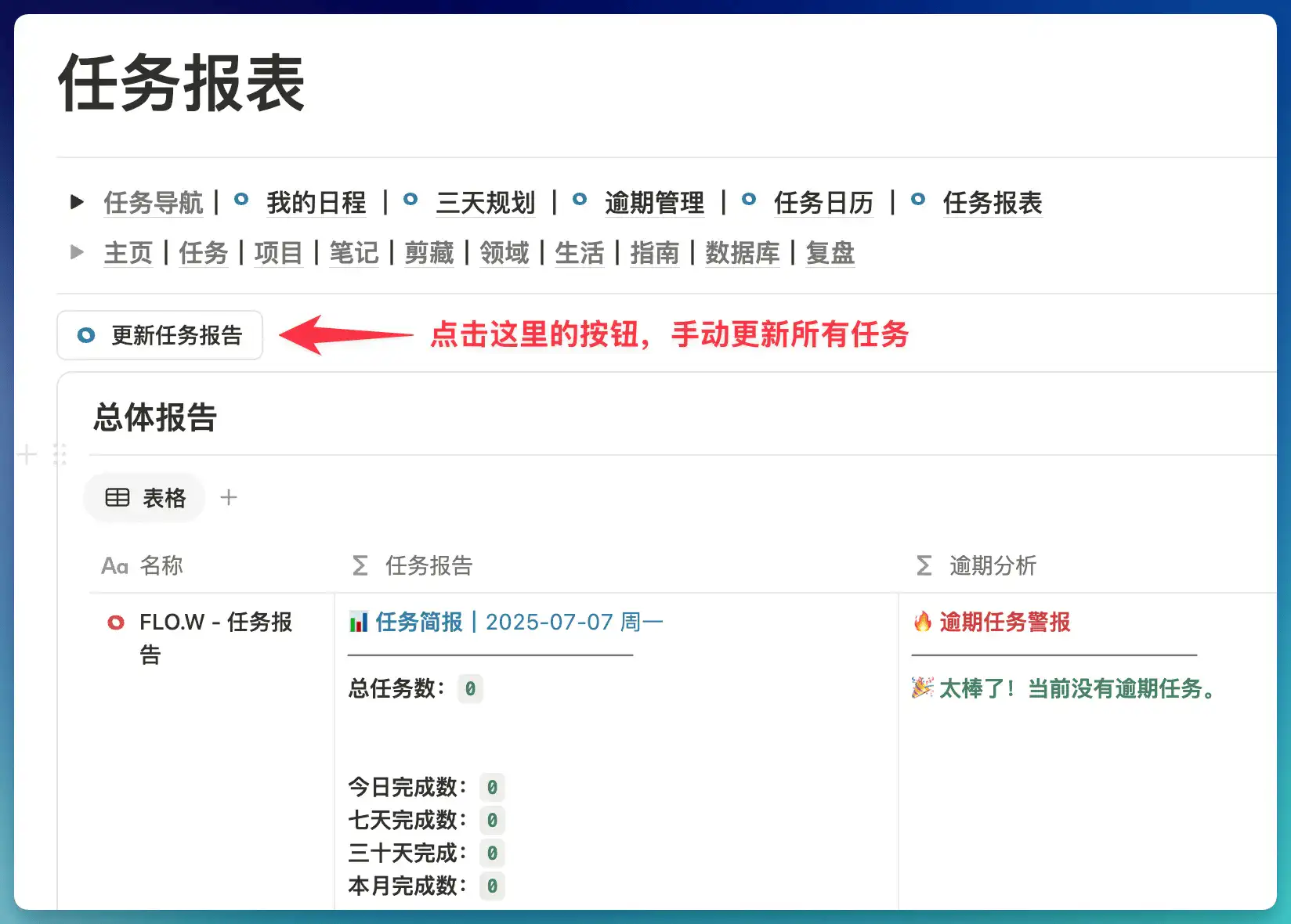
You can find the button shown below in each report page. After clicking, you can relate "all Tasks" to the "statistical formula", which will give you correct statistical results.
Method 3: Edit Template, Create Default Relation
After executing the operations in the video above, all Tasks you create thereafter will automatically be related to the Task statistics formula. If you find that statistical formulas for other Databases are also incorrect, you can edit the Database's default template in the same way.
Last updated on
Automation Tutorial
Automate repetitive tasks in your FLO.W Notion template with database automations that link tasks to projects and areas—zero errors, pure efficiency.
iPhone Shortcuts
Capture ideas on the go with iPhone Shortcuts that transcribe voice notes directly into your FLO.W Notion template—anytime, anywhere.