Notion Calendar Adds Smart Scheduling
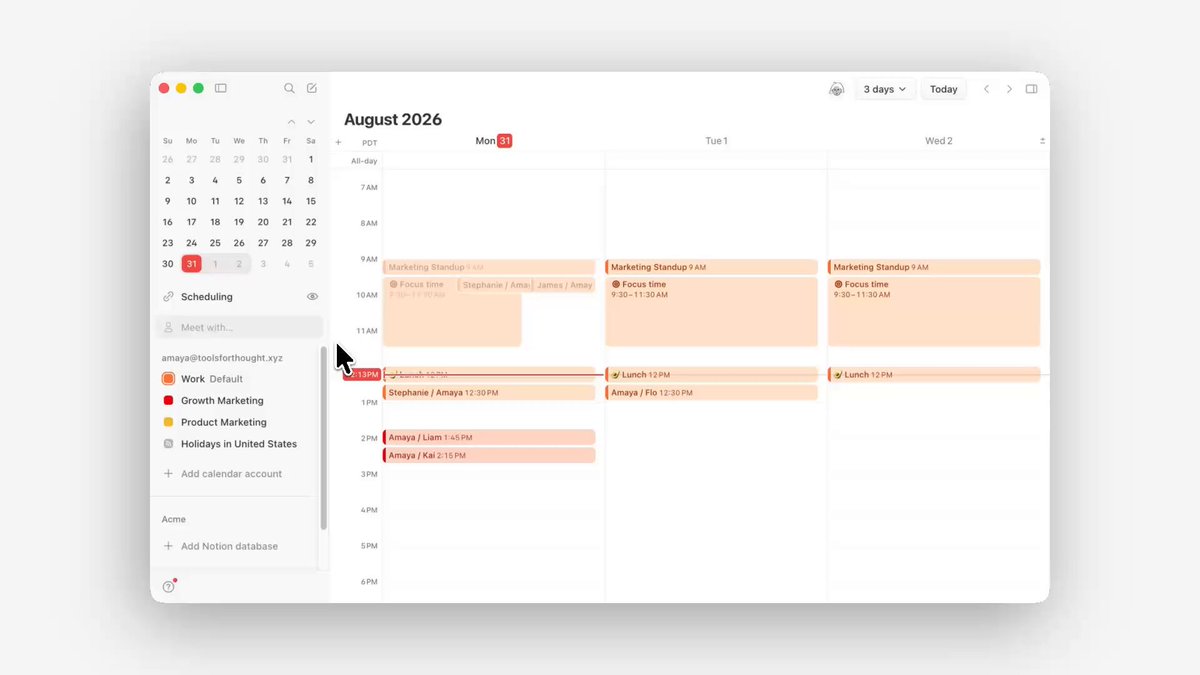
Notion Calendar now has smart scheduling. After you add people to a new event, Notion suggests times when everyone is free.
You can preview conflicts, pick a slot, and keep planning.
How to use it:
- Create a new event in Notion Calendar.
- Add participants.
- Choose a time from the suggested open slots.
Once people are on the invite, you will see shared free-time recommendations.
A complete, ready-to-use Notion personal system
If you don't want to spend dozens of hours figuring out database relations and workspace layouts from scratch, FLO.W is a refined, all-in-one Notion template system designed for tasks, projects, and knowledge management.
Connected databases link tasks, projects, and notes automatically
Includes detailed walkthrough guides and video tutorials
One-time purchase with all future major updates included
Explore FLO.W✨ 1638+ users chose FLO.W
Related Updates
- Notion Calendar Lets You Create Events With Natural Language
- Notion Agent Can Read and Write PPTX / XLSX / DOCX / PDF and More
- Notion Personal Agent Now Supports Outlook Calendar and Mail
- Notion External Agents: Claude and Cursor as Teammates on Your Task Board
- Notion Custom Agents Add 5 MCPs: Box, ClickHouse, Mercury, Miro, Mixpanel