Notion Custom Agents Add 5 MCPs: Box, ClickHouse, Mercury, Miro, Mixpanel
Custom Agents add 5 MCP connectors: Box, ClickHouse, Mercury, Miro, and Mixpanel. Agents can manage Box files, query ClickHouse Cloud and watch resources, pull Mercury balances and transactions on demand, read Miro boards and draw, and query Mixpanel product analytics.
How to use it:
- Open the Custom Agent's connector settings.
- Connect Box, ClickHouse, Mercury, Miro, or Mixpanel as needed.
- In chat, ask the Agent to look up files, run queries, check funds, read boards, or pull product metrics.
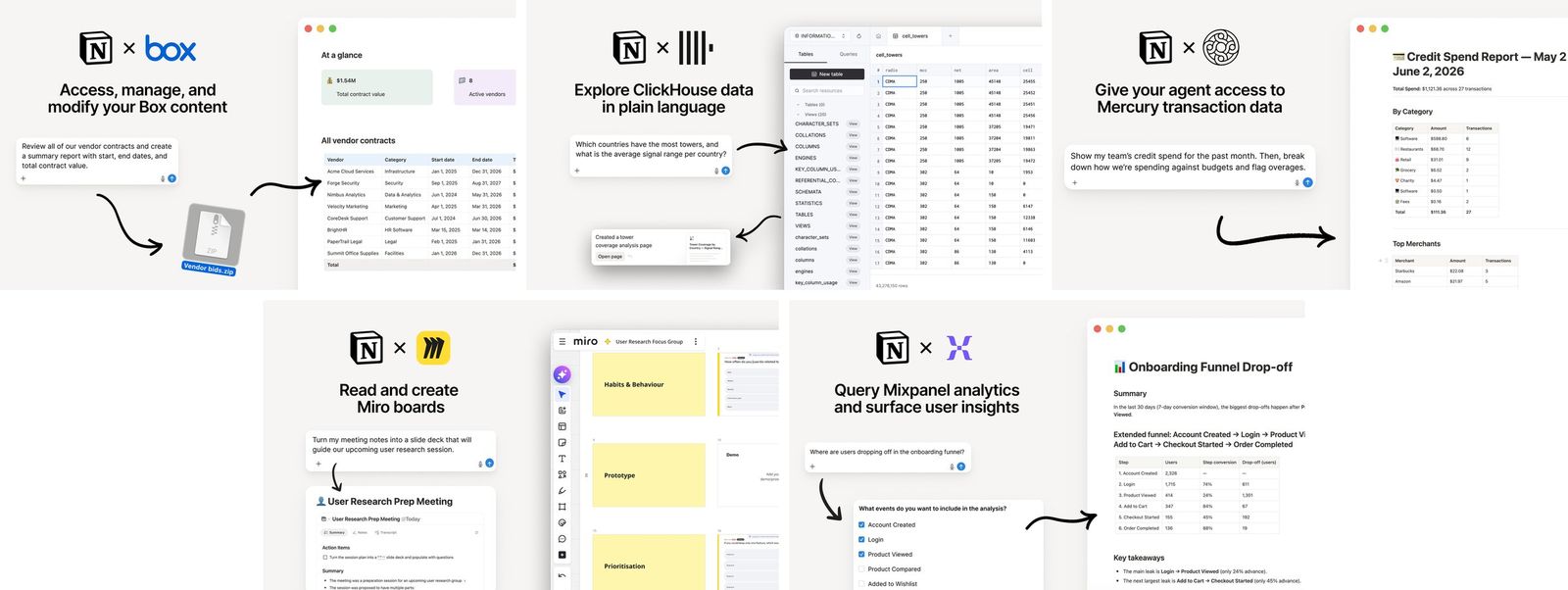
Once connected, these tools can be called directly in Agent conversations.
A complete, ready-to-use Notion personal system
If you don't want to spend dozens of hours figuring out database relations and workspace layouts from scratch, FLO.W is a refined, all-in-one Notion template system designed for tasks, projects, and knowledge management.
Connected databases link tasks, projects, and notes automatically
Includes detailed walkthrough guides and video tutorials
One-time purchase with all future major updates included
Explore FLO.W✨ 1622+ users chose FLO.W
Related Updates
- Notion Adds Claude Opus 5.5 plus GPT-6 Luna and Sol
- Notion Calendar Lets You Create Events With Natural Language
- Notion Adds GLM 5.3 and GLM 5.3 Flash to Personal and Custom Agents
- Notion Adds Open-Weight Model DeepSeek V4.1 Flash
- Notion Ships a Skills API That Syncs Team Skills to ChatGPT, Claude, and Local Agents