Notion AI Meeting Notes Add Speaker Labels
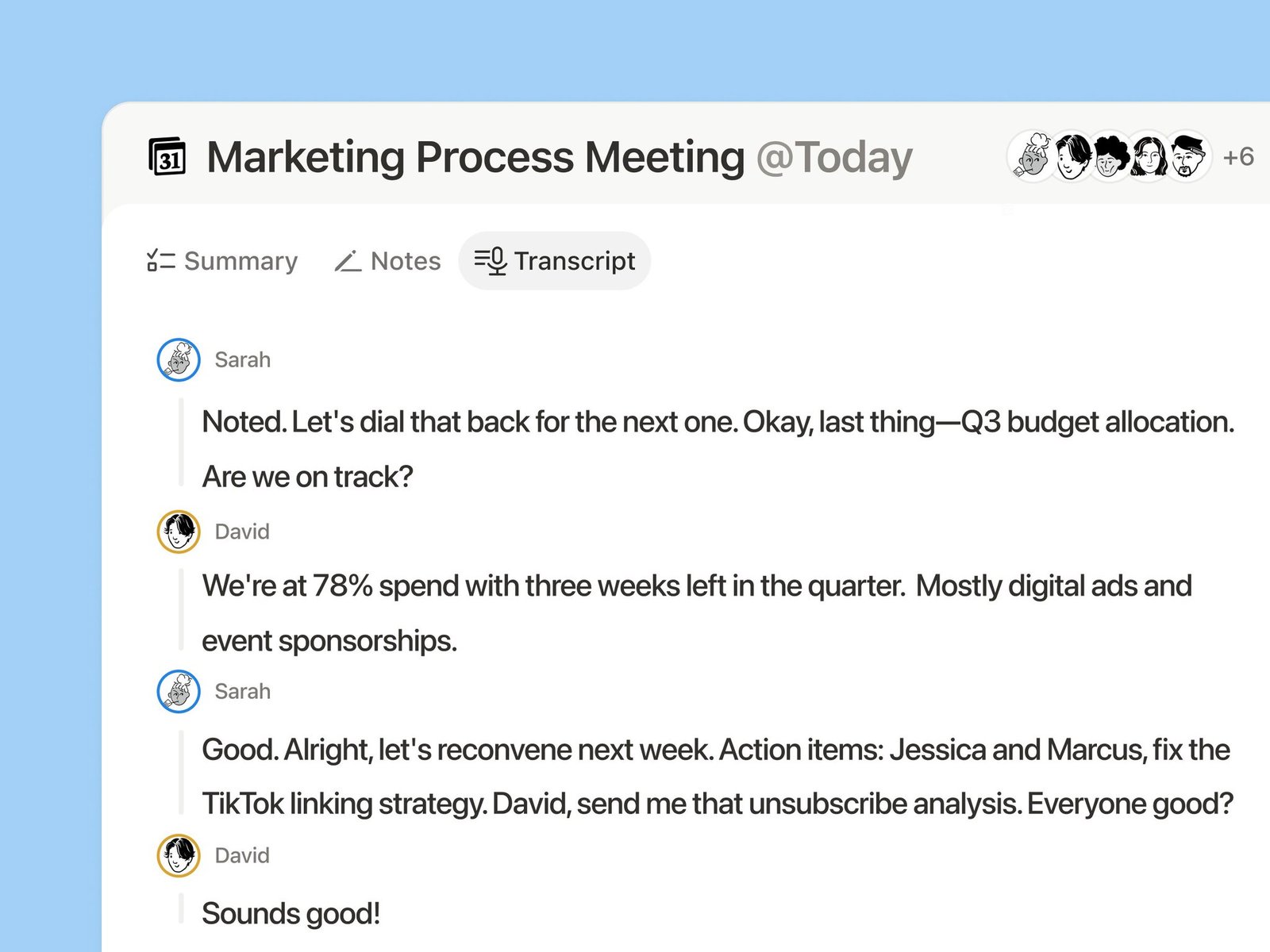
AI Meeting Notes now distinguishes speakers by the currently active microphone and adds speaker labels.
How to use it:
- Start a transcription with AI Meeting Notes as usual.
- After the notes generate, check the speaker labels in the body.
- Use clearer attribution to tidy summaries and follow-ups.
In multi-person meetings, summaries and todos map more easily to who said what.
A complete, ready-to-use Notion personal system
If you don't want to spend dozens of hours figuring out database relations and workspace layouts from scratch, FLO.W is a refined, all-in-one Notion template system designed for tasks, projects, and knowledge management.
Connected databases link tasks, projects, and notes automatically
Includes detailed walkthrough guides and video tutorials
One-time purchase with all future major updates included
Explore FLO.W✨ 1640+ users chose FLO.W
Related Updates
- Notion Buttons Can Now Send Prompts to Agents, Running Workflows in One Click
- Notion Rebuilds Synced Databases with Real-Time Data from GitHub, Jira, and Salesforce
- Notion Upgrades Version History with Real-Time Edit Highlights and Row-Level Database Changes
- Notion Adds Selectable Models: Claude Sonnet 5.5, Haiku 5.5, Fable 5 / 5.1 and GPT-6.1 Sol
- Notion Settings Now Lets You Discover and Manage MCP Clients