Notion Adds Custom Database Tab Display Options
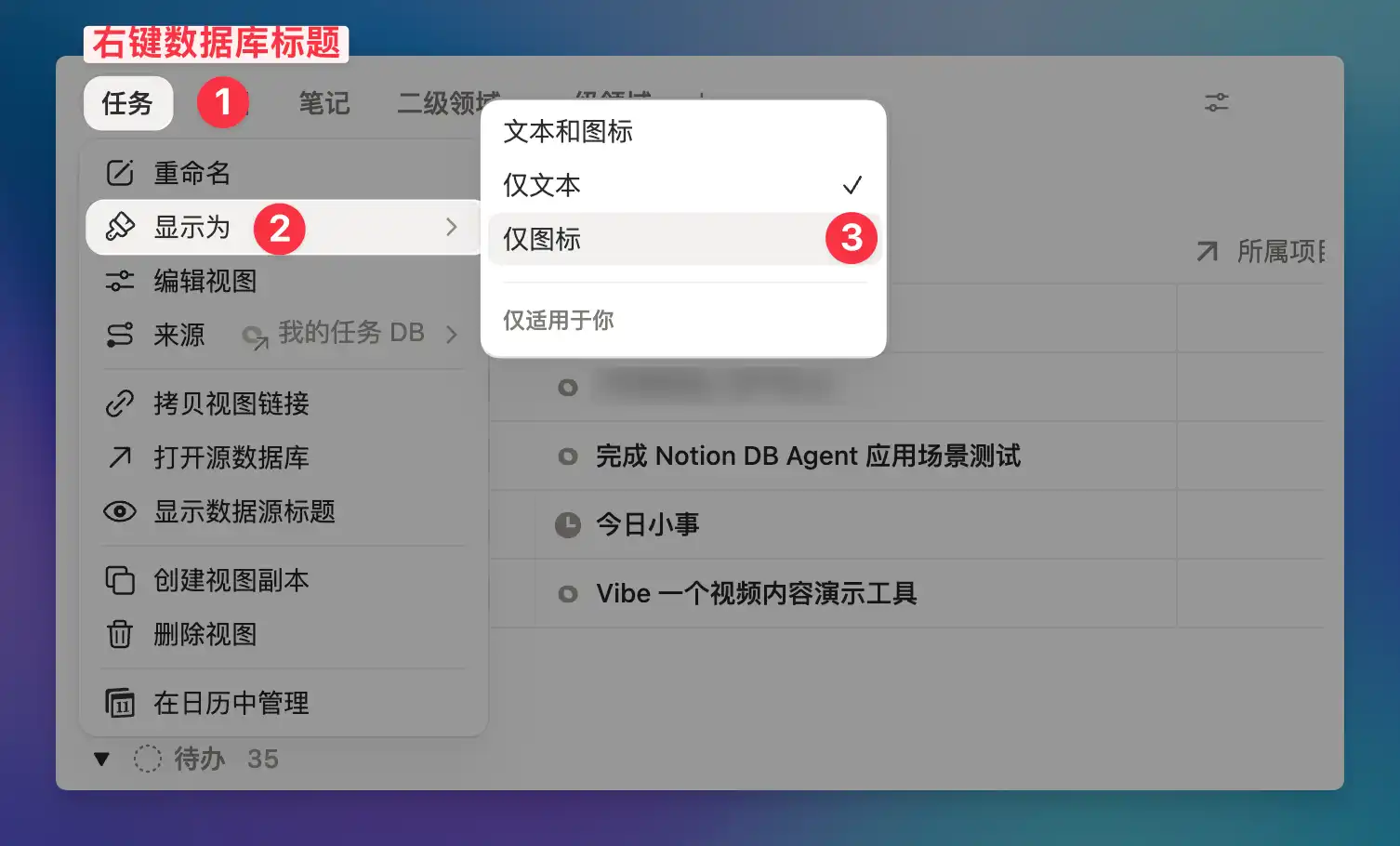
When you have many database views, the tabs at the top can get crowded and cluttered. Notion now supports customizing how tabs are displayed. Right-click on a tab and select "Display as" to switch between three modes: text and icon, text only, or icon only.
This setting only applies to you and won't affect your collaborators' views. If you prefer using icons to distinguish views, switch to "Icon only" mode for a cleaner, more space-efficient look. Along with the earlier Dashboard view, database visualization and personalization keeps getting better.
A complete, ready-to-use Notion personal system
If you don't want to spend dozens of hours figuring out database relations and workspace layouts from scratch, FLO.W is a refined, all-in-one Notion template system designed for tasks, projects, and knowledge management.