Notion Agent Now Supports Suggest Edits
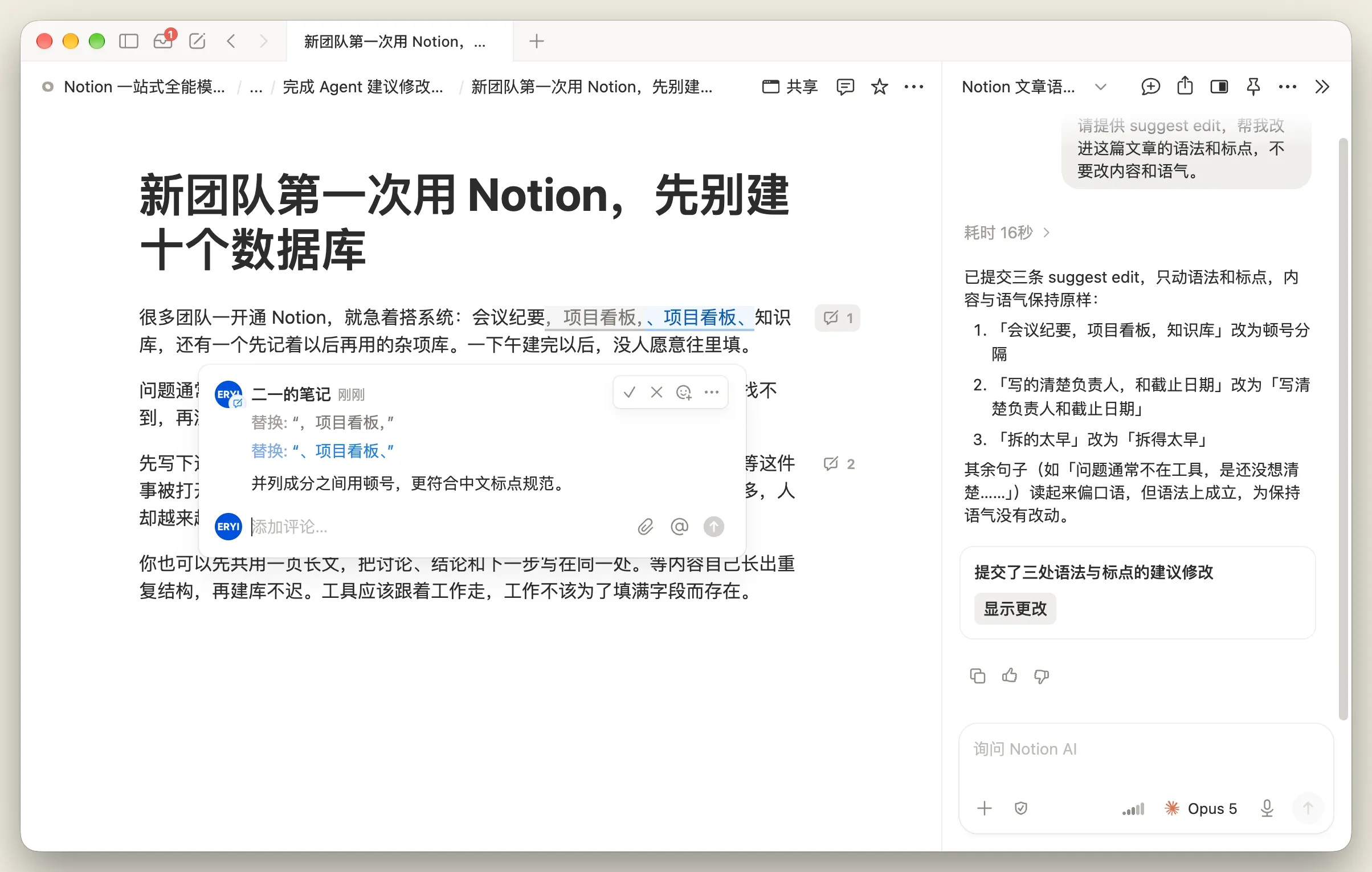
When polishing a draft for publication, you want grammar and punctuation cleaned up without losing your tone or key wording. You can now have Notion Agent propose changes first, creating numbered suggestion cards in the margin where you review and accept or reject each edit with a checkmark or cross.
When prompting the Agent, make sure to explicitly include the keyword suggest edit. For example: "Please review this article for grammar and typos without changing the tone. Please use suggest edit."
If suggestion cards do not appear, check the following:
- Turn off auto mode
- Make sure
suggest editis clearly stated in the prompt, as translated phrases often fail to trigger the mode
This capability pairs with the earlier change diffs feature as a two-step workflow: approve changes first, then keep a full audit trail afterwards.
A complete, ready-to-use Notion personal system
If you don't want to spend dozens of hours figuring out database relations and workspace layouts from scratch, FLO.W is a refined, all-in-one Notion template system designed for tasks, projects, and knowledge management.
Related Updates
- Notion Buttons Can Now Send Prompts to Agents, Running Workflows in One Click
- Notion Rebuilds Synced Databases with Real-Time Data from GitHub, Jira, and Salesforce
- Notion Upgrades Version History with Real-Time Edit Highlights and Row-Level Database Changes
- Notion Adds Selectable Models: Claude Sonnet 5.5, Haiku 5.5, Fable 5 / 5.1 and GPT-6.1 Sol
- Notion Settings Now Lets You Discover and Manage MCP Clients