Notion Notifications Can Now Be Received and Replied To in Microsoft Teams
Notion notifications can now be pushed to Microsoft Teams. In the "Notion Notifications" chat in Teams you can see comment cards, open them in Notion, or reply directly.
How to use it: in Notion, open Settings → Notifications → Connected Apps and connect Microsoft Teams.
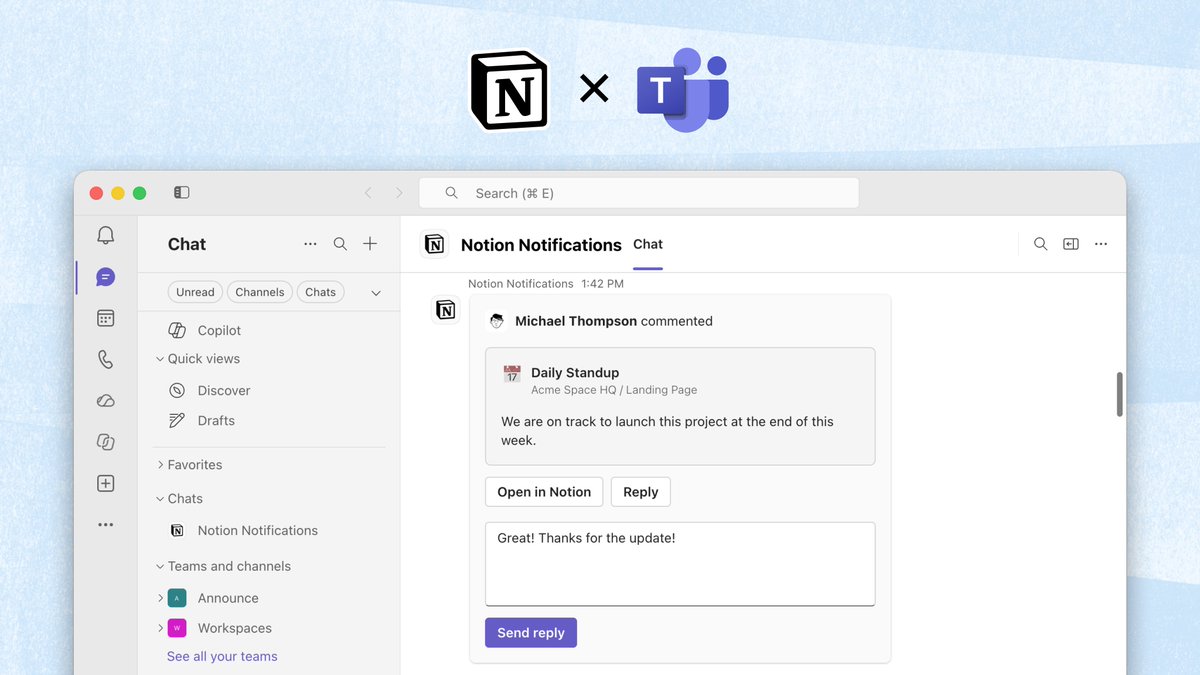
Once connected, relevant Notion notifications show up on the Teams side. Click "Open in Notion", or type a reply in the card and send it.
A complete, ready-to-use Notion personal system
If you don't want to spend dozens of hours figuring out database relations and workspace layouts from scratch, FLO.W is a refined, all-in-one Notion template system designed for tasks, projects, and knowledge management.
Connected databases link tasks, projects, and notes automatically
Includes detailed walkthrough guides and video tutorials
One-time purchase with all future major updates included
Explore FLO.W✨ 1631+ users chose FLO.W
Related Updates
- Notion Admins Can Set Default Sidebar Presets for New Members
- Notion Settings Now Lets You Discover and Manage MCP Clients
- Notion Agent Can Now Use Your ChatGPT Plus, Pro or Go Plan Allowance
- Notion Ships a Skills API That Syncs Team Skills to ChatGPT, Claude, and Local Agents
- Notion Custom Agents Can Call Sub-Agents