Notion Adds a Customizable Sidebar
Notion now has a customizable sidebar.
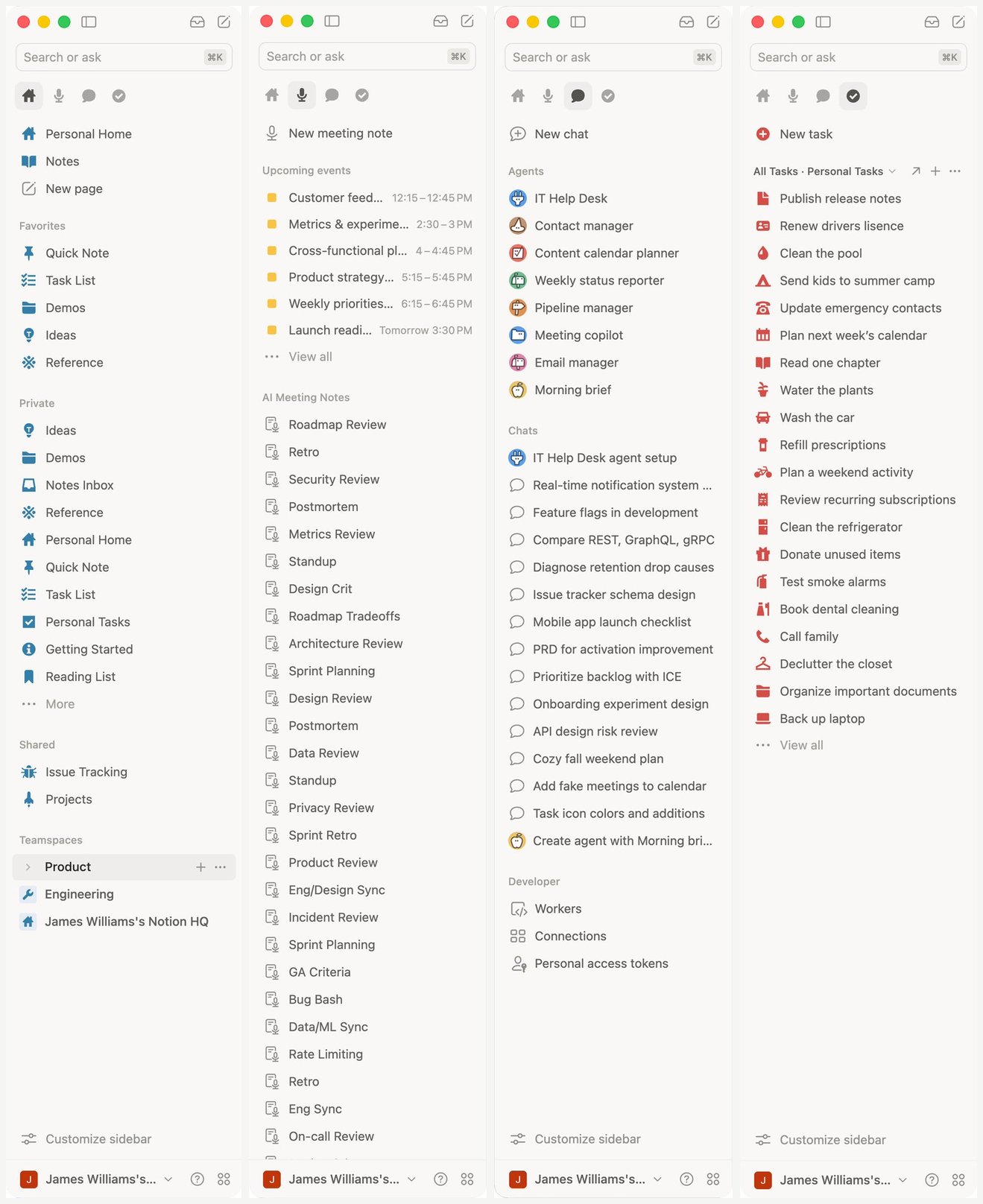
At the top you can switch between Home, Meetings, Chat, and Tasks. At the bottom, Customize sidebar lets you add or remove sections, shortcuts, and pin database table views into the sidebar.
How to use it:
- Open Customize sidebar at the bottom of the left sidebar.
- Add or remove sections to match how you work — notes, meetings, Agent, tasks, and more.
- When you need to keep tasks in view, pin a task list or any database table view.
- If you do not see the control yet, wait for the rollout to reach your workspace.
A complete, ready-to-use Notion personal system
If you don't want to spend dozens of hours figuring out database relations and workspace layouts from scratch, FLO.W is a refined, all-in-one Notion template system designed for tasks, projects, and knowledge management.
Connected databases link tasks, projects, and notes automatically
Includes detailed walkthrough guides and video tutorials
One-time purchase with all future major updates included
Explore FLO.W✨ 1638+ users chose FLO.W
Related Updates
- Notion Lets You Embed a Custom Agent Chat on Any Page
- Notion Supports Previewing and Importing Markdown Files
- Notion Nested Menus Get Safe-Triangle Fix for Easier Submenu Hover
- Notion AI Meeting Notes Add Speaker Labels
- Notion HTML Blocks: Build Interactive Explainers, Prototypes, and Dashboards with AI