 MkSaaS Docs
Reading a Book
Using FLO.W Template for deep reading, from excerpts to book reviews, internalizing knowledge into your own wisdom
Deep reading is the process of transforming reading from passive reception to active learning. In the FLO.W Template, you can systematically go through first reading, excerpting, thinking, and outputting, truly internalizing book knowledge into your own wisdom.
Add New Book
Follow the path shown below to find the [Clipper - Books] module, then click the [Add New Book] button
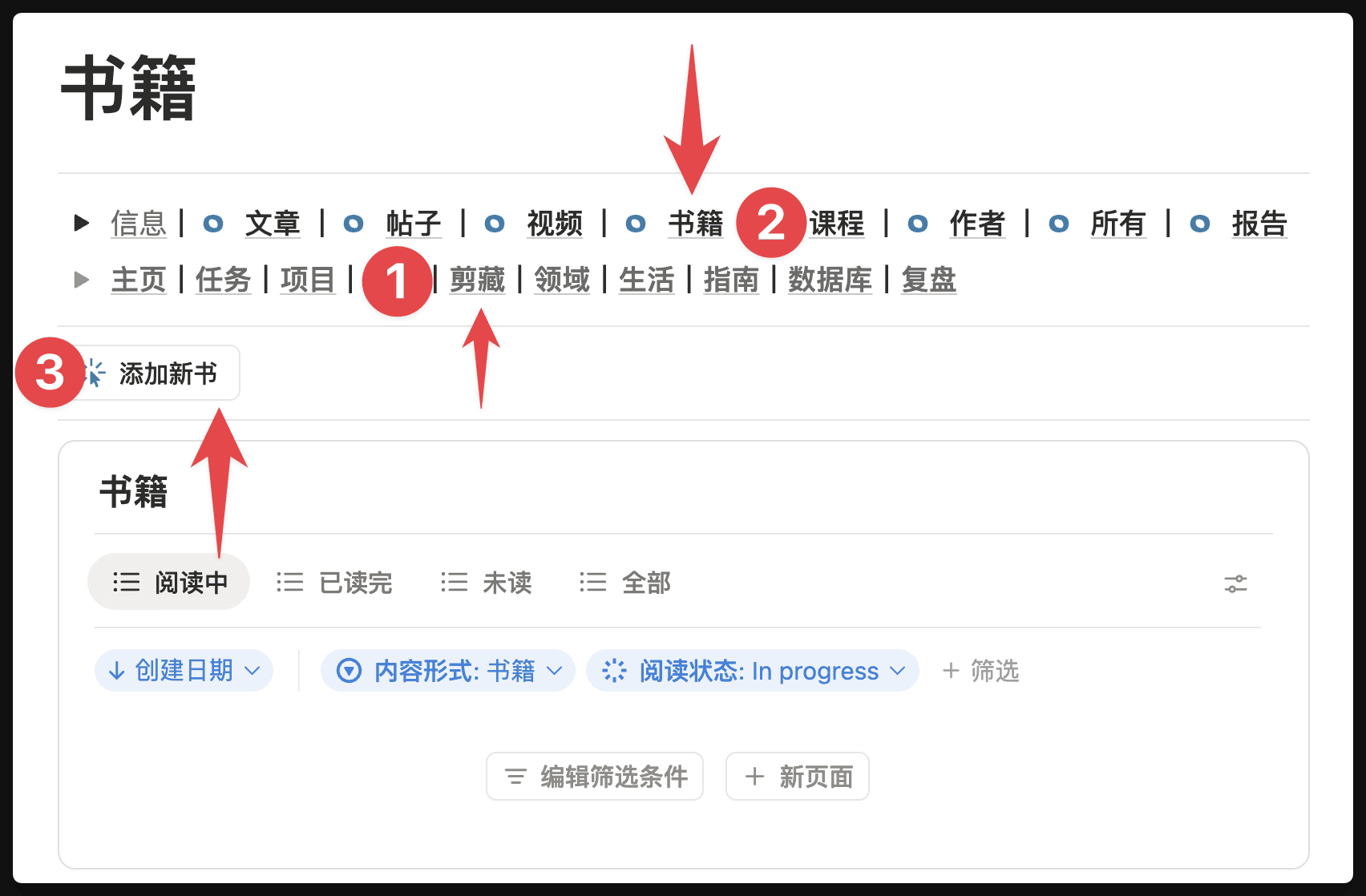
After clicking the [Add New Book] button, a page will be automatically created where you can record information such as the book title, author, reading progress, and other fields.

Link Author
Use the [From] field to record the author of this book
After clicking, a search box will pop up. If this is your first time adding an author, there should be no authors here yet. You can directly enter the author name, then click [Create Page]
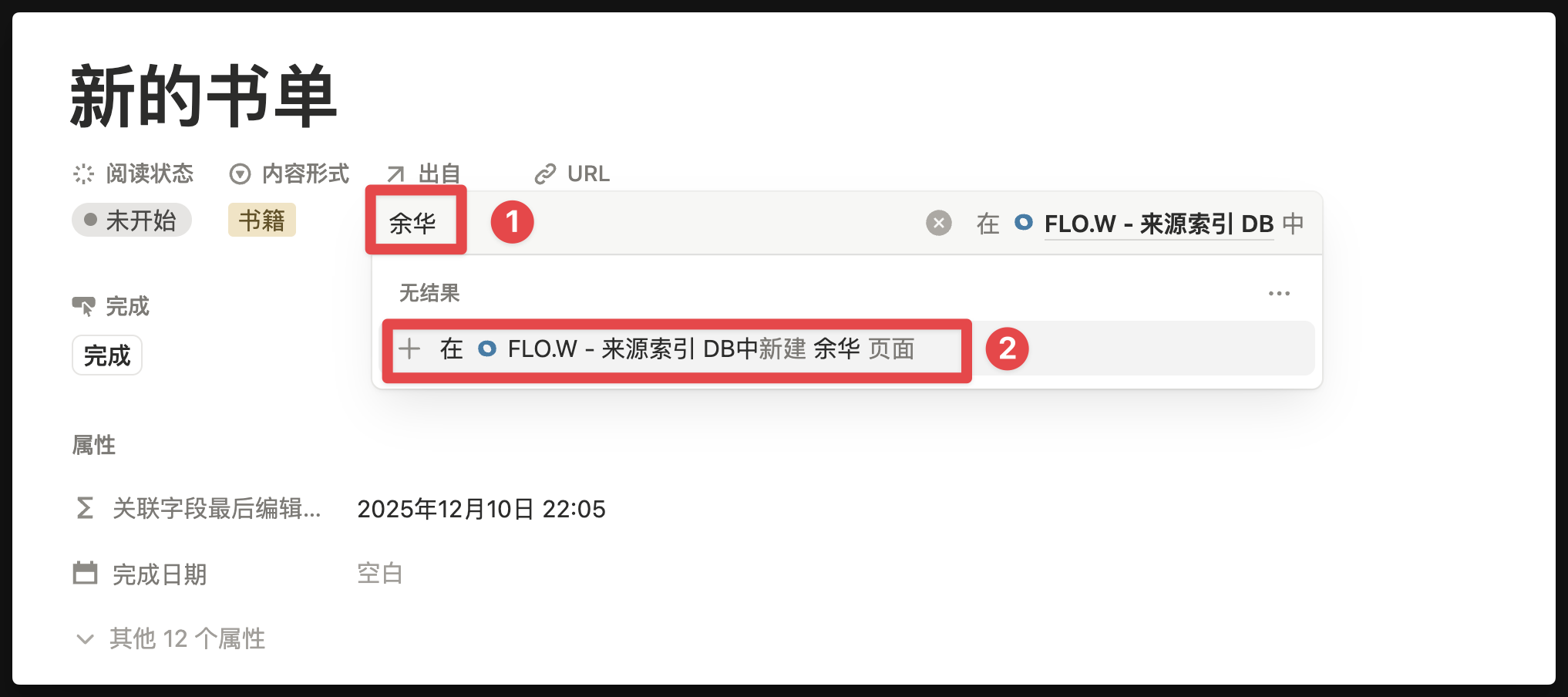
If you have previously filled in the author elsewhere, simply select the author you want to link
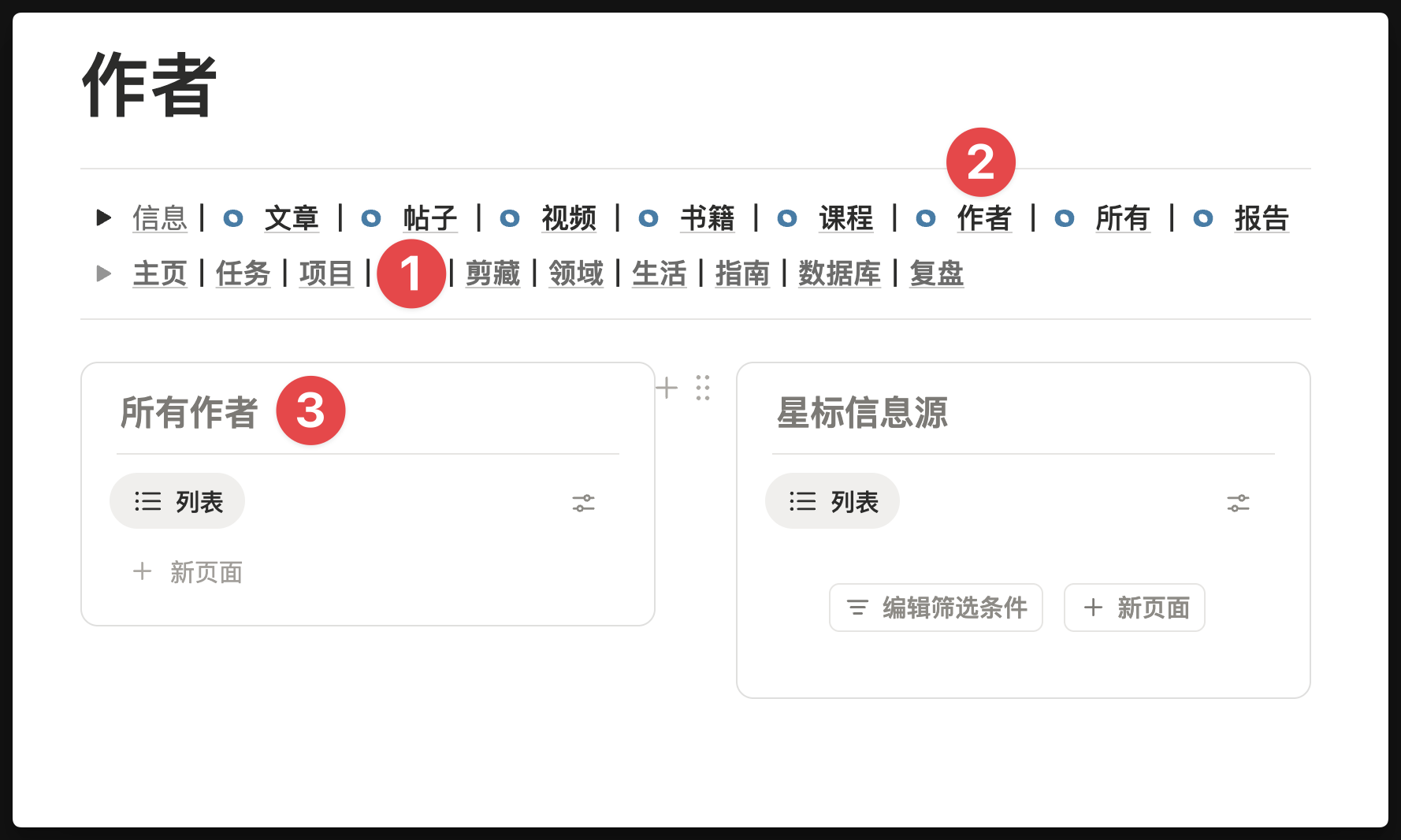
If you want to view all the authors you have created, you can open the [Author] module following the path shown below
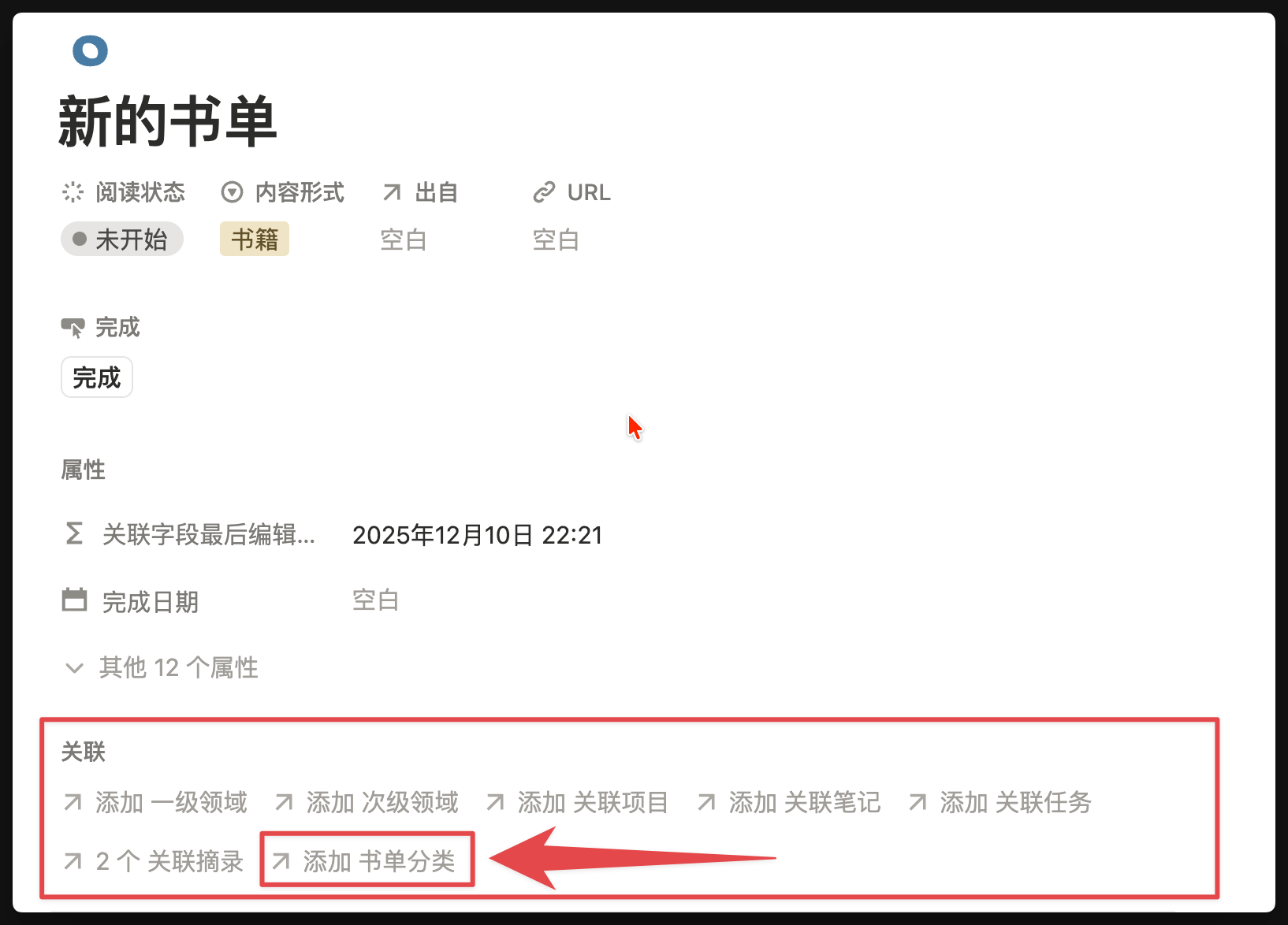
Link Category
Find [Relation - Book List Category] to add a category for this book, such as [Wealth Management]
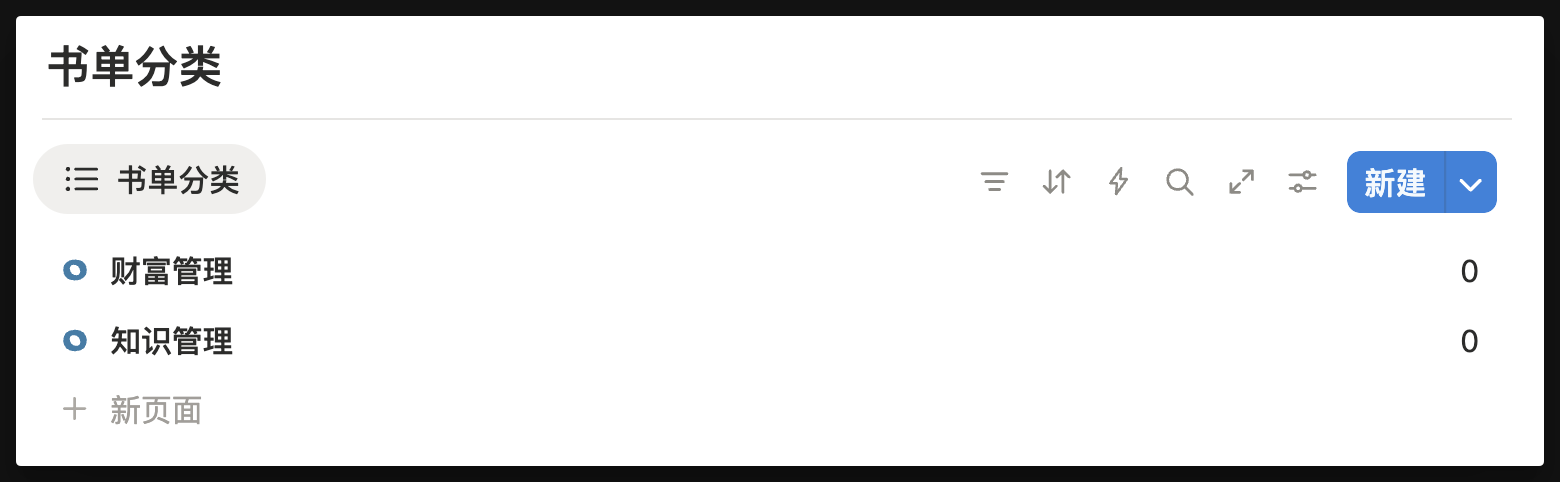
At the bottom of the [Clipper - Books] page, you will see all book list categories
Book Excerpts
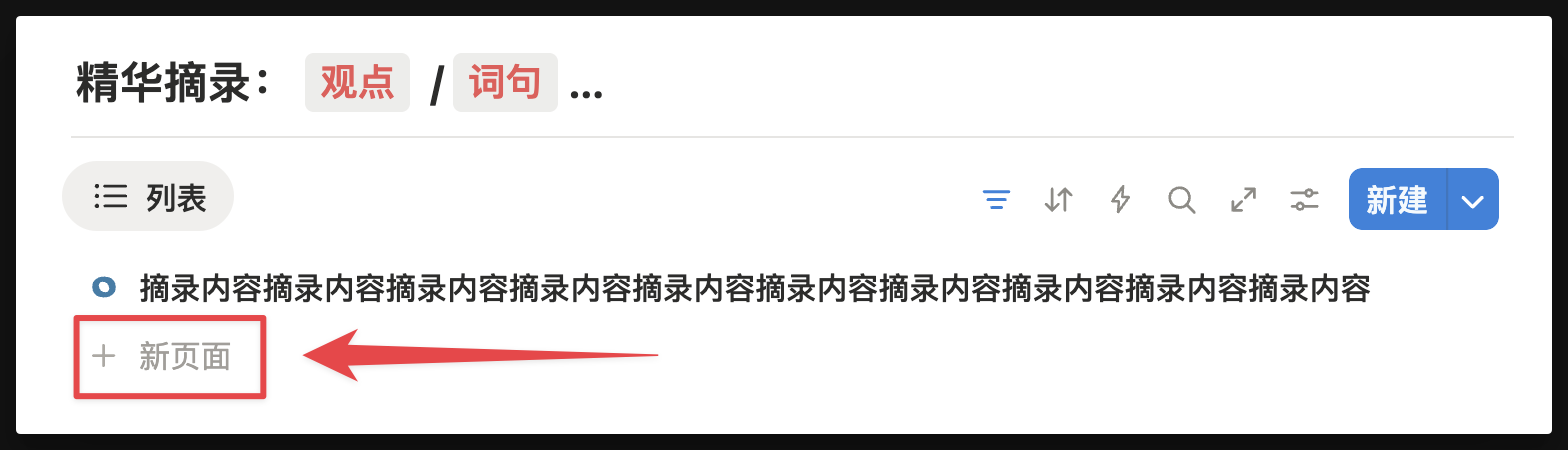
Excerpt sentences
During the reading process, if you have sentences you want to excerpt, you can directly click the [Excerpt] button on the book page, then enter the sentences you want to excerpt.
Manage all excerpts
Return to the [Clipper - Books] page and find the [Excerpts] module, where you can see all your excerpts.
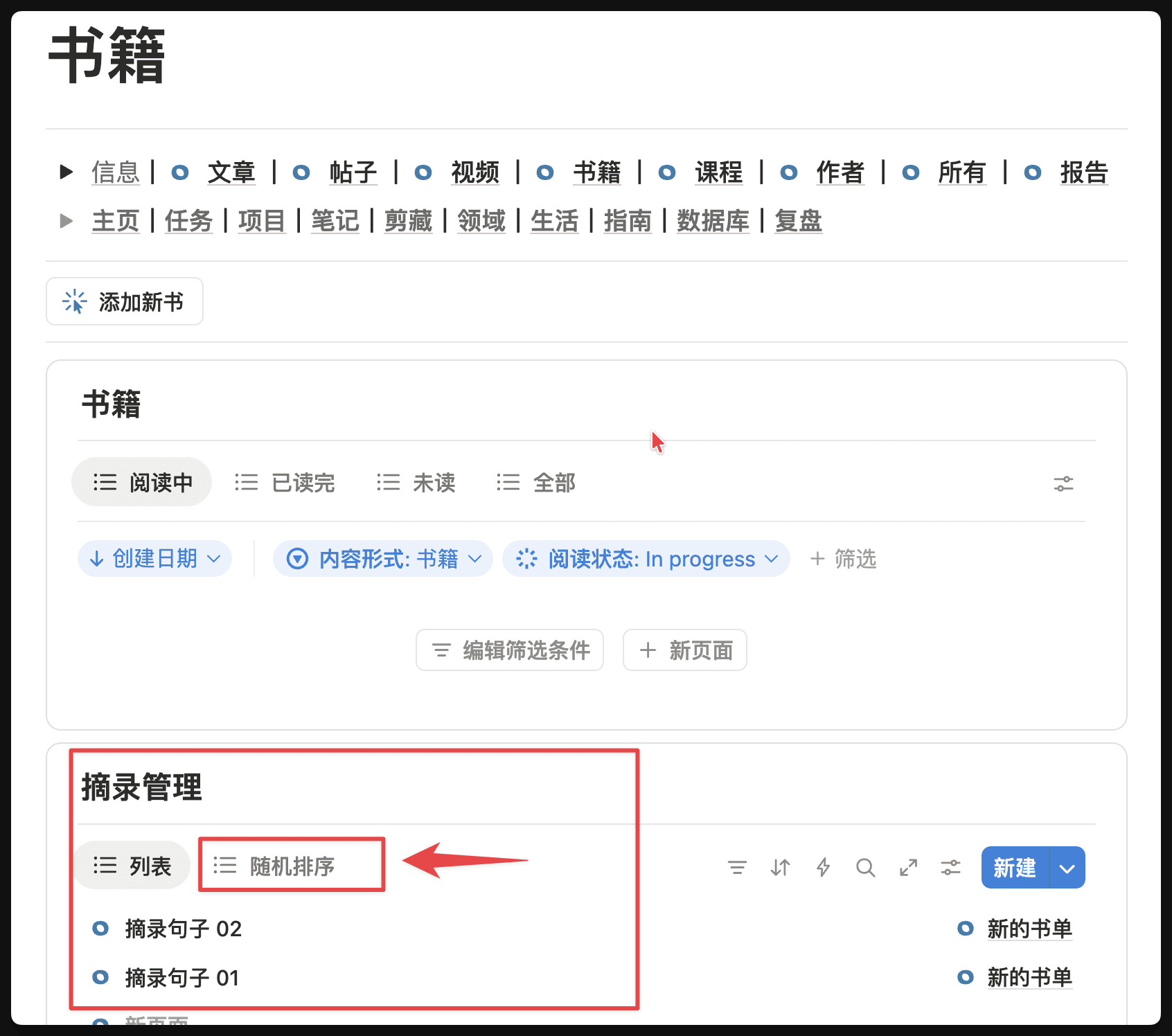
Additionally, in the [Excerpts] Database, there is a [Random Sort] feature that can randomly sort all your excerpts to avoid seeing them in the same order every time.
FAQ
Q: What's the difference between "Excerpt Management DB" and "My Notes - Ref"?
A: The core difference lies in information source and processing depth:
- Excerpt Management DB: Primarily serves the deep reading flow. It is used to record "original text" from books - those original sentences or paragraphs you want to preserve, unmodified.
- : The core logic is "information processed by humans". According to the definition, whether it's manually entered inspiration, diary, or information copied from elsewhere and screened, organized, and archived by you (such as Ref-Resource/Excerpt/Tool), as long as it enters your processing flow and transforms into a Note, it can be classified under "My Notes".
Q: Should non-book excerpts (like articles, web fragments) also be put in "Excerpt Management DB"?
A: It is recommended to directly create Notes. The current "Excerpt Management DB" is primarily designed for establishing book deep reading topics. For daily article excerpts, directly creating or recording them in Notes will be more efficient. Only use the excerpt management module when you need to establish a complete excerpt index and random display view for a specific book.
Content Creation
Using FLO.W Template for content creation workflow, from inspiration management to content publishing complete process
Beginner Pitfalls to Avoid
Use this Notion template to solve various questions in the getting started phase: including how to modify default templates, adjust property visibility, fix template activation failures, and how to efficiently learn with the course.