 Notion Formulas
Template Examples
FLO.W uses Notion formulas for task reminders, project progress, note heatmaps, reports, and life logs, turning functions from syntax into usable system results.
Learning Notion functions is fun, but what many people really want is not just to "learn a function." They want their Notion pages to become more useful first.
The first time you understand an if() condition, use dateBetween() to calculate the difference between two dates, or turn a result into a colorful label with style(), there is a little sense of "so Notion can do this too."
But when you start building your own system, that excitement is quickly interrupted by a harder question: how should task reminders be written, how should project progress be calculated, how do you generate a yearly heatmap, and how do reports keep their numbers accurate?
Functions can be learned gradually, but these results are more useful when they are available now. FLO.W puts common formulas into task, project, note, report, and life-log pages, turning them directly into reminders, progress, heatmaps, reports, and score analyses.
This is not another formula tutorial
This manual explains functions: how if() evaluates conditions, what dateBetween() returns, and when to use map() and filter().
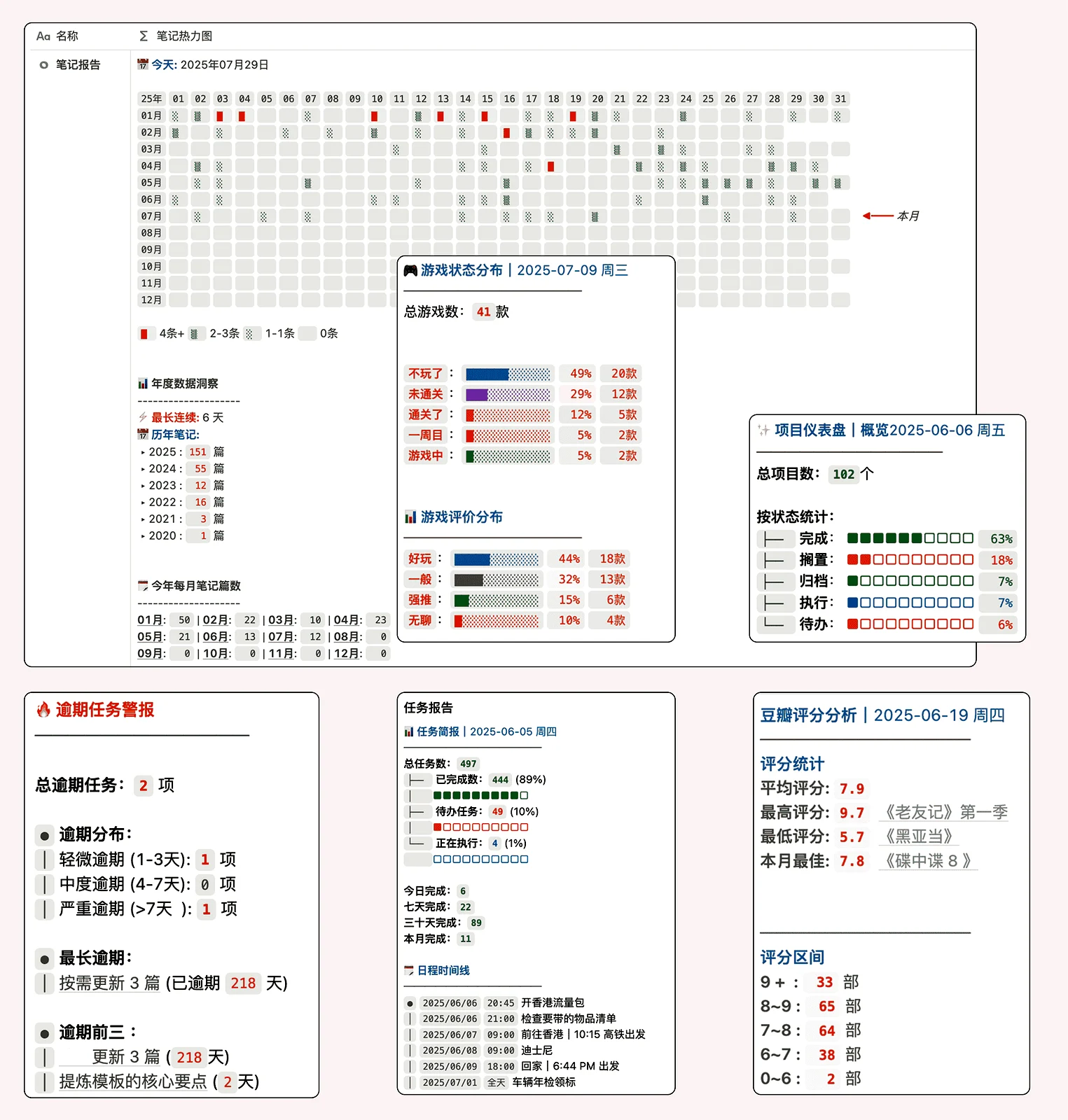
The FLO.W template examples show something else: what these functions become after they are placed inside a real system.
The same if() is a conditional branch in the manual. In a task system, it can surface overdue tasks. dateBetween() is only the difference between two dates on a function page. In a review or project page, it can become remaining days, delayed days, or a streak count. style() is only a styling function by itself. In boards and reports, it makes important states easier to scan.
So this page is not asking you to memorize more functions. It is here to show that formulas should eventually sit behind the page, letting the system provide reminders, progress, and judgments on its own.
Learning functions is fun. Building systems takes more time.
Looking up one function is quick. The time-consuming part is placing it inside a database structure that can keep working over the long term.
You need to decide how properties are named, how status options are designed, how empty dates are handled, how related databases connect, and whether rollup results can continue to be read by formulas.
These may look like small details, but if any one of them is handled poorly, formula results become unstable.
FLO.W handles these details ahead of time. It first sets up the databases, properties, relations, rollups, and common formulas, then places the results back into actual pages. What you see is a working set of pages, not an isolated piece of code.
Tasks: make overdue items surface automatically
The most valuable formulas in a task system usually do not need to be so complex that they are hard to read. If a formula saves one manual check every day, it is already worthwhile.
Whether a task has been scheduled, whether it has been completed, whether its completion date is later than its due date, and whether its status conflicts with its dates are all good jobs for formulas.
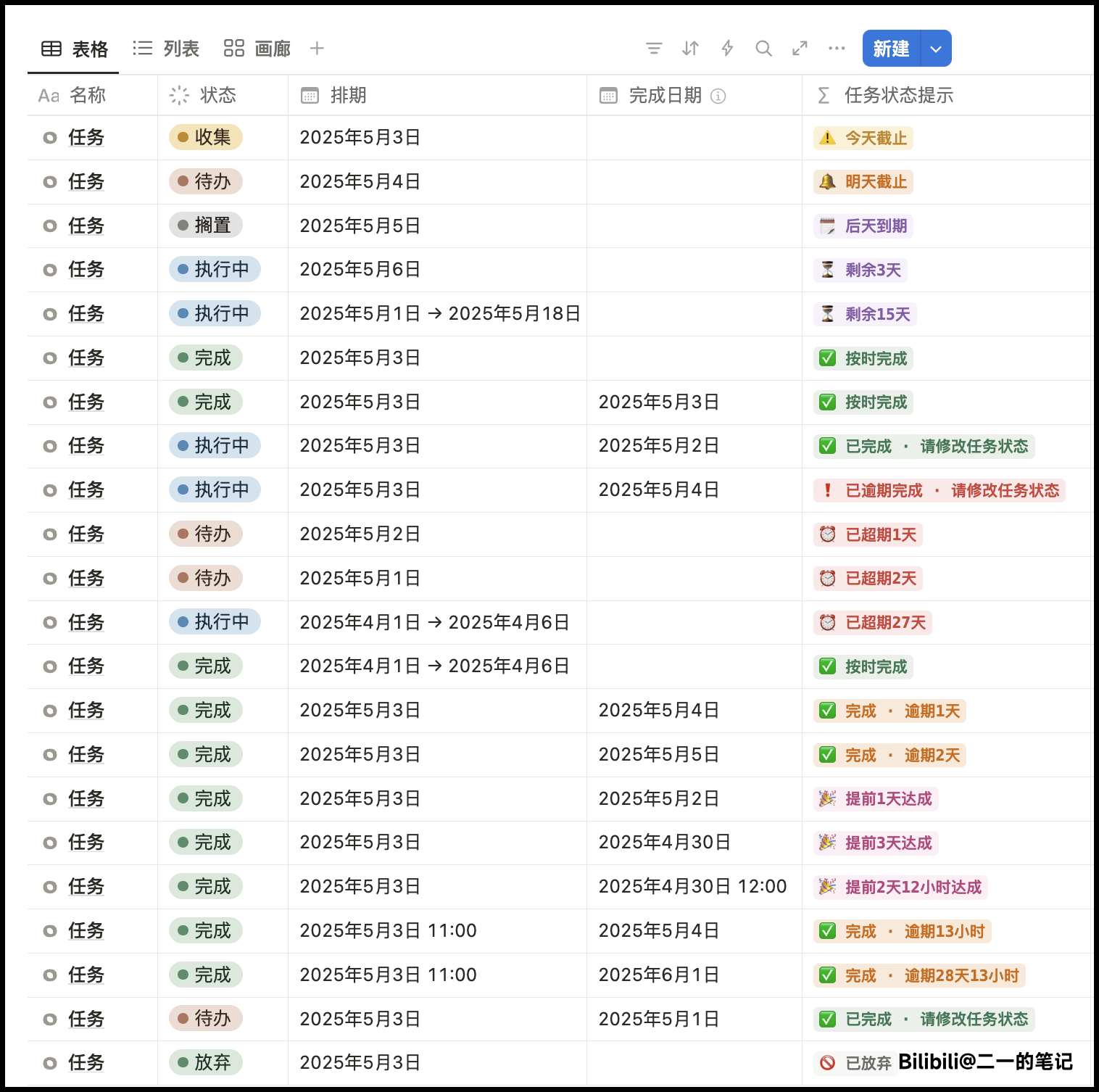
Behind this kind of result, ifs() handles multiple conditions, dateBetween() calculates time differences, and style() turns the result into a label that is easier to scan.
When you open a task list, you should not need to judge every task one by one. The tasks that need attention should rise to the surface by themselves.
Reports: let scattered data summarize itself
FLO.W includes dedicated report pages for summarizing records from tasks, notes, and other databases.
These reports rely on relations, rollups, and formulas. They gather data scattered across different pages and organize it into results you can read directly.
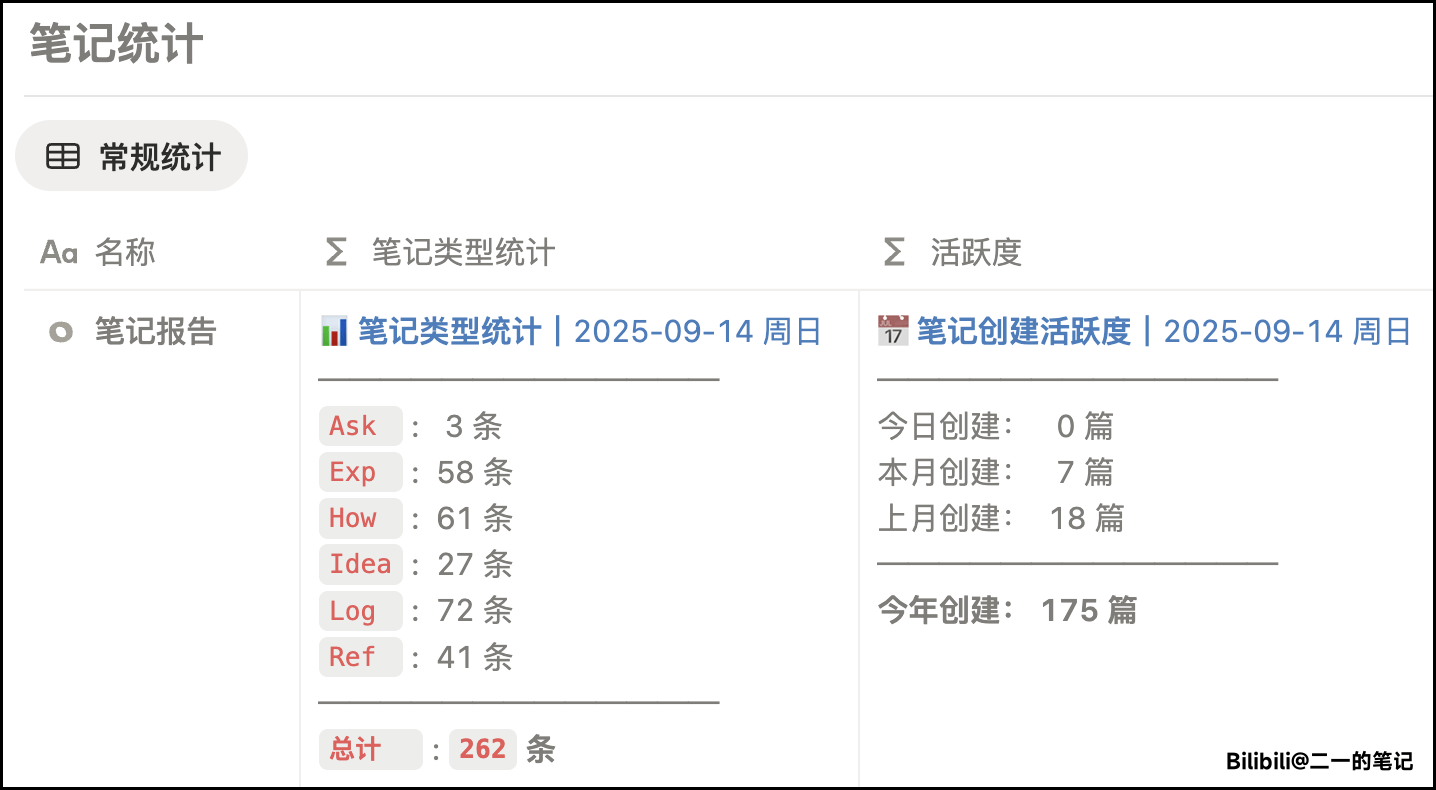
The point here is not whether one function looks impressive. The point is whether the data flow is connected. When a task is completed, project progress changes with it. When notes are added, statistical reports update with them. When new records enter the system, review pages can see them too.
That is the value of formulas inside a complete system. They turn scattered actions into visible feedback.
Habits: make consistent action visible
Habit tracking has a subtle problem.
Completing one day does not feel like much. Missing one day is also easy to ignore. Over time, what you really need to see is the trend: whether recent days are stable, whether there have been repeated interruptions, and which months clearly loosened.
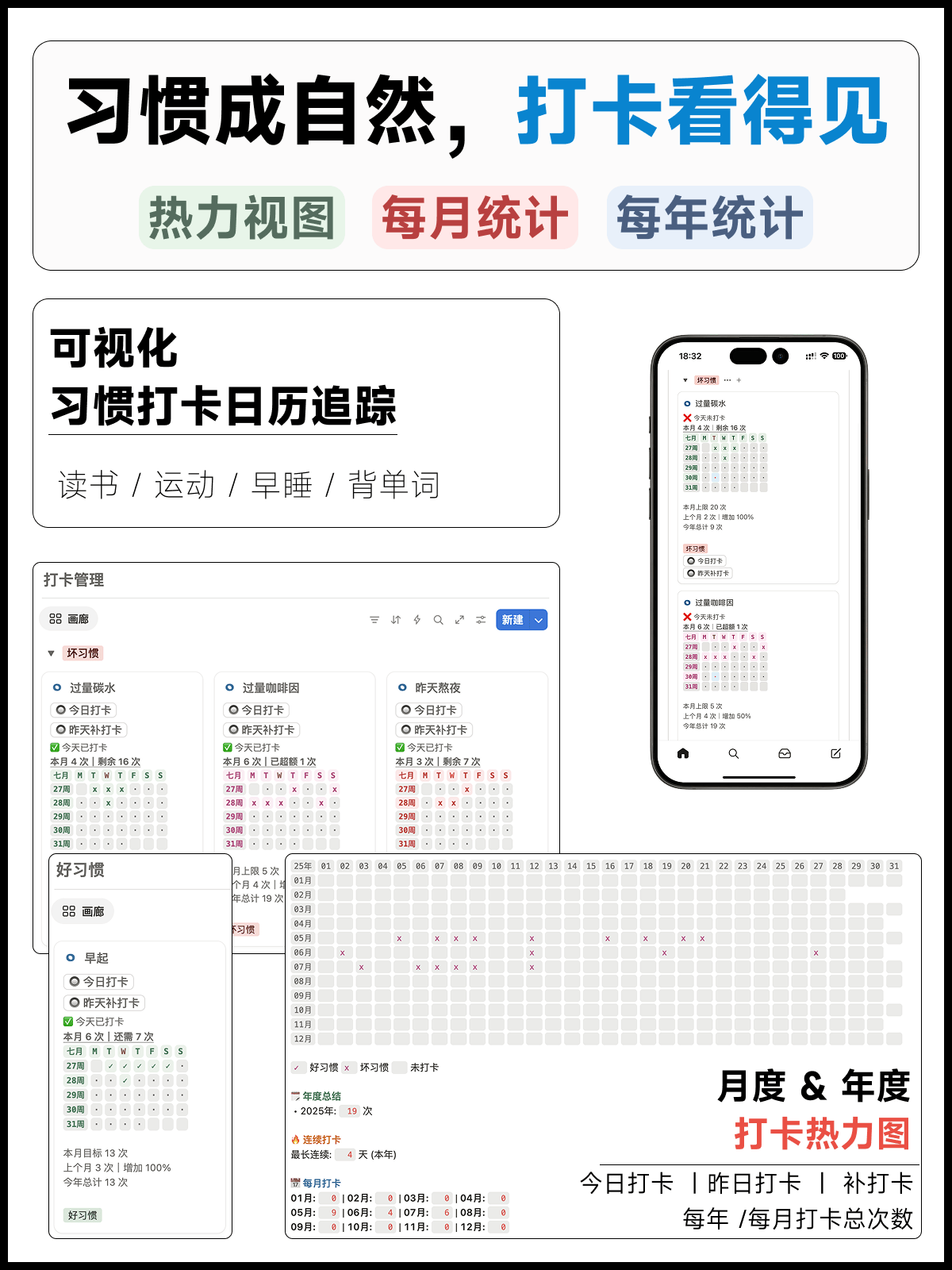
FLO.W's habit module turns daily records into a heatmap. Here, formulas do more than count times. They turn a year's traces of action into a chart you can actually read.
Behind this kind of page are date checks, count statistics, and styled display. The user sees color blocks, while the system runs on structured records underneath.
Life: turn records into judgments
Formulas can also handle very everyday questions.
For example, in an asset list, the purchase price, usage duration, daily cost, and whether an idle item is still worth keeping can all be calculated from purchase date, price, and usage status.
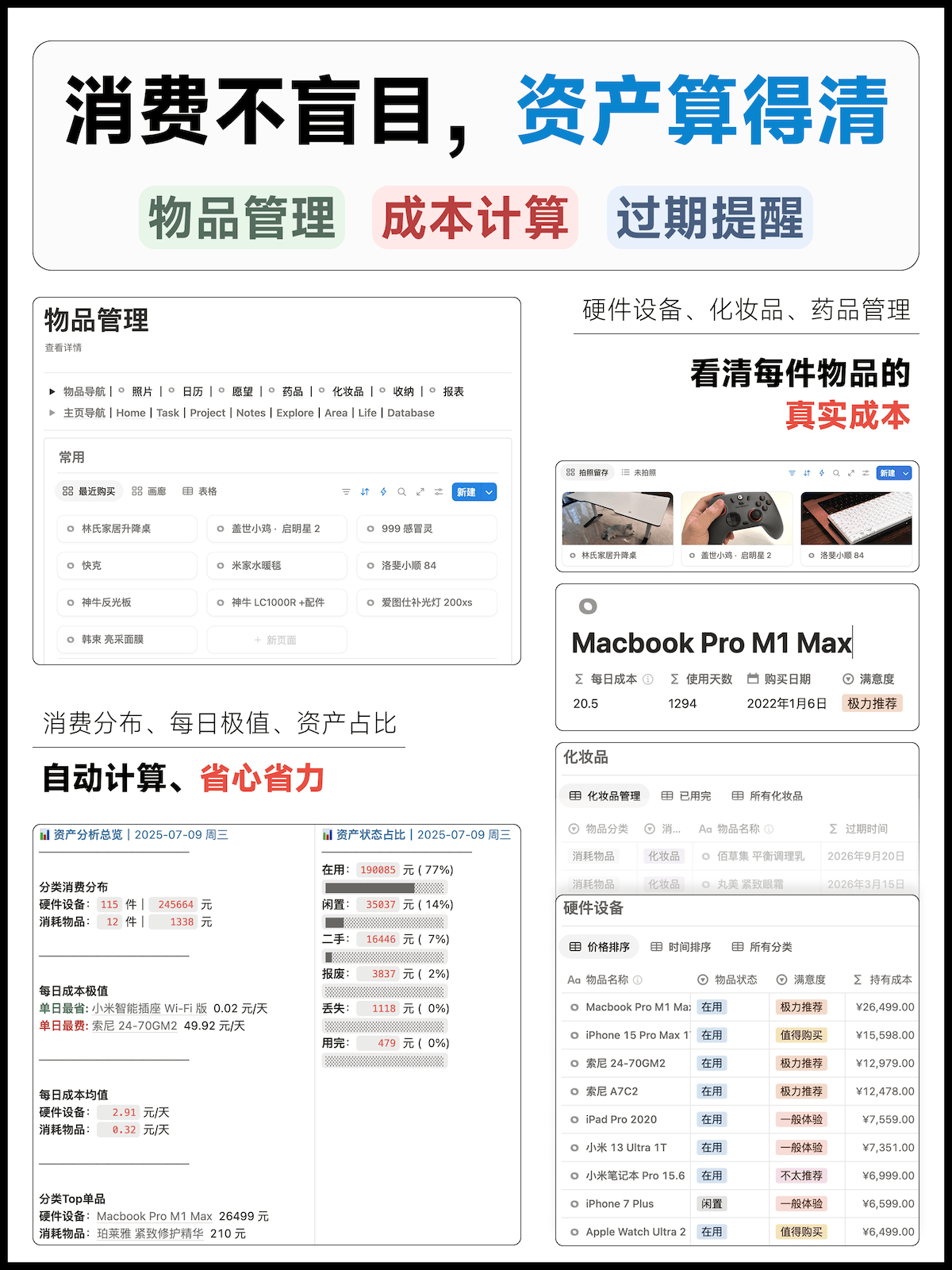
This kind of formula is not flashy, but it is practical. It turns spending decisions that used to depend on feeling into visible numbers.
When learning formulas, many people focus only on function syntax. The more important question is whether the result makes the next decision clearer.
Interests: leave a trail for memories
FLO.W also puts games, movies, shows, subscriptions, habits, and other life modules into the same system.
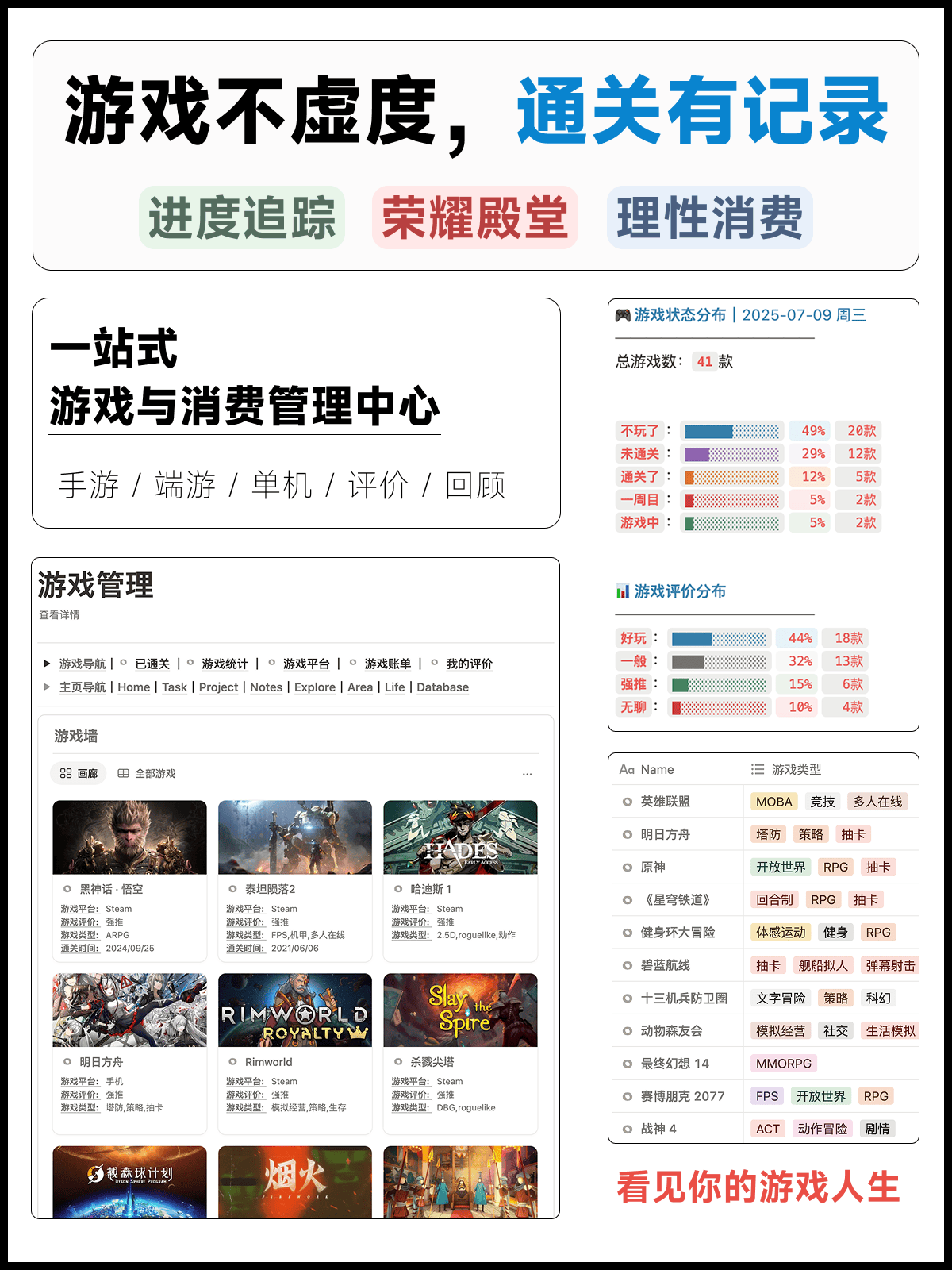
Take game records as an example. Completion status, platform, rating, play progress, and count statistics can be shown in one place. Over time, it becomes your own game archive.
Movie and TV records follow a similar logic. Ratings, watch status, updated time, and watchlists can all be recorded in a structured way, then organized through views and formulas.
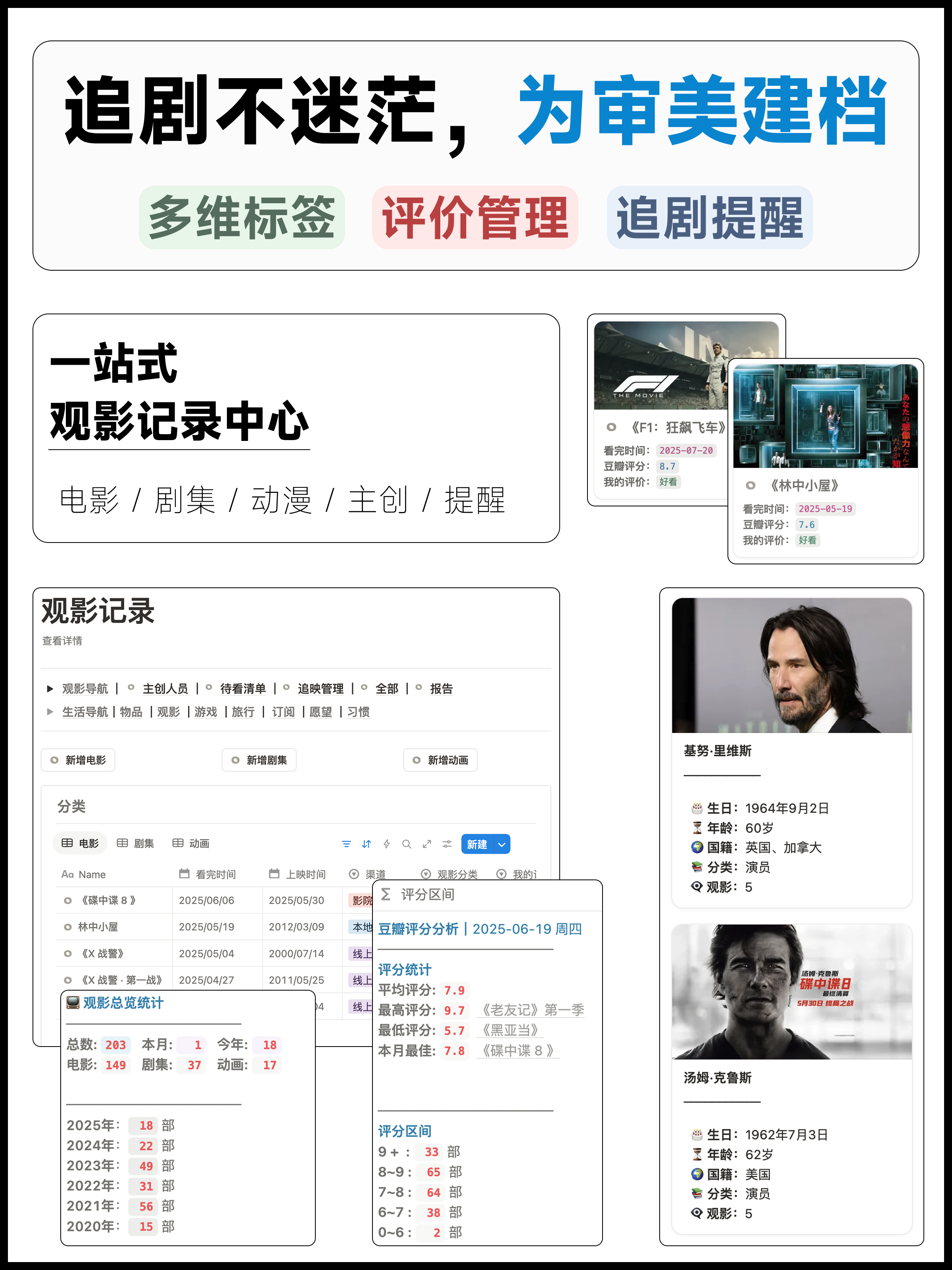
These scenarios may seem far away from a formula manual, but they show the most natural way to use formulas: hide them inside concrete pages, so records become readable on their own.
Use the manual for functions, use the template for results
This manual is designed for quick lookup. When you want to check how ifs() is written, see what dateBetween() returns, or understand why a formula snippet is structured a certain way, you can look it up directly.
FLO.W does something different: it puts common formulas into tasks, projects, notes, reports, and life logs so they produce useful results first.
If you already have your own system, you can use these function notes as a repair manual. If you want to spend less time building from a blank database, start from FLO.W and then adjust it to your own habits.
Use these results directly
To start with task reminders, project progress, reports, and life logs that are already configured, begin with the FLO.W template.
To use these formulas directly in task reminders, project progress, note heatmaps, and reports, continue with FLO.W Notion Template.
Last updated on